
1. Introduction
Thank you for choosing the EBL Smart Battery Charger. This charger is designed to efficiently and safely charge Ni-MH and Ni-CD rechargeable batteries of various sizes, including AA, AAA, C, D, and 9V. It features individual charging slots, an LCD display for charging status, and a discharge function to optimize battery performance. Please read this manual carefully before use to ensure proper operation and safety.
2. Safety Instructions
- Use this charger only for Ni-MH and Ni-CD rechargeable batteries. Do not attempt to charge alkaline, carbon-zinc, lithium, or any other non-rechargeable batteries, as this may lead to leakage, rupture, or explosion.
- Do not disassemble or modify the charger.
- Avoid exposing the charger to rain, moisture, direct sunlight, or extreme temperatures.
- Ensure proper ventilation during charging. Do not cover the charger.
- Keep out of reach of children.
- Unplug the charger from the power outlet when not in use or before cleaning.
- If the charger or batteries become excessively hot during charging, discontinue use immediately and contact support.
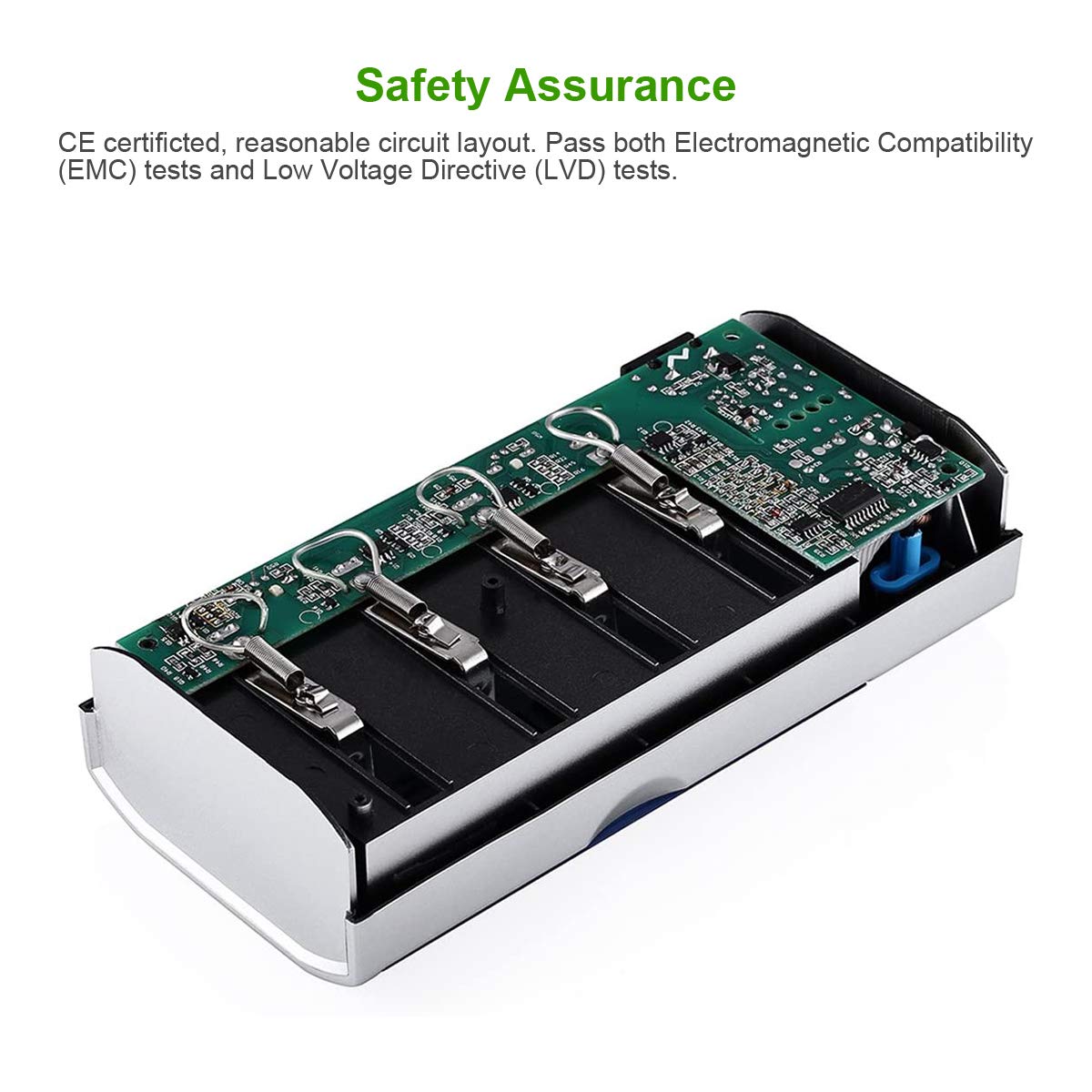
- This charger has passed CE certification and features a reasonable circuit layout for safety.
3. Product Features
- Individual Charging Slots: Supports 1-4 AA/AAA/C/D and 1-2 9V Ni-MH/Ni-CD rechargeable batteries simultaneously. Each slot charges independently.
- Discharge Function: Allows for discharging Ni-MH/Ni-CD batteries before recharging to help reduce memory effect and optimize battery life.
- LCD Display: Provides clear indication of charging status, discharge status, and error messages for each battery.
- Fast Charging: Charges 2-4 AA/AAA/C/D batteries with a total current of 2A, fully charging them in less than 3 hours. 9V batteries are fully charged in less than 10 hours.
- Wide Compatibility: Designed for various common battery sizes.

4. Package Contents
- 1 x EBL Smart Battery Charger
- 1 x User Manual
5. Setup
- Unpack the EBL Smart Battery Charger and place it on a flat, stable surface.
- Connect the charger to a standard AC power outlet using the provided power cord. The LCD display will briefly illuminate.
- Identify the correct battery type (Ni-MH or Ni-CD) and size (AA, AAA, C, D, or 9V) for the batteries you intend to charge.
- Insert the batteries into the corresponding charging slots, ensuring correct polarity (+ and -). The LCD will show the charging status for each inserted battery.

6. Operating Instructions
6.1 Charging Batteries
- Insert Ni-MH or Ni-CD batteries into the appropriate slots, matching the polarity.
- The LCD display will show the charging status for each battery. Typically, a battery icon with bars will animate to indicate charging progress.
- Once a battery is fully charged, the LCD display for that slot will show a full battery icon or a 'CHG' (Charge) indicator will stabilize.
- Remove batteries once charging is complete.
6.2 Discharge Function
The discharge function is useful for Ni-MH/Ni-CD batteries to reduce the memory effect and potentially extend their lifespan by fully depleting them before a full recharge.
- Insert the Ni-MH/Ni-CD batteries you wish to discharge into the charger slots.
- Press the blue discharge button located on the charger.
- The LCD display will show "DISCHG" for the selected slots, indicating that the batteries are now discharging.
- Once the discharge process is complete, the charger will automatically switch to charging mode. The LCD will then show the charging status.
7. Maintenance
- Cleaning: Disconnect the charger from power before cleaning. Use a soft, dry cloth to wipe the surface. Do not use abrasive cleaners or solvents.
- Storage: Store the charger in a cool, dry place away from direct sunlight and moisture when not in use.
- Battery Care: For optimal battery life, avoid over-discharging or over-charging batteries. Use the discharge function periodically for Ni-MH/Ni-CD batteries.
8. Troubleshooting
| Problem | Possible Cause | Solution |
|---|---|---|
| LCD shows "ERROR" | Incorrect battery type (non-rechargeable), damaged battery, or incorrect polarity. | Ensure only Ni-MH/Ni-CD batteries are used. Check battery condition and polarity. Replace damaged batteries. |
| Battery not charging | Poor contact, battery fully charged, or charger not powered. | Re-insert battery firmly. Check power connection. Verify battery is not already full. |
| Charger gets hot | Normal during charging, but excessive heat indicates an issue. | Ensure proper ventilation. If excessively hot, remove batteries and unplug. Contact support if problem persists. |
9. Specifications
- Brand: EBL
- Input Voltage: 240 Volts
- Output Voltage: 2.4 Volts
- Current Rating: 2000 Milliamps
- Amperage: 2000 Milliamps
- Number of Ports: 6 (4 for AA/AAA/C/D, 2 for 9V)
- Battery Charge Time: Less than 3 hours for AA/AAA/C/D (2-4pcs), less than 10 hours for 9V.
- Specification Met: UL
10. Warranty & Support
EBL products come with a standard warranty. For detailed warranty information, technical support, or any questions regarding your EBL Smart Battery Charger, please refer to the warranty card included with your product or visit the official EBL website. You may also contact EBL customer service directly for assistance.
EBL Official Website: EBL Store on Amazon


