
Bobtot ET18
Bobtot ET18 Portable Bluetooth Speaker User Manual
Model: ET18 (Cutie)
1. Introduction
Thank you for choosing the Bobtot ET18 Portable Bluetooth Speaker. This compact and versatile speaker is designed to deliver clear, loud stereo sound with deep bass, making it ideal for various environments. Its durable, waterproof design and long-lasting battery ensure your music accompanies you wherever you go. Please read this manual carefully to ensure proper use and maintenance of your speaker.
2. What's in the Box
Please check the package contents:
- Bobtot ET18 Portable Bluetooth Speaker
- USB-C Charging Cable
- Carrying Strap
- User Manual

Image: Bobtot ET18 speaker with included accessories.
3. Key Features
- Bluetooth 5.0 Connectivity: Ensures stable and extended wireless range up to 33 feet for seamless connection with smartphones, tablets, laptops, and other Bluetooth-enabled devices.
- Powerful Audio: Delivers 5W stereo sound with balanced midrange, crisp treble, and punchy bass, maintaining clarity even at maximum volume.
- Extended Playtime: Equipped with a 1200mAh rechargeable battery, offering up to 20 hours of continuous music playback on a single charge.
- Hands-Free Calling: Features a built-in microphone for convenient hands-free calls, perfect for multitasking.
- IPX5 Waterproof: Designed to withstand water and liquid splashes, making it suitable for outdoor activities like biking, hiking, camping, and use in the shower.
- Ultra-Portable Design: Weighs less than 0.5 pounds and is smaller than a phone, with an included carrying strap for easy attachment to bags, bikes, or shower racks.
- Universal USB-C Charging: Fast and convenient recharging with the included USB-C cable.
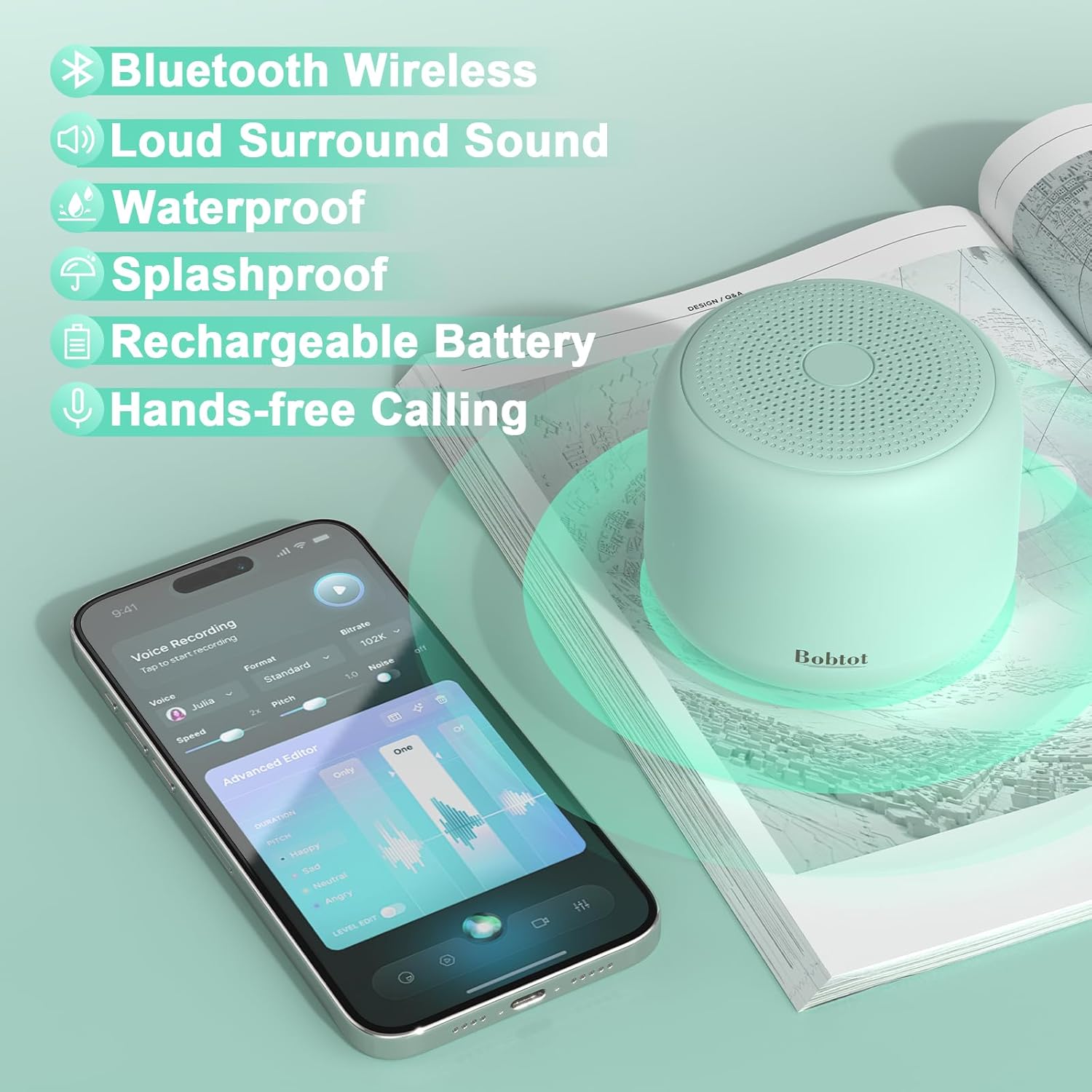
Image: Key features of the Bobtot ET18 speaker.
4. Setup Guide
4.1 Charging the Speaker
- Locate the USB-C charging port on the side of the speaker, protected by a rubber flap.
- Gently open the rubber flap to expose the port.
- Connect the provided USB-C charging cable to the speaker's port.
- Connect the other end of the USB-C cable to a compatible USB power adapter (not included) or a computer's USB port.
- The charging indicator light will illuminate during charging and turn off when fully charged. A full charge takes approximately 2-3 hours.

Image: Charging the Bobtot ET18 speaker.
4.2 Attaching the Carrying Strap
- Take the provided carrying strap.
- Thread the thin loop end of the strap through the small hole located near the charging port on the speaker.
- Pull the larger ring end of the strap through the thin loop to secure it.
- Ensure the strap is firmly attached before carrying the speaker.

Image: Attaching the carrying strap to the speaker.
5. Operating Instructions
5.1 Power On/Off
- To power on, press and hold the Power button (marked with a circle and vertical line) on the bottom of the speaker until you hear an audible prompt and the LED indicator lights up.
- To power off, press and hold the Power button again until you hear an audible prompt and the LED indicator turns off.
5.2 Bluetooth Pairing
- Ensure the speaker is powered on and in pairing mode (the LED indicator will flash blue).
- On your device (smartphone, tablet, etc.), enable Bluetooth and search for available devices.
- Select "Cutie" from the list of available devices.
- Once paired, the LED indicator will turn solid blue, and you will hear a confirmation tone.
- The speaker will automatically reconnect to the last paired device when powered on, if within range.
5.3 Music Playback Controls
The control buttons are located on the bottom of the speaker:
- Play/Pause: Press the Play/Pause button (marked with a play/pause icon) once to play or pause music.
- Volume Up/Next Track: Press the '+' button to increase volume. Press and hold the '+' button to skip to the next track.
- Volume Down/Previous Track: Press the '-' button to decrease volume. Press and hold the '-' button to go to the previous track.
5.4 Hands-Free Calling
With the built-in microphone, you can manage calls directly from your speaker:
- Answer/End Call: Press the Phone button (marked with a phone icon) once to answer an incoming call or end an ongoing call.
- Reject Call: Press and hold the Phone button to reject an incoming call.
- Redial: Double-press the Phone button to redial the last number.

Image: Using the Bobtot ET18 for hands-free calling.
6. Maintenance
- Cleaning: Wipe the speaker with a soft, damp cloth. Do not use harsh chemicals or abrasive cleaners.
- Water Resistance: The speaker is IPX5 waterproof, meaning it can withstand splashes and light rain. Do not submerge the speaker in water. Ensure the charging port cover is securely closed when exposed to water.
- Storage: Store the speaker in a cool, dry place away from extreme temperatures and direct sunlight.
- Battery Care: To prolong battery life, fully charge the speaker before first use and at least once every three months if not used regularly.
7. Troubleshooting
| Problem | Possible Solution |
|---|---|
| Speaker does not power on. | Ensure the battery is charged. Connect the speaker to a power source using the USB-C cable. |
| Unable to pair with Bluetooth device. |
|
| No sound or low volume. |
|
| Poor sound quality. |
|
8. Specifications
- Model Name:
- Cutie (ET18)
- Bluetooth Version:
- 5.1
- Wireless Communication Technology:
- Bluetooth
- Maximum Range:
- 33 Feet (without obstructions)
- Speaker Maximum Output Power:
- 5 Watts
- Battery Capacity:
- 1200 mAh Lithium Polymer
- Playtime:
- Up to 20 hours
- Water Resistance Level:
- IPX5 (Water Resistant)
- Built-in Microphone:
- Yes
- Control Method:
- Touch buttons
- Product Dimensions:
- 2.55"D x 2.55"W x 2.15"H
- Item Weight:
- 7.7 ounces
- Material:
- Acrylonitrile Butadiene Styrene (ABS)
9. Warranty & Support
The Bobtot ET18 Portable Bluetooth Speaker comes with a Limited Warranty. For detailed warranty information, product support, or any inquiries, please refer to the contact information provided in your product packaging or visit the official Bobtot website.
Manufacturer: MOSWS INTERNATIONAL LIMITED
For further assistance, please visit the Bobtot Store on Amazon.
Related documentsET18


Ask a question about this manual
Ask about setup, troubleshooting, compatibility, parts, safety, or missing instructions. Manuals+ will review the question and use this page’s manual context to help answer it.