
1. Introduction
This manual provides essential instructions for the setup, operation, and maintenance of your RIVERSONG Motive 7C Smart Watch. Please read this guide thoroughly to ensure proper use and to maximize your device's capabilities. Keep this manual for future reference.

Image 1.1: RIVERSONG Motive 7C Smart Watch
2. Product Overview
2.1 Key Features
- Bluetooth Call Functionality: Make and answer calls directly from your wrist.
- 1.52-inch HD Full Touch Screen: Provides a clear and responsive visual experience.
- 100+ Sport Modes: Track various activities including walking, running, cycling, and more.
- All-Day Health Monitoring: Includes heart rate, blood oxygen (SpO2), and sleep tracking.
- Female Cycle Tracking: Monitor menstrual and ovulation periods.
- AI Voice Assistant: Control your watch and access information using voice commands.
- Smart Notifications: Receive SMS, social media, and app alerts.
- Additional Tools: Breathing training, music control, camera control, find phone, sedentary reminders, alarm, stopwatch, weather forecast, and flashlight.
2.2 Package Contents
Ensure all items are present in the package:
- RIVERSONG Motive 7C Smart Watch
- Charging Cable
- User Manual
3. Setup
3.1 Charging the Device
Before first use, fully charge your smart watch. Connect the magnetic charging cable to the charging points on the back of the watch and plug the USB end into a power adapter (not included) or a computer's USB port. The watch display will indicate charging status.
3.2 App Installation and Pairing
- Download the Companion App: Search for the official RIVERSONG companion app in your smartphone's app store (Apple App Store for iOS, Google Play Store for Android) or scan the QR code provided in the quick start guide.
- Create an Account: Open the app and follow the on-screen instructions to create a new user account or log in if you already have one.
- Pair the Watch:
- Ensure your watch is charged and powered on.
- Enable Bluetooth on your smartphone.
- In the app, navigate to the 'Device' or 'Add Device' section.
- Select your Motive 7C Smart Watch from the list of available devices.
- Confirm the pairing request on both your phone and the watch.
- Enable Bluetooth Call Function: After initial pairing, go to your phone's Bluetooth settings and connect to the 'Motive 7C_Call' or similar device to enable the call feature.

Image 3.1: Overview of Motive 7C Smart Watch features.
4. Operating Instructions
4.1 Basic Navigation
- Swipe Up/Down: Scroll through menus and notifications.
- Swipe Left/Right: Access quick functions or different widgets.
- Tap: Select an item or confirm an action.
- Press Side Button: Return to the home screen or power on/off.
4.2 Bluetooth Calling
Once paired, you can make and receive calls directly on your watch.
- Making a Call: Access the dial pad or contacts list on the watch to initiate a call.
- Answering a Call: When a call comes in, tap the green icon on the watch screen to answer.

Image 4.1: Clear Bluetooth calling on the wrist.
4.3 Notifications
Receive alerts for SMS, calls, and various applications (e.g., Facebook, WhatsApp, Instagram, Twitter) directly on your watch. Ensure notification permissions are enabled in both your phone's settings and the companion app.
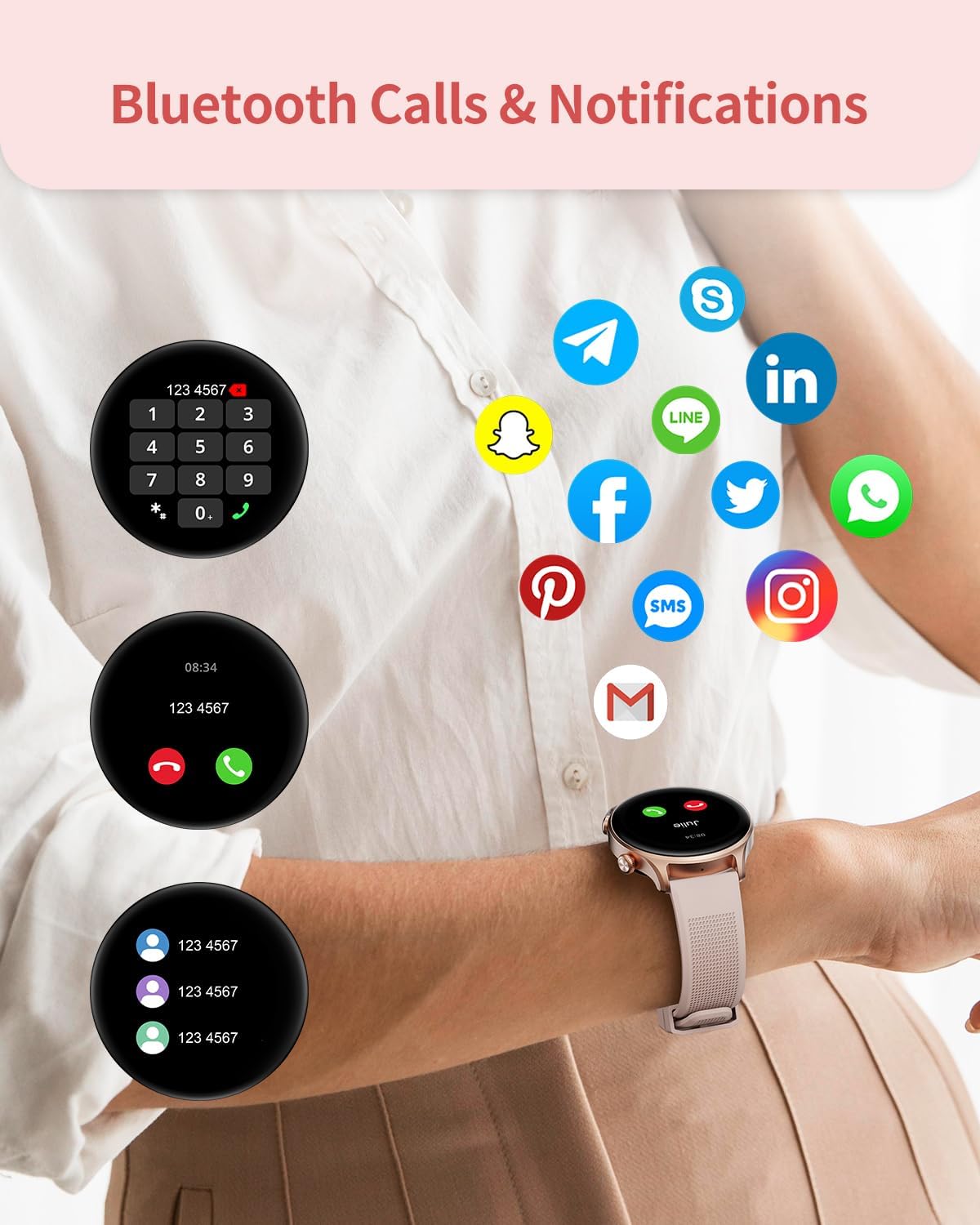
Image 4.2: Bluetooth calls and notifications display.
4.4 Health Monitoring
The Motive 7C Smart Watch provides comprehensive health tracking features.
- Heart Rate Monitoring: Continuously tracks your heart rate throughout the day. View real-time data on the watch or detailed trends in the app.
- Blood Oxygen (SpO2) Monitoring: Measures your blood oxygen saturation levels.
- Sleep Tracking: Monitors your sleep patterns, including deep sleep, light sleep, and awake times. Access detailed analysis in the app to understand your sleep quality.
- Female Cycle Tracking: Record and predict menstrual and ovulation periods through the companion app.
- Stress Monitoring: Provides insights into your stress levels.

Image 4.3: 24-hour health monitoring capabilities.

Image 4.4: Sleep tracking and analysis.
4.5 Sport Modes
Select from over 100 sport modes to accurately track your workouts. The watch records steps, distance, and calories burned, providing data analysis to help improve your training.

Image 4.5: Over 100 sport modes for diverse activities.
4.6 AI Voice Assistant
Activate the AI voice assistant on your watch to perform tasks such as setting alarms, checking the weather, or controlling music playback using voice commands.

Image 4.6: AI Voice Assistant and other convenient features.
4.7 Other Practical Functions
The Motive 7C includes several daily useful tools:
- Music Control: Play, pause, skip tracks on your smartphone's music player.
- Camera Control: Use your watch as a remote shutter for your phone's camera.
- Find Phone: Locate your paired smartphone by making it ring.
- Sedentary Reminders: Get alerts to move after periods of inactivity.
- Alarm Clock: Set alarms directly from your watch.
- Stopwatch & Timer: Essential tools for timing activities.
- Weather Forecast: View current weather and forecasts.
- Flashlight: Utilize the screen as a temporary light source.

Image 4.7: Smart functions to control your day.
5. Maintenance
5.1 Cleaning
- Watch Body: Wipe with a soft, damp, lint-free cloth. Avoid harsh chemicals or abrasive materials.
- Strap: Clean the strap regularly with mild soap and water, then rinse thoroughly and dry completely before wearing.
- Charging Contacts: Ensure charging contacts are clean and dry to prevent corrosion and ensure efficient charging.
5.2 Water Resistance
The Motive 7C Smart Watch is designed with a degree of water resistance suitable for daily use, such as hand washing or light rain. It is not recommended for swimming, showering with hot water, or diving. Avoid prolonged exposure to water and ensure the watch is dry before charging.
5.3 Battery Care
- Charge the watch regularly, ideally before the battery is completely depleted.
- Avoid extreme temperatures, which can affect battery life.
- If storing the watch for an extended period, charge it to about 50% and store in a cool, dry place.
6. Troubleshooting
If you encounter issues with your Motive 7C Smart Watch, refer to the following common problems and solutions:
| Problem | Possible Solution |
|---|---|
| Watch does not power on | Ensure the watch is fully charged. Press and hold the side button for several seconds. |
| Unable to pair with smartphone | Check if Bluetooth is enabled on your phone. Ensure the watch is within range. Restart both the watch and phone. Clear previous Bluetooth connections. |
| Inaccurate health data | Ensure the watch is worn snugly on your wrist, not too tight or too loose. Clean the sensor on the back of the watch. Consult a medical professional for accurate health measurements. |
| Notifications not received | Verify notification permissions are granted for the app and the watch in your phone's settings. Ensure the watch is connected via Bluetooth. |
| Bluetooth call function not working | Confirm that 'Motive 7C_Call' is connected in your phone's Bluetooth settings. Check volume settings on both devices. |
If the problem persists, please contact customer support.
7. Specifications
| Feature | Detail |
|---|---|
| Model Number | Motive 7C |
| Screen Size | 1.52 Inches |
| Display Type | HD Full Touch Color Screen |
| Shape | Round |
| Operating System Compatibility | Android OS 5.1 or higher, iOS 12.0 or higher |
| Connectivity Technology | Bluetooth |
| Battery Capacity | 280 Milliamp Hours (Lithium Ion) |
| Item Weight | 3.84 ounces (0.11 Kilograms) |
| Product Dimensions | 11.46 x 3.58 x 0.75 inches |
| Special Features | Bluetooth Call, Large Screen, AI Voice Assistant, 100+ Sport Modes, Heart Rate, SpO2, Sleep, Female Cycle Monitoring |
| GPS | No GPS |

Image 7.1: Product dimensions of the Motive 7C Smart Watch.
8. Warranty and Support
8.1 Warranty Information
Your RIVERSONG Motive 7C Smart Watch is covered by a manufacturer's warranty. Please refer to the warranty card included in your product packaging for specific terms, conditions, and duration. Keep your proof of purchase for warranty claims.
8.2 Customer Support
For technical assistance, troubleshooting, or warranty inquiries, please contact RIVERSONG customer support. Contact details can typically be found on the official RIVERSONG website or on the product packaging.


