
Introduction
Thank you for choosing the BAOFENG UV-25 Tri-Power Amateur Radio. This manual provides essential information for the safe and efficient operation of your device. Please read it thoroughly before use.
The BAOFENG UV-25 is a versatile portable amateur radio designed for robust communication. It features high power output, multi-band reception including UHF, VHF, AM, and FM, and a substantial 5200mAh battery with convenient Type-C charging. Its durable construction and user-friendly features, such as one-key frequency cloning, make it suitable for various communication needs.
What's in the Box
Verify that all items are present in your package:
- 1x BAOFENG UV-25 Amateur Radio
- 1x 5200mAh Li-ion Battery
- 1x Gooseneck Antenna
- 1x Tactical Antenna
- 1x Type-C Charging Cable
- 1x Charging Adapter
- 1x Headset
- 1x User Manual (this document)
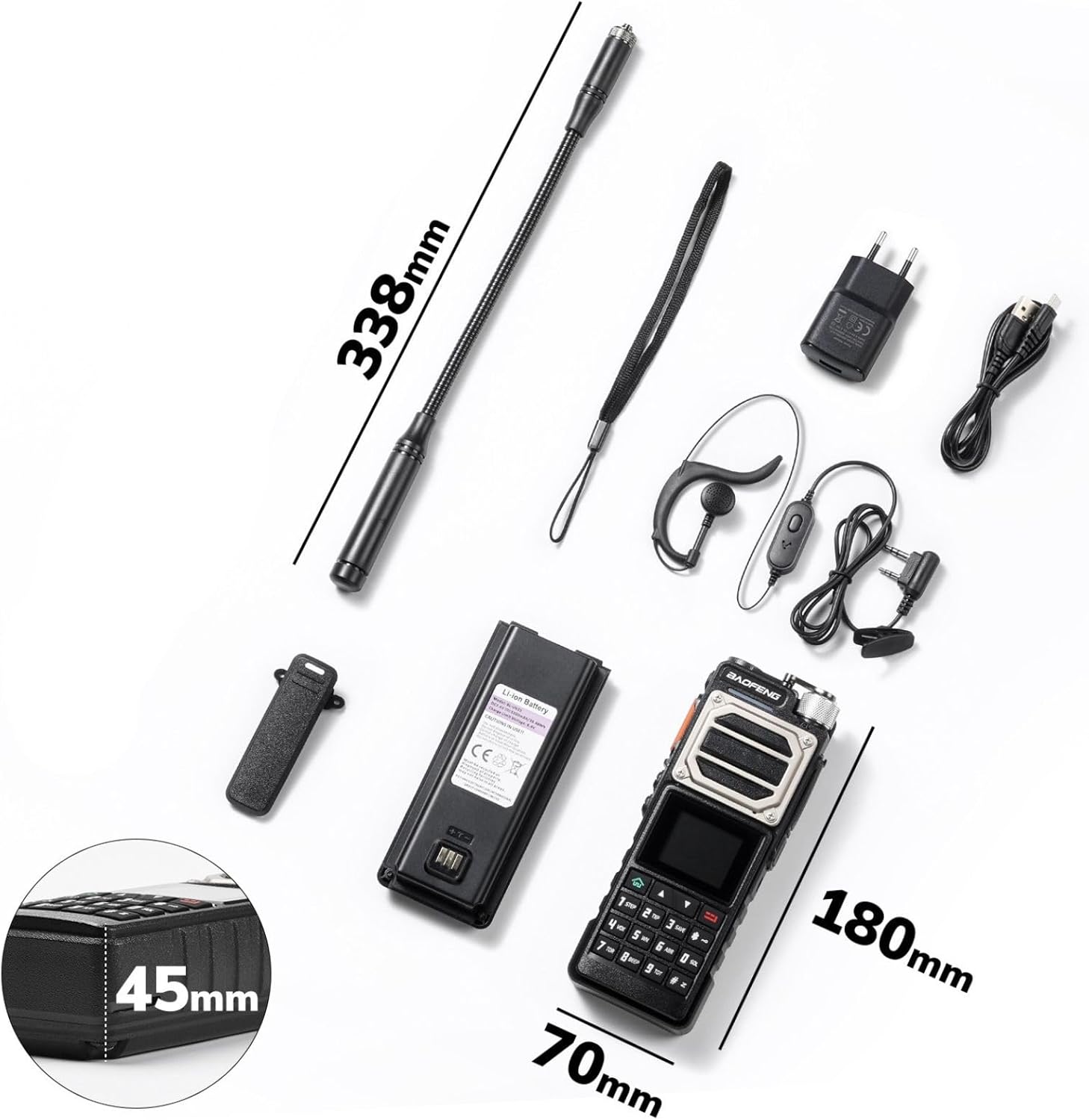
Image: All components included in the BAOFENG UV-25 package, laid out on a white background. This includes the radio unit, a 5200mAh battery, a gooseneck antenna, a tactical antenna, a Type-C charging cable, a charging adapter, and a headset. Dimensions of the radio are also indicated.
Setup
- Battery Installation:
Align the 5200mAh Li-ion battery with the battery compartment on the back of the radio. Slide the battery into place until it clicks securely. Ensure it is firmly attached to prevent accidental disconnection.
- Antenna Attachment:
Screw either the gooseneck antenna or the tactical antenna onto the antenna connector at the top of the radio. Turn clockwise until snug. Do not overtighten.
- Charging the Battery:
Connect the Type-C charging cable to the radio's Type-C port and the other end to the charging adapter. Plug the adapter into a standard wall outlet. The charging indicator on the radio will show charging status. A full charge ensures extended operation time.

Image: The BAOFENG UV-25 radio with its 5200mAh battery, illustrating multiple charging methods via its Type-C port: a wall adapter, a laptop USB port, a power bank, and a car charger.
- Initial Power On:
Rotate the power/volume knob clockwise to turn on the radio. Adjust the knob to set the desired volume level. The display will illuminate, showing frequency information.
Operating Instructions
- Power On/Off:
To power on, rotate the top-right knob clockwise. To power off, rotate it counter-clockwise until it clicks.
- Frequency Selection (UHF, VHF, AM, FM):
The radio supports dual-band UV transmission and reception across UHF, VHF, AM, and FM bands. Use the keypad and menu options to navigate and select desired frequencies. Refer to the on-screen display for current band and frequency information.
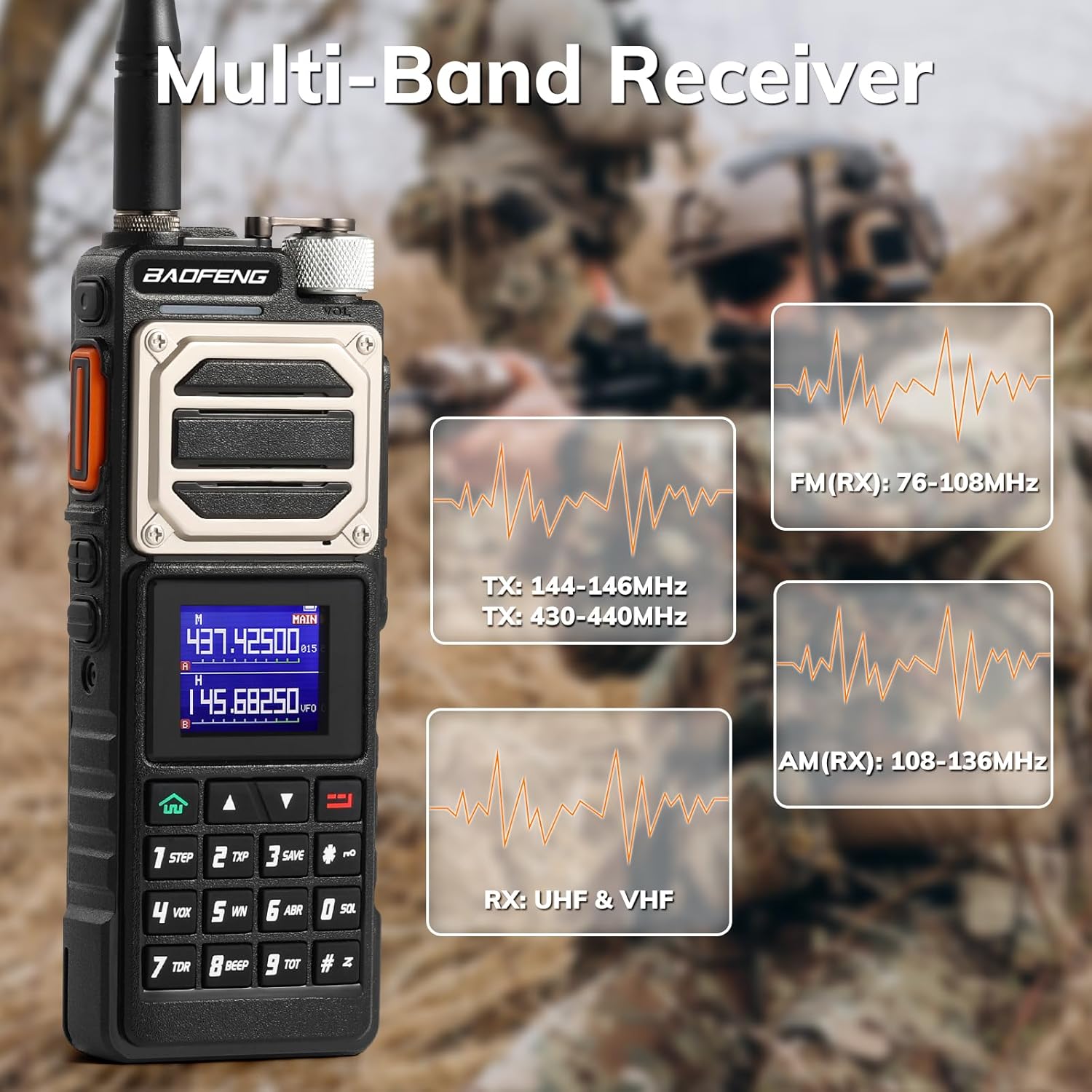
Image: The BAOFENG UV-25 radio with its display showing active frequencies. Insets illustrate its multi-band receiver capabilities, including FM (76-108MHz), AM (108-136MHz), and general RX for UHF & VHF, along with TX frequencies for 144-146MHz and 430-440MHz.
- Channel Storage:
The device has a storage capacity of up to 999 channels. Consult the detailed menu guide (if available in the full manual) for instructions on how to program and save channels.
- One-Key Frequency Copy:
Utilize the [SK1] key for quick frequency cloning between devices. Press and hold the [SK1] button to initiate the frequency copy function, simplifying communication setup with other compatible radios.

Image: Two BAOFENG UV-25 radios side-by-side, illustrating the "One Key Frequency Copy" function. One radio shows a finger pressing the side button labeled "Press & Hold", and arrows indicate frequency data being copied between the two devices.
- DTMF Manual Dial:
The radio supports DTMF manual dialing. Use the numeric keypad to input DTMF tones for various functions, such as repeater control or selective calling. Refer to advanced programming guides for specific DTMF applications.

Image: A close-up of the BAOFENG UV-25 radio being held, with a finger pressing a key on the numeric keypad, demonstrating the "DTMF Manual Dial" feature on the screen.
- Using the Flashlight:
The radio includes a top-mounted flashlight. Activate it via the designated button or menu option. This can also function as an SOS signal in emergencies.
- Power Output Adjustment:
The radio offers multiple power output levels: 11W (High), 8W (Medium), and 5W (Low). Adjust the power output according to your communication needs and local regulations to optimize battery life and signal range.

Image: The BAOFENG UV-25 radio's display showing "Real 11 Watts" and illustrating three power output levels: High (H: 11W), Medium (M: 8W), and Low (L: 5W), along with a power meter reading.
Maintenance
- Cleaning: Use a soft, damp cloth to clean the radio's exterior. Do not use harsh chemicals or solvents.
- Battery Care: To prolong battery life, avoid fully discharging the battery frequently. Store the radio and battery in a cool, dry place when not in use for extended periods.
- Antenna Care: Ensure antennas are securely attached. Avoid bending or stressing the antennas, as this can affect performance.
- Environmental Protection: While the radio features a durable metal design, it is not water-resistant. Protect it from moisture, extreme temperatures, and direct sunlight.

Image: The BAOFENG UV-25 radio, highlighting its "Durable Metal Design," shown amidst falling debris, suggesting its robust construction.
Troubleshooting
| Problem | Possible Cause | Solution |
|---|---|---|
| Radio does not power on. | Battery is low or not installed correctly. | Charge the battery fully. Ensure the battery is securely attached. |
| No signal or poor reception. | Antenna not connected, out of range, or interference. | Check antenna connection. Move to an open area. Adjust frequency. |
| Cannot transmit. | Incorrect frequency, low power, or PTT button issue. | Verify frequency settings. Ensure battery is charged. Check PTT button functionality. |
| Audio is distorted or too low. | Volume too low, speaker blocked, or headset issue. | Adjust volume. Clear any obstructions from the speaker. Test with/without headset. |
Specifications
| Feature | Detail |
|---|---|
| Brand | Baofeng |
| Model Number | UV25 |
| Color | Black |
| Number of Channels | 999 |
| Frequency Spectrum | UHF and VHF |
| Max Talk Range | 10 Kilometers |
| Water Resistance Level | Not water-resistant |
| Battery Type | 1x 5200 mAh Li-ion (included) |
| Special Features | Dual band, high-performance antennas, wideband frequency, high channel capacity, long battery life, built-in flashlight, one-key frequency copy |
Warranty and Support
Warranty: This product comes with an 18-month warranty from the date of purchase. Please retain your proof of purchase for warranty claims. The warranty covers manufacturing defects but does not cover damage caused by misuse, accidents, or unauthorized modifications.
Returns: A return policy of 14 days is typically offered for refunds or replacements, subject to retailer terms and conditions.
Customer Support: For technical assistance, troubleshooting, or warranty inquiries, please contact the retailer or manufacturer directly. Refer to the packaging or manufacturer's website for contact information.


