1. Introduction
This manual provides detailed instructions for the assembly, operation, and maintenance of your Letaya Mobile 2 Drawer File Cabinet with Lock. This metal lateral printer stand and filing storage cabinet is designed for home and office use, accommodating A4, F4, and Letter-sized documents. Please read this manual thoroughly before assembly and use to ensure proper function and longevity of the product.

Image 1.1: The Letaya Mobile 2 Drawer File Cabinet, featuring two lockable drawers, an open shelf, and a perforated side panel for hanging accessories. A printer is placed on the top surface.
2. Safety Information
Please observe the following safety guidelines to prevent injury or damage to the product:
- Keep the cabinet away from doorways and walkways when in use to avoid obstruction and potential tripping hazards.
- Keep keys out of reach of children to prevent unauthorized access or accidental locking.
- Ensure the cabinet is placed on a level surface to maintain stability and prevent tipping.
- Do not overload drawers or shelves beyond the specified weight capacity to prevent structural damage or instability.
- Use the locking casters to secure the cabinet in place when not being moved.
3. Package Contents
Before beginning assembly, verify that all components listed below are present and undamaged. If any parts are missing or damaged, please contact customer support.

Image 3.1: Illustration of the cabinet's components and packaging, including high-strength carton, metal corner protection, and internal void fill foam, ensuring safe delivery.
The package typically includes:
- Cabinet panels (top, bottom, sides, back, shelves)
- Drawer components (fronts, sides, backs, bottoms)
- Drawer slides
- Locking mechanism and keys
- Casters (4, with 2 lockable)
- Adjustable hanging file bars
- Assembly hardware (screws, bolts, nuts)
- Installation tools
- Installation instructions
4. Assembly Instructions
Assembly of the Letaya Mobile 2 Drawer File Cabinet is designed to be straightforward. Follow the included step-by-step instructions and use the provided tools. It is recommended to assemble the cabinet on a soft, clean surface to prevent scratches.
General Assembly Steps:
- Unpack Components: Carefully remove all parts from the packaging and lay them out. Verify against the parts list.
- Assemble the Frame: Attach the side panels to the bottom panel, then secure the back panel.
- Install Shelves: Insert the internal shelves into the designated slots.
- Assemble Drawers: Construct each drawer by attaching the sides, back, and bottom to the drawer front.
- Attach Drawer Slides: Secure the drawer slides to both the cabinet frame and the assembled drawers.
- Install Locking Mechanism: Integrate the lock into the designated drawer front, ensuring it aligns with the locking bar.
- Attach Casters: Secure the four casters to the bottom of the cabinet. Ensure the two lockable casters are positioned at the front for easy access.
- Insert Drawers: Carefully slide the assembled drawers onto their respective slides.
- Install File Bars: Place the adjustable hanging file bars inside the drawers as needed for your document sizes.
For detailed visual guidance, refer to the installation video guide provided by the manufacturer, if available, or the included printed instructions.
5. Operating Instructions
5.1 Using the Drawers
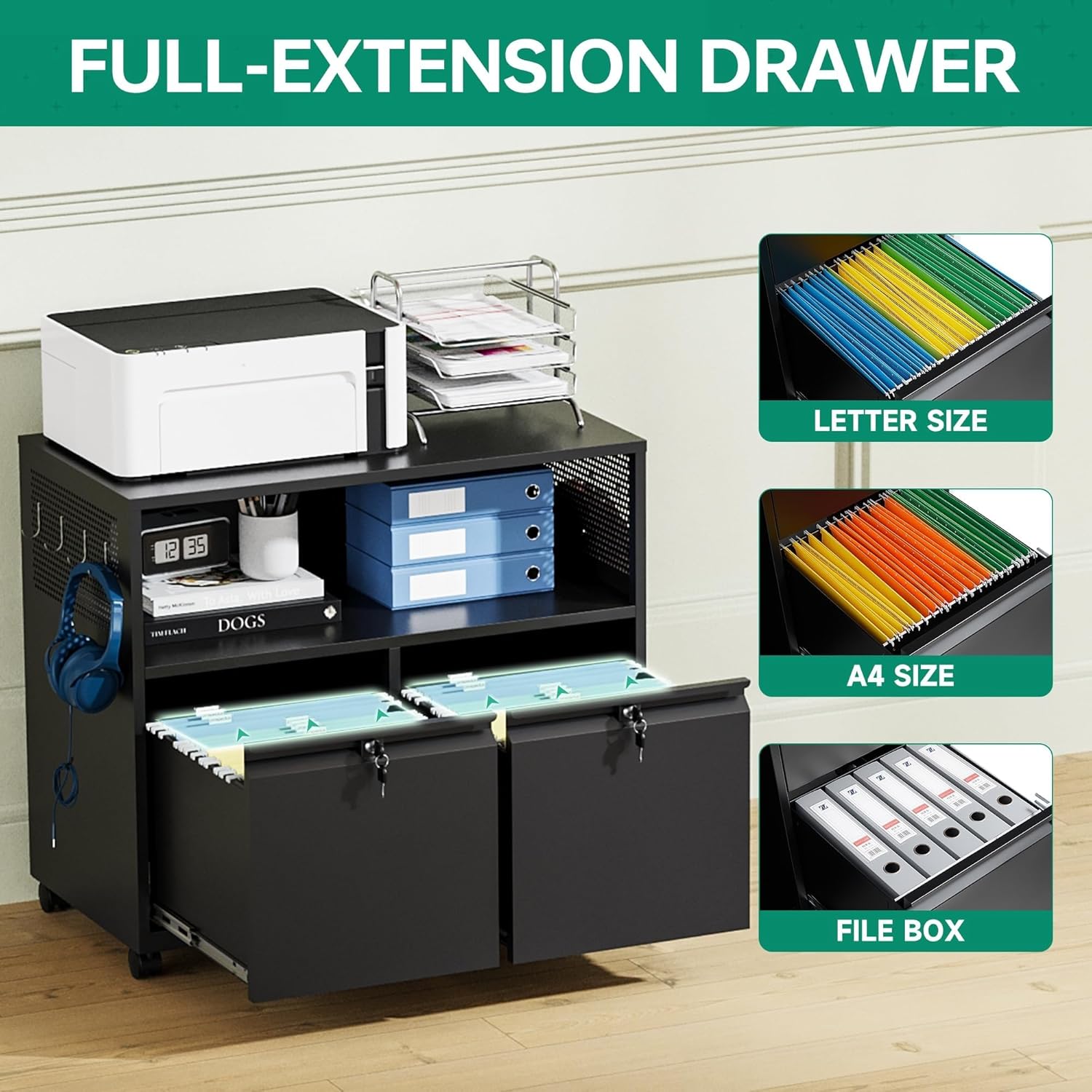
Image 5.1: The full-extension drawer mechanism, illustrating compatibility with Letter, A4, and F4/Legal size hanging file folders.
- Opening/Closing: Pull the drawer handle to open and push to close. The drawers feature silent ball-bearing slides for smooth operation.
- File Organization: The drawers are equipped with adjustable bars to accommodate A4, F4, and Letter-sized hanging file folders. Adjust the bars to fit your specific document size.
- Weight Capacity: Do not exceed the maximum weight capacity for each drawer to ensure smooth operation and prevent damage.
5.2 Locking Mechanism
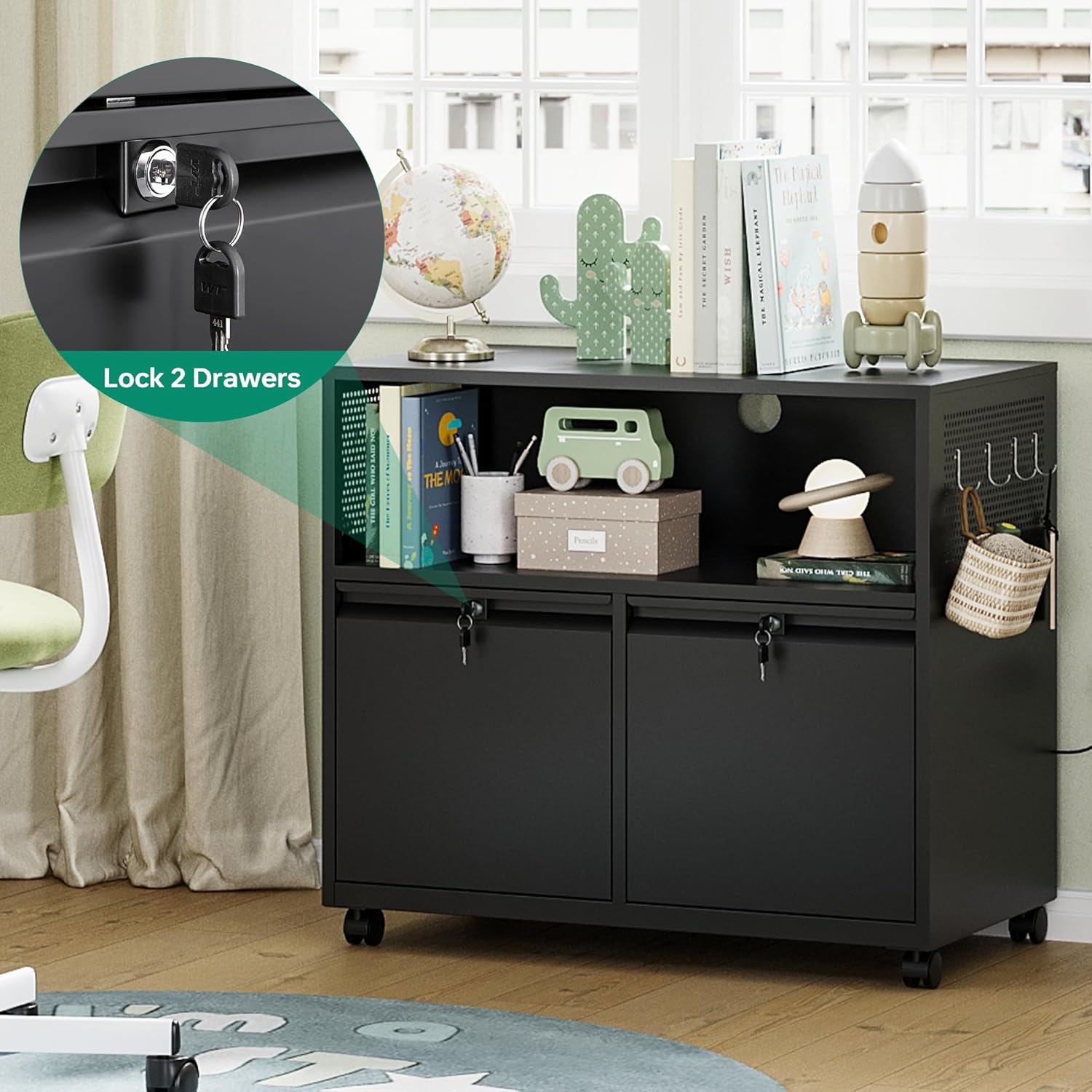
Image 5.2: Detail of the integrated lock and key, designed to secure both drawers simultaneously.
- To Lock: Ensure both drawers are fully closed. Insert the key into the lock cylinder located on the top drawer and turn it clockwise until the drawers are secured. Remove the key.
- To Unlock: Insert the key into the lock cylinder and turn it counter-clockwise. The drawers will now be able to open.
- Key Management: Keep spare keys in a safe, accessible location, but away from the cabinet itself.
5.3 Mobility (Casters)
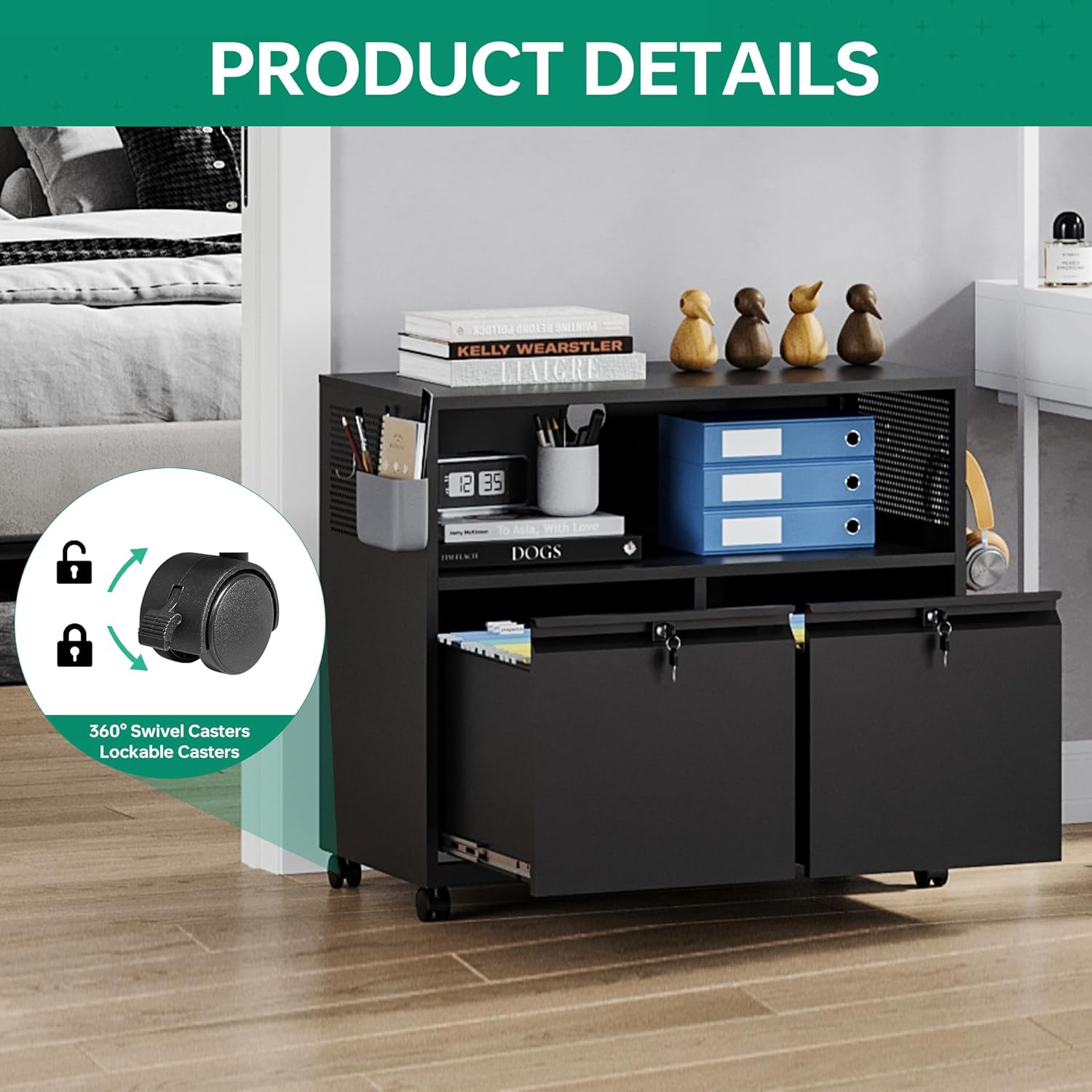
Image 5.3: The 360-degree swivel casters, highlighting the lockable feature for stability.
- Moving the Cabinet: Unlock the two front casters by pressing down on their locking levers. The cabinet can then be freely moved.
- Securing the Cabinet: Once the cabinet is in the desired position, press down on the locking levers of the two front casters to prevent unintended movement.
6. Maintenance
Regular maintenance will help preserve the appearance and functionality of your file cabinet.
- Cleaning: Wipe the cabinet surfaces with a soft, damp cloth. For stubborn marks, a mild soap solution can be used, followed by drying with a clean cloth. Avoid abrasive cleaners or harsh chemicals, as they may damage the powder-coated finish.
- Drawer Slides: Periodically check the drawer slides for smooth operation. If they become stiff, a small amount of silicone-based lubricant can be applied.
- Casters: Keep casters free of debris (hair, dust, etc.) to ensure smooth rolling.
- Hardware: Occasionally check all screws and bolts to ensure they are tight. Retighten if necessary.
7. Troubleshooting
If you encounter any issues with your file cabinet, refer to the following common problems and solutions:
- Drawers are stiff or difficult to open/close:
- Check if the drawers are overloaded. Reduce the weight if necessary.
- Inspect the drawer slides for obstructions or damage. Clean or lubricate as needed.
- Ensure the cabinet is on a level surface.
- Lock is not engaging or disengaging:
- Ensure both drawers are fully closed before attempting to lock.
- Check if the key is fully inserted and turned correctly.
- Verify that no items inside the drawers are obstructing the locking mechanism.
- Cabinet is unstable or wobbles:
- Ensure all assembly hardware is securely tightened.
- Verify the cabinet is placed on a flat, level surface.
- Check if the casters are properly installed and tightened.
- Casters are not rolling smoothly:
- Check for debris (e.g., hair, dust) wrapped around the caster wheels and remove it.
- Ensure the caster locks are disengaged.
8. Specifications
Key specifications for the Letaya Mobile 2 Drawer File Cabinet:

Image 8.1: Product dimensions and total load capacity of the Letaya Mobile 2 Drawer File Cabinet.
| Feature | Detail |
|---|---|
| Brand | Letaya |
| Model Name | Letaya file cabinet |
| Color | Black |
| Product Dimensions | 16.7"D x 31.5"W x 28.14"H |
| Item Weight | 45 Pounds |
| Weight Limit (Top) | 120 lbs |
| Material | Metal (0.8 mm thick steel) |
| Finish Type | Powder Coated |
| Number of Drawers | 2 |
| Special Features | Lockable, Wheeled (360° Swivel Casters, 2 Lockable) |
| File Compatibility | A4, F4, Letter size hanging files |
| Assembly Required | Yes |
9. Warranty and Support
For information regarding product warranty, returns, or technical support, please refer to the documentation included with your purchase or contact the retailer directly. Keep your purchase receipt as proof of purchase.


