1. Introduction
The Maoo Ventura AMOLED Smartwatch is designed to be an elegant and functional companion for your daily life, helping you monitor your health, track your fitness activities, and stay connected. This manual provides comprehensive instructions on how to set up, operate, maintain, and troubleshoot your new smartwatch, ensuring you get the most out of its advanced features.
2. Package Contents
Please verify that all items listed below are included in your package:
- 1 x Maoo Ventura Smartwatch
- 1 x Stainless Steel Strap
- 1 x Silicone Strap
- 1 x USB Charging Cable
- 1 x User Manual

Image 2.1: The Maoo Ventura Smartwatch shown with both the elegant stainless steel mesh strap and the sporty white silicone strap, along with a close-up of the watch face displaying time and date.
3. Product Overview and Features
The Maoo Ventura Smartwatch combines sophisticated design with comprehensive functionality to support your well-being and connectivity.
Key Features:
- Elegant Design: 42x42 mm case with a 1.32-inch AMOLED display, offering a clear and vivid view. Comes with both stainless steel and silicone straps.
- Full Call Functionality: Make and receive calls directly from your wrist via Bluetooth 5.3.
- Smart Notifications: Receive alerts from popular apps like WhatsApp, Instagram, and Twitter.
- Comprehensive Health Monitoring: Includes heart rate, blood oxygen saturation (SpO2), blood pressure, sleep monitor, menstrual tracker, and breathing exercises.
- Advanced Sport Tracking: Over 100 sport modes, tracking steps, calories, distance, and heart rate during workouts. GPS functionality available when connected to a smartphone.
- Customizable Watch Faces: Choose from 4 exclusive Maoo watch faces and over 300 via the companion app, with an option to set a personal photo as a dial.
- Convenient Utilities: Stopwatch, alarm, timer, calendar, 7-day weather display, and 'Find My Phone' function.
- Always-on-Display (AOD): Keep the time visible without raising your wrist (note: impacts battery life).
- Long Battery Life: Up to 5-7 days of normal use, 2-3 days with AOD, and 40 days in standby.
- Water Resistance: IP67 rated for daily splashes and rain.

Image 3.1: The Maoo Ventura AMOLED Smartwatch presented with both its stainless steel and silicone strap options, highlighting its luxurious design.
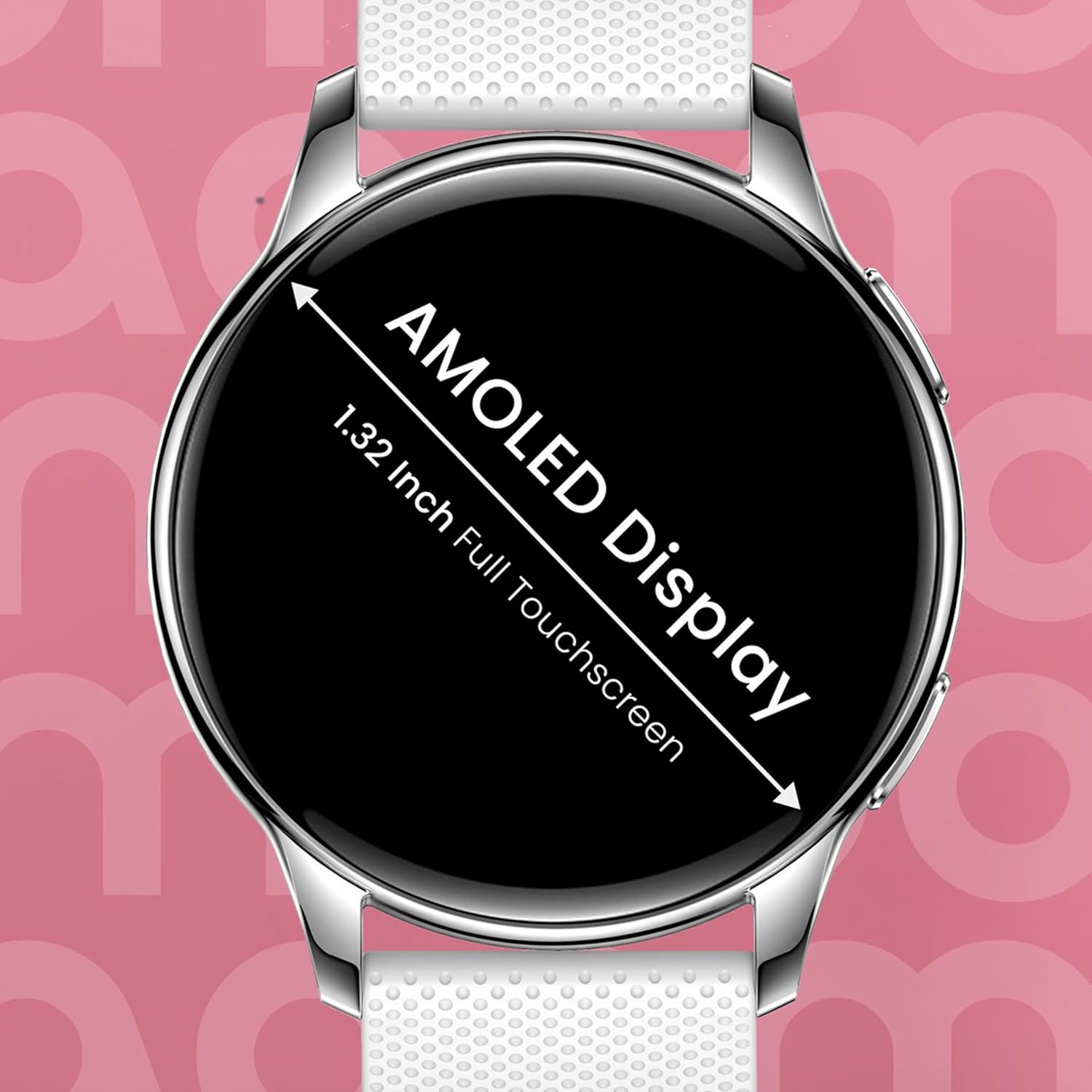
Image 3.2: A detailed view of the smartwatch display, emphasizing its 1.32-inch AMOLED full touchscreen capabilities.
4. Setup Guide
4.1 Charging the Smartwatch
Before first use, fully charge your Maoo Ventura Smartwatch. Connect the provided USB charging cable to the charging port on the back of the watch and plug the other end into a USB power adapter (not included) or a computer's USB port. A full charge takes approximately 2 hours.
4.2 App Installation
To unlock all features and synchronize data, download the free "FitCloudPro" app on your smartphone. Search for "FitCloudPro" in your device's app store (Google Play Store for Android or Apple App Store for iOS) and install it.
4.3 Pairing with Your Smartphone
- Ensure your smartphone's Bluetooth is enabled.
- Open the "FitCloudPro" app on your smartphone.
- Follow the in-app instructions to add a new device. The app will search for available smartwatches.
- Select "Maoo Ventura" or the corresponding device name from the list.
- Confirm the pairing request on both your smartphone and the smartwatch if prompted.
The smartwatch is compatible with Android 9.0 and above, and iOS 5.0 and above. It uses Bluetooth 5.3 for a stable connection.
5. Operating Instructions
5.1 Basic Navigation
The Maoo Ventura Smartwatch features a full touchscreen display. Swipe left, right, up, or down to navigate through menus, access quick settings, and view notifications. Tap to select items or confirm actions.
5.2 Call Functionality
Once paired, you can make and receive calls directly from your smartwatch. Access the call interface on the watch to dial numbers or answer incoming calls. Ensure your phone is within Bluetooth range.

Image 5.1: A user demonstrating the full call function of the Maoo Ventura smartwatch, showing a call log on the display.
5.3 Smart Notifications
Enable notifications for your preferred apps (e.g., WhatsApp, Instagram, Twitter) within the "FitCloudPro" app settings. Notifications will appear on your smartwatch display, allowing you to view messages and alerts without checking your phone.

Image 5.2: A user interacting with the smartwatch, which displays incoming messages and notifications from various social media and messaging applications.
5.4 Health Monitoring
The smartwatch is equipped with advanced sensors to monitor various health metrics:
- Heart Rate: Continuous or on-demand heart rate monitoring.
- Blood Oxygen (SpO2): Measure your blood oxygen saturation levels.
- Blood Pressure: Provides an estimate of your blood pressure. Note: This device is not a medical device and should not be used for medical diagnosis or treatment.
- Sleep Monitor: Tracks your sleep patterns, including deep sleep, light sleep, and awake times.
- Menstrual Tracker: Helps women track their menstrual cycles.
- Breathing Exercises: Guided breathing exercises to help reduce stress.

Image 5.3: The smartwatch interface displaying various health metrics including heart rate, SpO2, and blood pressure, providing a comprehensive overview of the user's health status.
5.5 Sport Modes and Activity Tracking
The smartwatch supports over 100 sport modes. Select your activity from the watch's menu to track specific metrics such as steps, distance, calories burned, and heart rate during your workout. For outdoor activities, the watch can utilize your smartphone's GPS for more accurate route tracking.

Image 5.4: A visual representation of the smartwatch's extensive sport tracking capabilities, showing various sport modes and activity data such as steps, calories, and distance.
5.6 Customization
- Watch Faces: Change your watch face directly on the device or through the "FitCloudPro" app. There are 4 exclusive Maoo watch faces and over 300 available via the app. You can also upload a personal photo to create a custom dial.
- Always-on-Display (AOD): The watch offers an Always-on-Display feature, allowing the time to be continuously shown. Be aware that enabling AOD will reduce battery life.

Image 5.5: The smartwatch displaying various customizable watch faces, including exclusive Maoo designs and options for personal photos.
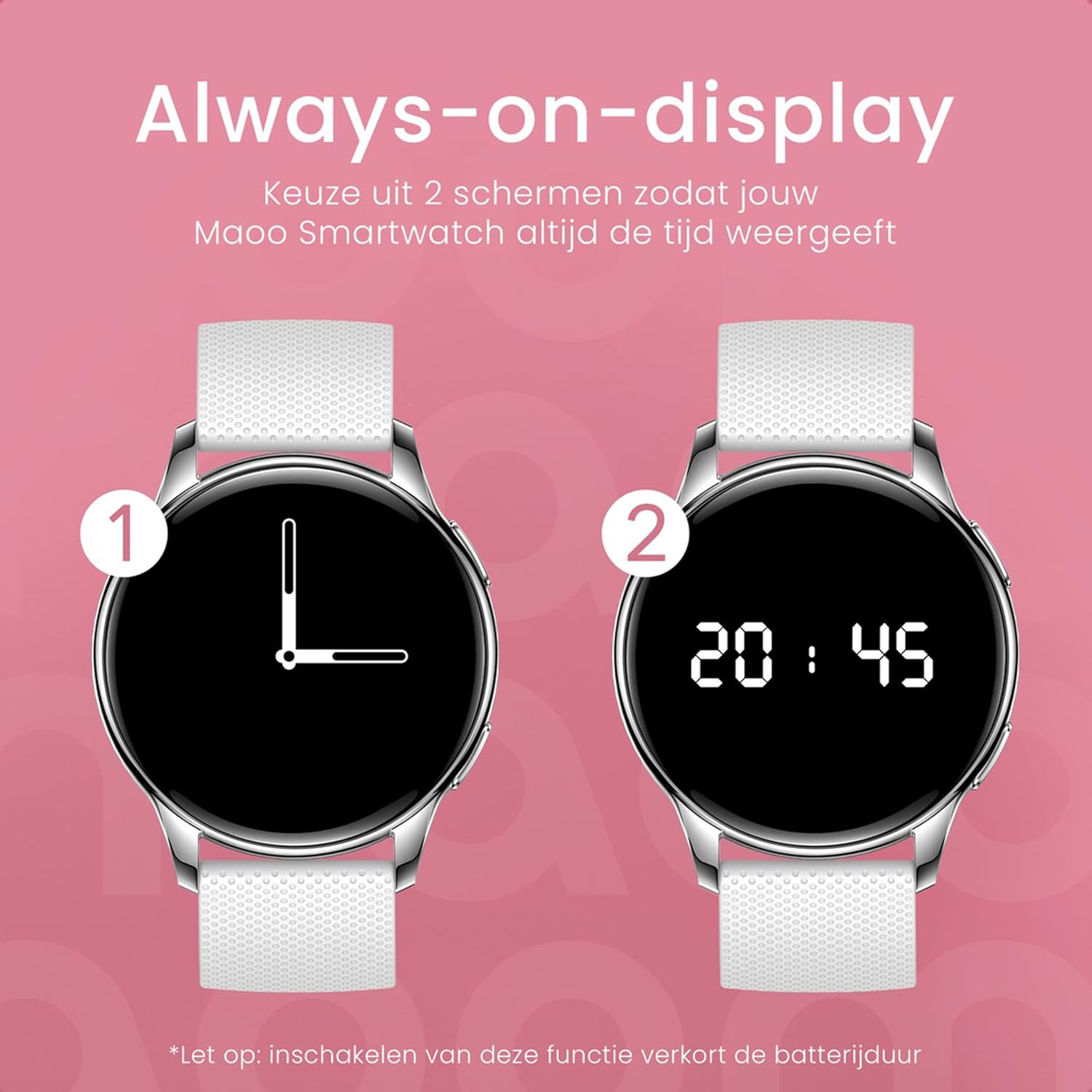
Image 5.6: Illustration of the Always-on-Display feature, showing two different display styles (analog and digital) that keep the time visible.
5.7 Additional Functions
- Music Control: Control music playback on your smartphone directly from the watch.
- Stopwatch, Alarm, Timer: Access these utility functions from the watch's menu.
- Calendar: View your schedule.
- Weather Display: Get a 7-day weather forecast.
- Find My Phone: Use this feature to locate your paired smartphone by making it ring.
6. Maintenance
6.1 Cleaning
Regularly clean your smartwatch and straps to maintain hygiene and appearance. Use a soft, lint-free cloth to wipe the screen and case. For silicone straps, mild soap and water can be used. For stainless steel straps, wipe with a dry or slightly damp cloth. Avoid harsh chemicals or abrasive materials.
6.2 Water Resistance (IP67)
The Maoo Ventura Smartwatch is rated IP67, meaning it is protected against dust and can withstand immersion in water up to 1 meter for up to 30 minutes. This makes it suitable for daily use, such as hand washing, rain, or accidental splashes. It is not recommended for swimming, showering, or diving. Prolonged exposure to water or hot water may damage the device.
6.3 Battery Care
To prolong battery life, avoid extreme temperatures. Charge the device fully before long periods of inactivity. If you enable the Always-on-Display feature, expect a shorter battery life (2-3 days compared to 5-7 days of normal use).
7. Troubleshooting
If you encounter issues with your Maoo Ventura Smartwatch, please refer to the following common solutions:
- Watch not turning on: Ensure the watch is fully charged. Connect it to the charger and wait a few minutes before attempting to power it on.
- Cannot pair with smartphone:
- Ensure Bluetooth is enabled on your phone and the watch is discoverable.
- Make sure the watch is within Bluetooth range of your phone.
- Restart both your phone and the smartwatch.
- Clear Bluetooth cache on your phone (if applicable) or forget the device and try pairing again.
- Ensure the "FitCloudPro" app is updated to the latest version.
- Notifications not appearing:
- Check notification settings within the "FitCloudPro" app to ensure desired apps are enabled.
- Verify that your phone's notification permissions are granted to the "FitCloudPro" app.
- Ensure the watch is connected to your phone via Bluetooth.
- Inaccurate health data:
- Ensure the watch is worn snugly on your wrist, not too loose or too tight.
- Clean the sensors on the back of the watch.
- Avoid excessive movement during measurements.
- Short battery life:
- Disable the Always-on-Display feature if not essential.
- Reduce screen brightness.
- Limit the number of apps sending frequent notifications.
- Ensure the watch's software is up to date.
If the issue persists after trying these steps, please contact customer support.
8. Specifications
| Feature | Specification |
|---|---|
| Brand | Maoo |
| Model Name | Ventura |
| Model Number | VT.11 |
| Display | 1.32-inch AMOLED Full Touchscreen |
| Screen Resolution | 466 x 466 pixels |
| Case Dimensions | 42 x 42 mm |
| Case Material | Galvanized Steel and Plastic |
| Strap Material | Stainless Steel, Silicone |
| Available Colors | Pink and Rose Gold, White and Silver, Black and Black |
| Compatibility | Android 9.0 and above, iOS 5.0 and above |
| Bluetooth Version | 5.3 |
| Companion App | FitCloudPro |
| Water Protection Level | IP67 |
| Battery Capacity | 300 mAh |
| Battery Life (Normal Use) | 5-7 days |
| Battery Life (with AOD) | 2-3 days |
| Standby Time | 40 days |
| Charging Time | Approx. 2 hours |
| Operating System | Android Wear 2.6 (as per specification, likely refers to compatibility) |
| Special Features | Calorie Counter, Alarm Clock, Music Control |
| GPS | Via smartphone |
| Shape | Round |
9. Warranty and Support
Maoo Smartwear provides a 1-year availability for spare parts for the Ventura Smartwatch. For any product-related inquiries, technical support, or warranty claims, please contact Maoo Smartwear customer service through the contact information provided at the point of purchase or on the official Maoo website. Please retain your proof of purchase for warranty purposes.


