Introduction
The Franklin Sensors ProSensor MAX Stud Finder is an advanced wall scanning tool designed to accurately locate studs behind various wall materials. Featuring 13 sensors, it provides a wide detection area and simultaneous display of stud edges and center. This manual provides essential information for the proper setup, operation, and maintenance of your device.

Figure 1: Front view of the Franklin Sensors ProSensor MAX Stud Finder, showing its yellow and black casing and LED display area.
Setup
Battery Installation
The ProSensor MAX requires two (2) AA batteries for operation. Batteries are not included with the device. Ensure correct polarity when inserting batteries.
- Locate the battery compartment cover on the back of the device.
- Slide or unclip the cover to open the compartment.
- Insert two 1.5-volt alkaline AA batteries, matching the positive (+) and negative (-) terminals as indicated inside the compartment.
- Close the battery compartment cover securely.

Figure 2: Illustration showing two AA batteries, which are required for the device.
Initial Power-On
After installing batteries, the device is ready for use. There is no power button; the device activates when pressed against a wall and the scan button is held.
Operating Instructions
General Operation
The ProSensor MAX is designed for ease of use, requiring no calibration. It utilizes 13 advanced-depth sensors to detect changes in wall density, indicating the presence of studs.
- Place the ProSensor MAX flat against the wall surface where you intend to scan.
- Press and hold the button located on the top of the device. The LEDs will illuminate to indicate the scanning process.
- Slowly slide the device horizontally across the wall. As the device moves over a stud, the precision LEDs will light up, tracking the location and simultaneously displaying the full width, center, and edges of the stud.
- Release the button to turn off the device.

Figure 3: A user operating the ProSensor MAX, demonstrating how the LEDs illuminate to show the stud's location.
Detection Principle
Unlike conventional stud finders with fewer sensors, the ProSensor MAX employs 13 sensors to create a wider and deeper detection field. This allows for more accurate identification of hidden objects by sensing density changes across a larger area.

Figure 4: Diagram showing the 13 sensor fields of the ProSensor MAX and how they detect a stud behind drywall, highlighting the wider detection area compared to single-sensor devices.
Two Detection Modes
The ProSensor MAX features two distinct detection modes, selectable via a switch on the device, to accommodate various wall constructions.
- Mode 1: Ideal for a single layer of textured or untextured sheetrock. This is the standard mode for most common drywall applications.
- Mode 2: Designed for deeper and more challenging scans, including:
- Two or more layers of drywall (common in condos, townhomes, and home theaters).
- A single layer of sheetrock plus a layer of OSB or plywood (common in earthquake-resistant walls).
- Plywood and MDF surfaces.
- Lath and plaster (common in homes built prior to 1960).
- Large tile.

Figure 5: Close-up view of the Mode 1 / Mode 2 selector switch on the ProSensor MAX.

Figure 6: Visual examples of the ProSensor MAX's capability to detect studs through challenging materials like multiple layers of sheetrock and large ceramic tiles.
Convenient Features
- Built-In Bubble Level: For ensuring level marking when installing items.
- Pencil Caddy: A convenient slot to hold a pencil for marking stud locations directly on the wall.

Figure 7: A user utilizing the integrated pencil caddy to mark a stud location on the wall after detection.
Maintenance
Battery Replacement
The ProSensor MAX is equipped with a Low Battery Indicator. When the battery voltage is low, the 'LOW BATTERY' light will illuminate. Replace both AA batteries promptly to ensure accurate readings.
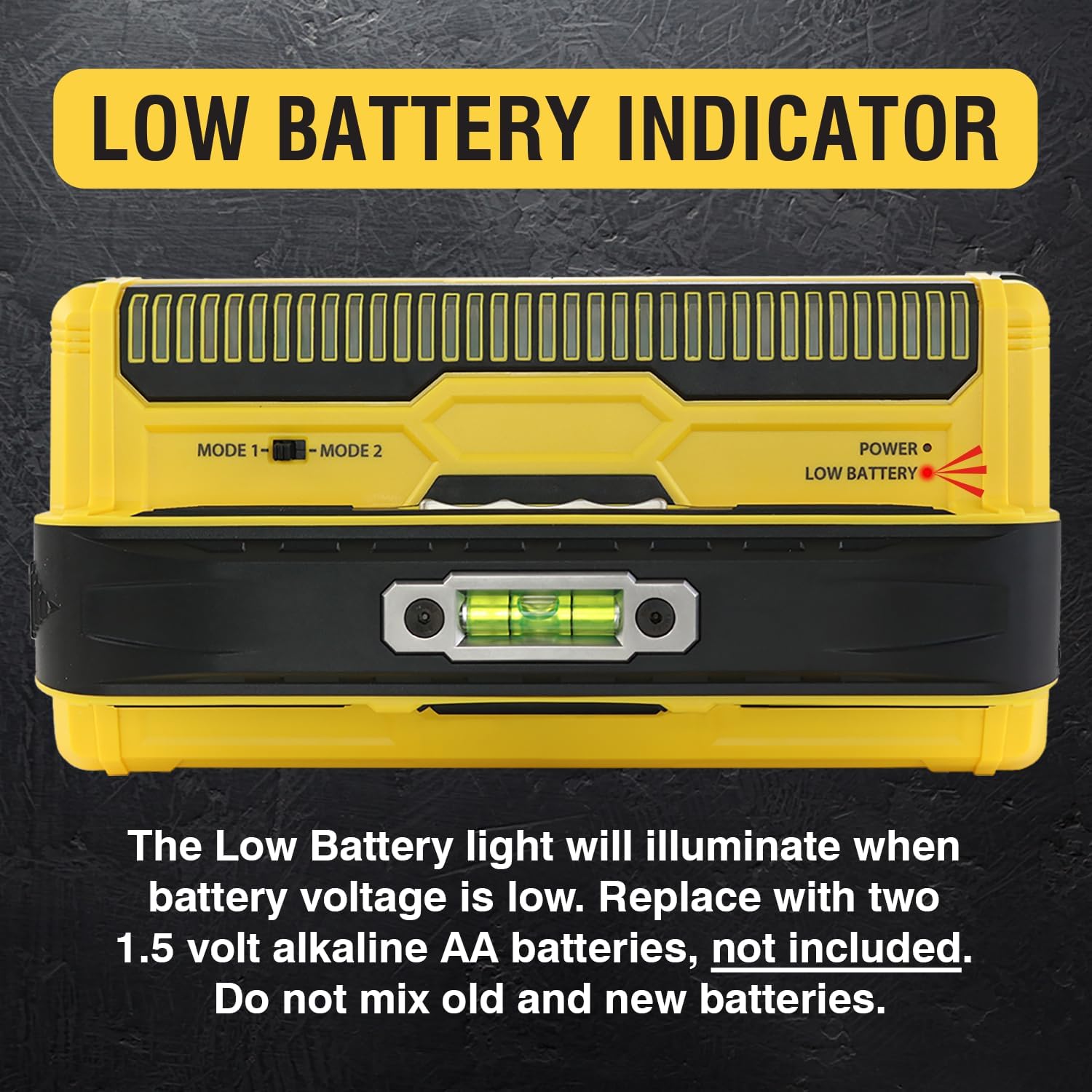
Figure 8: The 'LOW BATTERY' indicator light on the ProSensor MAX, signaling that battery replacement is needed.
Cleaning and Storage
- Wipe the device with a soft, dry cloth after each use. Do not use abrasive cleaners or solvents.
- Store the stud finder in a dry environment, away from extreme temperatures and direct sunlight.
- Remove batteries if the device will not be used for an extended period to prevent leakage.
Troubleshooting
Inaccurate Readings or No Detection
- Check Batteries: Ensure batteries are fresh and correctly installed. A low battery can affect performance.
- Wall Material: Verify that the correct detection mode (Mode 1 or Mode 2) is selected for your wall type. Very dense materials or walls with metal-backed insulation may interfere with detection.
- Scanning Technique: Ensure the device is held flat against the wall and moved slowly and consistently. Avoid lifting or tilting the device during a scan.
- Obstructions: Thick wallpaper, metallic elements, or other dense materials within the wall can sometimes cause false positives or prevent detection.
Device Not Turning On
- Battery Check: Confirm batteries are installed and have sufficient charge.
- Button Engagement: Ensure the scan button is fully pressed and held while the device is against the wall.
Specifications
| Manufacturer | Franklin Sensors |
| Model Number | MAX12 |
| Item Weight | 1.1 pounds |
| Product Dimensions | 9 x 4.5 x 3.1 inches |
| Color | Yellow |
| Material | Plastic |
| Power Source | Battery Powered |
| Voltage | 3 Volts (2 x AA batteries) |
| Batteries Required | Yes (2 AA, not included) |
| Number of Sensors | 13 |
| Max Detection Depth | 2.5 inches |
| Included Components | Stud finder |
Warranty Information
Specific warranty details for the Franklin Sensors ProSensor MAX Stud Finder are not provided in the available product information. Please refer to the manufacturer's official website or contact their customer support for comprehensive warranty terms and conditions.
Support Information
For further assistance, technical support, or inquiries regarding your Franklin Sensors ProSensor MAX Stud Finder, please visit the official Franklin Sensors website or refer to the contact information provided with your product packaging.
You can also visit the Franklin Sensors Store on Amazon for additional product information and resources.


