
Introduction
This manual provides essential information for the safe and efficient use of your Lenovo IdeaPad 1 15AMN7 laptop. Please read it thoroughly before operating your device.
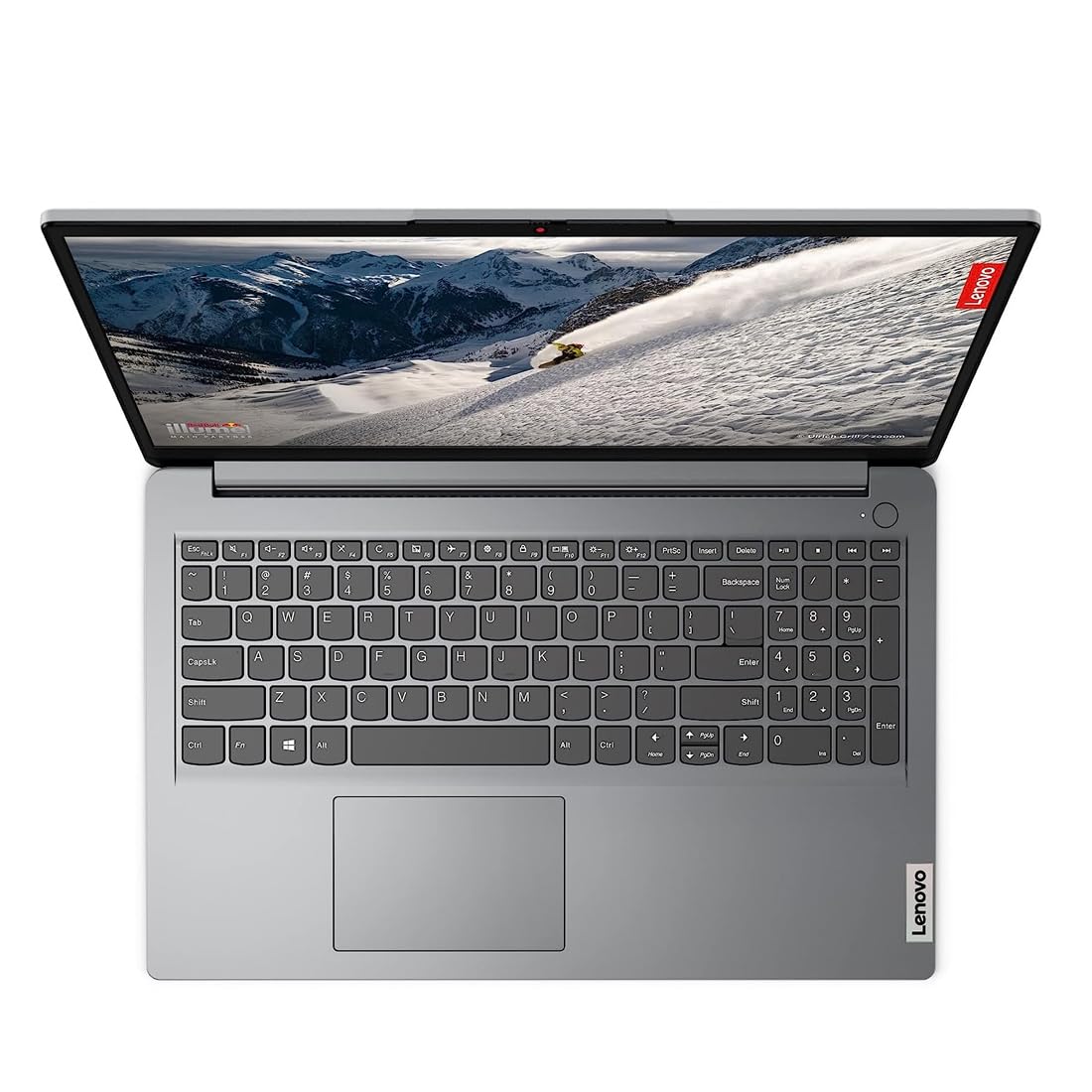
Image: The Lenovo IdeaPad 1 15AMN7 laptop in a grey finish, shown from a top-down angle with the lid partially open, revealing the keyboard and touchpad.
1. Setup
1.1 Unboxing and Initial Inspection
Carefully remove all components from the packaging. Verify that the following items are present:
- Lenovo IdeaPad 1 15AMN7 Laptop
- Power Adaptor
- User Guide (this document)
- Warranty Documents
Inspect the laptop for any physical damage. If any components are missing or damaged, contact customer support immediately.
1.2 Connecting the Power Adaptor
- Connect the power adaptor cable to the charging port on the side of the laptop.
- Plug the power adaptor into a suitable electrical outlet.
- Allow the laptop to charge for at least 30 minutes before initial use, or until the battery indicator shows sufficient charge.
1.3 First Power On
- Open the laptop lid.
- Press the power button, typically located on the keyboard deck or side.
- Follow the on-screen instructions to complete the initial setup of Windows 11 Home. This includes setting up your user account, network connection, and other preferences.

Image: The Lenovo IdeaPad 1 15AMN7 laptop with its screen fully open, displaying a vibrant scenic image. The keyboard and touchpad are visible.
2. Operating Your Laptop
2.1 Keyboard and Touchpad
Your laptop features a full-size keyboard and a buttonless Mylar surface multi-touch touchpad. The touchpad supports Precision TouchPad (PTP) gestures for enhanced navigation.
- Keyboard: Use for typing and system commands. Function keys (F1-F12) often have secondary functions activated with the Fn key.
- Touchpad: Supports multi-finger gestures for scrolling, zooming, and other actions. Refer to Windows settings for customizing touchpad gestures.
2.2 Display Features
The 15.6-inch Full HD (1920x1080) TN display features 220 nits brightness and an anti-glare coating to reduce reflections and eye strain. The Eye Care feature, part of Lenovo Aware, helps reduce blue light emission.
2.3 Connectivity
The IdeaPad 1 15AMN7 supports various connectivity options:
- Wi-Fi: Connect to wireless networks using the integrated 802.11bgn Wi-Fi.
- USB Ports: For connecting external devices such as mice, keyboards, and storage drives.
- Microphone: Integrated microphone for audio input. The smart microphone enhances audio with AI noise cancellation.
2.4 Lenovo Aware Features
Lenovo Aware provides intelligent features to enhance your user experience:
- Posture Correction: Provides tips and reminders to maintain good posture.
- Attentiveness Reminders: Alerts you when you are not being attentive.
- Eye Care: Reduces blue light emission from the screen to minimize eye strain.
3. Maintenance
3.1 Cleaning Your Laptop
To maintain the appearance and functionality of your laptop:
- Use a soft, lint-free cloth slightly dampened with water or a screen cleaner to clean the display.
- Wipe the keyboard and chassis with a soft, dry cloth.
- Avoid using harsh chemicals, abrasive cleaners, or solvents.
3.2 Software Updates
Regularly update your operating system and drivers to ensure optimal performance and security. Windows 11 Home will prompt you for updates, or you can manually check through system settings.
3.3 Battery Care
The laptop is equipped with a Lithium Polymer battery. To prolong battery life:
- Avoid extreme temperatures.
- Do not fully discharge the battery frequently.
- If storing the laptop for an extended period, ensure the battery is charged to approximately 50-60%.
4. Troubleshooting
This section addresses common issues you might encounter.
4.1 Power Issues
- Laptop does not turn on: Ensure the power adaptor is securely connected and the outlet is functional. Try a different outlet.
- Battery not charging: Verify the power adaptor is correctly connected to both the laptop and the power source. Check for any damage to the cable or adaptor.
4.2 Display Issues
- No image on screen: Ensure the laptop is powered on. Try adjusting the screen brightness. If an external monitor is connected, disconnect it.
- Flickering screen: Update your graphics drivers.
4.3 Connectivity Issues
- Cannot connect to Wi-Fi: Ensure Wi-Fi is enabled in Windows settings. Restart your router and the laptop. Verify network credentials.
- USB device not recognized: Try connecting the device to a different USB port. Ensure the device drivers are installed.
For more complex issues, refer to the Lenovo support website or contact technical support.

Image: A side view of the Lenovo IdeaPad 1 15AMN7 laptop, highlighting the various ports and card reader slot on its left side.
5. Specifications
Key technical specifications for the Lenovo IdeaPad 1 15AMN7 laptop:
| Feature | Detail |
|---|---|
| Model Name | IdeaPad 1 15AMN7 |
| Processor | AMD Ryzen 3 7320U (2.4 GHz) |
| RAM Memory | 8 GB LPDDR5 |
| Storage | 512 GB SSD |
| Operating System | Windows 11 Home |
| Display | 15.6-inch FHD (1920x1080) TN, 220 nits, Anti-glare |
| Graphics | Integrated AMD Radeon Graphics (2 GB RAM) |
| Weight | 1.58 Kilograms |
| Dimensions (L x W x Thickness) | 23.6 x 36 x 1.8 Centimeters |
| Wireless Connectivity | Wi-Fi (802.11bgn) |
| Battery Type | Lithium Polymer |
| Included Software | Microsoft Office 365 |
6. Warranty & Support
6.1 Warranty Information
Your Lenovo IdeaPad 1 15AMN7 laptop comes with a 1 Year warranty. Please refer to the included warranty documents for full terms and conditions.
6.2 Customer Support
For technical assistance, product inquiries, or warranty claims, please contact Lenovo customer support:
- Phone: 1800 4199 733 (Monday-Saturday, 9 AM to 8 PM)
- Manufacturer: Compal Information Technology Kunshan CO LTD.
- Packer: Lenovo Ind Pvt ltd. Level 2 RBD Icon Doddanekundi Village Marathahalli Outer Ring Road Bengaluru Karnataka 560037 India


