
Dosilkc DS-LBQ01
Dosilkc DS-LBQ01 2K Light Bulb Security Camera User Manual
Model: DS-LBQ01 | Brand: Dosilkc
Introduction
This manual provides detailed instructions for the installation, operation, maintenance, and troubleshooting of your Dosilkc DS-LBQ01 2K Light Bulb Security Camera. Please read this manual thoroughly before using the product to ensure proper function and safety.
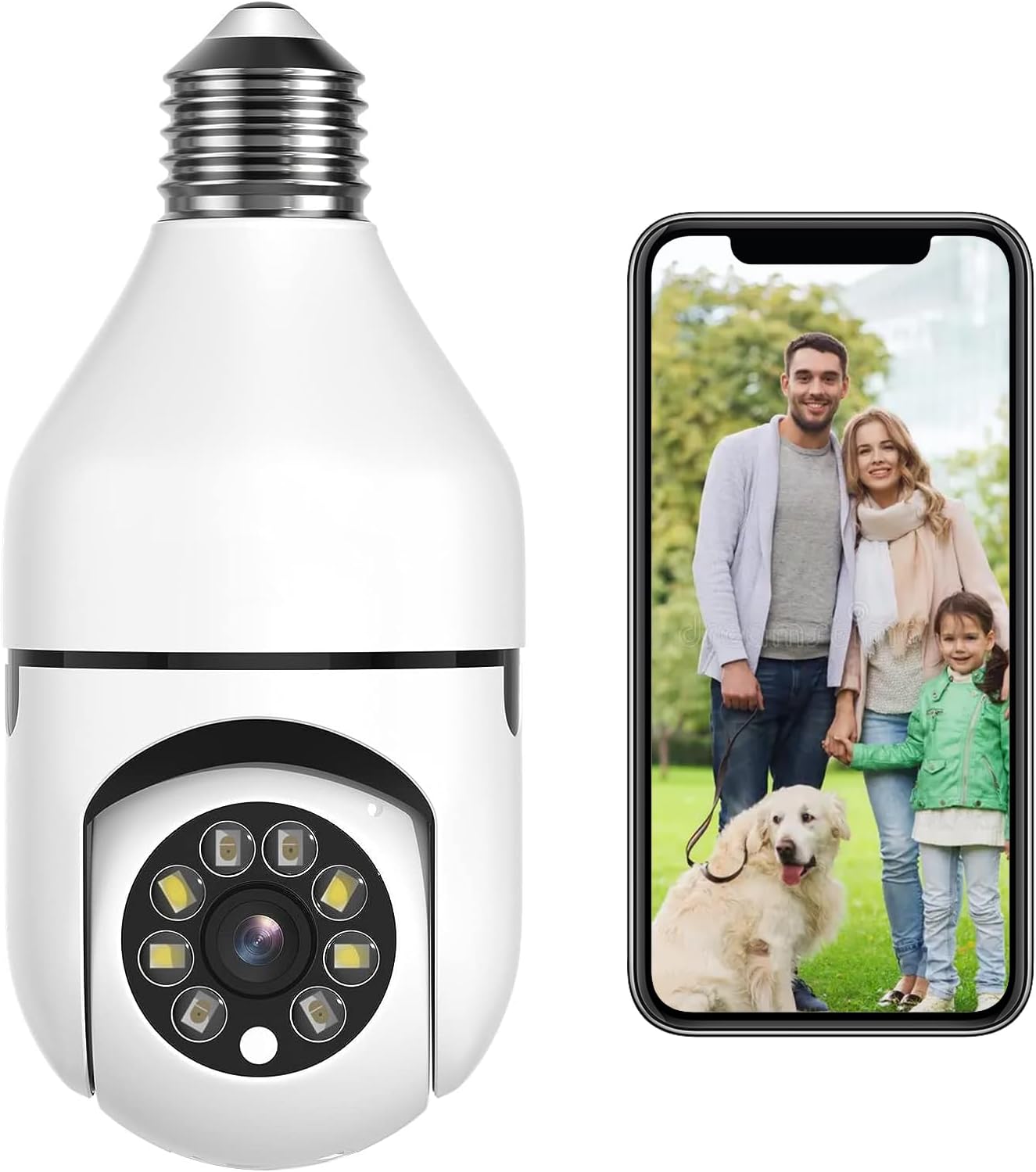
Image: The Dosilkc DS-LBQ01 2K Light Bulb Security Camera, shown next to a smartphone displaying a live feed of a family.
Setup and Installation
The Dosilkc DS-LBQ01 camera is designed for easy installation into a standard E27 light bulb socket. Ensure the power to the socket is turned off before installation.
- Power Off: Before beginning, ensure the power supply to the E27 light socket is completely turned off at the circuit breaker or switch.
- Install Camera: Carefully screw the Dosilkc DS-LBQ01 camera into the E27 light socket. Ensure it is securely fastened.
- Power On: Restore power to the light socket. The camera will initiate its startup sequence.
- Download App: Download the designated mobile application (refer to product packaging or included quick start guide for app name) from your device's app store (iOS/Android).
- Connect to Wi-Fi: Open the app and follow the on-screen instructions to connect the camera to your Wi-Fi network. The camera supports both 2.4GHz and 5GHz Wi-Fi bands.
- Initial Configuration: Complete any initial setup steps within the app, such as setting a password and adjusting basic camera settings.

Image: Visual guide demonstrating the simple screw-in installation of the camera into an E27 light socket, with examples of its placement in home environments.
Operating Instructions
1. Live View and Remote Access
Once connected, access the live video feed from your camera anytime, anywhere via the mobile application on your iOS or Android smartphone.
2. Pan, Tilt, and Digital Zoom (PTZ)
The camera offers a 355° pan and 90° tilt capability. Use the controls within the mobile app to remotely adjust the camera's viewing angle. The camera also supports 4x digital zoom for closer inspection of details.

Image: Illustration of the camera's pan (355°) and tilt (90°) movement range, alongside a smartphone showing the wide coverage in a room.
3. Human Motion Detection and Tracking
The camera features advanced AI-powered human motion detection. When a person is detected, the camera can automatically track their movement within its field of view and send real-time alerts to your smartphone. This system is designed to filter out up to 95% of false alarms.

Image: Diagram illustrating the human detection process, from detection by the camera to email and app notifications on a smartphone.
4. Dual-Light Full Color Night Vision
The camera is equipped with dual-light technology, providing both infrared (IR) night vision and full-color night vision. In low-light conditions, the camera can automatically switch to full-color mode to capture more detailed and identifiable images.

Image: A side-by-side comparison demonstrating the difference between standard IR night vision and the enhanced full-color night vision feature.
5. Two-Way Audio
Utilize the built-in microphone and speaker for two-way communication. This allows you to listen to the camera's environment and speak through the camera using the mobile app.
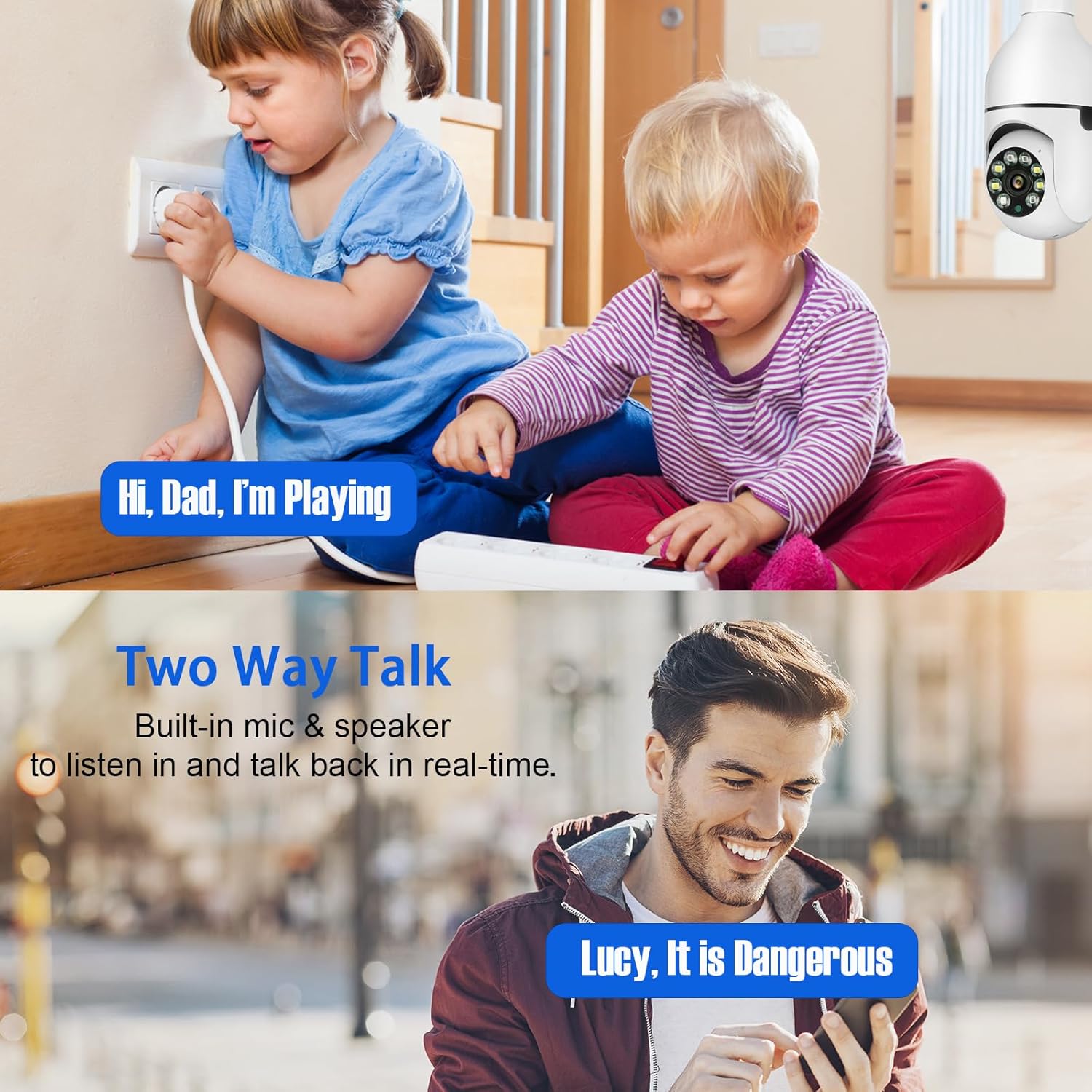
Image: Depiction of the two-way audio function, showing a child speaking near the camera and a parent responding via a smartphone.
6. Video Recording and Storage
The camera supports 24/7 continuous recording. Footage can be stored locally on a Micro SD card (up to 256GB, not included) or via cloud storage services (subscription may be required). The camera is compatible with NVRs and third-party software using the Onvif protocol.

Image: Visual representation of the camera's dual-band Wi-Fi connectivity and dual storage options (Micro SD card and cloud), with examples of recorded video playback.
Maintenance
- Cleaning: Gently wipe the camera lens and exterior with a soft, dry cloth. Avoid using harsh chemicals or abrasive materials.
- Firmware Updates: Regularly check the mobile application for available firmware updates. Keeping the firmware updated ensures optimal performance and security.
- SD Card Management: If using a Micro SD card for local storage, it is recommended to periodically format the card through the camera's app settings to maintain performance and free up space. Note that deleting individual recordings directly from the SD card via the app may not be supported; reformatting is typically required to clear content.
Troubleshooting
| Issue | Possible Cause | Solution |
|---|---|---|
| Camera not connecting to Wi-Fi | Incorrect Wi-Fi password, camera too far from router, router settings (e.g., firewall), weak Wi-Fi signal. |
|
| No motion detection alerts | Motion detection sensitivity too low, detection zone not set, app notifications disabled. |
|
| Poor video quality | Weak Wi-Fi signal, dirty lens, low bandwidth. |
|
| Camera loses connection after power outage | Network configuration reset, camera requires re-initialization. | In some cases, a power interruption may require the camera to be re-added to the app. If the camera does not automatically reconnect:
|
Specifications
| Model | DS-LBQ01 |
| Resolution | 2K (2304*1296), 3MP Effective Still Resolution |
| Connectivity | Wi-Fi (2.4GHz/5GHz) |
| Power Source | Corded Electric (110V-240V, E27 Socket) |
| Pan/Tilt Range | Pan 355°, Tilt 90° |
| Night Vision | IR Night Vision, Full Color Night Vision (Dual-Light) |
| Storage Options | Micro SD Card (up to 256GB, not included), Cloud Storage |
| Audio | Two-Way Audio (Built-in Microphone & Speaker) |
| Motion Detection | Human Motion Detection & Tracking |
| Indoor/Outdoor Usage | Indoor |
| Dimensions (L x W x H) | 6.1 x 2.8 x 2.8 inches (15.5 x 7.1 x 7.1 cm) |
| Weight | 7.8 ounces (221 grams) |
| Included Components | Light Bulb Camera, Light Socket, User Manual |
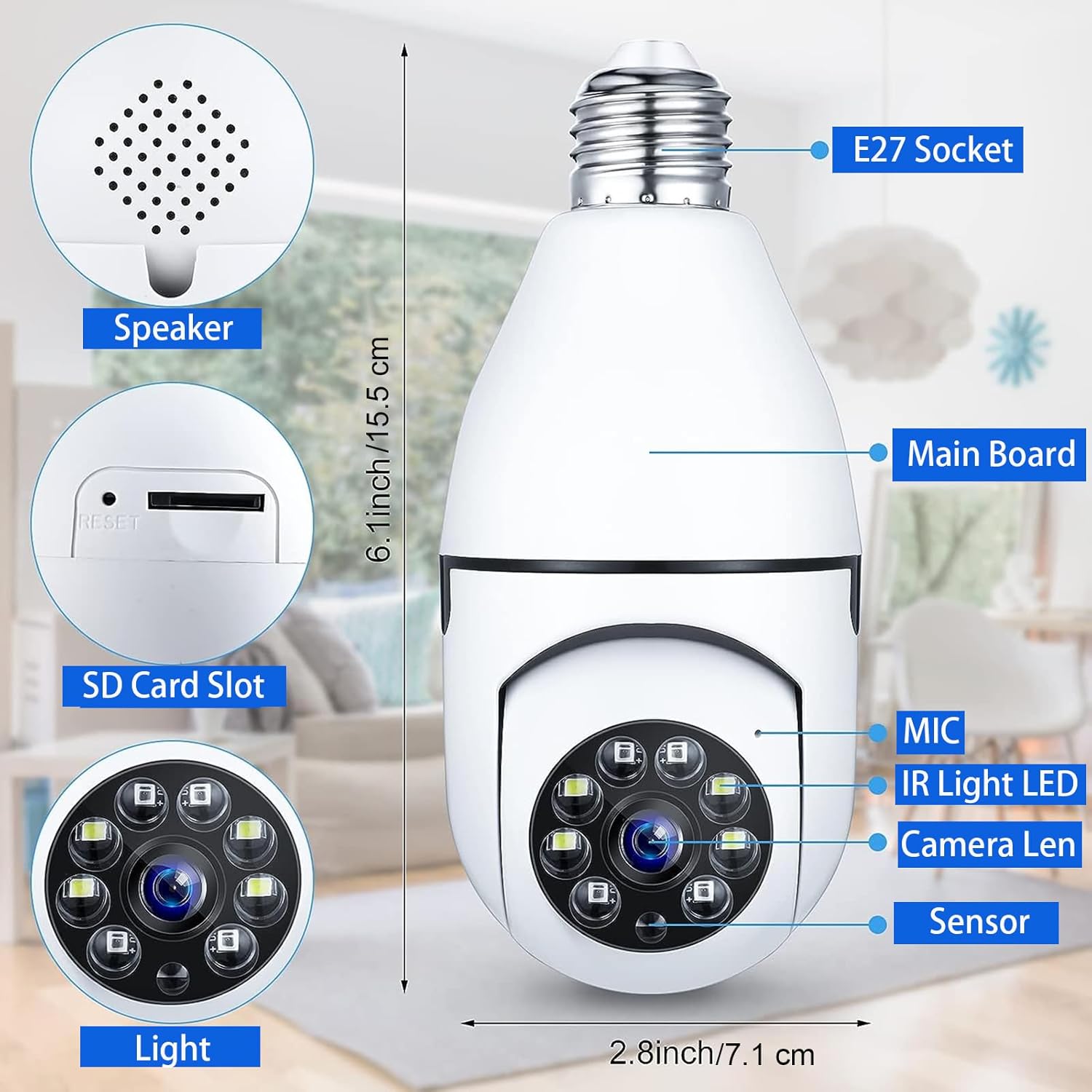
Image: An exploded view of the camera highlighting key components like the speaker, SD card slot, microphone, IR LEDs, camera lens, and sensor, along with its dimensions.
Warranty and Support
For warranty information and technical support, please refer to the documentation included with your product packaging or visit the official Dosilkc website. Contact details for customer service are typically provided in these resources.
Ask a question about this manual
Ask about setup, troubleshooting, compatibility, parts, safety, or missing instructions. Manuals+ will review the question and use this page’s manual context to help answer it.