Introduction
The Irfora PC102C is a portable 2-in-1 water quality tester designed for swimming pools and spas. It allows for convenient and accurate measurement of both pH and chlorine (CL2) levels, ensuring optimal water conditions for safety and enjoyment. Its compact design and clear display make it easy to operate and carry.

Image: The Irfora PC102C water quality tester, showing its main unit with a display and a connected probe with two metal rods. A small piece of sandpaper is also visible.
Product Features
- Dual Functionality: Measures both pH and chlorine (CL2) levels.
- Clear Display: Instrument panel clearly shows appropriate pH and chlorine values.
- Portability: Small size and handheld design for easy storage and operation.
- Probe Maintenance: Includes sandpaper for effective probe cleaning, extending detector lifespan.
- Water Quality Monitoring: Helps maintain healthy water quality in pools and spas.
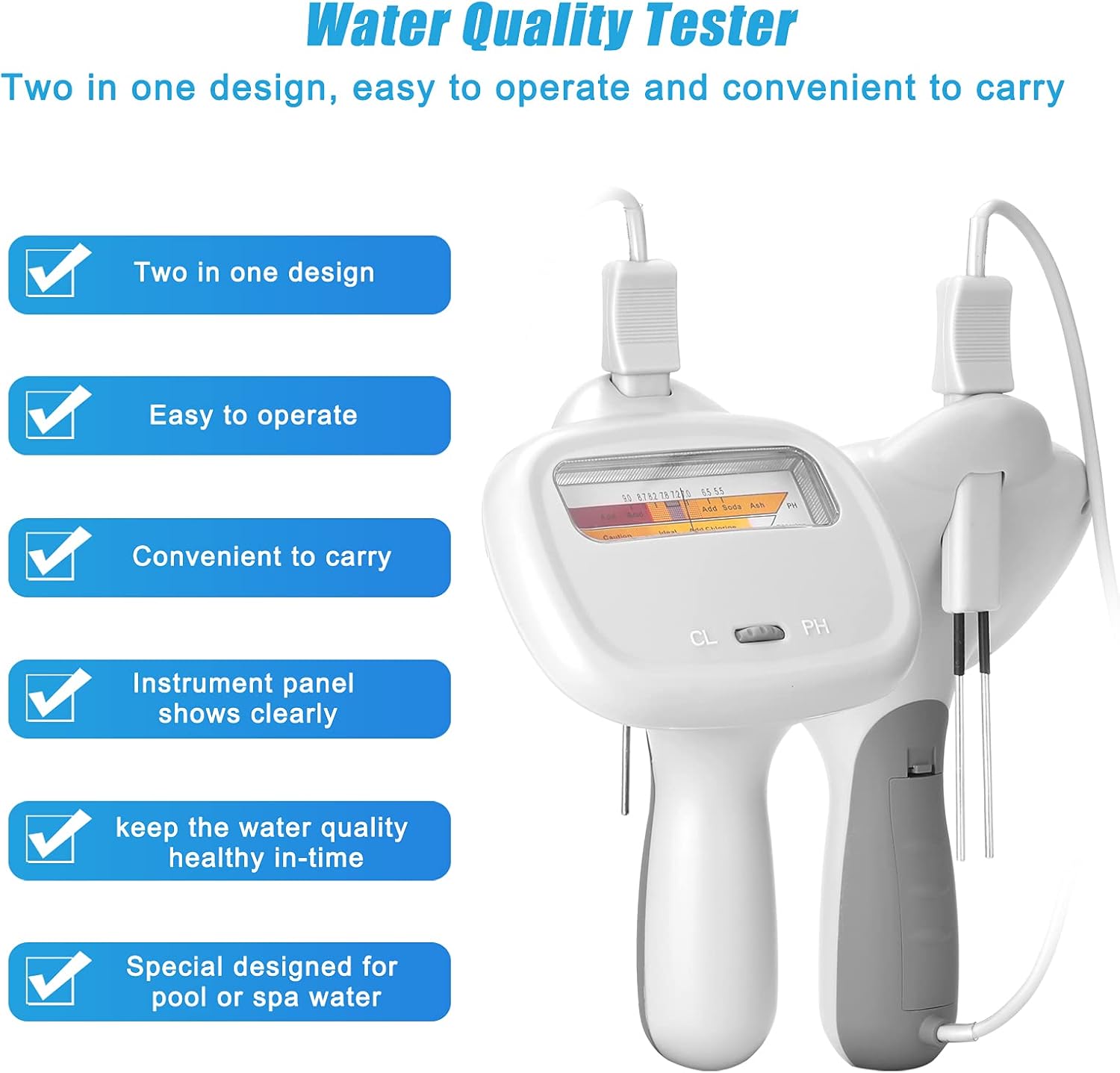
Image: A graphic highlighting the features of the PC102C tester, including "Two in one design," "Easy to operate," "Convenient to carry," "Instrument panel shows clearly," "Keep the water quality healthy in-time," and "Special designed for pool or spa water."
Specifications
| Parameter | Value |
|---|---|
| Material | Plastics |
| Battery | AA: 1.5V, 800mAh (Battery not included) |
| Chlorine Level Range (Pools & Spas) | 1.2 ~ 1.7ppm |
| PH Level Range (Pools & Spas) | 7.2 ~ 7.8 |
| Item Size | 190 * 120 * 80mm / 7.5 * 4.7 * 3.1in |
| Item Weight | 160g / 5.6ounce |
| Package Size | 200 * 135 * 80mm / 7.9 * 5.3 * 3.1in |
| Package Weight | 235g / 8.3ounce |
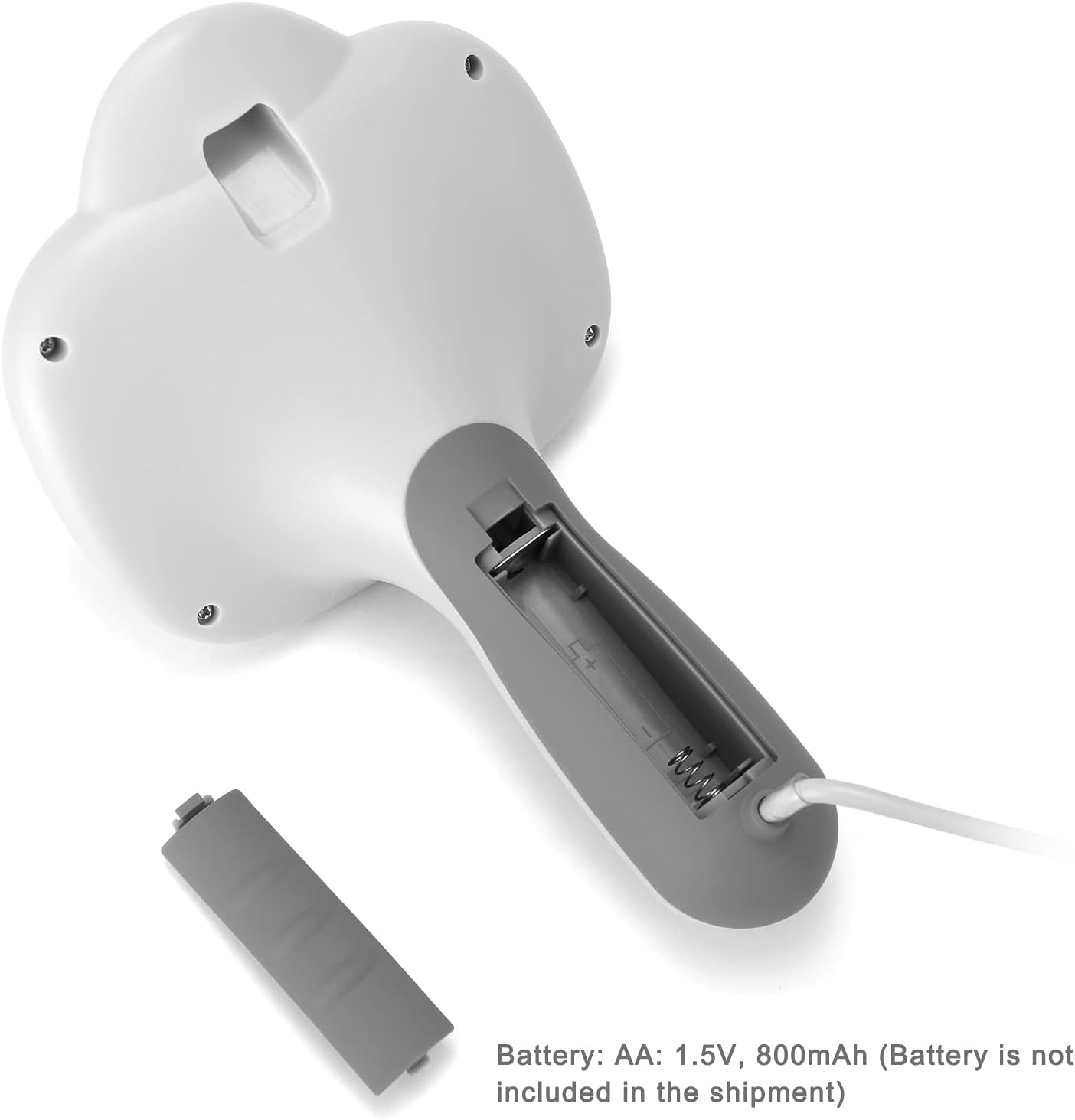
Image: The underside of the PC102C tester showing the open battery compartment, indicating the need for AA 1.5V, 800mAh batteries (not included).
Setup
- Battery Installation:
Locate the battery compartment on the underside of the tester. Open the cover and insert one AA 1.5V battery, ensuring correct polarity. Close the battery cover securely.
- Probe Connection:
Ensure the probe is securely connected to the main unit. The probe has two metal rods that will be immersed in the water.

Image: A side view of the PC102C tester, highlighting the battery compartment on the handle, which needs to be opened for battery insertion.
Operating Instructions
Before First Use:
Before using the tester for the first time, or after a period of disuse, it is recommended to clean the probes with the provided sandpaper to ensure accurate readings.
Testing Chlorine (CL2) Level:
- Ensure the battery is installed.
- Before testing chlorine, you must adjust the meter to the "adjustment point". This is crucial for accurate chlorine readings.
- Hold the main unit and immerse the probe (metal rods) into the pool or spa water.
- Observe the display for the chlorine level reading. The ideal range for chlorine is 1.2 ~ 1.7ppm.

Image: The PC102C tester being used at the edge of a swimming pool, with its probe immersed in the water, demonstrating its intended use.
Testing PH Level:
- Ensure the battery is installed.
- Hold the main unit and immerse the probe (metal rods) into the pool or spa water.
- Observe the display for the pH level reading. The ideal range for pH is 7.2 ~ 7.8.

Image: The PC102C tester showing its display with indicators for pH and chlorine levels, along with recommended ranges for "Add Soda" and "Add Ash" for pH adjustment.
Maintenance
- Probe Cleaning: Regularly clean the metal probes with the provided sandpaper to remove any buildup and ensure accurate readings.
- Storage: Store the tester in a dry place away from direct sunlight and extreme temperatures.
- Battery Replacement: Replace the AA battery when the display becomes dim or readings become inconsistent.
- Important Note: Do not immerse the probe in any liquids other than pool or spa water.

Image: The PC102C tester shown alongside a small piece of sandpaper, illustrating the tool used for cleaning the probe tips.
Troubleshooting
| Problem | Possible Cause | Solution |
|---|---|---|
| Inaccurate readings | Dirty probes; Incorrect calibration (for chlorine); Low battery. | Clean probes with sandpaper; Ensure meter is adjusted to "adjustment point" before chlorine test; Replace battery. |
| Display is dim or not working | Low or dead battery; Incorrect battery installation. | Replace battery; Check battery polarity. |
| No reading when immersed | Poor probe contact; Damaged probe. | Ensure probes are fully immersed and clean; Contact customer support if damaged. |
Warranty and Support
For warranty information and technical support, please refer to the documentation provided with your purchase or contact Irfora customer service directly. Keep your purchase receipt as proof of purchase.
Manufacturer: Irfora
Country of Origin: China