
Introduction
This manual provides essential information for the proper setup, operation, and maintenance of your Bonsaii 1.8 Cubic Feet Security Home Safe, Model SF006. Please read these instructions carefully before using the safe to ensure optimal security and functionality. Keep this manual for future reference.
Product Overview
The Bonsaii 1.8 Cubic Feet Security Home Safe is designed to protect your valuables with robust construction and advanced locking mechanisms. It features a spacious interior and versatile mounting options.
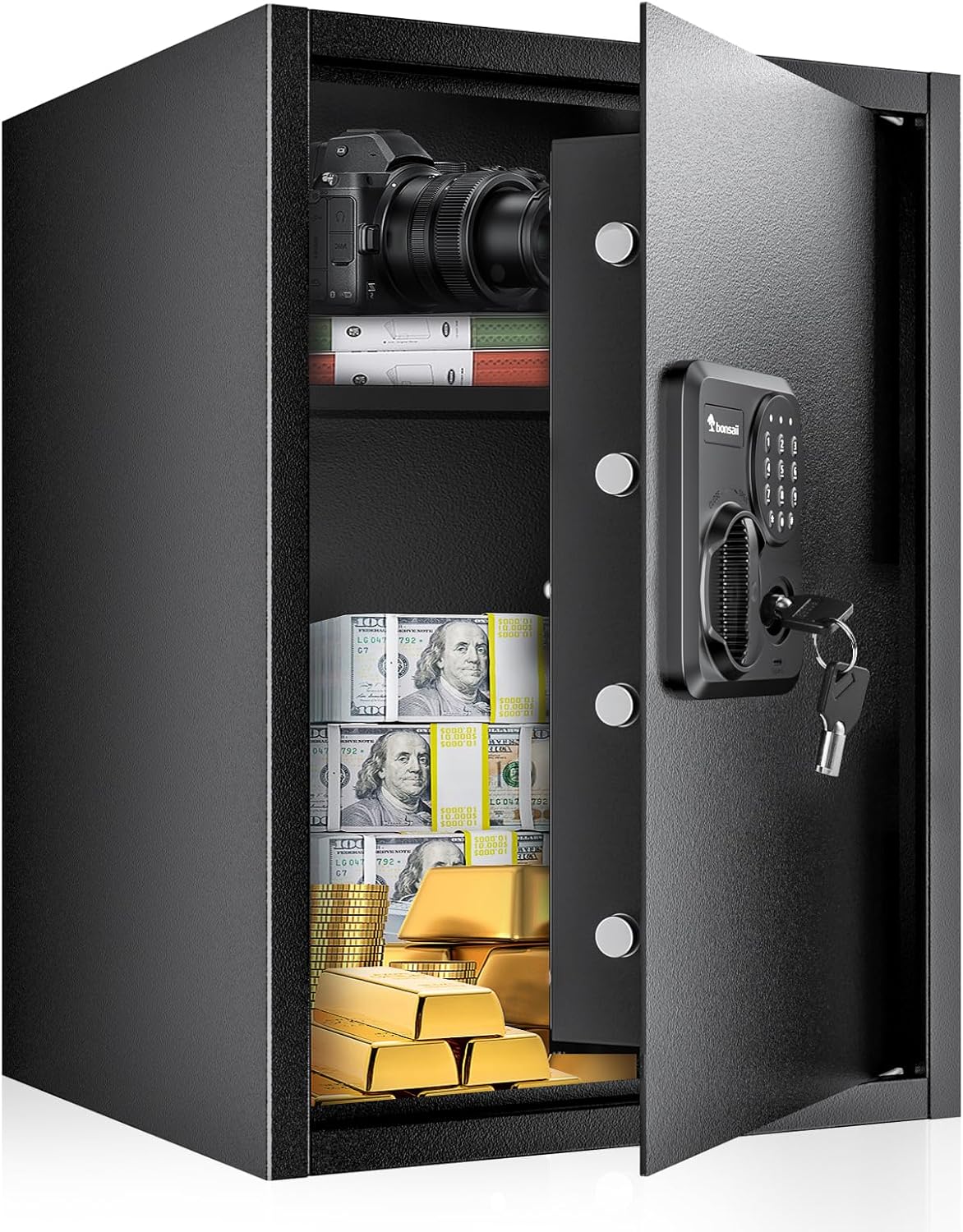
Image: The Bonsaii 1.8 Cubic Feet Security Home Safe with its door open, revealing a spacious interior suitable for various valuables.
Key Features:
- Quality Sturdy Construction: Manufactured from SPHC steel with a scratch-resistant coating for enhanced durability. The reinforced door panel includes 4 live bolts to resist prying and theft.
- Anti-Theft Digital Safe Lock: Offers two primary unlocking methods: a programmable 3-8 digit code or emergency keys. A Type-C port is included for external power in case of battery depletion.
- 1.8 Cubic Feet Capacity: The interior provides ample space for storing jewelry, documents, electronics, cash, and firearms. It includes detachable metal shelves for flexible organization.
- Mountable Design: Pre-drilled holes on the back and bottom allow for secure mounting to a wall or floor, preventing unauthorized removal.

Image: Detailed dimensions of the safe, illustrating its 1.8 cubic feet capacity.

Image: The removable shelf feature, allowing for multi-height adjustable storage space within the safe.

Image: Visual representation of the safe's durable SPHC steel construction, thickened door bolts, and anti-prying features.
Package Contents
Upon unpacking, please verify that all the following items are included:
- 1 x Large Safe Box
- 2 x Emergency Keys
- 1 x Removable Shelf
- 4 x Shelf Support Pegs
- 4 x Expansion Bolts
- 1 x Floor Mat
- 1 x User Manual
Note: Batteries are not included and must be purchased separately (4 x AA batteries required).

Image: All items included in the safe's packaging.
Setup
1. Battery Installation
- Open the safe using one of the emergency keys.
- Locate the battery compartment on the inside of the safe door.
- Insert 4 AA batteries, ensuring correct polarity.
- Close the battery compartment cover.
Video: Demonstration of opening the safe, installing batteries, and setting the digital code.
2. Setting the Digital Code
After installing batteries, you can set your personal digital code:
- With the safe door open, locate the red reset button on the inside of the door, near the battery compartment.
- Press the reset button. The yellow indicator light on the keypad will illuminate.
- Enter your desired 3-8 digit code on the keypad.
- Press the '#' button to confirm your new code. The yellow light will turn off, indicating the code has been set.
- Test your new code with the door open before closing it.
3. Mounting the Safe
The safe can be securely mounted to a wall or floor using the provided expansion bolts.
- Choose a suitable location for mounting. Ensure the surface is sturdy enough to support the safe's weight and contents.
- Mark the positions for drilling using the pre-drilled holes on the back or bottom of the safe as a template.
- Drill pilot holes into the wall or floor.
- Align the safe with the drilled holes and secure it using the expansion bolts.
- Ensure the safe is firmly attached and cannot be easily removed.

Image: Wall and floor mounting design with installation steps.
Operation
1. Opening with Digital Code
- Enter your 3-8 digit personal code on the keypad.
- Press the '#' button. The green indicator light will illuminate.
- Within 5 seconds, turn the knob clockwise to open the safe door.

Image: Overview of the three ways to open the safe.
2. Opening with Emergency Key
In case of forgotten code or battery failure, use the emergency key:
- Remove the cover plate over the emergency keyhole on the keypad panel.
- Insert one of the emergency keys into the keyhole and turn it counter-clockwise.
- Simultaneously turn the main knob clockwise to open the safe door.
3. External Power Supply (USB-C)
If the batteries are dead and you do not have the emergency keys readily available, you can temporarily power the keypad using a Type-C cable and a power bank (not included).
- Connect a Type-C cable from a power bank to the Type-C port on the keypad panel.
- The keypad will power on, allowing you to enter your digital code.
- Enter your digital code and press '#', then turn the knob clockwise to open the safe.
- Once the safe is open, replace the internal AA batteries.

Image: The Type-C charging port for external power supply to the keypad.
Maintenance
- Regularly check the battery level. Replace batteries promptly when the low battery indicator appears.
- Keep emergency keys in a secure location outside the safe.
- Clean the safe's exterior with a soft, dry cloth. Avoid abrasive cleaners or solvents.
- Ensure the door bolts operate smoothly. Do not force the knob if resistance is met.
Troubleshooting
- Safe does not open with digital code:
- Check if batteries are depleted. Use the Type-C external power or emergency keys.
- Ensure the correct code is entered. If unsure, reset the code using the internal reset button (with the door open).
- Keypad is unresponsive:
- Replace the batteries.
- If batteries are new, try using the Type-C external power.
- Door does not close properly:
- Ensure no items are obstructing the door or bolts.
- Check if the safe is mounted on an uneven surface, which might cause misalignment.
Specifications
| Feature | Specification |
|---|---|
| Brand | bonsaii |
| Model Number | SF006 |
| Capacity | 1.8 Cubic Feet |
| Lock Type | Electronic Combination Lock (3-8 digits) |
| Material | SPHC Steel |
| Color | BLACK |
| Product Dimensions | 12.99 x 14.2 x 19.7 inches |
| Item Weight | 40.9 pounds (18.6 Kilograms) |
| Special Features | Combination Lock, Removable Shelf, Type-C External Power Port |
| Alarm | Anti-theft alarm |
| Water Resistance Level | Water Repellent |
Warranty and Support
Bonsaii provides professional support for its products. This safe includes a 1-year protection period from the date of purchase. For any quality concerns, technical assistance, or support, please contact Bonsaii customer service.
Contact information can typically be found on the product packaging or the official Bonsaii website.


