
Introduction
The Samsung Galaxy Ring is an innovative AI Smart Ring designed to provide a deeper understanding of your body's wellness. It combines the convenience of a health tracker with a sleek, comfortable design. This manual provides essential information on setting up, operating, maintaining, and troubleshooting your Galaxy Ring to ensure optimal performance and a seamless user experience.
What's in the Box
Upon unboxing your Samsung Galaxy Ring, you should find the following items:
- Galaxy Ring
- Charging Case
- Charging Cable

Figure 1: Samsung Galaxy Ring and included accessories.
Setup
Compatibility
The Samsung Galaxy Ring is designed to work with modern Android phones. It is important to note that the Galaxy Ring does not work with iPhones. While some Samsung audio products may connect to iOS devices, the Galaxy Ring requires a compatible Android smartphone for full functionality, especially for features enhanced by Galaxy AI.
Sizing and Wearing
To ensure accurate health tracking and comfortable wear, proper sizing of your Galaxy Ring is crucial. Samsung recommends using a dedicated sizing kit to determine your ideal ring size, as Galaxy Ring sizes may differ from standard US ring sizes. Wear the sample ring for at least 24 hours to allow your finger to adapt and confirm the best fit.

Figure 2: The Galaxy Ring Sizing Kit for optimal fit.
Video 1: Official guide on how to size your Samsung Galaxy Ring.
When wearing the ring, ensure the sensors on the inner part of the ring are facing towards your palm. The ring is designed for all-day wear, including during sleep and daily activities, providing continuous health insights.
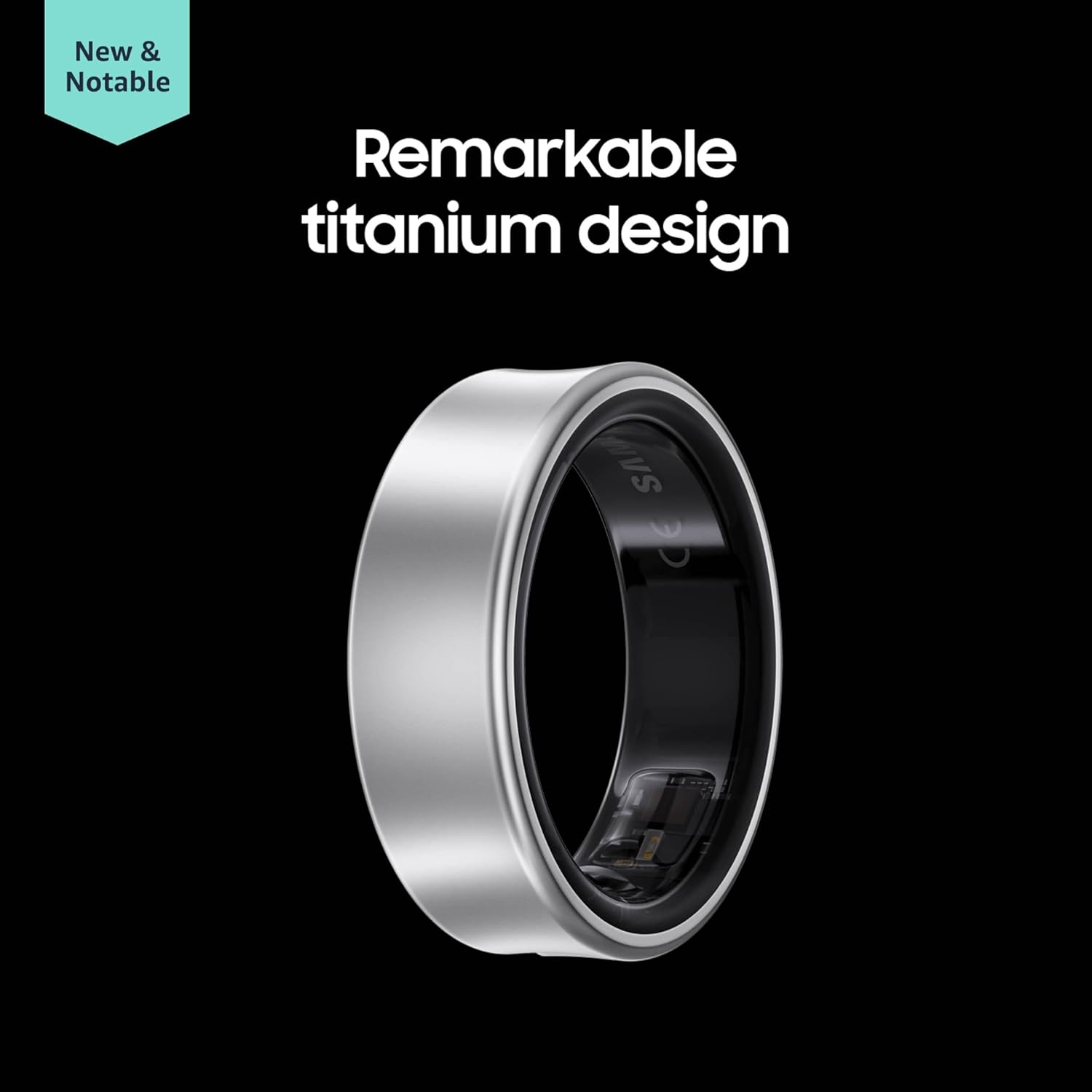
Figure 3: The Galaxy Ring is designed for comfortable wear, even during sleep.
Initial Charging
Before first use, fully charge your Galaxy Ring using the provided charging case and cable. Place the ring into the charging case, close it, and connect the cable to a power source. The charging case itself holds additional charge, extending the time between needing to connect to an outlet.

Figure 4: The transparent charging case for the Galaxy Ring.
Video 2: An overview of the Galaxy Ring product, including charging.
Operating Your Galaxy Ring
Health Tracking Features
The Galaxy Ring is designed for continuous health monitoring, focusing on key metrics. It tracks your steps, heart rate, and provides detailed sleep tracking. It also supports basic activity tracking like walking and running. For more advanced fitness tracking or specific health measurements like ECG, a smartwatch may be required in conjunction with the ring.

Figure 5: Health metrics tracked by the Galaxy Ring, including Energy Score.
A key feature is the Energy Score, which provides an assessment of your daily readiness based on your sleep, activity, and other health data. This feature is enhanced by Galaxy AI and requires a compatible Samsung Galaxy AI phone for full insights.
Video 3: Introducing the Energy Score feature on the Galaxy Ring.
Battery Life
The Galaxy Ring offers excellent battery life due to its compact design and lack of a display. Depending on the ring size, you can expect approximately 6 to 7 days of battery life on a single charge. With the included charging case, which provides additional charges, the total battery life can extend to about 15 to 16 days without needing to connect to a wall outlet.

Figure 6: The Galaxy Ring offers extended battery life for continuous tracking.
Maintenance
Water Resistance
The Samsung Galaxy Ring is highly durable and water-resistant. It boasts an IP68 rating, meaning it can withstand submersion in up to 6 feet of water for up to 30 minutes. Additionally, it is 10ATM rated, allowing it to be submerged up to 100 meters (approximately 328 feet). This means you can wear your Galaxy Ring confidently in the shower, while washing dishes, or even during swimming activities without concern.

Figure 7: The Galaxy Ring is built for everyday use, including water exposure.
After exposure to water, it is recommended to rinse any residue and thoroughly dry the ring to maintain its condition.
Troubleshooting
Locating a Lost Ring
Given its small size, there might be concerns about misplacing your Galaxy Ring. Samsung has addressed this by integrating it with their 'Find' service. If you lose your ring, you can use the Samsung Find service on a compatible device to track its last known location. Once you are in the vicinity of the ring, you can trigger a 'Find' function that will cause the ring's internal lights to flash in red and green, making it easier to spot visually. Please note that the ring does not vibrate or make any sound to aid in its location.
Specifications
| Feature | Detail |
|---|---|
| Product Dimensions | 2.07 x 0.92 x 0.72 inches |
| Item Weight | 0.09 ounces |
| ASIN | B0D3JDPB11 |
| Item Model Number | SM-Q508NZSAXAR |
| Operating System | Android |
| Connectivity Technology | Bluetooth |
| Special Feature | Sleep Monitor |
| Color | Silver |
| Manufacturer | SAMSUNG |
| Country of Origin | Vietnam |
| Battery Capacity | 1 Milliamp Hours |
Warranty and Support
The Samsung Galaxy Ring comes with a 1-year manufacturer warranty, covering defects in materials and workmanship under normal use. For detailed warranty terms, service requests, or technical support, please visit the official Samsung support website or contact their customer service. Ensure you have your product model number (SM-Q508NZSAXAR) and proof of purchase available when seeking support.