
1. Introduction
The Braun MultiQuick 5 Pro immersion blender is a versatile kitchen appliance designed to assist with various food preparation tasks. Featuring a powerful 1000 W motor and the Easy Click System Plus, it offers efficient blending, chopping, whisking, and processing capabilities. This manual provides essential information for the safe and effective use, maintenance, and troubleshooting of your appliance.
1.1 Safety Information
Before using the appliance, please read these instructions thoroughly and retain them for future reference. Always observe basic safety precautions to reduce the risk of fire, electric shock, and personal injury.
- Ensure the voltage indicated on the appliance corresponds to your mains voltage.
- Do not immerse the motor unit in water or other liquids.
- Keep hands, hair, clothing, and utensils away from moving parts during operation.
- Always unplug the appliance before cleaning, assembling, or disassembling parts.
- Blades are sharp; handle with care.
- This appliance is not intended for use by children.
2. Product Components
The Braun MultiQuick 5 Pro comes with a range of accessories to enhance its functionality. Familiarize yourself with each component before use.

Image: Overview of the Braun MultiQuick 5 Pro Immersion Blender and its complete set of accessories, including the motor unit, blending shaft, whisk, mini food processor, SizeControl chopper, and measuring cup.
- Motor Unit: The main body containing the 1000 W motor and speed controls.
- PowerBell Plus Blending Shaft: Stainless steel shaft with patented blending technology for efficient and splash-free blending.
- Whisk Attachment: For whipping cream, beating eggs, and mixing light batters.
- Mini Food Processor: A compact attachment for chopping, grating, and slicing smaller quantities of food.
- SizeControl Chopper: A 3-in-1 solution for chopping hard foods into three different textures and crushing ice.
- Measuring Cup (600 ml): BPA-free plastic cup with ml and fl oz measurements, suitable for blending and measuring.
3. Setup
Before first use, wash all parts that will come into contact with food. Ensure all components are dry before assembly.
3.1 Attaching Accessories (Easy Click System Plus)
- Align the desired attachment (blending shaft, whisk gear box, or chopper/food processor lid) with the motor unit.
- Push the attachment onto the motor unit until it clicks securely into place. You will hear an audible click, indicating a firm connection.
- To detach, press the two release buttons on the sides of the motor unit and pull the attachment off.
3.2 Initial Cleaning
Wash all detachable parts (blending shaft, whisk, chopper/food processor bowls and blades, measuring cup) in warm soapy water or in a dishwasher before their first use. Wipe the motor unit with a damp cloth.
4. Operating Instructions
The MultiQuick 5 Pro features a variable speed dial with 25 settings and a powerful 1000 W motor for optimal performance.
4.1 General Operation
- Plug the appliance into a power outlet.
- Select the desired speed using the variable speed dial on the top of the motor unit. Speeds range from 1 to 25, allowing for precise control.
- Press and hold the main power button to operate the appliance. Release the button to stop.
- For an extra burst of power, use the Turbo button (if available on your model, typically indicated by a 'T' or 'Turbo' symbol).
4.2 Using the Immersion Blender
Attach the PowerBell Plus blending shaft to the motor unit. This attachment is ideal for pureeing soups, blending sauces, and making smoothies directly in pots, bowls, or the measuring cup.
- Immerse the blending shaft into the ingredients before starting the appliance.
- Move the blender up and down gently to ensure even blending.
- The Splash Control technology minimizes splashing, keeping your kitchen clean.
4.3 Using the Mini Food Processor and SizeControl Chopper
These attachments are designed for chopping, grating, and processing various ingredients. The SizeControl chopper offers three different textures and can chop ice.

Image: A person using the Braun MultiQuick 5 Pro with the mini food processor attachment to grate carrots, demonstrating its efficiency for preparing vegetables.
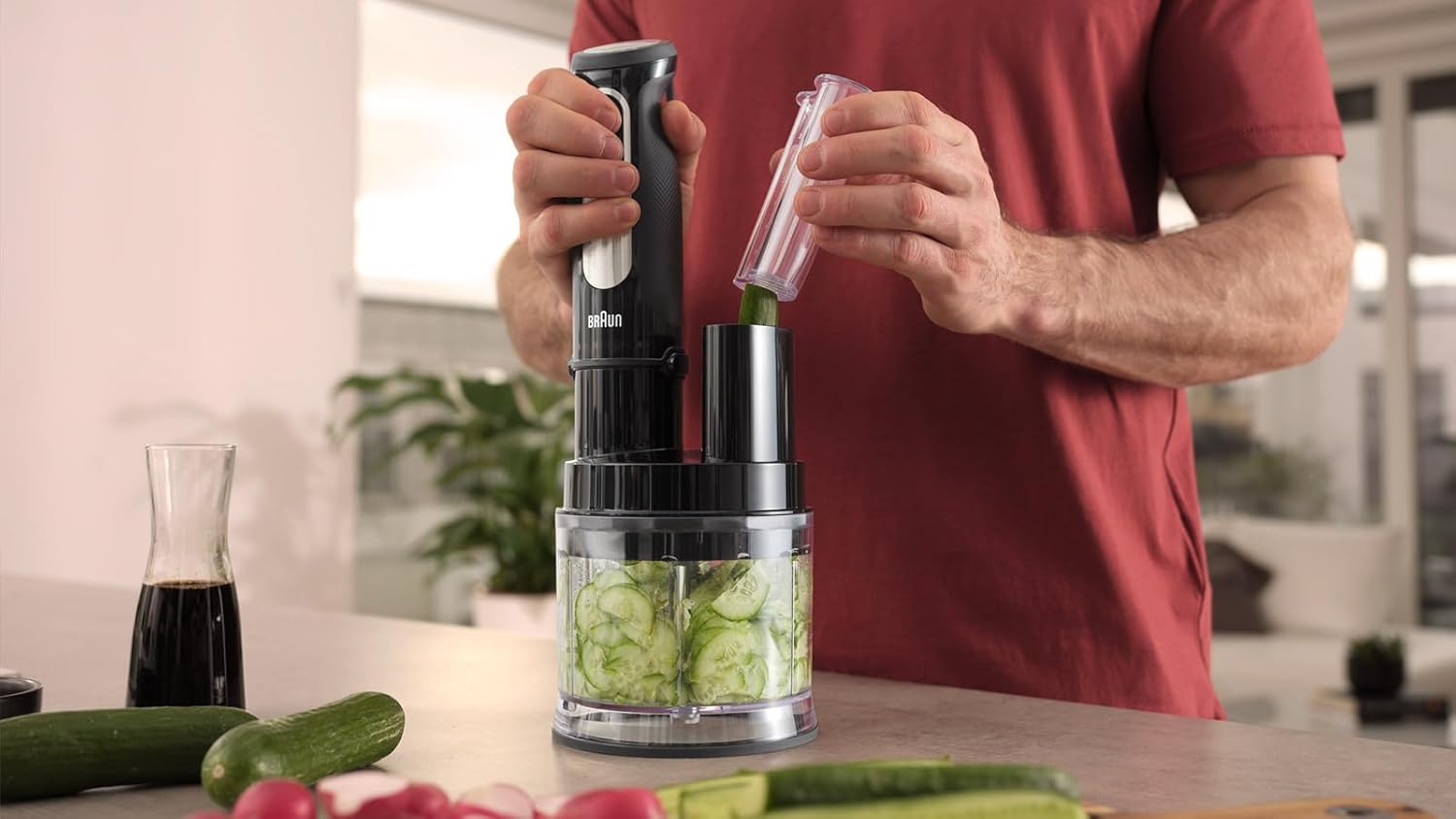
Image: A person adding sliced cucumbers into the Braun MultiQuick 5 Pro's mini food processor bowl, illustrating the ease of preparing ingredients for salads or other dishes.

Image: A person operating the Braun MultiQuick 5 Pro with the mini food processor attachment to chop nuts or grains, showcasing its capability for dry ingredients.
- Place the blade into the chopper/food processor bowl.
- Add your ingredients. Do not overfill.
- Attach the lid to the bowl, then attach the motor unit to the lid.
- Operate the appliance using the power button and desired speed setting.
- For ice chopping, use the SizeControl chopper and ensure ice cubes are not too large.
4.4 Using the Whisk
Attach the whisk to the whisk gear box, then attach the gear box to the motor unit. Use for whipping cream, beating egg whites, or mixing light batters.
- Insert the whisk into the ingredients.
- Start at a low speed and gradually increase as needed.
- Avoid using the whisk for heavy mixtures like dough.
5. Maintenance and Cleaning
Proper cleaning and maintenance will ensure the longevity and optimal performance of your Braun MultiQuick 5 Pro.
5.1 Cleaning
- Motor Unit: Always unplug the appliance before cleaning. Wipe the motor unit with a damp cloth. Do not immerse it in water or other liquids.
- Dishwasher-Safe Parts: The blending shaft, whisk, chopper/food processor bowls, blades, and measuring cup are dishwasher-safe. Place them on the top rack of your dishwasher.
- Hand Washing: For hand washing, use warm water and a mild dish soap. Rinse thoroughly and dry immediately. Handle blades with extreme care.
5.2 Storage
Store the appliance and its accessories in a dry, clean place, away from direct sunlight and heat. Ensure all parts are completely dry before storing.
6. Troubleshooting
If you encounter issues with your appliance, refer to the following common problems and solutions.
- Appliance does not turn on:
- Check if the appliance is properly plugged into a working power outlet.
- Ensure the attachment is correctly secured to the motor unit (listen for the click).
- Poor blending/chopping results:
- Ensure ingredients are cut into appropriate sizes before processing.
- Do not overfill the bowls; process in smaller batches if necessary.
- Increase the speed setting.
- Motor stops during operation:
- The appliance may have overheated. Unplug it and let it cool down for at least 30 minutes before resuming use.
- Check for any blockages in the blades or attachments.
If the problem persists, please contact Braun customer service or an authorized service center.
7. Specifications
| Feature | Specification |
|---|---|
| Model Number | MQ 55755 M |
| Brand | Braun |
| Power | 1000 Watts |
| Voltage | 240 Volts |
| Number of Speeds | 25 |
| Material | Stainless Steel (blending shaft, whisk), Plastic (bowls, measuring cup) |
| Color | Black |
| Dimensions (L x W x H) | 20.8 x 6.2 x 6.8 cm (product) |
| Weight | 2.26 Kilograms |
| Special Features | Stainless steel whisk, Dishwasher-safe parts, Easy Click System Plus, PowerBell Plus Technology, Splash Control |
8. Warranty and Support
For detailed warranty information, please refer to the warranty card included with your product or visit the official Braun website. Keep your purchase receipt as proof of purchase for any warranty claims.
For customer support, service, or to purchase replacement parts, please visit the Braun Household official website or contact their customer service line in your region. You can typically find contact information on the product packaging or the official website.
Online Support: www.braunhousehold.com/en-us/customer-service