
Introduction
This manual provides comprehensive instructions for the installation, operation, and maintenance of your Roinvou 8 Cores 6+128G Android Car Stereo. Designed for Ford Fusion Mondeo models from 2013-2019, this unit features a 9-inch touch screen, Carplay, Android Auto, 32-band EQ, Bluetooth, WiFi, GPS Navigation, Mirror Link, and backup camera support. Please read this manual thoroughly before use to ensure proper functionality and safety.

Image: The Roinvou 9-inch Android Car Stereo seamlessly integrated into a car's dashboard, showcasing its large display and control interface.
Product Features
- Compatibility: Specifically designed for Ford Fusion Mondeo 2013-2019 models. Supports MANUAL A/C and AUTO A/C.
- High Performance: Equipped with a powerful Android system, 8-core CPU, and 6GB RAM + 128GB ROM for smooth operation.
- Display: HD capacitive touch screen with 1280x720 resolution, offering 19 wallpaper options and 59 UI desktop themes.
- Smartphone Integration: Supports Wireless/Wired CarPlay and Android Auto for seamless phone connectivity, calls, music, and navigation.
- Audio Control: Built-in 32-band EQ with pre-installed car tuning software for customized audio quality.
- Radio: Integrated FM/RDS radio for listening to broadcasts, real-time traffic, and weather forecasts.
- Connectivity: Bluetooth 5.0 for stable hands-free calls and music streaming, Wi-Fi for online applications and content.
- Mirror Link: Synchronize your Android or iOS smartphone screen to the head unit.
- Navigation: Built-in GPS navigation with support for offline maps from the Play Store.
- Safety Features: Supports AHD backup camera input and steering wheel control for enhanced driving safety and convenience.
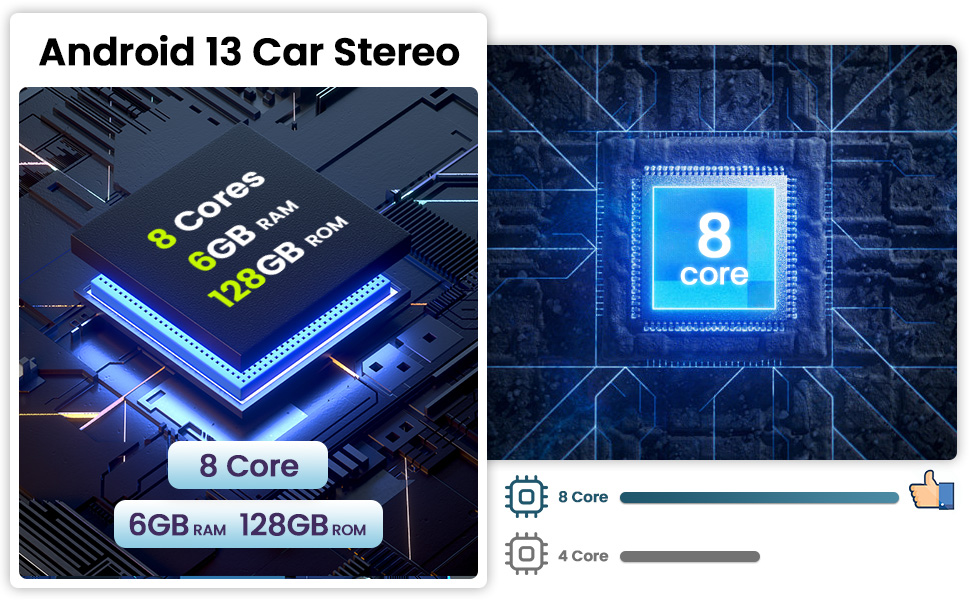
Image: An internal view diagram highlighting the 8-core processor, 6GB RAM, and 128GB ROM, indicating the stereo's high performance capabilities.
Setup and Installation
Compatibility Check
This radio dash kit is compatible with Ford Fusion Mondeo models from 2013 to 2019. It supports both manual and automatic A/C systems. Important: This unit is NOT compatible with original radios that have a large screen version. Please verify your vehicle's power cable port matches the details provided before installation.

Image: A visual guide illustrating the compatible and incompatible dashboard configurations for Ford Fusion Mondeo models, ensuring correct fitment.
Package Contents
The stereo package includes the following components:
- Ford Fusion Mondeo Car Stereo Head Unit
- Power Cable
- Canbus Box
- Radio Antenna
- Original USB Cable
- RCA Harness
- GPS Antenna
- AHD Backup Camera
- External Microphone
- Rear Camera Input Cable
- Dual USB Cable
- Installation Tool & Accessories

Image: A detailed layout of all accessories and cables included in the product package, assisting users in verifying contents.
Wiring Diagrams
Refer to the following diagrams for proper connection of the unit and its accessories.
Port Details

Image: A comprehensive diagram illustrating the various input and output ports on the back of the car stereo and their respective cable connections.
Reversing Camera Wiring
Connect the rearview input cable whether you use the rearview camera or not, as this affects WiFi and Bluetooth signal stability. The included AHD backup camera supports both CVBS and AHD formats, configurable in the factory settings.

Image: A clear wiring diagram detailing how to connect the AHD backup camera to the car stereo system.
Operating Instructions
CarPlay & Android Auto
Connect your smartphone wirelessly via Bluetooth or using the original USB data cable for wired connection. This allows you to access navigation, make/receive calls, listen to music, and use voice control (Siri/Google Assistant) directly from the stereo.
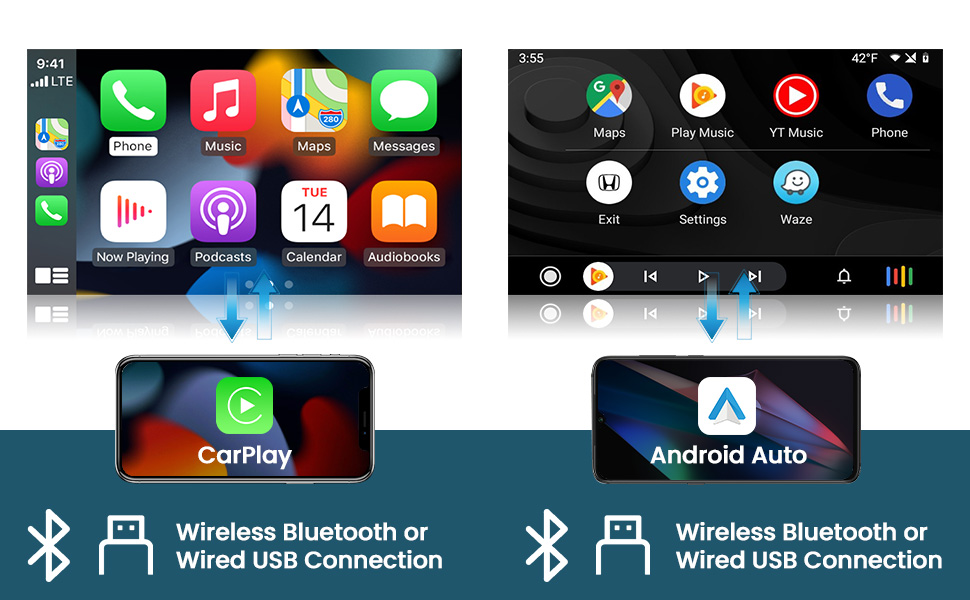
Image: A visual representation of how to connect both Apple CarPlay and Android Auto wirelessly via Bluetooth or through a wired USB connection.
Video: Demonstrates the user interface functions, CarPlay, Android Auto, and navigation features of the Roinvou car stereo.
Bluetooth 5.0 & Mirror Link
The built-in Bluetooth 5.0 ensures a stable connection for hands-free calls and music streaming. Mirror Link allows you to synchronize your phone's screen to the car stereo, enabling you to view videos and other content on the larger display.

Image: Displays the Bluetooth hands-free calling interface and the FM/RDS radio screen on the car stereo.

Image: An illustration demonstrating the phone mirror link feature, allowing content from a smartphone to be displayed on the car stereo screen.
GPS Navigation & Wi-Fi
Utilize the built-in GPS for navigation. You can download offline navigation apps directly from the Play Store. Connect to Wi-Fi to access online maps, stream music, watch YouTube videos, and download various applications, transforming your stereo into a large smart device.

Image: Shows the GPS navigation interface and the Wi-Fi connectivity screen, highlighting access to online content and applications.
Audio Customization (32-band EQ)
The stereo features a 32-band EQ with pre-installed tuning software. Adjust frequencies, select sound types, and fine-tune your audio experience to compensate for original speaker limitations and achieve optimal sound quality.
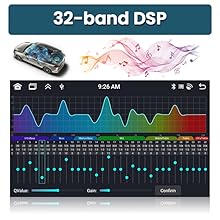
Image: A screenshot of the 32-band Digital Signal Processor (DSP) equalizer, showing various frequency adjustments for audio customization.
Display Customization
Personalize your stereo's interface with 19 different wallpaper options and 59 unique UI desktop themes, providing a fresh and customized user experience.
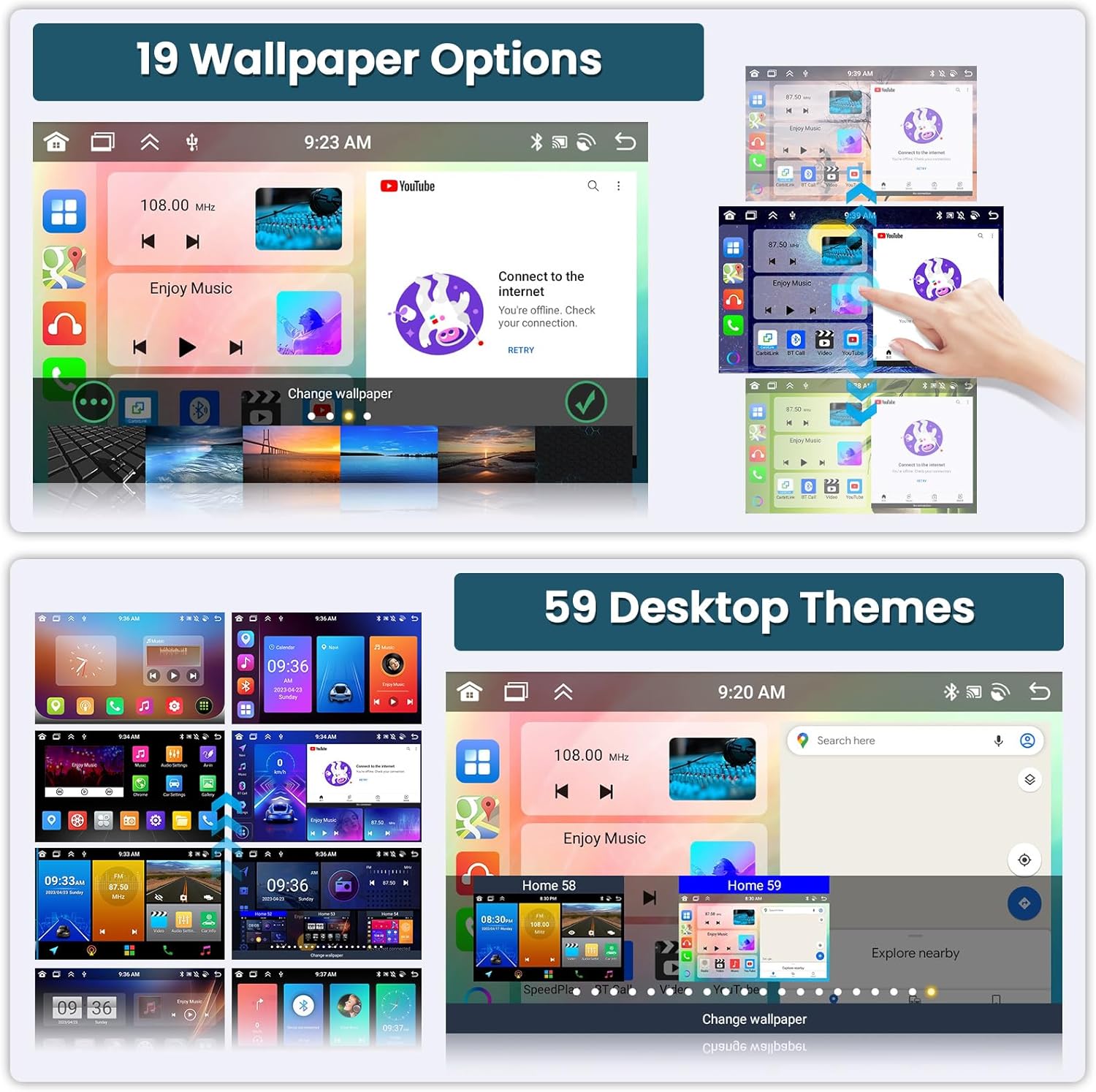
Image: Displays multiple examples of the 19 wallpaper options and 59 desktop themes available for personalizing the car stereo's interface.
Steering Wheel Control
The unit supports steering wheel controls, allowing you to manage functions easily without removing your hands from the steering wheel, enhancing safety and convenience.
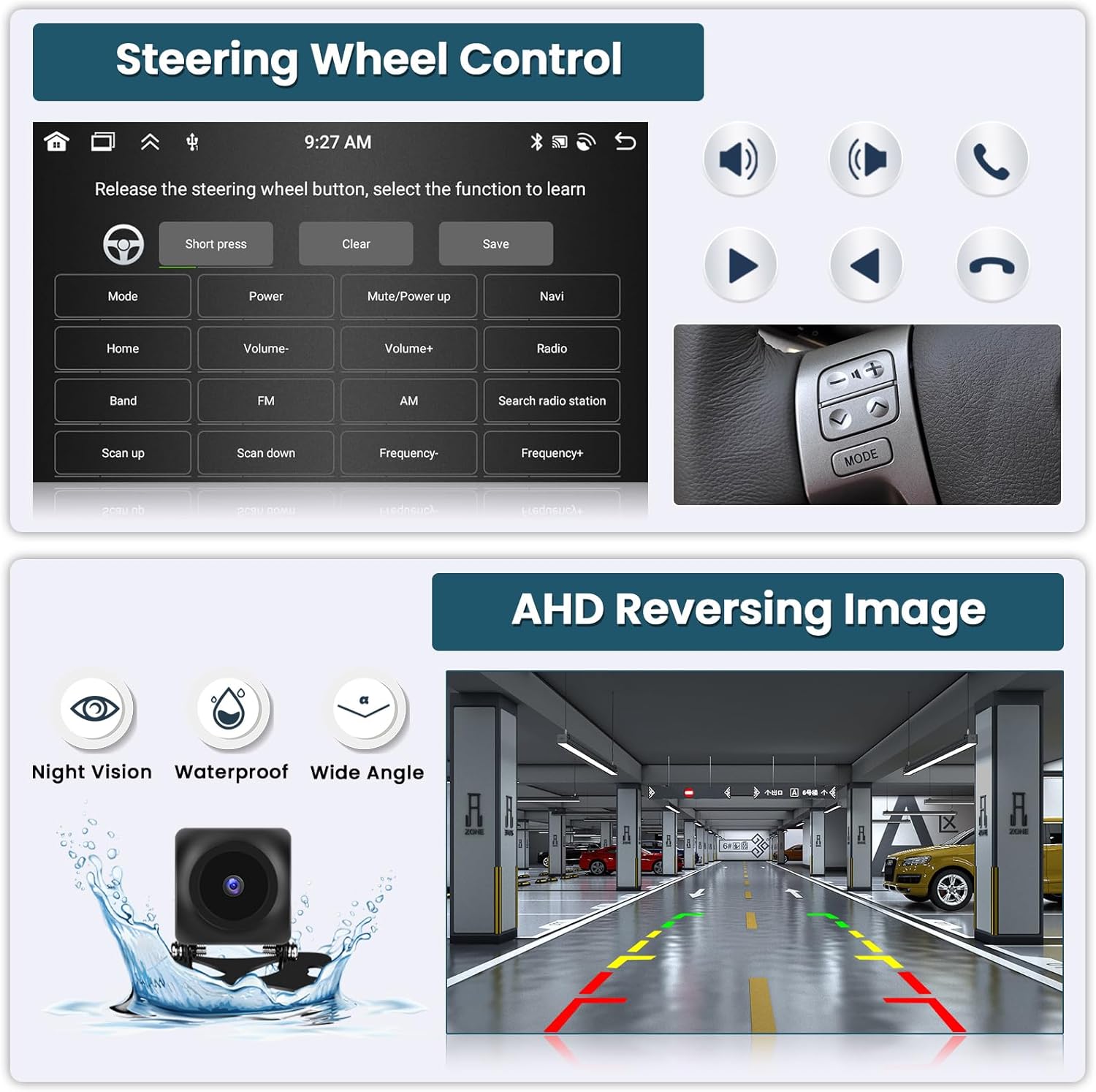
Image: Shows the steering wheel control learning interface, allowing users to program buttons, and a clear view of the AHD reversing image display.
Backup Camera
The system automatically switches to the reverse image when the vehicle is put into reverse, providing a clear view for safe parking and maneuvering. The included AHD camera offers night vision, waterproofing, and a wide-angle view.
Image: Displays the AHD reversing image on the car stereo screen, showing parking guidelines and a wide-angle view.
Split Screen Functionality
The unit supports split-screen mode, allowing two applications to run simultaneously on the display. For example, you can have navigation on one side and music playback on the other.

Image: An illustration demonstrating the split-screen feature, showing two applications running concurrently on the car stereo display.
Specifications
| Feature | Detail |
|---|---|
| Operating System | Android |
| Display Size | 9 Inches |
| Resolution | 1280 x 720 |
| Processor | 8 Cores |
| Memory (RAM) | 6GB |
| Storage (ROM) | 128GB |
| Connectivity | Bluetooth 5.0, Wi-Fi, USB |
| Audio Output Mode | Stereo |
| Map Type | North America (offline maps downloadable) |
| Item Weight | 3.89 pounds |
| Package Dimensions | 11.5 x 11.35 x 4.85 inches |
Troubleshooting
If you encounter any issues with your Roinvou car stereo, please consider the following common troubleshooting steps:
- No Power: Ensure all power cables are securely connected. Check the vehicle's fuse box for any blown fuses related to the stereo.
- No Sound: Verify speaker connections. Check audio settings (volume, EQ, balance/fader). Ensure no cables are loose or damaged.
- Bluetooth/Wi-Fi Issues: Confirm the rearview input cable is properly connected, as it can affect signal stability. Restart the unit and your connected device. Ensure Bluetooth/Wi-Fi is enabled on both devices.
- GPS Signal Loss: Ensure the GPS antenna is installed in a clear location with an unobstructed view of the sky.
- Touchscreen Unresponsive: Try restarting the unit. If the issue persists, contact customer support.
- CarPlay/Android Auto Connectivity: Ensure your phone's operating system is up to date. Try both wired and wireless connections. Check phone settings for CarPlay/Android Auto permissions.
For persistent problems or issues not covered here, please refer to the support section.
Warranty and Support
Your Roinvou car stereo comes with a 1-Year Warranty from the date of purchase.
For technical support, warranty claims, or any inquiries, please contact Roinvou customer support directly. You can typically find contact information on the seller's page on the platform where you purchased the product or through the provided email address.
Seller: Roinvou
Returns: 30-day refund/replacement policy.
For direct assistance, you may also reach out via email: roinvouservices@163.com