
Important Safety Information
- Keep all cords and small parts out of reach of children to prevent strangulation or choking hazards.
- Do not place the camera or monitor in water or expose to moisture.
- Only use the power adapters and cables provided by Jartoo.
- Ensure proper ventilation for both the camera and monitor.
- This product is not a substitute for responsible adult supervision.
Package Contents
- Video Baby Monitor with Camera and Audio
- Adapter
- USB-C Cable
Product Overview
The Jartoo 2K Video Baby Monitor (Model JT-VBM002) provides high-resolution video and audio monitoring without the need for Wi-Fi, ensuring a secure and private connection. It features a 5.5-inch FHD screen, 2K camera resolution, and a long-range connection.

Image: Overview of the Jartoo 2K Baby Monitor components, including the camera, monitor, adapters, and cables.
Monitor Features:
- 5.5" IPS LCD Screen: Provides a clear and vibrant display of your baby.
- Control Buttons: Intuitive buttons for navigation, zoom, 2-way talk, and menu access.
- Antenna: Extends the wireless range for reliable connection.
- Kickstand: Allows for convenient tabletop placement.
Camera Features:
- 2K Resolution Camera: Captures detailed video footage.
- Pan & Tilt & Zoom: Offers 360-degree viewing angle for comprehensive room coverage.
- Night Vision: Automatic infrared technology for clear viewing in low light or darkness.
- AI Cry Detection: Smart technology to alert you when your baby cries.
- 2-Way Talk: Allows you to speak to your baby remotely.
- Temperature Sensor: Monitors the room temperature.
Setup Guide
1. Charging and Powering
- Connect the monitor adapter to the monitor and a power outlet.
- Connect the camera adapter to the camera and a power outlet.
- Fully charge the monitor before first use for optimal battery performance.
2. Camera Placement
Place the camera 1.5-2.5 meters (5-8.2 feet) away from your baby for safety reasons and for a better view when in night vision mode. The camera can be placed on a countertop, shelf, or crib, or wall-mounted.

Image: A Jartoo 2K Baby Monitor camera placed on a shelf near a crib, demonstrating optimal placement for monitoring.
3. Pairing the Baby Monitor & the Camera
By default, the camera and monitor come pre-paired from the manufacturer. When you power on the monitor and camera, the video will automatically appear. If you need to add more cameras or re-pair, refer to the user manual for detailed instructions.
Operating Instructions
1. Basic Monitoring
Once powered on, the monitor will display live video from the camera. The screen shows signal strength, temperature, battery level, and time.
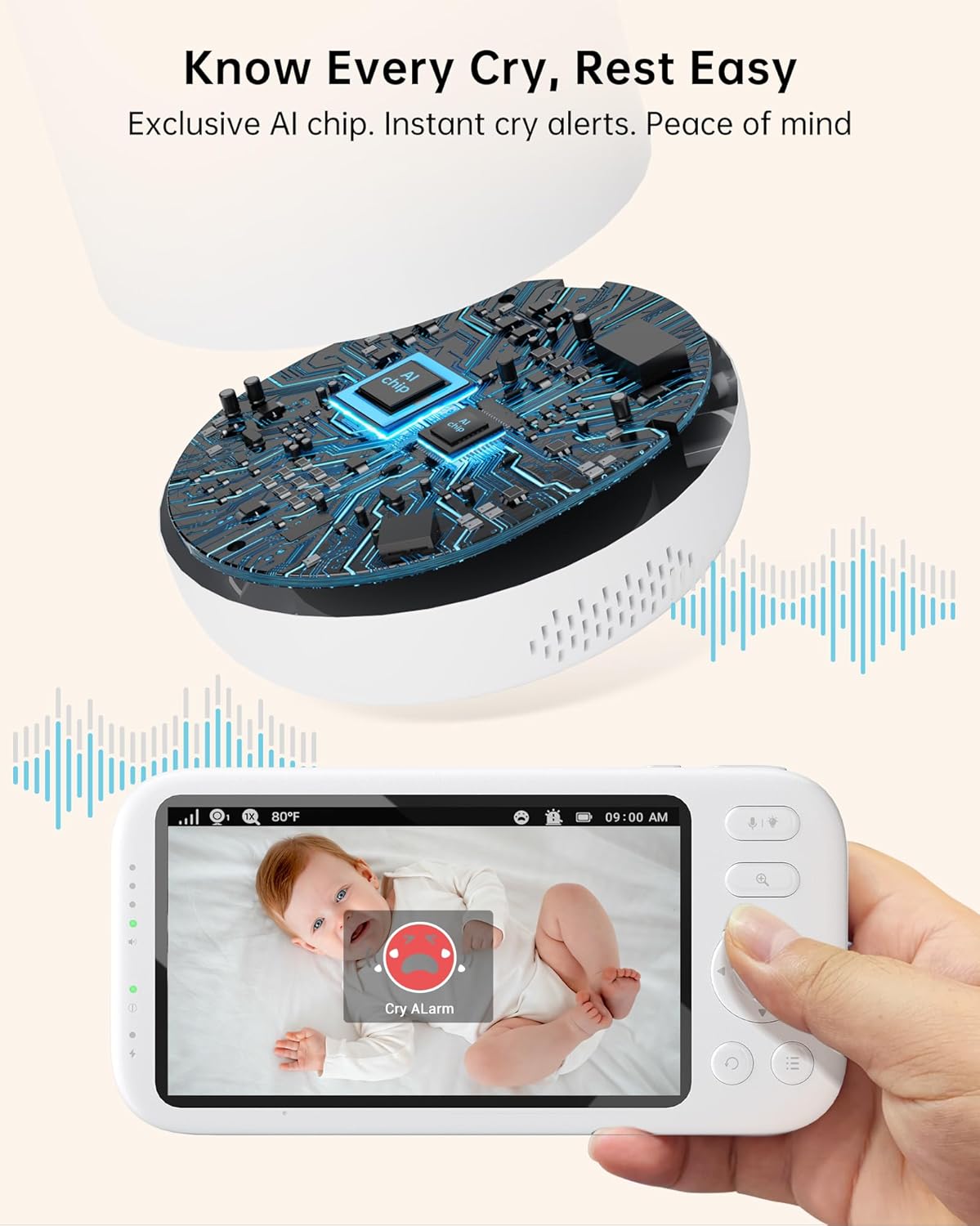
Image: The Jartoo 2K Baby Monitor screen displaying a live video feed of a baby in a crib, with icons for signal, temperature, battery, and time.
2. Pan, Tilt & Zoom
Use the navigation buttons on the monitor to remotely pan (left/right) and tilt (up/down) the camera. Press the zoom button to digitally zoom in up to 4x for a closer view of your baby.

Image: The Jartoo 2K Baby Monitor screen showing a zoomed-in view of a sleeping baby, highlighting the 4x zoom capability.
3. Night Vision
The camera automatically switches to night vision mode in low light conditions, providing a clear black-and-white image without disturbing your baby with visible red lights.

Image: A comparison showing the Jartoo 2K Baby Monitor's enhanced night vision (no red exposure, low radiation) versus another monitor's night vision (red exposure, high radiation), both displaying a sleeping baby.
4. 2-Way Talk & Lullabies
Press and hold the microphone button on the monitor to speak to your baby. The camera will transmit your voice. You can also select from 4 pre-installed lullabies to soothe your baby.

Image: A woman holding the Jartoo 2K Baby Monitor, speaking to her baby through the 2-way talk feature, with sound waves illustrating the audio transmission.
5. AI Cry Detection
The monitor features exclusive smart AI cry-sensor technology that provides reliable notifications when your baby cries, minimizing false alarms. You can adjust the sensitivity of cry detection in the settings.

Image: The Jartoo 2K Baby Monitor screen displaying a "Cry Alarm" notification with a crying baby in the background, illustrating the AI cry detection feature.
6. Eco Mode & Battery Life
The 6000mAh rechargeable battery provides up to 18 hours of continuous use in regular mode (Always On Display) and up to 24 hours in VOX (Voice Operated Exchange) and Eco modes, conserving battery life by turning off the screen when no sound is detected.

Image: The Jartoo 2K Baby Monitor screen showing battery life indicators for 24 hours in VOX/Eco modes and 18 hours in Always On Display, with a baby sleeping and a baby drinking from a bottle.
7. Temperature Alert
The monitor provides real-time temperature readings of the baby's room and can alert you if the temperature goes outside a set range.
Maintenance
- Clean the camera and monitor with a soft, dry cloth. Do not use abrasive cleaners or solvents.
- Ensure the camera lens is clean for optimal video quality.
- Store the device in a cool, dry place when not in use for extended periods.
Troubleshooting
| Problem | Solution |
|---|---|
| No image/sound on monitor | Ensure both camera and monitor are powered on and within range. Check battery levels. |
| Poor signal/range | Adjust the antenna on the monitor. Reduce distance between camera and monitor. Avoid obstructions like thick walls. |
| Cry detection not working | Check cry detection sensitivity settings in the monitor menu. Ensure camera is placed correctly. |
| Monitor screen freezes | Power cycle the monitor (turn off and on). This may help it find a new channel. |
Specifications
| Feature | Value |
|---|---|
| Model Name | JT-VBM002 |
| Video Capture Resolution | 2K |
| Screen Size | 5.5 inches |
| Connectivity Protocol | Non Wifi (FHSS) |
| Wireless Communication Technology | 3000ft Extra Long Range |
| Battery Power | 6000 Milliampere Hour (mAh) |
| Night Vision Range | 33 Feet |
| Viewing Angle | 360 Degrees |
| Alert Type | Cry Detection, Temperature |
| 2-Way Audio | Yes |
| Lullabies | 4 |
| Installation Type | Countertop, Wall Mounted, Crib, Shelf, Bassinet |
Warranty and Support
Jartoo offers a 30-day return policy and 2-year protection (activate via email). For any support needs, please contact JartooDirect at (626)7042716. Our engineers are dedicated to ensuring your comfort and security.
Official Product Videos
Video: Jartoo 2K FHD Camera Baby Monitor with Smart Cry Detection. This video demonstrates the monitor's 2K camera quality and smart cry detection feature.
Video: Jartoo 2K Video Baby Monitor with Camera and Audio. This video provides a detailed overview of the Jartoo baby monitor's features and functionality.
