
1. Introduction
Welcome to The MeatStick 4 Duo Bundle! This smart wireless meat thermometer system is designed to help you achieve perfectly cooked meals every time, whether you're grilling, smoking, roasting, deep frying, or using a sous vide method. Please read this manual carefully to ensure proper use and to maximize the performance and longevity of your device.
What's in the Box
- 2 x MeatStick 4 Wireless Probes
- 2 x MeatStick Chargers (Xtender/Charger)
- Quick Start Guide (refer to this manual for full details)
- Note: AA Batteries are NOT included and are required for the chargers.
2. Product Overview and Key Features
The MeatStick 4 Duo Bundle offers advanced technology for precise temperature monitoring and an enhanced cooking experience. Key features include:
- Smart Wireless Connectivity: Enjoy a maximum outdoor range of 650ft (200m) and indoor range of 164ft (50m) with Xtender technology, allowing remote monitoring without tangled wires.
- App Control: Monitor real-time temperatures, receive doneness notifications, and access guided cooking instructions via the dedicated iOS/Android app.
- Quad Sensors: Each probe features three internal sensors (up to 212°F / 100°C) and one ambient sensor (up to 572°F / 300°C) for highly accurate temperature readings.
- Long Battery Life: Over 70 hours of continuous use on a full charge, ideal for low and slow cooking methods.
- Durable and Waterproof: Constructed from stainless steel, the probes are dishwasher safe and withstand extreme conditions, including deep frying and sous vide.

Image: The MeatStick Quad-Sensor Probe provides precise temperature readings at multiple points within the meat, ensuring accurate doneness compared to a two-sensor probe which may miss the lowest actual temperature.
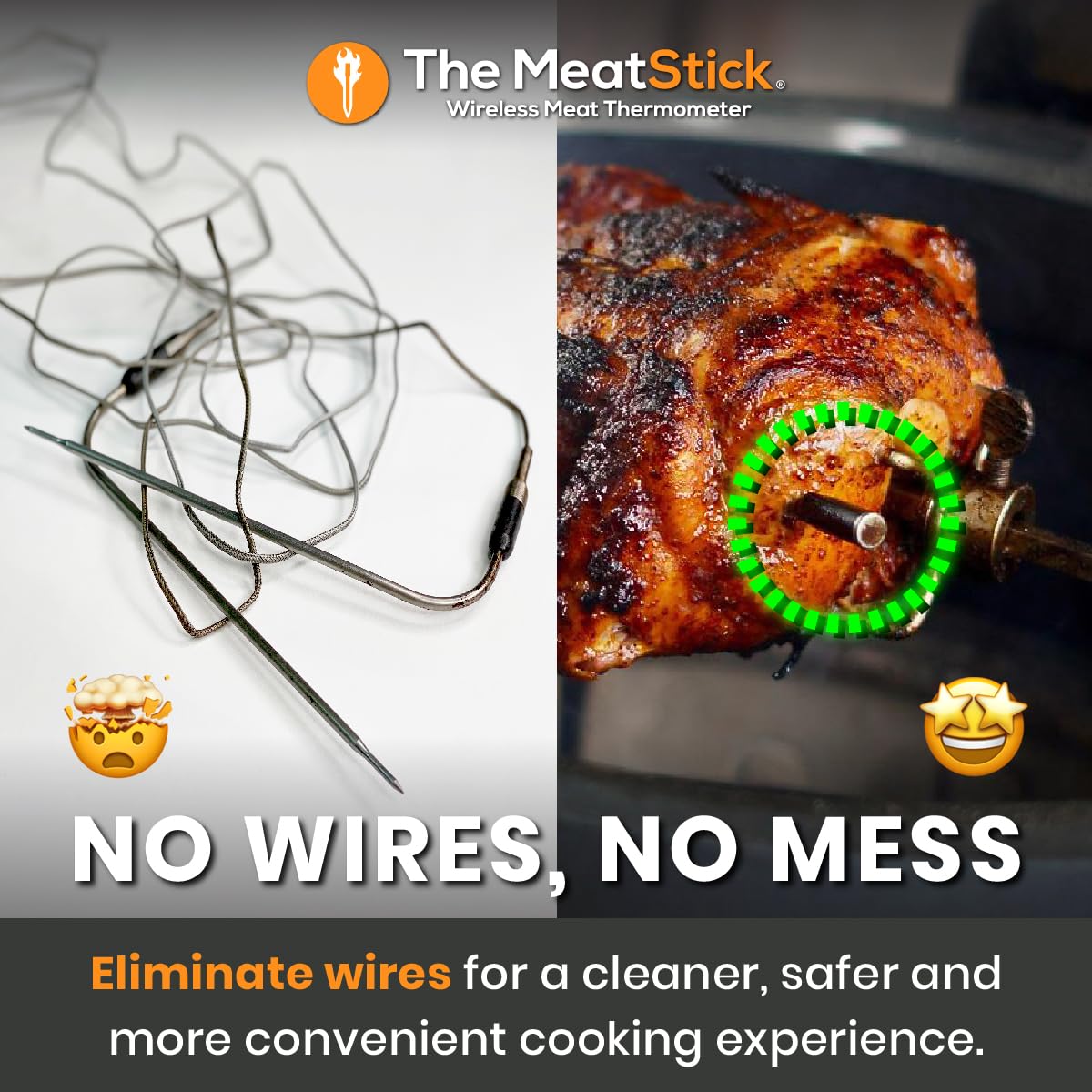
Image: The MeatStick wireless design eliminates the need for tangled wires, offering a cleaner, safer, and more convenient cooking experience.
3. Setup Guide
3.1 Charging the Probes
- Insert AA batteries (not included) into the MeatStick Charger. Ensure correct polarity.
- Place the MeatStick probe into the charger. The indicator light on the charger will show charging status.
- Allow the probes to fully charge before first use. A full charge provides over 70 hours of battery life.
3.2 App Download and Installation
- Download "The MeatStick App" from the Apple App Store (for iOS devices) or Google Play Store (for Android devices).
- Install the app on your smartphone or tablet.
- Ensure Bluetooth is enabled on your device.
3.3 Pairing the Probes with the App
- Remove the charged MeatStick probe from its charger. This activates the probe.
- Open The MeatStick App on your smartphone.
- The app will automatically search for and connect to nearby MeatStick probes. Follow any on-screen prompts to confirm pairing.
- Repeat for the second probe in your Duo Bundle.
4. Operating Instructions
4.1 Probe Insertion
Proper probe insertion is crucial for accurate readings:
- Insert the probe into the thickest part of the meat, away from bones or gristle.
- Ensure the entire internal sensor portion (the metal tip) is fully submerged in the meat. The ceramic handle should remain outside the meat to measure ambient temperature and for wireless transmission.
4.2 Monitoring Temperatures with the App
Once the probe is inserted and paired, the app will display real-time temperatures:
- Internal Temperature: Shows the temperature inside the meat.
- Ambient Temperature: Shows the temperature of your cooking environment (oven, grill, smoker).
- Target Temperature: Set your desired doneness level using the app's presets or custom settings.
- Alerts: The app will notify you when your meat reaches the target temperature or if other conditions (like high ambient temperature) are met.

Image: The MeatStick App provides an intuitive interface for monitoring internal and ambient temperatures, setting target temperatures, and receiving live updates for effortless cooking precision.
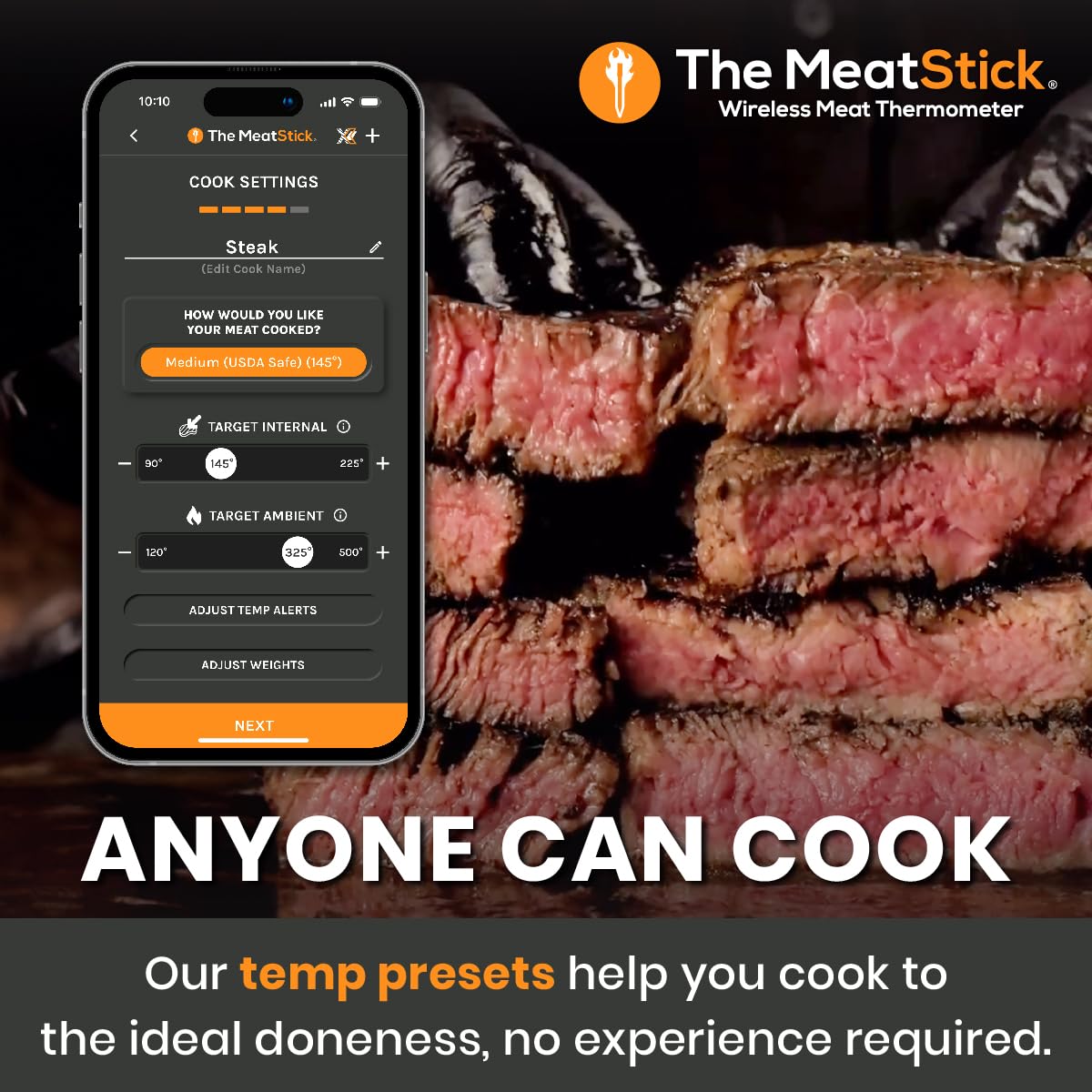
Image: The MeatStick App features temperature presets for different types of meat and desired doneness levels, making it easy for anyone to achieve ideal cooking results without prior experience.
4.3 Cooking Environments and Range
The MeatStick 4 is versatile and can be used in various cooking scenarios:
- Grilling & Smoking: The Xtender charger acts as a signal booster, extending the Bluetooth range significantly. Place the charger near the grill/smoker and keep your phone within range of the charger.
- Oven & Air Fryer: Insert the probe into the meat and place it in the appliance. The ceramic handle can withstand oven temperatures.
- Deep Frying & Sous Vide: The probe's waterproof design allows for safe use in liquids. Ensure the internal sensor is fully submerged.
- Rotisserie: The wireless design is ideal for rotisserie cooking, eliminating wire entanglement.

Image: The MeatStick offers full home coverage with its Xtender technology, providing a wireless range of up to 650ft outdoors and 164ft indoors, allowing you to monitor your cooking from anywhere in your home.

Image: The MeatStick is designed for cooking diversity, capable of being used across various cooking styles including grilling, smoking, deep frying, oven roasting, and sous vide.
5. Maintenance
5.1 Cleaning the Probes
To ensure hygiene and longevity of your MeatStick probes:
- After each use, allow the probe to cool down.
- The probes are dishwasher safe. Alternatively, wash them by hand with warm, soapy water.
- Wipe the ceramic handle clean with a damp cloth. Do not submerge the charger in water.
- Ensure the probes are completely dry before storing them in their charger.
5.2 Storage
Store the probes in their chargers when not in use. This keeps them protected and ensures they are charged for your next cooking session. Store in a cool, dry place.
6. Troubleshooting
| Problem | Possible Cause | Solution |
|---|---|---|
| Probe not connecting to app |
|
|
| Inaccurate temperature readings |
|
|
| Short battery life |
|
|
7. Specifications
| Feature | Detail |
|---|---|
| Model | MeatStick 4 Duo Bundle |
| Internal Sensors | 3 (up to 212°F / 100°C) |
| Ambient Sensor | 1 (up to 572°F / 300°C) |
| Connectivity | Bluetooth |
| Outdoor Wireless Range | Up to 650ft (200m) with Xtender |
| Indoor Wireless Range | Up to 164ft (50m) with Xtender |
| Battery Life | 70+ hours on full charge |
| Material | Stainless Steel (probe) |
| Waterproof | Yes, dishwasher safe |
| Power Source (Charger) | Battery Powered (AA batteries, not included) |
| Resolution | 0.1°F |

Image: The MeatStick 4 boasts a long-lasting battery life of over 70 hours on a single charge, making it perfect for extended low and slow cooking sessions like smoking brisket.
8. Warranty and Support
For warranty information, product registration, and customer support, please visit the official The MeatStick website or contact their customer service directly. Keep your purchase receipt as proof of purchase.
Official Website: www.themeatstick.com


