

Introduction
Thank you for choosing the DREO Smart Pedestal Fan. This manual provides essential information for the safe operation, maintenance, and troubleshooting of your new fan. Designed for whole-room comfort, this fan features powerful airflow, quiet operation, and smart control options including Wi-Fi, voice commands, and a dedicated app. Please read this manual thoroughly before use and retain it for future reference.
Important Safety Instructions
When using electrical appliances, basic precautions should always be followed to reduce the risk of fire, electric shock, and injury to persons, including the following:
- Read all instructions before using this fan.
- Ensure the power source matches the electrical requirements of the fan.
- Do not operate any fan with a damaged cord or plug. Discard fan or return to an authorized service facility for examination and/or repair.
- Do not run cord under carpeting. Do not cover cord with throw rugs, runners, or similar coverings. Arrange cord away from traffic area and where it will not be tripped over.
- To disconnect fan, turn controls to off, then remove plug from outlet.
- Do not insert or allow foreign objects to enter any ventilation or exhaust opening as this may cause an electric shock or fire, or damage the fan.
- Do not block air openings or operate near curtains or other materials that could block airflow.
- This fan is intended for indoor use only. Do not use outdoors.
- Do not use the fan in wet or moist locations such as bathrooms or laundry areas.
- Always place the fan on a stable, flat surface to prevent it from tipping over.
- Close supervision is necessary when any appliance is used by or near children.
Package Contents
- 1 × DREO Pedestal Fan (DR-HPF026SAC)
- 1 × Remote Control
- 1 × User Manual
- Power Cord
Setup
Follow these steps to assemble your DREO Smart Pedestal Fan:
- Unpack Components: Carefully remove all parts from the packaging. Ensure all listed components are present.
- Assemble Base: Attach the fan pole to the base. Secure it firmly using the provided screws or locking mechanism.
- Attach Fan Head: Connect the fan head unit to the top of the assembled pole. Ensure it clicks securely into place.
- Adjust Height: The fan features an adjustable height mechanism. Loosen the height adjustment knob/collar, extend or retract the pole to your desired height, and then tighten the knob/collar to secure it.
- Connect Power: Plug the power cord into the fan's power inlet, then into a standard electrical outlet.
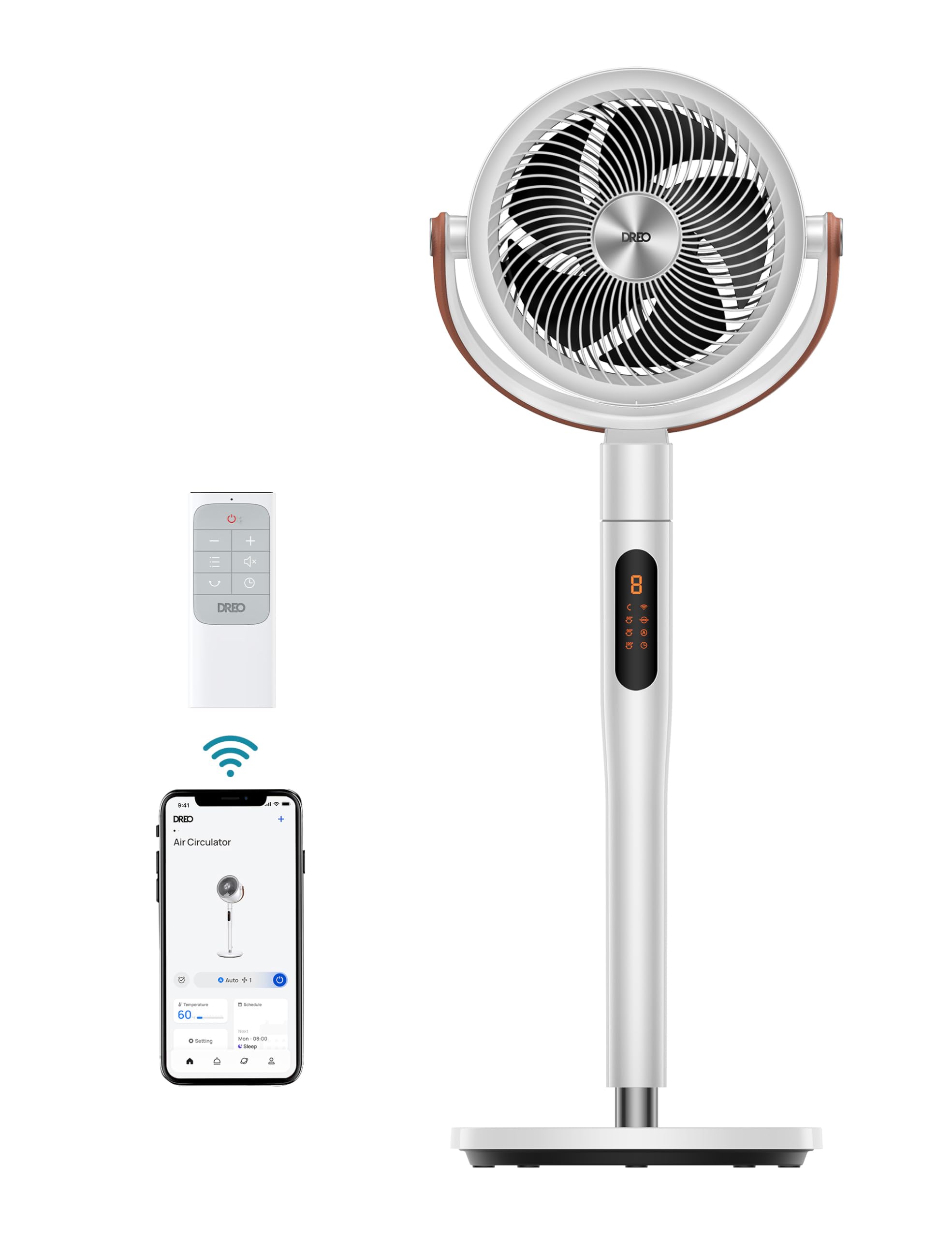
Image: A fully assembled DREO Smart Pedestal Fan, ready for use.
Operating Instructions
Control Panel Overview
The fan features intuitive touch controls on its main panel. These allow for basic functions such as power on/off, speed adjustment, mode selection, and oscillation control.
Remote Control
The included remote control provides convenient access to all fan functions from a distance. It features a glow-in-the-dark design for easy use in low-light conditions.
DREO App Control (Wi-Fi)
For advanced control and smart features, download the DREO app from your smartphone's app store. Connect your fan to your home Wi-Fi network to unlock:
- Remote control from anywhere.
- Customizable schedules for power on/off and settings.
- Access to various lighting effects and colors (RGB Mood Lighting).
- Precise oscillation angle adjustments.
- Additional fan modes and speeds.

Image: Screenshot of the DREO app interface demonstrating smart control capabilities.
Voice Control (Alexa/Google Assistant)
Integrate your DREO Smart Pedestal Fan with Amazon Alexa or Google Assistant for hands-free control. Follow the instructions in the DREO app to link your fan to your preferred voice assistant.
Fan Modes and Speeds
The fan offers 8 speed settings and multiple airflow modes to suit your comfort needs. Adjust the speed using the control panel, remote, or DREO app.

Image: Visual representation of the fan's multiple speed settings.
Oscillation
The fan features 3D oscillation, allowing for both horizontal (up to 150°) and vertical (up to 120°) movement to circulate air throughout the room effectively. Adjust oscillation settings via the control panel, remote, or DREO app.

Image: Diagram illustrating the fan's wide oscillation angles for comprehensive air circulation.
Timer and Child Lock
Utilize the 12-hour timer function to automatically turn off the fan after a set period. Activate the child lock feature to prevent unintended changes to settings, ensuring safety around children.

Image: A quiet bedroom setting, highlighting the fan's low noise level for undisturbed sleep.

Image: The fan displaying various mood-matching RGB light colors in different room environments.
Maintenance
Regular cleaning and maintenance will ensure optimal performance and extend the lifespan of your DREO Smart Pedestal Fan.
- Cleaning the Exterior: Wipe the exterior surfaces of the fan with a soft, damp cloth. Do not use abrasive cleaners or solvents.
- Cleaning the Fan Blades: The fan grille and blades are designed for effortless cleaning. Refer to the diagram below for disassembly. Carefully remove the front grille and fan blades. Wipe them clean with a soft, damp cloth or wash with mild soap and water. Ensure all parts are completely dry before reassembly.
- Storage: If storing the fan for an extended period, unplug it, clean it thoroughly, and store it in a cool, dry place, preferably in its original packaging.

Image: A person demonstrating the easy disassembly and cleaning of the fan's components.
Troubleshooting
If you encounter issues with your fan, please refer to the following common problems and solutions:
| Problem | Possible Cause | Solution |
|---|---|---|
| Fan does not turn on. | No power supply; Power cord not properly plugged in; Power outlet faulty. | Ensure the fan is plugged into a live electrical outlet. Check if the outlet is working by plugging in another appliance. |
| Weak airflow. | Fan speed is too low; Air inlet/outlet blocked; Fan blades are dirty. | Increase the fan speed. Ensure there are no obstructions around the fan. Clean the fan blades and grilles as per maintenance instructions. |
| Fan is noisy. | Fan is on an uneven surface; Loose parts; Foreign object inside. | Place the fan on a flat, stable surface. Check for any loose parts and tighten them. Unplug the fan and inspect for any foreign objects. |
| Wi-Fi connection fails. | Incorrect Wi-Fi password; Fan is too far from router; Router issues. | Ensure the correct Wi-Fi password is entered. Move the fan closer to the Wi-Fi router. Restart your router and try again. Ensure your Wi-Fi is 2.4GHz. |
| Remote control not working. | Batteries are dead; Obstruction between remote and fan. | Replace the batteries in the remote control. Ensure there is a clear line of sight between the remote and the fan's receiver. |
Specifications
| Feature | Detail |
|---|---|
| Brand | DREO |
| Model Number | DR-HPF026SAC |
| UPC | 810142853422 |
| Color | White |
| Product Dimensions | 11.81"D x 13.78"W x 42.52"H |
| Item Weight | 14 pounds |
| Power Source | Corded Electric |
| Wattage | 41 watts |
| Number of Speeds | 8 |
| Noise Level | 25 dB |
| Air Flow Capacity | 882 CFM |
| Control Method | App, Remote, Touch, Voice |
| Special Features | App Operable, Wi-Fi, Voice Control, 3D Oscillation, RGB Mood Lighting, 12H Timer, Child Lock |
| Material | Plastic |
| Indoor/Outdoor Usage | Indoor |
Warranty and Support
DREO provides a limited warranty for this product. For detailed warranty information, product registration, or technical support, please visit the official DREO website or contact customer service.
- Website: www.dreo.com
- Email: support@dreo.com
- Phone: Refer to the DREO website for regional support numbers.
Please have your model number (DR-HPF026SAC) and purchase information ready when contacting support.