
1. Important Safety Information
Before operating the UMAY P9 Foldable Treadmill, please read and understand all safety instructions. Retain this manual for future reference.
- Always consult with a physician before starting any new exercise program.
- Ensure the treadmill is placed on a flat, stable surface with adequate clearance around it (at least 2 feet on all sides).
- Keep children and pets away from the treadmill during operation.
- Use the safety key at all times. Attach the clip to your clothing to ensure the treadmill stops immediately if you fall or move too far from the console.
- Do not operate the treadmill if it is damaged or malfunctioning. Contact customer support immediately.
- Wear appropriate athletic footwear during use.
- The maximum user weight for this treadmill is 300 pounds. Do not exceed this limit.
2. Setup and Assembly
Assembly is required for the UMAY P9 Foldable Treadmill. Follow these general steps for proper setup.
2.1 Unpacking
- Carefully remove all components from the packaging.
- Verify that all parts listed in the packing list are present. The box should contain: Lubricant, Safety Key, Tool Kit, and this User Manual.
- Keep packaging materials until assembly is complete and the treadmill is functioning correctly.
2.2 Assembly Steps
Refer to the included assembly guide for detailed, step-by-step instructions. Generally, assembly involves:
- Unfolding the treadmill frame.
- Attaching the uprights and console mast.
- Securing the control console.
- Connecting any necessary cables.
- Tightening all bolts and fasteners using the provided tool kit.
2.3 Placement and Power Connection
- Place the treadmill on a level, solid surface.
- Ensure the power cord is not pinched or damaged.
- Plug the treadmill into a grounded electrical outlet.
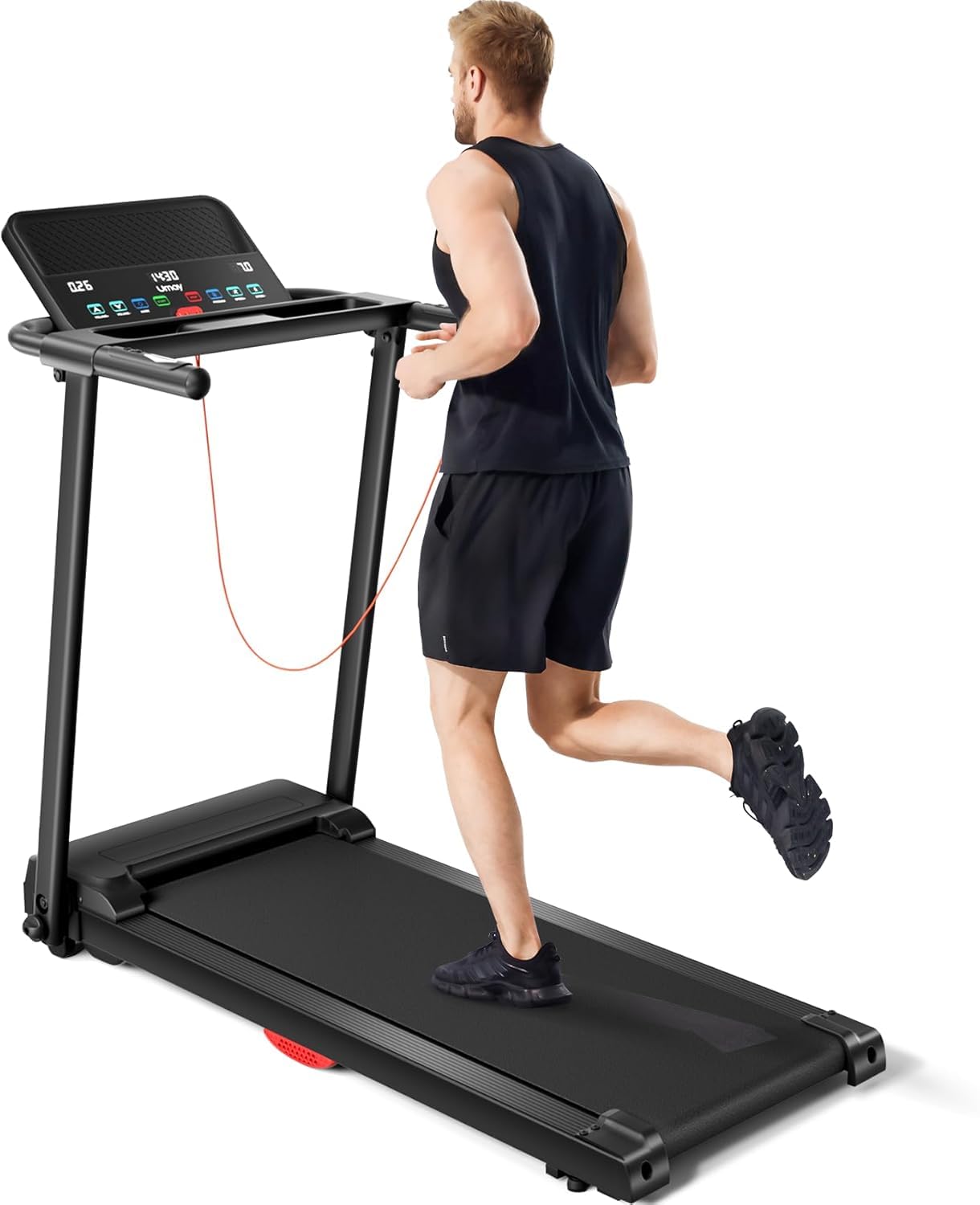
Image 1: The UMAY P9 Foldable Treadmill, showcasing its compact design and console. This image provides a general view of the assembled product.
3. Operation
This section details how to operate your UMAY P9 Foldable Treadmill.
3.1 Control Panel Overview
The LED display shows key workout metrics. The console includes buttons for speed adjustment, program selection, and heart rate monitoring.
3.2 Starting and Stopping
- To Start: Attach the safety key to the console and your clothing. Press the 'START' button. The belt will begin moving at a low speed.
- To Stop: Press the 'STOP' button. For emergency stops, pull the safety key from the console.
3.3 Adjusting Speed
Use the '+' and '-' buttons on the console or handrails to increase or decrease the running belt speed. The maximum speed is 8.5 Miles per Hour.
3.4 Workout Programs
The treadmill features 12 preset workout programs. Press the 'PROGRAM' button to cycle through the available programs. Each program offers varying speed profiles to challenge your workout.
3.5 Heart Rate Monitoring
Grasp the heart rate sensors on the handrails with both hands. Your heart rate will be displayed on the console after a few seconds.
3.6 Safety Key Usage
The safety key is a critical safety feature. The treadmill will not operate without the safety key properly inserted into the console. In case of an emergency, pulling the safety key will immediately stop the treadmill.
4. Maintenance
Regular maintenance ensures the longevity and safe operation of your treadmill.
4.1 Cleaning
- Disconnect the power cord before cleaning.
- Wipe down the console and exterior surfaces with a damp cloth. Avoid using abrasive cleaners or solvents.
- Periodically vacuum underneath the treadmill to prevent dust buildup.
4.2 Lubrication
The running belt requires periodic lubrication to reduce friction and extend its lifespan. Use the lubricant provided in the tool kit.
- Lift the edge of the running belt and apply a small amount of lubricant evenly onto the center of the deck.
- Run the treadmill at a low speed for a few minutes to distribute the lubricant.
- Refer to the specific lubrication schedule in the detailed assembly guide.
4.3 Belt Adjustment
If the running belt feels loose, slips, or drifts to one side, it may need adjustment. Use the Allen wrench from the tool kit to adjust the tension bolts at the rear of the treadmill. Adjust in small increments (quarter turns) and test the belt after each adjustment.
5. Troubleshooting
This section addresses common issues you might encounter with your treadmill.
| Problem | Possible Cause | Solution |
|---|---|---|
| Treadmill does not power on. | Power cord not plugged in; circuit breaker tripped; safety key not inserted. | Check power connection; reset circuit breaker; ensure safety key is fully inserted. |
| Running belt slips or hesitates. | Belt too loose; insufficient lubrication. | Adjust belt tension; lubricate the running deck. |
| Unusual noise during operation. | Loose components; motor issue; belt friction. | Check all bolts and fasteners; lubricate belt; if noise persists, contact support. |
| Heart rate monitor not reading. | Hands not properly placed; dry hands. | Ensure firm, full hand contact on sensors; moisten hands slightly if dry. |
If you encounter issues not listed here or if solutions do not resolve the problem, please contact UMAY customer support.
6. Specifications
Key technical specifications for the UMAY P9 Foldable Treadmill.
| Feature | Specification |
|---|---|
| Brand | UMAY |
| Model Number | P |
| Colour | P9 Black |
| Product Dimensions (D x W x H) | 116.8D x 101.6W x 50.8H Centimeters |
| Material | Acrylonitrile Butadiene Styrene (ABS) |
| Motor HP | 3.0 Horsepower (Brushless) |
| Maximum Speed | 8.5 Miles per Hour |
| Maximum Weight Recommendation | 300 Pounds |
| Display Type | LED |
| Number of Programs | 12 |
| Deck Length | 40.2 Inches |
| Special Features | Heart Rate Monitor, Silicone Shock Absorption |
| Assembly Required | Yes |
7. Warranty and Support
UMAY is committed to providing excellent customer service for your P9 Foldable Treadmill.
- Customer Service: We provide 24 hours * 7 days customer service.
- Return/Replacement: A 365-day return/replacement service is available.
- Contact: For any inquiries, support, or warranty claims, please contact UMAY customer support through Amazon.