
Introduction
Welcome to the world of interactive learning with your new Accutime Hello Kitty Kids Educational Watch. This manual provides essential information for setting up, operating, and maintaining your watch, ensuring a fun and educational experience. Please read these instructions carefully to maximize your enjoyment and the watch's functionality.

Image: The Hello Kitty Kids Educational Watch, showcasing its pink strap and Hello Kitty face cover.
Setup
1. Initial Power On
The watch is designed to be ready for use. If the screen is off, press any button to activate it. The LED cover lights up to reveal the watch face.
2. Setting Time and Date
To set the time and date:
- Press and hold the 'Set' button (usually located on the side) until the time display begins to flash.
- Use the 'Mode' or 'Adjust' buttons to change the hour, minute, day, and month.
- Press the 'Set' button again to confirm each selection and move to the next setting.
- Once all settings are complete, press the 'Set' button one last time to exit the setting mode.
Refer to the 'Time Teacher' game for an interactive way to learn time-telling.
3. Battery Information
This watch uses one CR2450 (3V) battery. When the display dims or functions become erratic, it may be time to replace the battery. Battery replacement should be performed by an adult.

Image: Rear view of the watch, indicating the battery compartment and model number HK4212AZ.
Operating the Watch
1. Basic Navigation
The watch features a touchscreen for easy navigation. Swipe left or right to browse through different functions and games. Tap to select an option.
2. Watch Faces
The watch includes 10 unique Hello Kitty digital watch faces. To change the watch face, navigate to the 'Watch Face' menu and select your preferred design.
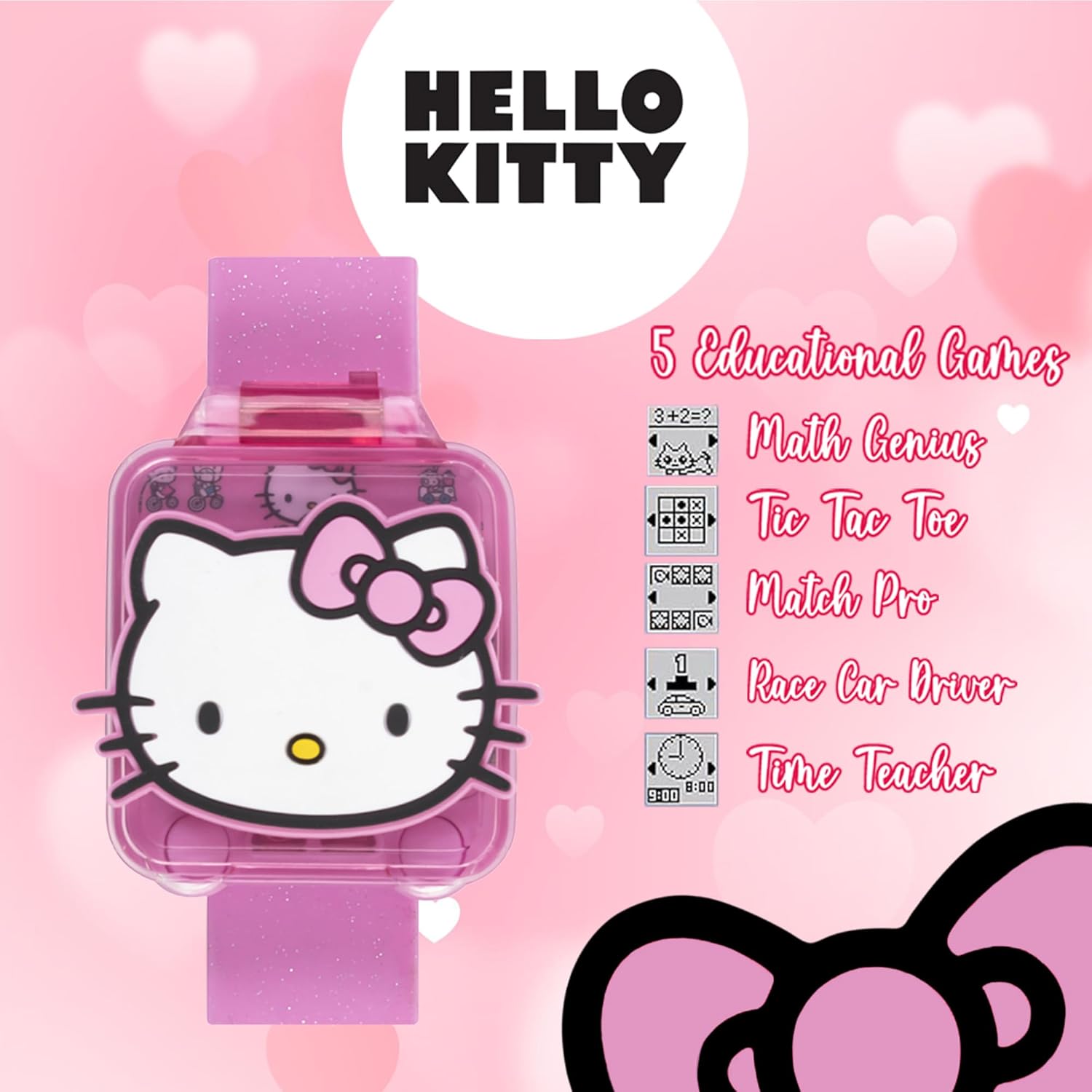
Image: A visual representation of the 10 distinct Hello Kitty watch faces available on the device.
3. Alarm Function
To set an alarm:
- Navigate to the 'Alarm' function.
- Use the on-screen controls to set the desired alarm time.
- Confirm the setting to activate the alarm.
4. Stopwatch Function
The stopwatch allows you to measure time intervals. Navigate to the 'Stopwatch' function, then use the 'Start', 'Stop', and 'Reset' options on the screen.
5. Timer Function
Set a countdown timer for various activities. Access the 'Timer' function, set the desired duration, and start the countdown.
6. Sound Settings
The watch includes 5 different sound settings. To adjust the sound, navigate to the 'Settings' menu and select 'Sound'. Choose your preferred sound option.
7. Illuminating Features
The watch cover lights up with a simple press, revealing the watch face. This feature adds an interactive element to checking the time.
Interactive Learning Games
The watch is equipped with 5 educational games designed to engage and entertain while promoting cognitive skills.

Image: The watch display showing the names and icons of the 5 educational games.
- Math Genius: A game designed to enhance basic arithmetic skills.
- Tic Tac Toe: The classic strategy game for two players.
- Match Pro: A memory matching game to improve recall and concentration.
- Race Car Driver: An engaging game for quick reflexes and hand-eye coordination.
- Time Teacher: An interactive tool to help children learn how to read and understand time.
Maintenance
1. Cleaning
To clean your watch, gently wipe it with a soft, dry cloth. Avoid using harsh chemicals or abrasive materials, as these can damage the watch's finish and electronic components.
2. Battery Replacement
The watch uses a CR2450 (3V) battery. To replace the battery:
- Locate the battery compartment on the back of the watch.
- Using a small screwdriver, carefully open the compartment.
- Remove the old battery and insert a new CR2450 (3V) battery, ensuring correct polarity.
- Securely close the battery compartment.
Dispose of used batteries responsibly.
3. General Care
While durable, the watch is not waterproof. Avoid exposing it to water, extreme temperatures, or direct sunlight for prolonged periods. Store the watch in a cool, dry place when not in use.
Troubleshooting
- Watch Not Turning On: Ensure the battery is correctly installed and has sufficient charge. Replace the battery if necessary.
- Incorrect Time Display: Follow the 'Setting Time and Date' instructions in the Setup section to reset the time.
- Screen Unresponsive: Try restarting the watch by removing and reinserting the battery. If the issue persists, the battery may be low.
- Games Not Responding: Ensure the watch's software is not frozen. A battery reset can often resolve this.
If you encounter persistent issues not covered here, please contact Accutime customer support.
Specifications
| Model Number | HK4212AZ |
| Product Dimensions | 8 x 2 x 1 inches |
| Item Weight | 3.2 ounces |
| Recommended Age | 4 - 5 years (Manufacturer Recommended) |
| Battery Type | 1 x CR2450 (3V) |
| Manufacturer | Acutime Watch |
Warranty and Support
This Accutime product is manufactured by Acutime Watch. For warranty information or customer support, please refer to the packaging or visit the official Accutime website. You can also visit the Accutime Store on Amazon for additional product information.