1. Introduction
Thank you for purchasing the Samsung UE50DU7172 50-inch 4K LED Smart TV. This manual provides essential information for the safe and efficient use of your television. Please read these instructions thoroughly before operating the device and retain them for future reference.
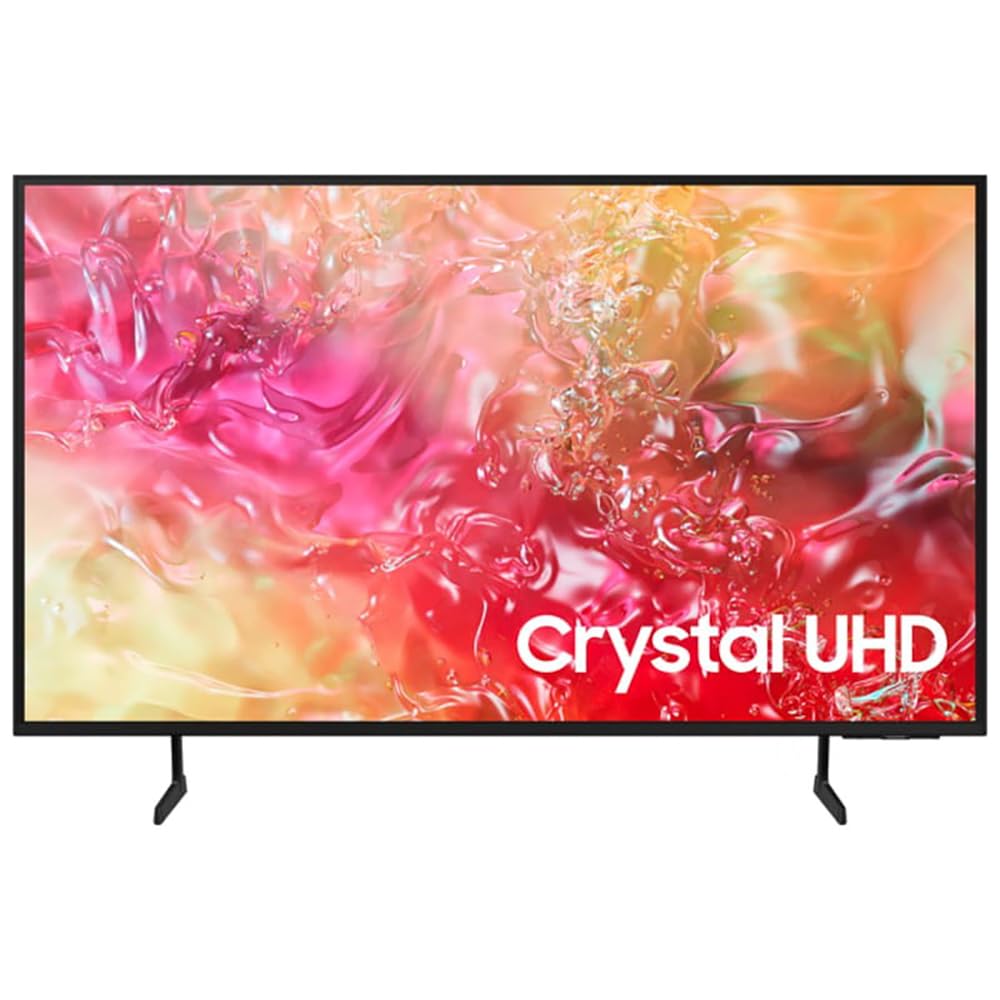
Image 1.1: Front view of the Samsung UE50DU7172 50-inch 4K LED Smart TV.
2. Safety Information
To reduce the risk of electric shock, fire, or injury, always follow these basic safety precautions:
- Do not expose this apparatus to rain or moisture.
- Do not block any ventilation openings. Install in accordance with the manufacturer's instructions.
- Do not install near any heat sources such as radiators, heat registers, stoves, or other apparatus (including amplifiers) that produce heat.
- Protect the power cord from being walked on or pinched, particularly at plugs, convenience receptacles, and the point where they exit from the apparatus.
- Only use attachments/accessories specified by the manufacturer.
- Refer all servicing to qualified service personnel. Servicing is required when the apparatus has been damaged in any way.
3. Package Contents
Verify that all components are present in the box:
- Samsung UE50DU7172 50-inch 4K LED Smart TV
- Remote Control (Bluetooth)
- Power Cable (AC)
- Stand Components (if not wall-mounted)
- User Manual (this document)
- Batteries for Remote Control (2 x AAAA, may be included)
4. Setup
4.1. Stand Installation or Wall Mounting
If using the included stand, carefully attach it to the TV following the instructions provided in the separate stand assembly guide. Ensure all screws are tightened securely.
For wall mounting, use a VESA-compatible wall mount (200 x 200 mm standard) and consult a professional for installation to prevent damage or injury. The TV weighs approximately 11 kg.
4.2. Connecting Power
Connect the power cable to the TV's power input and then plug it into a wall outlet (220-240V AC, 50Hz). Ensure the connection is firm.
4.3. Initial Setup
Upon first power-on, the TV will guide you through an initial setup process. This includes:
- Language selection (French is an available option).
- Network connection (Wi-Fi or Ethernet).
- Channel scanning (DVB-T2, DVB-S2, DVB-C tuners are supported).
- Samsung account login (optional, for full Smart TV features).
5. Operating Instructions
5.1. Remote Control
The included Bluetooth remote control allows you to navigate the TV's interface. Insert 2 AAAA batteries (if not pre-installed) into the remote. Pair the remote with the TV during initial setup or by following the on-screen instructions if pairing is lost.
5.2. Basic Functions
- Power On/Off: Press the Power button on the remote.
- Volume Control: Use the Volume Up/Down buttons.
- Channel Selection: Use the Channel Up/Down buttons or the number pad (if available on your remote model).
- Input Source: Press the Source button to select between connected devices (HDMI, USB, etc.).
6. Smart Features
Your Samsung UE50DU7172 TV runs on the Tizen operating system, offering a range of smart functionalities:
- Smart Hub: Access streaming applications, web browser, and other smart features.
- Apple AirPlay 2: Stream content directly from your Apple devices.
- Bixby: Use voice commands for TV control and information.
- SmartThings Integration: Connect and control compatible smart home devices.
- Electronic Program Guide (EPG): View TV schedules for digital channels.
- HbbTV: Access interactive services from broadcasters.
7. Connectivity
The TV offers various ports and wireless options for connecting external devices:
- HDMI Ports: 3 ports (HDMI 1.4 compatible), supporting eARC (Enhanced Audio Return Channel) for high-quality audio to sound systems.
- USB Ports: 1 port (USB 2.0/3.0 compatible) for media playback from USB drives.
- Ethernet (LAN): RJ45 port for wired internet connection.
- RF Input: 2 inputs for antenna/cable and satellite connections.
- CI+ Slot: For conditional access modules (CAM) to decrypt pay-TV channels.
- Wi-Fi: Built-in Wi-Fi (5 GHz) for wireless internet access.
- Bluetooth 5.2: For connecting wireless headphones, soundbars, and other compatible devices.
- Anynet+: Samsung's HDMI-CEC feature for controlling compatible devices connected via HDMI with a single remote.
8. Maintenance
8.1. Cleaning the TV
Always unplug the TV before cleaning. Use a soft, dry cloth to wipe the screen and cabinet. Do not use liquid cleaners, sprays, or abrasive materials, as they may damage the TV's surface.
8.2. Software Updates
Ensure your TV's software is up to date for optimal performance and security. You can check for updates via the TV's settings menu (Settings > Support > Software Update).
9. Troubleshooting
If you encounter issues with your TV, refer to the following common solutions:
- No Power: Check if the power cable is securely connected to both the TV and the wall outlet. Ensure the outlet is functional.
- No Picture/Sound: Verify the correct input source is selected. Check all cable connections (HDMI, antenna). Try restarting the TV.
- Remote Control Not Working: Replace the batteries. Ensure there are no obstructions between the remote and the TV. Re-pair the Bluetooth remote if necessary.
- Poor Picture Quality: Check antenna/cable connections. Adjust picture settings in the TV menu. Ensure the source content is high quality.
- No Internet Connection: Check your Wi-Fi router or Ethernet cable. Reconnect to the network via TV settings.
For more detailed troubleshooting, consult the e-Manual accessible through your TV's settings or visit the Samsung support website.
10. Specifications
| Feature | Specification |
|---|---|
| Model Name | Smart TV Samsung 50DU7172 |
| Model Number | 8806095478357 |
| Screen Size | 50 inches (127 cm) |
| Display Technology | LED |
| Resolution | 4K Ultra HD (3840 x 2160 px) |
| Refresh Rate | 60 Hz |
| HDR Support | HDR10 and/or HLG |
| Operating System | Tizen |
| Connectivity | Wi-Fi (5 GHz), Bluetooth 5.2, Ethernet LAN |
| HDMI Ports | 3 (HDMI 1.4, eARC compatible) |
| USB Ports | 1 (USB 2.0/3.0 compatible) |
| Audio Output | 2.0 Channels, 20W RMS, Q-Symphony |
| VESA Mounting Standard | 200 x 200 mm |
| Dimensions (W x H x D) | 112 cm x 64.7 cm x 6 cm (without stand) |
| Weight | 11 Kilograms |
| Power Supply | 220-240V AC, 50Hz |
| Energy Class | G |
11. Warranty and Support
This Samsung UE50DU7172 TV comes with a 1-year limited warranty from the date of purchase. This warranty covers manufacturing defects under normal use. Please retain your proof of purchase for warranty claims.
For technical support, service requests, or further information, please visit the official Samsung support website or contact your local Samsung customer service center. You may need your model number (UE50DU7172) and serial number (found on the back of the TV) when contacting support.


