
1. Product Overview
The MCombo 6160-6922 Power Swivel Glider Rocker Recliner is designed for comfort and versatility in living rooms and nurseries. It features power reclining, smooth gliding, 270-degree swivel, and integrated USB charging ports.
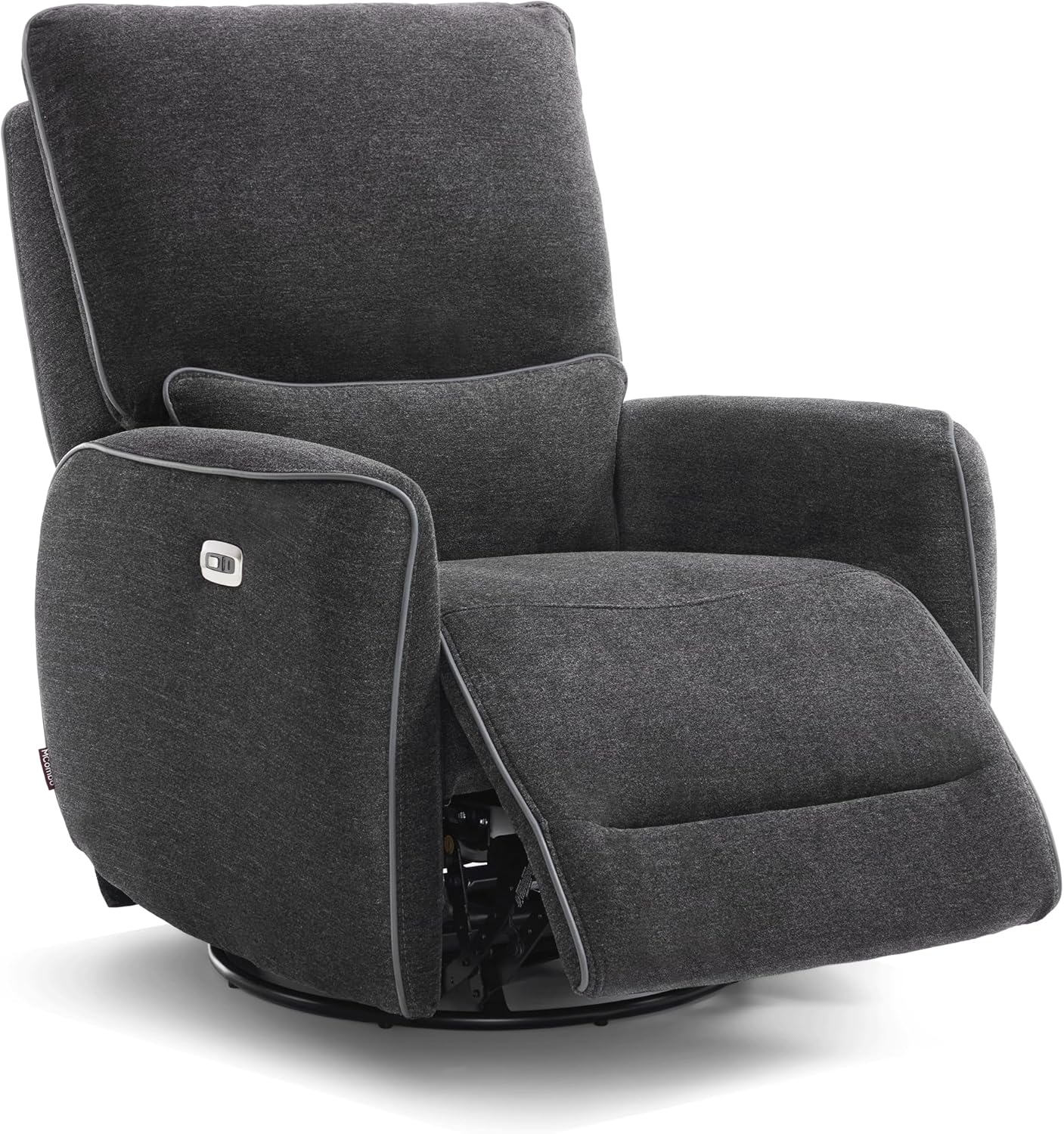
Image 1.1: Front view of the MCombo Power Swivel Glider Rocker Recliner in Grey.
2. Safety Instructions
- Ensure all components are securely assembled before use.
- Keep hands and feet clear of the reclining mechanism during operation.
- Do not allow children to play on or around the recliner unsupervised.
- Avoid placing heavy objects on the footrest when extended.
- Use the USB charging ports only for low-power devices.
- Do not expose the electrical components to moisture.
- Maximum weight capacity: 320 lbs.
3. Parts List
Verify that all parts are present before beginning assembly. The product is shipped in 2 boxes.
- Armrests (2)
- Backrest (1)
- Base (1)
- Power Adapter (1)
- Connecting Wires (various)
Video 3.1: MCombo Zero Gravity Recliner Assembly, ZG334. This video demonstrates the assembly process for a similar MCombo recliner, providing a visual guide to identifying parts and steps.
4. Setup and Assembly
Assembly is designed to be straightforward, typically completed within 15 minutes by most users. Follow these three main steps:
- Install the Armrests: Attach the armrests to the main seat base. Ensure they are securely fastened.
- Attach the Backrest: Slide the backrest onto the designated slots on the seat base until it clicks into place.
- Connect the Wires: Connect all necessary electrical wires for the power reclining and USB features. Refer to the included wiring diagram for specific connections.
Video 4.1: "How to install" video by MCombo, demonstrating the assembly process for the recliner.
5. Operating Instructions
5.1 Power Reclining
The recliner features electric reclining up to 142 degrees. Use the buttons located on the armrest to adjust the recline angle and footrest position. Press the forward button to recline and extend the footrest, and the backward button to return to the upright position.

Image 5.1: Illustration of different recline angles suitable for various activities like feeding, watching TV, and napping.
5.2 Swivel and Gliding Function
The chair swivels 270 degrees and glides smoothly, offering flexibility and comfort. This feature is ideal for nurseries, allowing easy access to items without leaving the chair.

Image 5.2: The recliner showcasing its 270-degree swivel and gentle gliding capabilities.
5.3 USB Charging Ports
Conveniently located on the armrest, the USB A/C ports allow you to charge low-power devices such as smartphones or tablets without needing to leave the comfort of your chair.
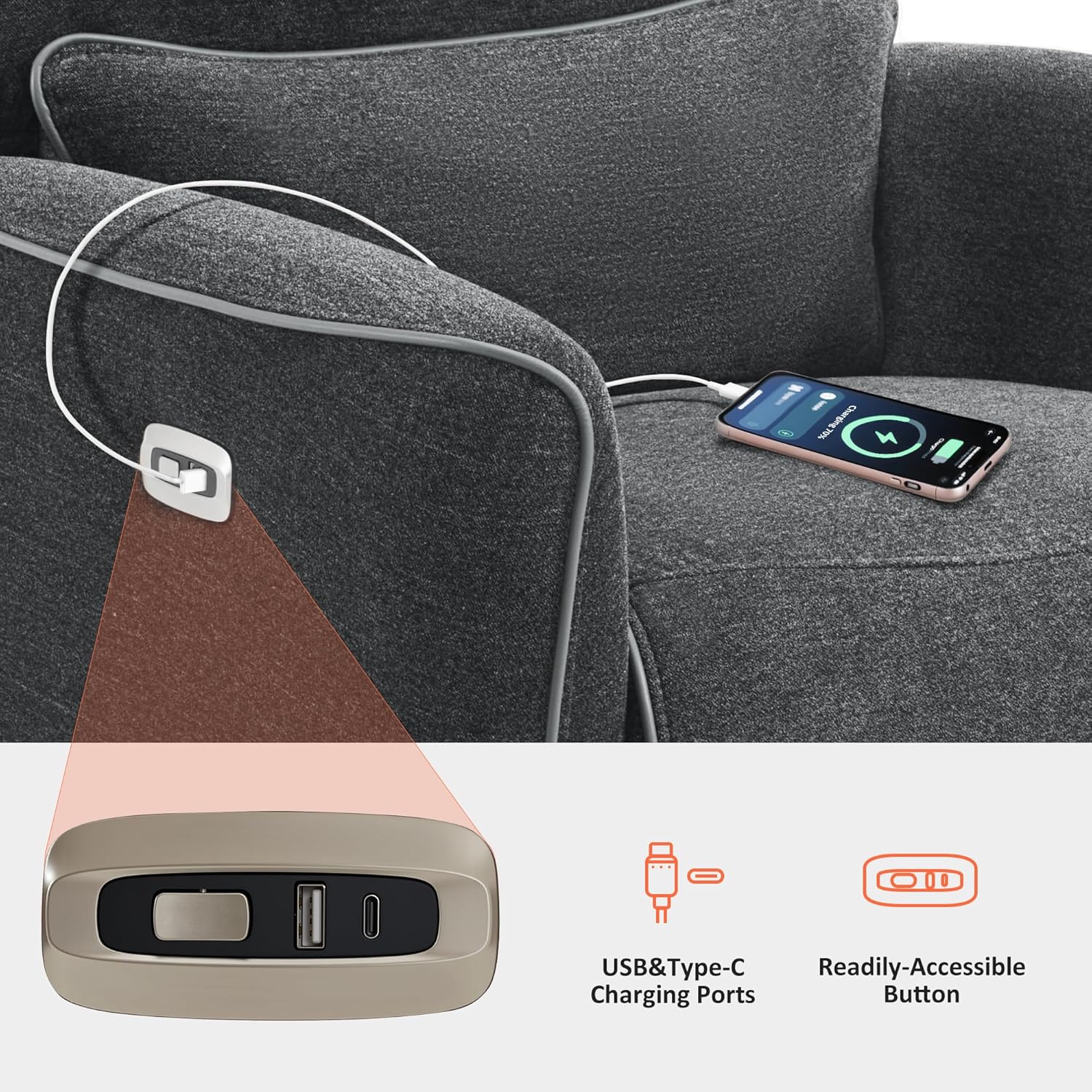
Image 5.3: Detail of the integrated USB A/C charging ports on the armrest.
6. Maintenance and Care
- Cleaning: Wipe clean with a damp cloth. Avoid harsh chemicals or abrasive cleaners.
- Fabric Care: The fabric is durable and breathable. For spills, blot immediately with a clean, dry cloth.
- Mechanism: Periodically check all bolts and screws to ensure they are tight. Do not lubricate the reclining mechanism unless specifically instructed by the manufacturer.
- Electrical Components: Ensure the power cord is not pinched or damaged. Unplug the recliner from the power outlet when not in use for extended periods or during cleaning.
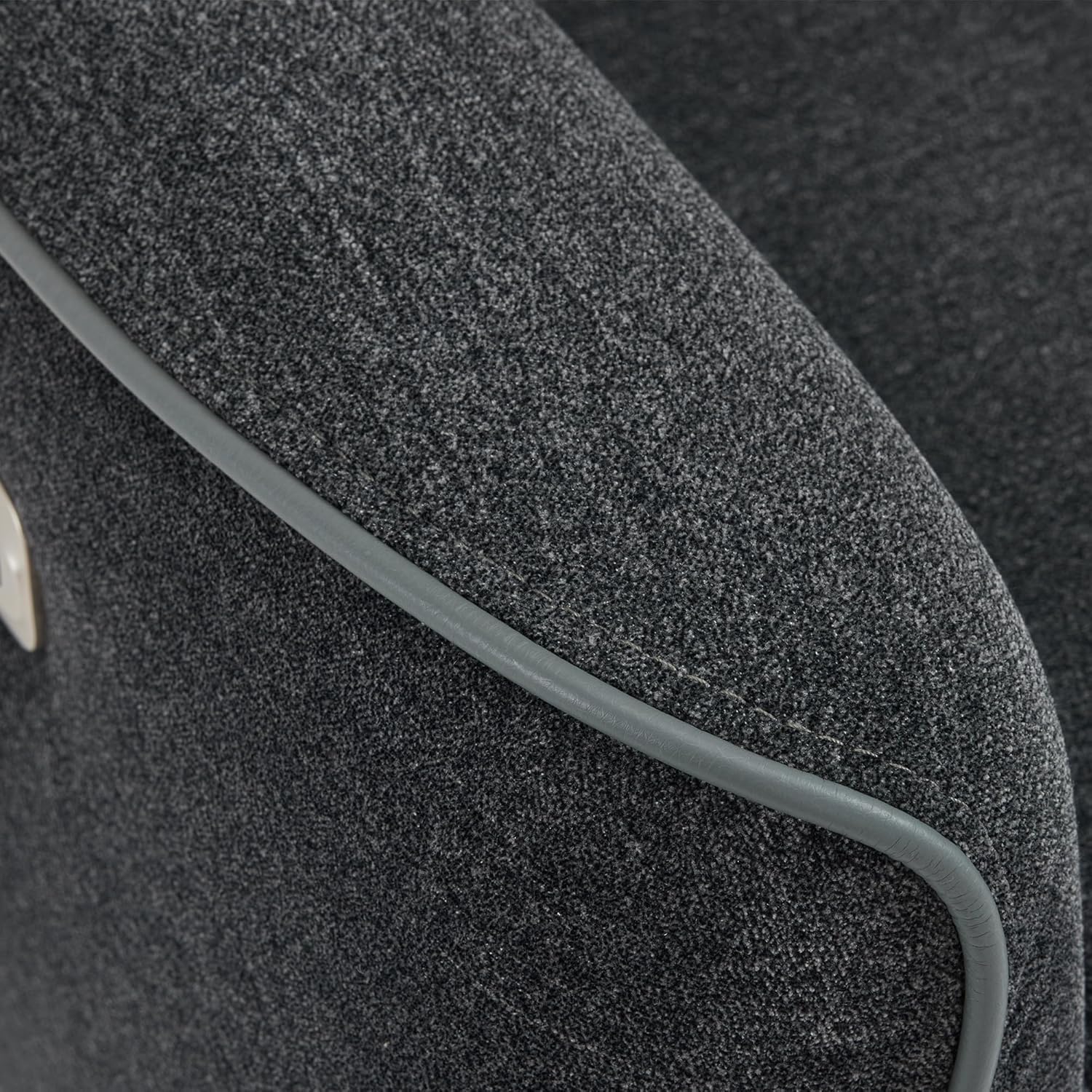
Image 6.1: Close-up view of the recliner's fabric, highlighting its texture and quality.

Image 6.2: OEKO-TEX Standard 100 certification ensures the fabric is safe and free from harmful substances.
7. Troubleshooting
- Recliner not operating: Check if the power cord is securely plugged into both the chair and a working electrical outlet. Ensure no wires are pinched or damaged.
- Unusual noises during operation: Inspect the reclining mechanism for any obstructions. Ensure all assembly bolts are tight. If noises persist, discontinue use and contact customer support.
- USB ports not charging: Verify the recliner is powered on. Ensure the device cable is properly connected to both the device and the USB port. Test with a different device or cable to rule out device-specific issues.
8. Specifications
| Brand | MCombo |
| Model Name | 6160-6922 |
| Color | Grey |
| Material | Textile (Sponge fill) |
| Product Dimensions | 32"D x 32"W x 40.96"H |
| Item Weight | 137.3 pounds |
| Maximum Weight Recommendation | 320 Pounds |
| Reclining Position Count | Infinite Position (up to 142°) |
| Swivel Angle | 270° |
| Minimum Distance to Wall | 12.2 inches |
| USB Ports | USB A/C ports on armrest |
| Included Components | Armrests, Backrest, Base |

Image 8.1: Detailed dimensions and operational clearances for the recliner.
9. Warranty and Support
This MCombo recliner comes with a 2-Year Limited Warranty. For warranty claims, technical support, or any questions regarding your product, please contact MCombo customer support.
Customer Support is available for 30-day easy returns.
For further assistance, please visit the MCombo Store.


