
Shark WZ250RD
Shark WZ250RD Pet Pro Cordless Stick Vacuum User Manual
Model: WZ250RD
Introduction
Thank you for purchasing the Shark WZ250RD Pet Pro Cordless Stick Vacuum. This manual provides essential information for the safe and efficient operation, maintenance, and troubleshooting of your new vacuum cleaner. Please read all instructions carefully before use and retain this manual for future reference.
Important Safety Information
When using an electrical appliance, basic precautions should always be observed, including the following:
- Read all instructions before using this vacuum cleaner.
- Do not use outdoors or on wet surfaces.
- Unplug from outlet when not in use and before servicing.
- Do not allow to be used as a toy. Close attention is necessary when used by or near children.
- Use only as described in this manual. Use only manufacturer’s recommended attachments.
- Do not use with damaged cord or plug. If appliance is not working as it should, has been dropped, damaged, left outdoors, or dropped into water, return it to a service center.
- Do not pull or carry by cord, use cord as a handle, close a door on cord, or pull cord around sharp edges or corners. Do not run appliance over cord. Keep cord away from heated surfaces.
- Do not unplug by pulling on cord. To unplug, grasp the plug, not the cord.
- Do not handle plug or vacuum cleaner with wet hands.
- Do not put any object into openings. Do not use with any opening blocked; keep free of dust, lint, hair, and anything that may reduce air flow.
- Keep hair, loose clothing, fingers, and all parts of body away from openings and moving parts.
- Do not pick up anything that is burning or smoking, such as cigarettes, matches, or hot ashes.
- Do not use to pick up flammable or combustible liquids, such as gasoline, or use in areas where they may be present.
- Do not use without dust cup and/or filters in place.
What's Included
Your Shark WZ250RD Pet Pro Cordless Stick Vacuum package includes the following components:
- Shark Pet Pro Cordless Vacuum Unit
- Crevice Tool
- Dusting Brush
- Charging Adapter
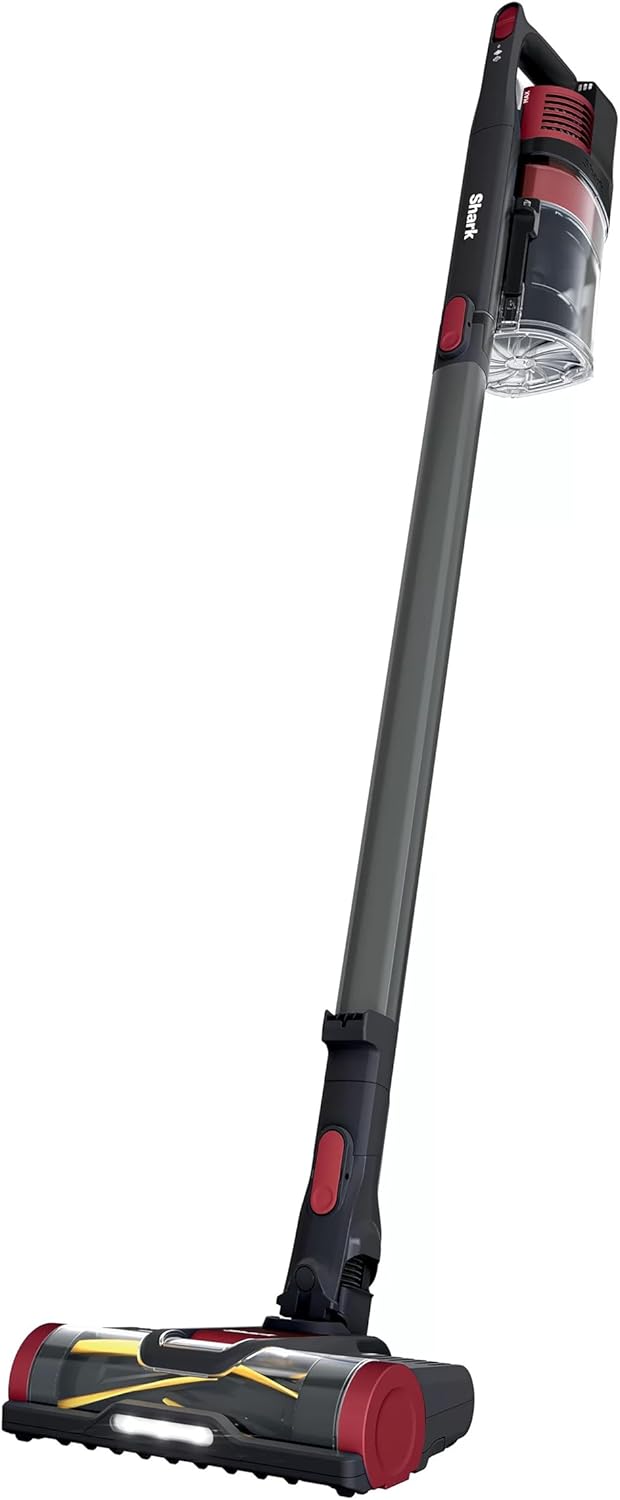
Image: All included components of the Shark WZ250RD Pet Pro Cordless Stick Vacuum.
Assembly
Assembling your Shark WZ250RD is straightforward:
- Insert the wand into the floor nozzle until it clicks securely into place.
- Insert the handheld vacuum into the wand until it clicks securely into place.
- Ensure all connections are firm before operating.
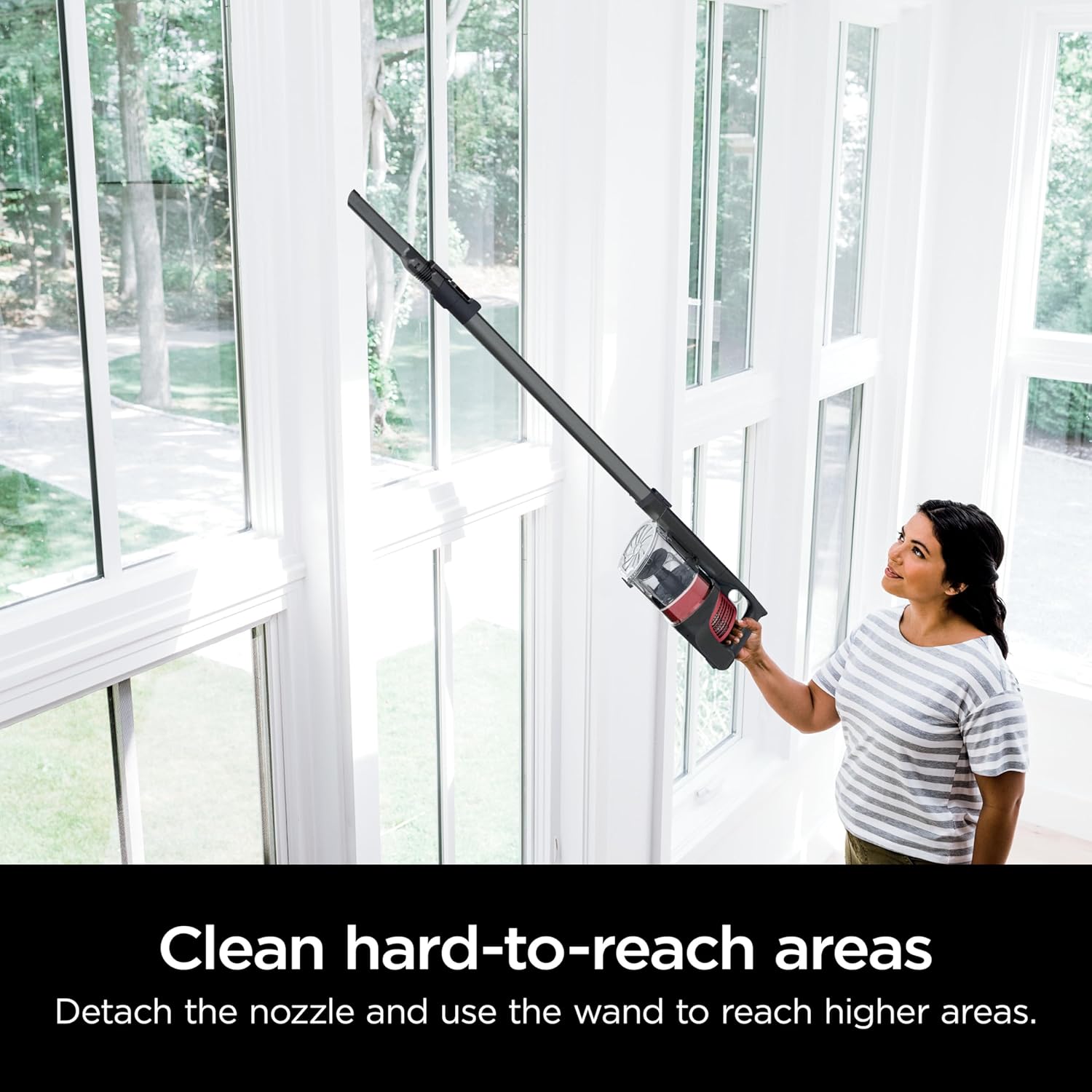
Image: Fully assembled Shark WZ250RD vacuum, ready for use.
Setup
Charging the Battery
Before first use, fully charge the battery. The battery provides up to 40 minutes of runtime, measured at the hand vac in standard mode.
- Connect the charging adapter to the charging port on the handheld vacuum.
- Plug the adapter into a wall outlet.
- The battery indicator lights will illuminate to show charging status.
- Once fully charged, unplug the adapter.
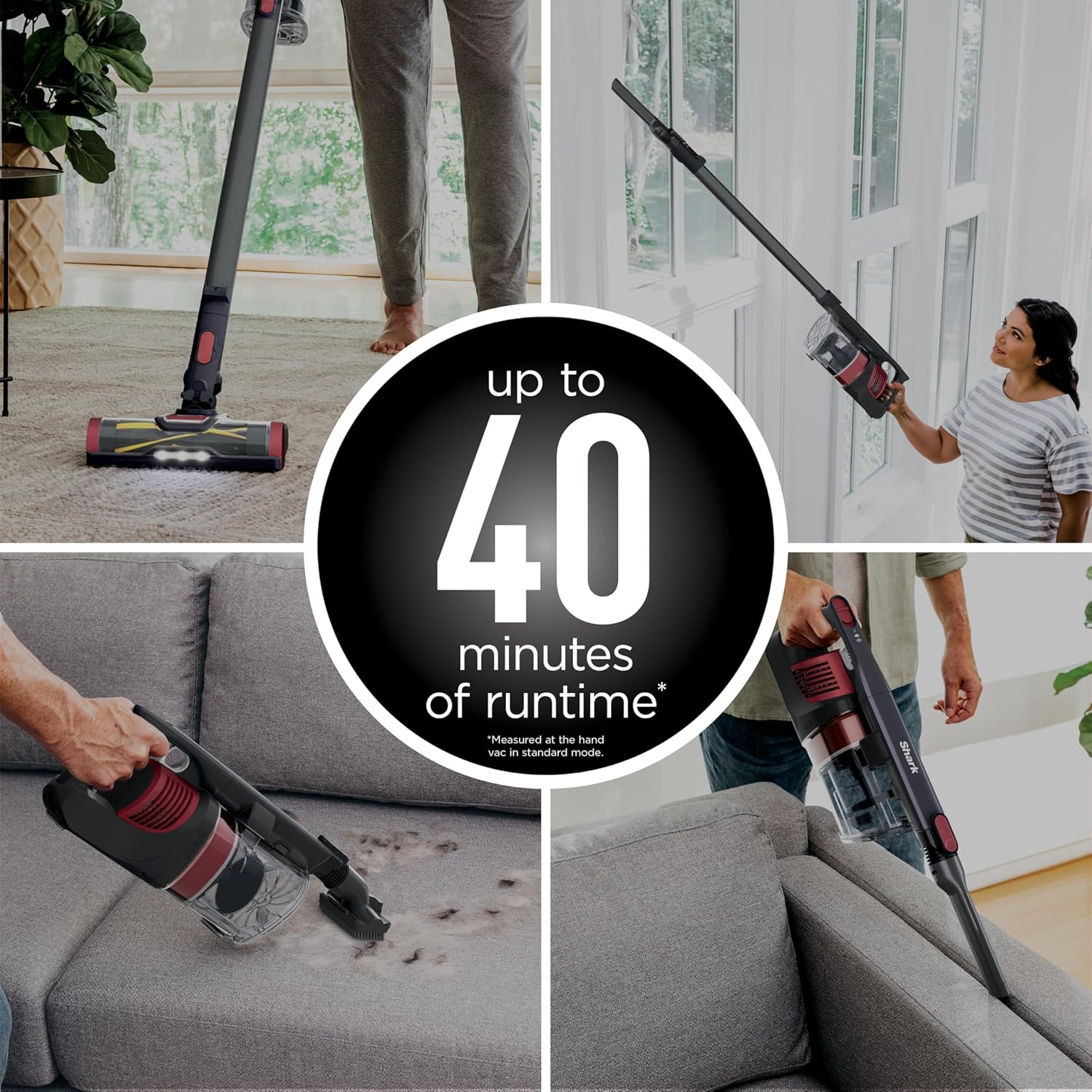
Image: Visual representation of the vacuum's battery runtime, indicating up to 40 minutes of operation.
Operating Instructions
Power Settings
The vacuum features multiple power settings for different cleaning needs:
- Floor Setting: Ideal for bare floors and delicate surfaces.
- Carpet Setting: Provides increased suction and brushroll speed for deep cleaning carpets.
- Boost Mode: For extra powerful suction on stubborn messes, press the boost button.
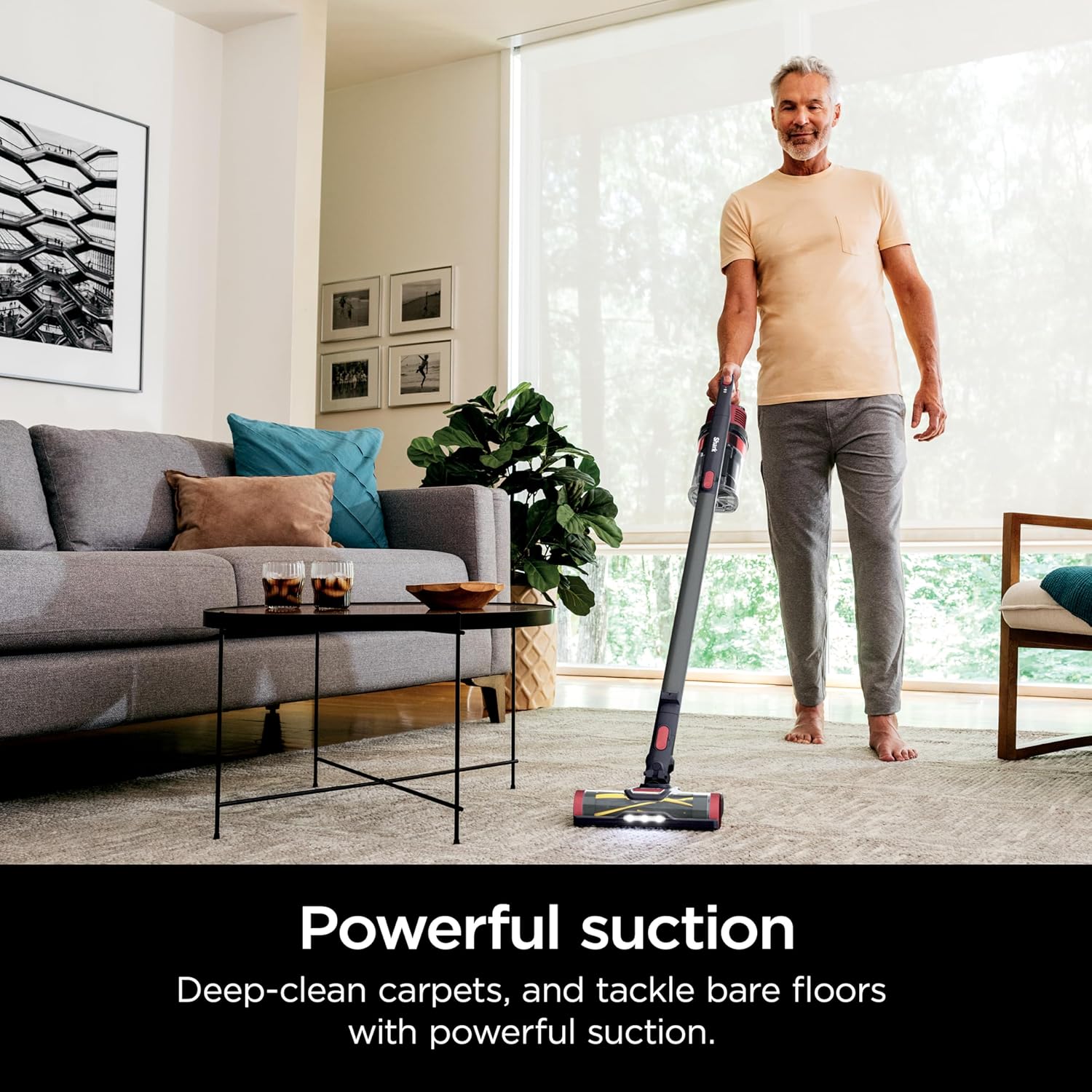
Image: A man demonstrating the powerful suction of the Shark WZ250RD on a carpeted floor.

Image: The low-profile design of the Shark WZ250RD allows for easy cleaning under furniture.
Using Attachments
The handheld vacuum can be detached for versatile cleaning with included accessories:
- Handheld Mode: Detach the handheld unit from the wand for cleaning furniture, stairs, and other elevated surfaces.
- Crevice Tool: Attach the crevice tool to the handheld vacuum or wand for reaching tight spaces, corners, and edges.
- Dusting Brush: Attach the dusting brush for gently cleaning delicate surfaces, blinds, and vents.

Image: A man using the Shark WZ250RD in handheld mode to clean a sofa.
Image: A woman using the Shark WZ250RD with the wand to clean hard-to-reach high areas.
Maintenance
Emptying the Dust Cup
The XL dust cup should be emptied regularly to maintain optimal suction performance.
- Press the dust cup release button to detach the dust cup from the handheld vacuum.
- Hold the dust cup over a trash bin and press the CleanTouch Dirt Ejector button to open the bottom flap and release debris.
- Close the flap securely before reattaching the dust cup.
Cleaning Filters
Regularly clean the foam filters to ensure consistent suction. Rinse with water and allow to air dry completely before reinserting.
Refer to the filter compartment for specific filter locations and removal instructions.
Self-Cleaning PowerFins Brushroll
The PowerFins brushroll is designed to prevent hair wrap, minimizing the need for manual hair removal. Periodically check the brushroll for any debris and clear as needed.

Image: Close-up of the self-cleaning brushroll, illustrating its effectiveness against pet hair and long hair.
Troubleshooting
| Problem | Possible Cause | Solution |
|---|---|---|
| Vacuum not turning on | Battery is not charged. | Charge the battery fully. |
| Loss of suction | Dust cup is full; Filters need cleaning; Blockage in nozzle, wand, or hose. | Empty dust cup; Clean filters; Check for and clear any blockages. |
| Brushroll not spinning | Brushroll is jammed; Incorrect power setting. | Remove any obstructions from the brushroll; Ensure the vacuum is on the correct surface setting (e.g., Carpet mode for brushroll activation). |
Specifications
- Brand: Shark
- Model: WZ250RD
- Special Feature: Bagless
- Filter Type: Foam
- Is Cordless?: Yes
- Capacity: 0.08 Gallons (XL Dust Cup)
- Runtime: Up to 40 minutes (measured at hand vac in standard mode)
- Form Factor: Stick
- Color: Comet Red
- Item Weight: 8 pounds
- Power: 1.08E+3 Watts, 9 Amps
- Control Method: Push Button / Touch
- Indoor/Outdoor Usage: Indoor
Warranty and Support
This product is covered by a 90-day limited warranty. For warranty claims or technical support, please contact Shark customer service. Keep your purchase receipt as proof of purchase.
For further assistance, visit the official Shark website or refer to the contact information provided with your product packaging.
Ask a question about this manual
Ask about setup, troubleshooting, compatibility, parts, safety, or missing instructions. Manuals+ will review the question and use this page’s manual context to help answer it.