
Introduction
Thank you for purchasing the Studebaker SB2135BT Portable Stereo. This versatile unit combines classic audio playback with modern connectivity, featuring a top-loading CD player, AM/FM stereo radio, cassette player/recorder, and Bluetooth for wireless audio streaming. This manual provides essential information for setting up, operating, and maintaining your device.
What's in the Box
- SB2135BT Radio Unit
- Power Adapter
- User Manual
Setup
Power Connection
Connect the provided AC power adapter to the DC IN jack on the back of the unit and then plug the adapter into a standard AC wall outlet. Alternatively, for portable use, insert 6 x 'C' size batteries (not included) into the battery compartment on the bottom of the unit, ensuring correct polarity.
Antenna Adjustment
For optimal FM reception, fully extend the telescopic antenna. For AM reception, the unit has a built-in ferrite bar antenna; rotate the unit for the best reception.

Figure 1: Front view of the Studebaker SB2135BT Portable Stereo CD Player, showing the main controls and overall design.
Operating Instructions
General Controls Overview

Figure 2: Detailed view of the control panel, including power, program, repeat, play/pause, stop, record, and volume controls.
CD Player Operation
- Set the Function Selector to 'CD/AUX'.
- Open the CD compartment door by gently lifting it.
- Place a CD with the label side facing up onto the spindle.
- Close the CD compartment door. The CD will begin to play automatically.
- Use the 'PLAY/PAUSE' button to pause or resume playback.
- Use the 'STOP' button to stop playback.
- Press the 'REPEAT' button to repeat the current track or all tracks.
- Use the 'PROGRAM' button to program a sequence of tracks.
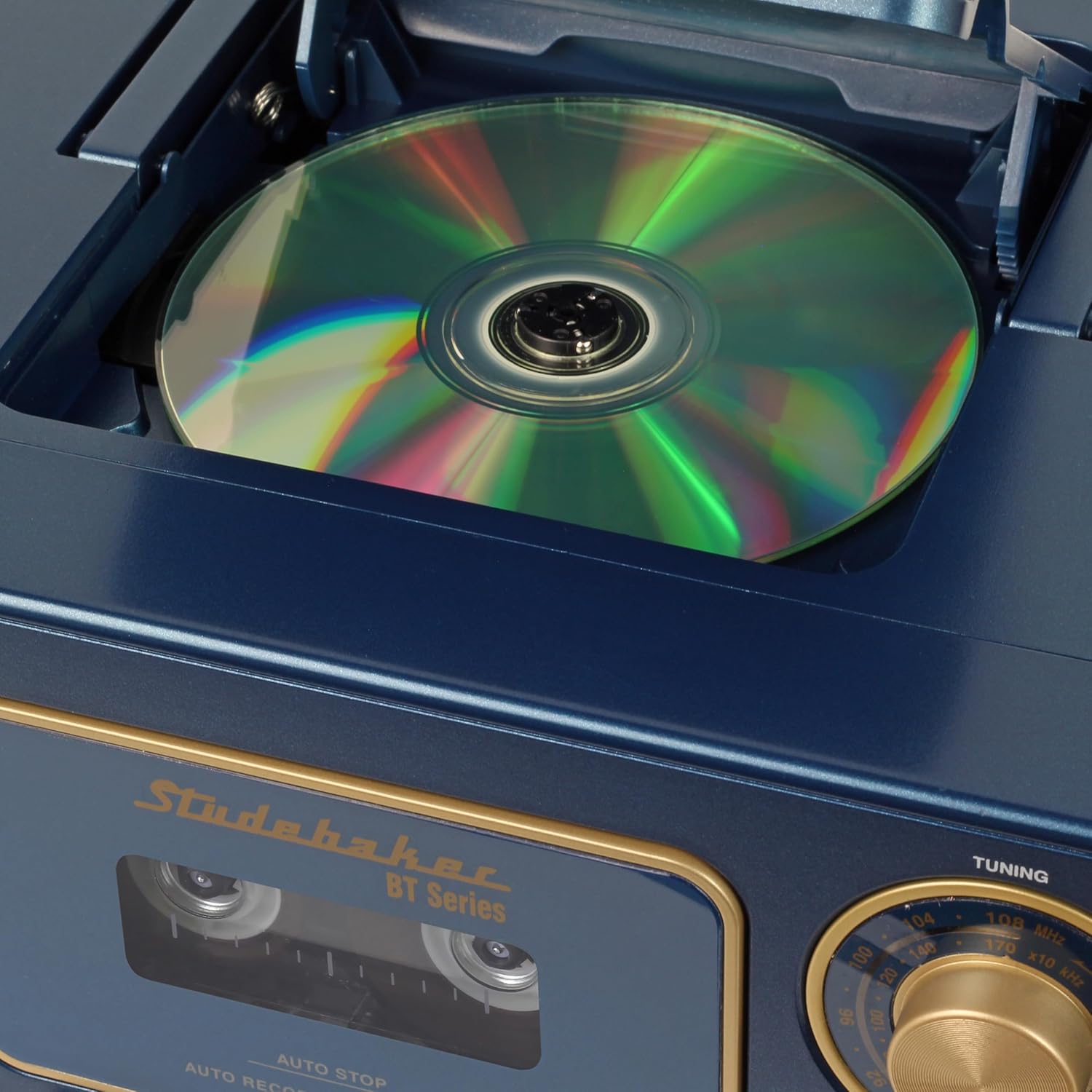
Figure 3: The top-loading CD compartment with a compact disc in place, ready for playback.
Cassette Player/Recorder Operation
- Set the Function Selector to 'TAPE/OFF'.
- Press the 'STOP/EJECT' button to open the cassette compartment.
- Insert a cassette tape with the open edge facing upwards.
- Close the cassette compartment.
- Press the 'PLAY' button to begin playback.
- Use 'REW' (Rewind) or 'F.FWD' (Fast Forward) buttons to navigate tracks.
- To record, insert a blank cassette, select the desired audio source (CD, Radio, or MIC), and press the 'RECORD' button simultaneously with the 'PLAY' button.
- The unit features an Auto Stop function at the end of the tape.
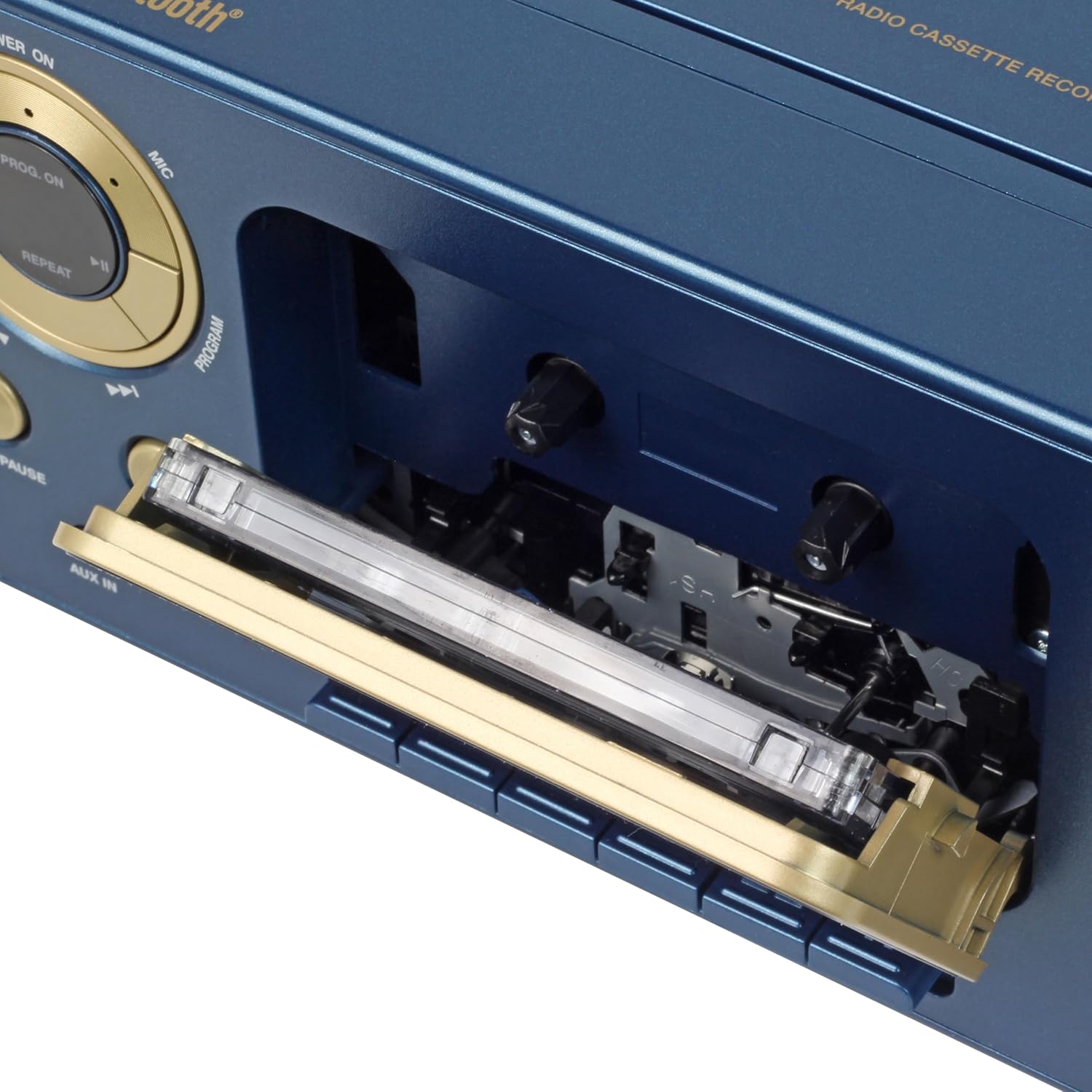
Figure 4: The cassette player compartment with a cassette tape inserted, showing the tape mechanism.
AM/FM Radio Operation
- Set the Function Selector to 'FM/AM'.
- Select either 'FM' or 'AM' using the band switch.
- Rotate the 'TUNING' knob to select your desired radio station.
- Adjust the 'VOLUME' knob to your preferred listening level.
Bluetooth Operation
- Set the Function Selector to 'BT'. The Bluetooth indicator light will flash.
- Enable Bluetooth on your external device (e.g., smartphone, tablet).
- Search for 'SB2135BT' in your device's Bluetooth settings and select it to pair.
- Once paired, the Bluetooth indicator light will stop flashing and remain solid.
- You can now stream audio from your device to the SB2135BT.
- Control playback (play/pause, skip tracks) directly from your paired device or using the unit's controls.
Aux-In Operation
- Set the Function Selector to 'CD/AUX'.
- Connect an external audio device (e.g., MP3 player) to the 'AUX IN' jack using a 3.5mm audio cable (not included).
- Start playback on your external device.
- Adjust the volume using the 'VOLUME' knob on the SB2135BT and/or your external device.
Maintenance
Cleaning the Unit
Wipe the exterior of the unit with a soft, damp cloth. Do not use abrasive cleaners or solvents. For the CD lens, use a specialized CD lens cleaner. For the cassette head, use a cotton swab lightly dampened with isopropyl alcohol.
Storage
When not in use for extended periods, disconnect the power adapter and remove batteries. Store the unit in a cool, dry place away from direct sunlight and extreme temperatures.
Troubleshooting
| Problem | Possible Cause | Solution |
|---|---|---|
| No power | Power adapter not connected; Batteries depleted or incorrectly inserted. | Check power adapter connection; Replace batteries or ensure correct polarity. |
| No sound | Volume too low; Incorrect function mode selected; Headphones connected. | Increase volume; Select correct function (CD, TAPE, FM/AM, BT, AUX); Disconnect headphones. |
| CD skips or does not play | CD is dirty or scratched; CD inserted incorrectly; CD compartment not closed. | Clean or replace CD; Insert CD with label side up; Ensure compartment is fully closed. |
| Poor radio reception | Antenna not extended/adjusted; Weak signal. | Extend and adjust FM antenna; Rotate unit for AM reception; Try moving the unit to a different location. |
| Bluetooth not pairing | Unit not in BT mode; Device too far; Bluetooth not enabled on external device. | Set function selector to 'BT'; Ensure device is within range (approx. 30 ft); Enable Bluetooth on your external device. |
Specifications
| Feature | Detail |
|---|---|
| Brand | Studebaker |
| Model Number | SB2135BT |
| Connectivity Technology | Bluetooth |
| Speaker Type | Mono |
| Item Dimensions (L x W x H) | 7.99 x 10.24 x 4.72 inches |
| Power Source | Corded Electric |
| Compatible Devices | Smartphone |
| Supported Audio Format | CD, MP3 |
| Audio Output Mode | Stereo |
| Item Weight | 2.31 Kilograms |
| Manufacturer | Spectra Merchandising Intl. |
Warranty and Support
Warranty Information
This product comes with a 1 Year Warranty from the date of purchase. Please retain your proof of purchase for warranty claims.
Customer Support
For technical assistance, troubleshooting beyond this manual, or warranty service, please contact Studebaker customer support. Refer to the contact information provided on the product packaging or the official Studebaker website.


