Introduction
This manual provides detailed instructions for the setup, operation, maintenance, and troubleshooting of your Audiosavings bundle. This bundle includes the American DJ 7P HEX IP RGBAW+UV LED DMX Metal Par Wash Up-Light, Rockville R720L Fog Machine, Rockville LC70 C Clamp, Chauvet CH-05 Safety Cable, and Rockville RDX5M10 10' DMX Cable. Please read this manual thoroughly before use to ensure proper and safe operation.
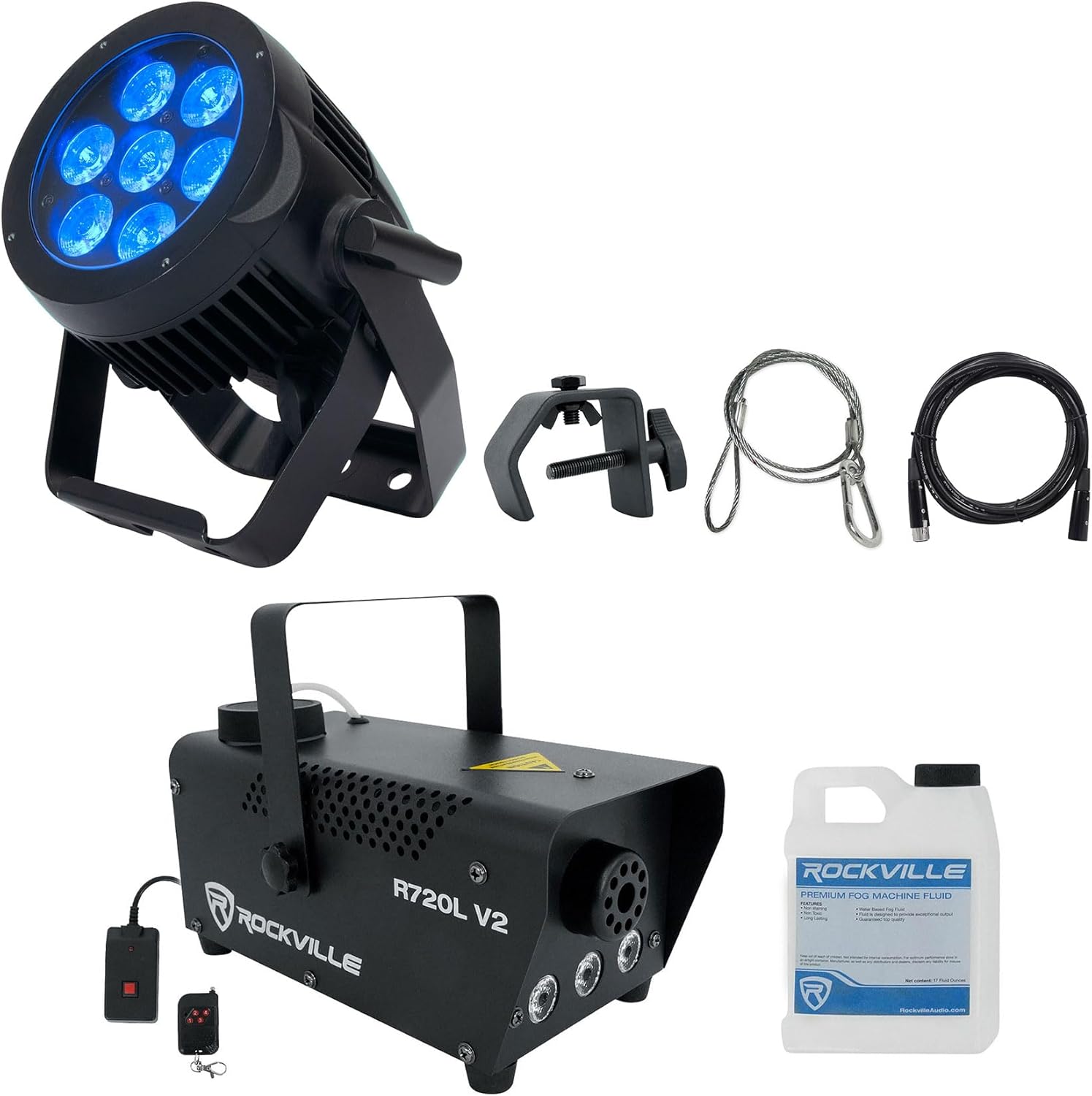
Figure 1: Overview of the Audiosavings bundle components.
Safety Information
Always observe the following safety precautions to reduce the risk of electrical shock, fire, or personal injury:
- Ensure all power connections are properly grounded.
- Do not operate equipment if power cords are damaged.
- Keep fog machines away from flammable materials and ensure adequate ventilation.
- Always use the safety cable when suspending lighting fixtures.
- Do not open the housing of any device; refer servicing to qualified personnel.
- Disconnect power before cleaning or servicing.
Setup
1. American DJ 7P HEX IP LED Light Setup
- Mounting: Attach the included Rockville LC70 C Clamp to the fixture's yoke using the adjustable knob. Secure the C-clamp to a compatible truss or mounting bar (1" to 2" diameter).
- Safety Cable: Always attach the Chauvet CH-05 Safety Cable from the fixture to the truss or mounting structure as a secondary safety measure. Ensure the cable is securely fastened and can support the fixture's weight.
- Power Connection: Connect the IP65 Power Lock AC In connection to a suitable power outlet (110V-240V AC, 50/60Hz). For daisy-chaining multiple units, use the IP65 Power Lock AC Out connection to link to the next fixture.
- DMX Connection: For DMX control, connect a 5-pin DMX cable (e.g., Rockville RDX5M10) from your DMX controller's output to the fixture's DMX IN port. If linking multiple fixtures, connect from the first fixture's DMX OUT to the next fixture's DMX IN.

Figure 2: Rockville LC70 C Clamp for secure mounting.

Figure 3: Chauvet CH-05 Safety Cable for secondary fixture security.
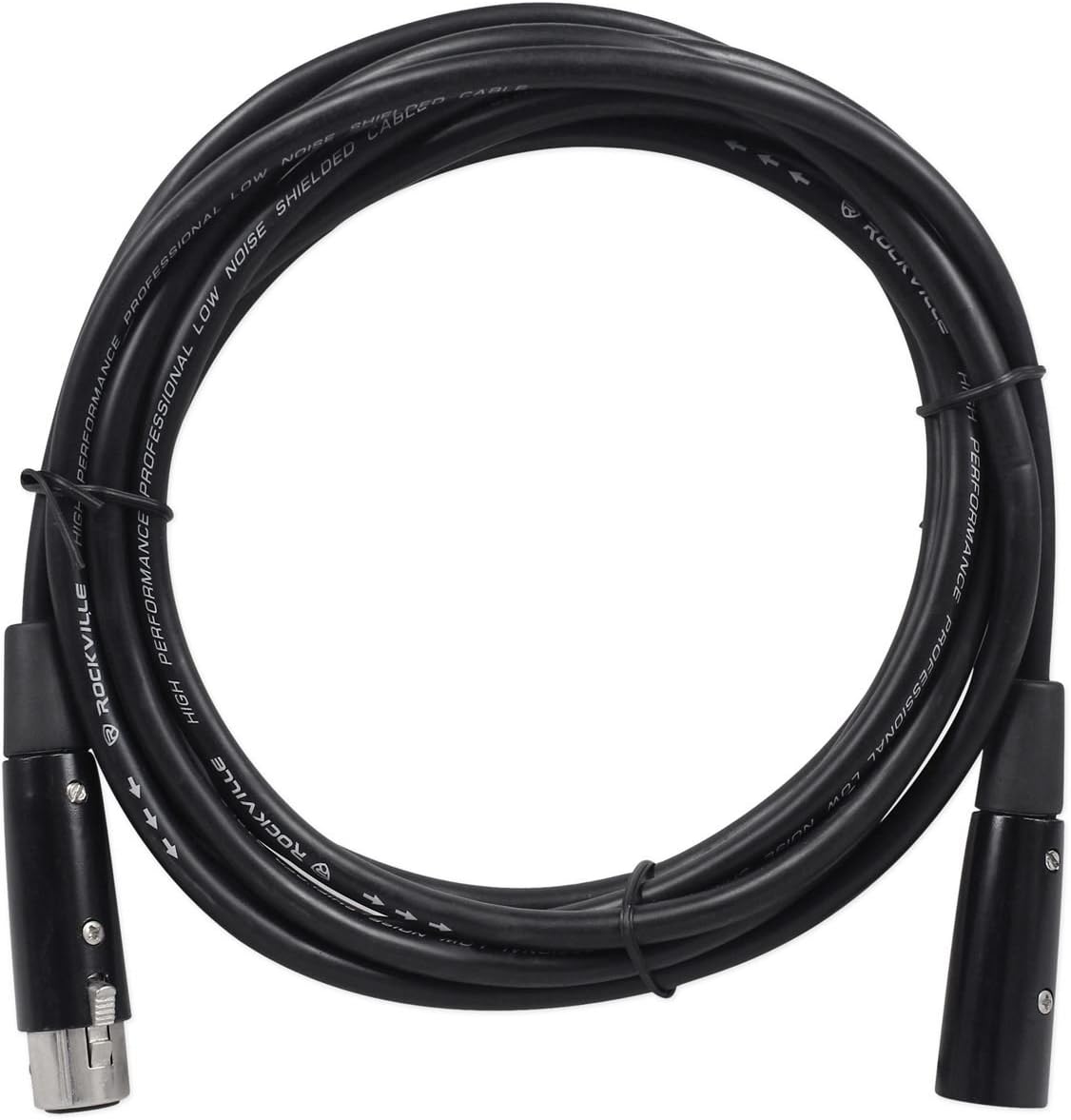
Figure 4: Rockville RDX5M10 5-Pin DMX Cable for signal transmission.
2. Rockville R720L Fog Machine Setup
- Fluid Filling: Unscrew the cap of the fluid tank located on top of the machine. Carefully pour the included fog fluid (0.6L) into the tank. Do not overfill. Use only water-based fog fluid.
- Power Connection: Connect the fog machine to a standard 110V AC, 60Hz power outlet.
- Remote Connection: Plug the wired remote control into the designated port on the rear of the fog machine. The wireless remote is pre-paired.

Figure 5: Rear panel of the Rockville R720L Fog Machine.
Operating Instructions
1. American DJ 7P HEX IP LED Light Operation
The 7P HEX IP features a 4-button DMX digital display on the rear panel for mode selection and settings adjustment.

Figure 6: Control panel of the American DJ 7P HEX IP LED Light.
- Power On: Connect the fixture to power. The display will illuminate.
- Mode Selection: Use the 'MODE' button to cycle through the 5 operational modes:
- Static Color Mode: Select a fixed color from 63 built-in color macros.
- RGBAW & UV Dimmer Mode: Manually adjust the intensity of Red, Green, Blue, Amber, White, and UV LEDs.
- Program Mode: Access pre-programmed light shows.
- Sound Active Mode: The light will react to ambient sound.
- DMX Controlled Mode: Control the fixture using an external DMX controller.
- DMX Address Setting: In DMX mode, use the 'UP' and 'DOWN' buttons to set the DMX start address. Press 'ENTER' to confirm.
- DMX Channel Modes: Select from 4 DMX modes (6, 7, 8, or 13 channels) based on your control requirements. Refer to the fixture's specific DMX chart for channel functions.
- Dim Curves: The fixture offers 5 selectable dim curves (Standard, Stage, TV, Architectural & Theatre) for varied dimming responses.
- Special Effects: Utilize LED pulse and strobe effects as desired.

Figure 7: American DJ 7P HEX IP LED Light in operation.
2. Rockville R720L Fog Machine Operation
- Power On: Flip the power switch on the rear panel to the 'ON' position. The machine will begin a warm-up cycle, indicated by an illuminated LED on the remote.
- Warm-up: Allow approximately 3.5 minutes for the machine to reach operating temperature. The LED on the remote will turn green when ready.
- Fog Output:
- Wired Remote: Press and hold the button on the wired remote to produce fog.
- Wireless Remote: Use the wireless remote to control both fog output and the built-in RGB LED lights.
- Manual Button: A manual fog button is also available on the machine itself for direct control.
- LED Control: The built-in RGB LED lights can be controlled via the wireless remote, allowing for various color effects to enhance the fog output.

Figure 8: Rockville R720L Fog Machine in action with fog and LED effects.
Maintenance
1. American DJ 7P HEX IP LED Light Maintenance
- Cleaning: Periodically clean the lens and exterior housing with a soft, lint-free cloth. Do not use abrasive cleaners.
- Inspection: Regularly inspect power and DMX cables for any signs of damage.
2. Rockville R720L Fog Machine Maintenance
- Fluid Refill: Monitor the fog fluid level and refill as needed. Always use high-quality, water-based fog fluid.
- Cleaning: After every 40 hours of continuous operation or if the machine shows signs of reduced output, run a cleaning solution through the system. Consult the fog machine's specific manual for detailed cleaning instructions.
- Storage: When storing for extended periods, ensure the fluid tank is empty and the machine is clean and dry.
Troubleshooting
American DJ 7P HEX IP LED Light
| Problem | Possible Cause | Solution |
|---|---|---|
| Fixture does not power on | No power, faulty cable | Check power connection and outlet. Test with a different power cable. |
| No DMX control | Incorrect DMX address, faulty cable, DMX controller issue | Verify DMX address. Check DMX cable connections. Test with another DMX controller. |
| Flickering lights | Power fluctuations, DMX signal interference | Ensure stable power. Check DMX termination. |
Rockville R720L Fog Machine
| Problem | Possible Cause | Solution |
|---|---|---|
| No fog output | No fluid, insufficient warm-up, clogged nozzle | Check fluid level. Allow full warm-up (green light). Perform cleaning cycle. |
| Weak fog output | Low fluid, partial clog, old fluid | Refill fluid. Perform cleaning cycle. Use fresh, high-quality fog fluid. |
| Remote not working | Wired remote unplugged, wireless remote battery dead | Ensure wired remote is securely plugged in. Replace wireless remote battery. |
Specifications
American DJ 7P HEX IP LED Light
- Light Source: 7 x 12-Watt RGBAW + UV LEDs (Red, Green, Blue, Amber, White & UV)
- LED Lifespan: Approximately 50,000 hours
- Beam Angle: 25-degree
- Operational Modes: Static Color, RGBAW & UV Dimmer, Program, Sound Active, DMX Controlled
- DMX Channels: 6, 7, 8, & 13-channel modes
- Dimming: 0 - 100% Electronic Dimming, 5 selectable Dim Curves
- Connectivity: IP65 Power Lock AC In/Out, IP65 5-pin XLR Data In/Out
- Daisy Chain: 16 units (120V); 34 units (220V)
- IP Rating: IP65 Outdoor Rated
- Dimensions (LxWxH): 10" x 6.5" x 9.25" (256x161.7x232.5mm)
- Weight: 7.5 lbs (3.3 kg)
Rockville R720L Fog Machine
- Tank Capacity: 10 Fluid Ounces (0.3L)
- Fluid Consumption: 10 Fluid Ounces per hour
- Output: 3,000 cubic feet per minute (cfm)
- Warm-up Time: 3.5 minutes
- LEDs: Built-in RGB LED lights (3 Watts each)
- Power: 110V, 60Hz: 440W, 5A operating
- Control: Wired Remote, Wireless Remote, Manual Fog Button
Rockville LC70 C Clamp
- Load Capacity: 70 lbs
- Fits Truss: 1" to 2" diameter
- Weight: 0.9 lbs
- Dimensions: 5.4" x 3.8" x 1.5" (137mm x 97mm x 38mm)
Chauvet CH-05 Safety Cable
- Load Capacity: 700 lbs
- Length: 31 inches
Rockville RDX5M10 DMX Cable
- Type: 5-Pin Male-Female DMX Cable
- Conductors: OFC (Oxygen-Free Copper)
- Shielding: Hi-density OFC Braided Shield
- Impedance: 120 Ohm
- Length: 10 Ft
Warranty and Support
For warranty information or technical support, please refer to the documentation provided with your purchase or contact Audiosavings customer service directly. Keep your proof of purchase for any warranty claims.


