
Introduction
This manual provides detailed instructions for the safe installation, operation, and maintenance of the Goldmedal Nixon G Power 25A Unit Plastic Box. Please read this manual thoroughly before installation and retain it for future reference. This unit is designed for electrical applications, specifically for controlling power to compatible devices such as air conditioners.
The Nixon range of modular inserts offers a sleek and elegant design. This unit is compatible with Glassio, Grazia, Quorra, and Wega Cover plates, allowing for versatile integration into various interior aesthetics.
Safety Information
WARNING: Electrical shock hazard. Installation must be performed by a qualified electrician in accordance with all local and national electrical codes.
- Always disconnect power at the main circuit breaker or fuse box before installing or servicing this unit.
- Ensure all wiring connections are secure and correctly insulated.
- Do not exceed the specified electrical ratings of the unit (25A).
- This product is intended for indoor use only.
- Keep away from water and moisture.
What's in the Box
Upon opening the package, verify that all components are present and undamaged.
- 1 Goldmedal Nixon G Power 25A Unit Plastic Box
The unit includes a 4M plate with a 25A MCB (Miniature Circuit Breaker), a 25A Socket, and a 16A G-Grip Top, integrated into a G-surface plastic gang box.

Image: Packaging of the Goldmedal Nixon G Power 25A Unit, showing the product box with branding and model information.
Specifications
| Brand | Goldmedal |
| Model Number | 104492A.WH |
| Color | Absolute White |
| Material | Polycarbonate (PC) |
| Product Dimensions | 15L x 10W Centimeters |
| Item Weight | 170 g |
| Compatible Devices | Air Conditioner |
| Power Source | AC |
| Number of Ports/Connectors | 1 |
| Included Components | Nixon G Power 25A Unit Plastic Box |
Setup and Installation
Note: Installation should only be performed by a certified electrician to ensure safety and compliance with electrical codes.
- Power Disconnection: Before beginning any installation, locate the main circuit breaker or fuse box for the area where the unit will be installed. Turn off the power supply completely to prevent electrical shock. Verify power is off using a voltage tester.
- Mounting Location: Choose a suitable location on a wall for the unit. Ensure there is sufficient space for wiring and access. The unit is designed for concealed plastic junction boxes.
- Wiring Connections:
- Connect the incoming live (phase) wire to the designated terminal for the MCB input.
- Connect the outgoing live wire from the MCB to the live terminal of the 25A socket.
- Connect the neutral wire to the neutral terminal of the 25A socket.
- Connect the earth (ground) wire to the earth terminal of the 25A socket.
- Ensure all connections are tight and secure. Use appropriate wire gauges for 25A current.
- Securing the Unit: Once wiring is complete and verified, carefully place the unit into the wall box and secure it using the provided screws. Ensure it sits flush against the wall.
- Cover Plate Installation: If using a separate cover plate (e.g., Glassio, Grazia, Quorra, Wega), install it according to its specific instructions.
- Power Restoration: After installation is complete and all connections are checked, restore power at the main circuit breaker.

Image: The Goldmedal Nixon G Power 25A Unit, showing the integrated 25A socket and MCB, ready for installation or already installed on a wall.
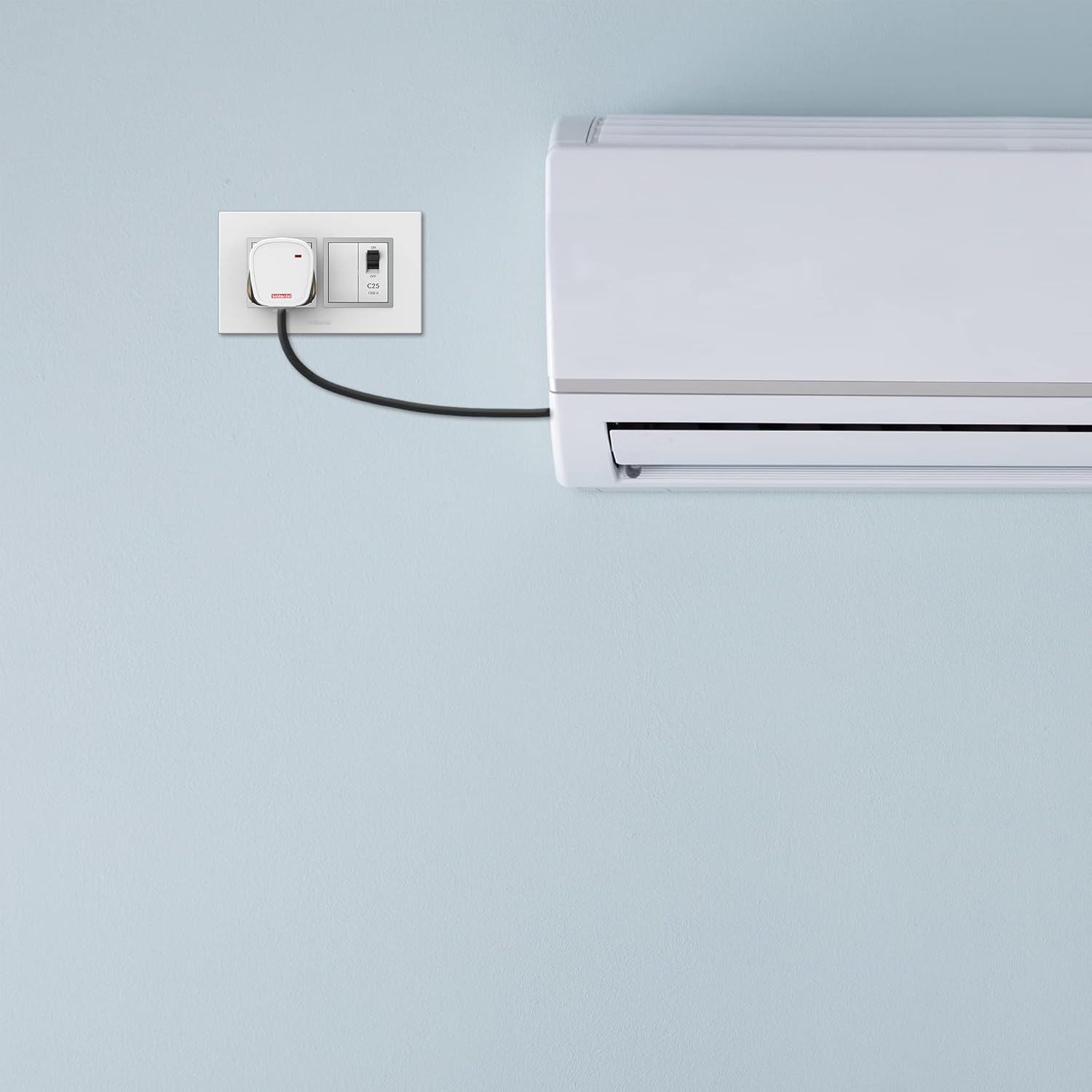
Image: The Goldmedal Nixon G Power 25A Unit installed on a wall, with an air conditioner unit visible nearby, demonstrating its intended use.
Operating Instructions
The Goldmedal Nixon G Power 25A Unit is designed for straightforward operation.
- Connecting a Device: Insert the power plug of your compatible device (e.g., air conditioner) into the 25A socket. Ensure the plug is fully inserted.
- Turning Power ON/OFF: The unit features a 25A Miniature Circuit Breaker (MCB).
- To turn on the power to the connected device, push the MCB switch to the "ON" position.
- To turn off the power, push the MCB switch to the "OFF" position.
- Overload Protection: The integrated MCB provides protection against overcurrents and short circuits. If an overload or short circuit occurs, the MCB will automatically trip to the "OFF" position, cutting power to the connected device. This is a safety feature.

Image: A close-up view of the Goldmedal Nixon G Power 25A Unit, highlighting the 25A socket and the MCB switch with "ON" and "OFF" indicators.
Maintenance
Regular maintenance ensures the longevity and safe operation of your Goldmedal Nixon G Power 25A Unit.
- Cleaning: Disconnect power before cleaning. Use a soft, dry cloth to wipe the surface of the unit. Do not use abrasive cleaners, solvents, or excessive moisture, as these can damage the plastic and electrical components.
- Inspection: Periodically inspect the unit for any signs of physical damage, such as cracks, discoloration, or loose components. Check for any burning smell or unusual sounds during operation.
- Professional Check: If you notice any issues or suspect a malfunction, contact a qualified electrician for inspection and repair. Do not attempt to repair the unit yourself.
Troubleshooting
This section addresses common issues you might encounter with your Goldmedal Nixon G Power 25A Unit.
| Problem | Possible Cause | Solution |
|---|---|---|
| No power from the socket. |
|
|
| MCB trips frequently. |
|
|
| Unit feels hot. |
|
|
For issues not listed above or if troubleshooting steps do not resolve the problem, please contact Goldmedal customer support or a qualified electrician.
Warranty Information
This product comes with a 1 Year Warranty from the date of purchase. The warranty covers manufacturing defects under normal use. It does not cover damage caused by improper installation, misuse, accidents, unauthorized repairs, or natural disasters.
To claim warranty service, please retain your purchase receipt and contact Goldmedal customer support.

Image: Icon indicating a 1-year warranty.
Customer Support
For technical assistance, warranty claims, or any other inquiries regarding your Goldmedal Nixon G Power 25A Unit, please contact Goldmedal Electricals Pvt Ltd.
- Manufacturer: Goldmedal Electricals Pvt Ltd
- Address: A/303, Kemp Plaza, Off Link Road, Mindspace, Chincholi bandar, Malad (W), Mumbai - 400064, Maharashtra, India
- Online Store: Visit the official Goldmedal Store on Amazon for more products and information.
Always ensure you have your product model number (104492A.WH) and purchase details ready when contacting support.