
Introduction
Thank you for purchasing the Hauz ALCK-51228 Dual Alarm Digital Alarm Clock. This manual provides detailed instructions for setting up, operating, and maintaining your new alarm clock. Please read this manual thoroughly before use and retain it for future reference.
Safety Information
- Do not expose the unit to extreme temperatures, direct sunlight, dust, or humidity.
- Do not place the unit on unstable surfaces.
- Use only the specified power adapter.
- Keep out of reach of children.
- Do not attempt to disassemble or modify the unit.
Product Overview
The Hauz ALCK-51228 is a digital alarm clock designed for reliable timekeeping and wake-up calls. Key features include:
- Dual Alarm Functionality
- Clear LED Display
- Visual Ring Indicator (flashing light)
- Convenient Nap/Snooze Function
- Compact Design
- Backup Battery Option (9V battery, not included)
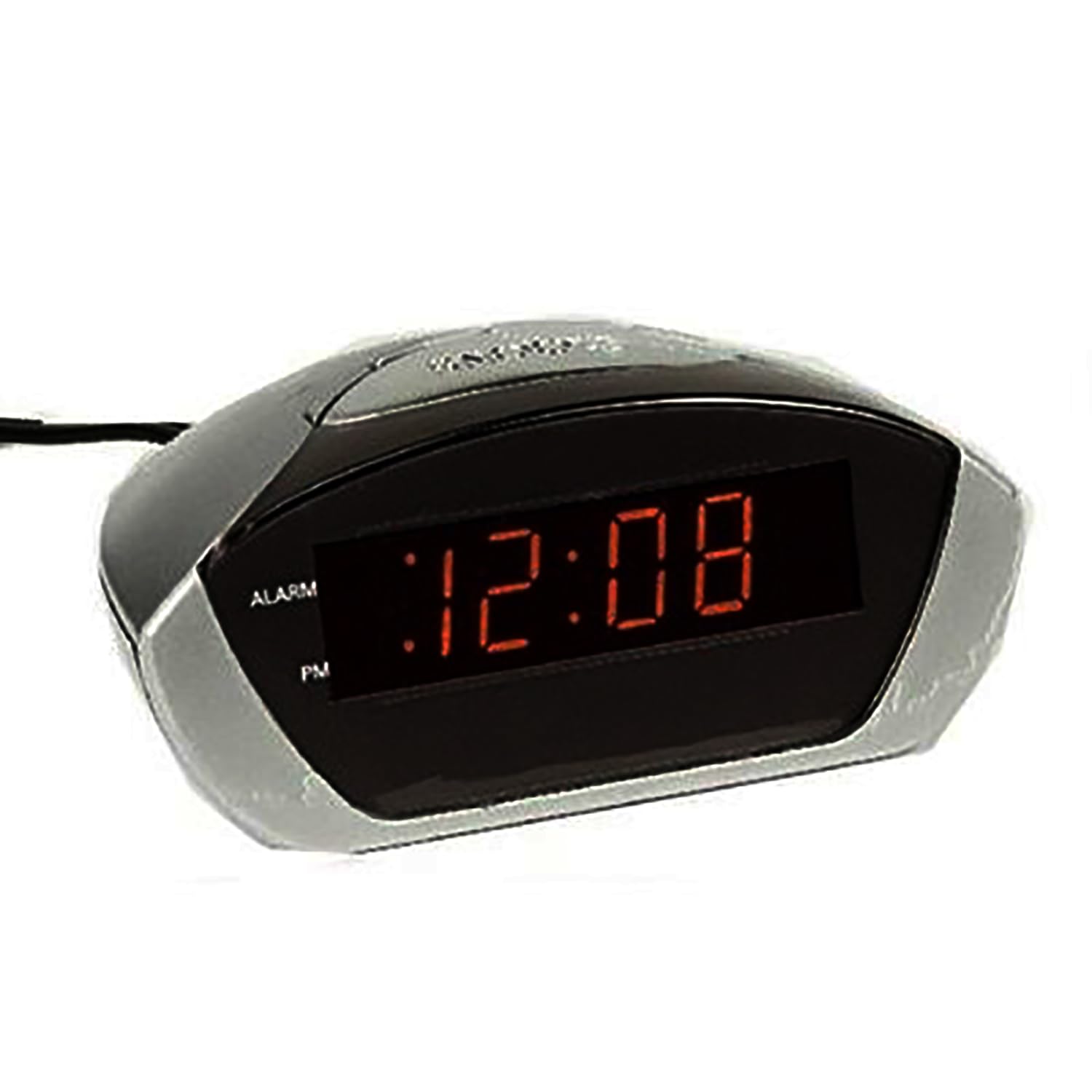
Figure 1: Front view of the Hauz ALCK-51228 Digital Alarm Clock, showing the LED display and compact design.

Figure 2: Hauz ALCK-51228 Digital Alarm Clock, illustrating its packaging and key features like snooze, dual alarm, LED display, alarm indicator, and battery backup.
Package Contents
Ensure all items are present upon unpacking:
- Hauz ALCK-51228 Digital Alarm Clock
- AC Power Adapter
- User Manual (this document)
Note: A 9V backup battery is not included and must be purchased separately.
Setup
1. Power Connection
- Insert a 9V battery (not included) into the battery compartment on the bottom of the unit. This provides backup power during outages.
- Plug the AC power adapter into the DC input jack on the back of the alarm clock.
- Plug the other end of the adapter into a standard wall outlet. The LED display will illuminate.
2. Initial Time Setting
Upon first power-up, the time may flash or display a default value. Follow the "Setting the Time" instructions in the Operating section to set the current time.
Operating Instructions
Setting the Time
- Press and hold the TIME SET button (location may vary, typically on the back or top). The hour digits will begin to flash.
- Press the HOUR button repeatedly to adjust the hour. Observe the PM indicator for correct AM/PM setting.
- Press the MINUTE button repeatedly to adjust the minutes.
- Press the TIME SET button again to confirm and exit time setting mode.
Setting Alarm 1 and Alarm 2
This clock features two independent alarms.
- Press and hold the ALARM 1 SET button. The alarm 1 hour digits will flash.
- Use the HOUR and MINUTE buttons to set the desired alarm 1 time.
- Press ALARM 1 SET again to confirm.
- To activate Alarm 1, press the ALARM 1 ON/OFF button. An indicator light (e.g., "AL1") will appear on the display.
- Repeat steps 1-4 for Alarm 2 using the ALARM 2 SET and ALARM 2 ON/OFF buttons.
Using the Snooze/Nap Function
When an alarm sounds:
- Press the SNOOZE/NAP button (often a large button on top). The alarm will temporarily stop and sound again after a few minutes (e.g., 9 minutes).
- To turn off the alarm completely, press the corresponding ALARM ON/OFF button or the POWER/OFF button.
Visual Ring Indicator
In addition to the audible alarm, the clock features a visual ring indicator. When an alarm sounds, a light (often around the display or a dedicated indicator) will flash, providing a visual cue for the alarm.
Display Brightness (If Applicable)
Some models allow adjustment of the LED display brightness. Look for a DIMMER or BRIGHTNESS button. Pressing this button may cycle through different brightness levels.
Maintenance
Cleaning
Wipe the clock's exterior with a soft, dry cloth. Do not use abrasive cleaners or solvents.
Battery Replacement (Backup)
If the clock loses time during a power outage, the 9V backup battery may need replacement. Open the battery compartment on the bottom, remove the old battery, and insert a new 9V alkaline battery, observing polarity.
Troubleshooting
| Problem | Possible Cause | Solution |
|---|---|---|
| Clock display is blank. | No power connection. | Ensure AC adapter is securely plugged into the clock and a working wall outlet. |
| Alarm does not sound. | Alarm not activated or set incorrectly. | Verify alarm time is set correctly and the alarm is turned ON (indicator light visible). |
| Clock loses time during power outage. | Backup battery is dead or missing. | Install or replace the 9V backup battery. |
| Display is too bright/dim. | Brightness setting needs adjustment. | If available, press the DIMMER/BRIGHTNESS button to adjust. |
Specifications
- Model: ALCK-51228
- Brand: Hauz
- Display Type: Digital LED
- Color: Black
- Product Dimensions: 5.91"W x 2.36"H
- Screen Size: 7.3 x 2 cm (approx. 2.87" x 0.79")
- Power Source: AC Power Adapter (main), 9V Battery (backup, not included)
- Material: Acrylonitrile Butadiene Styrene (ABS)
- Special Features: Dual Alarm, Visual Ring Indicator, Snooze Function, Battery Backup
Warranty and Support
For warranty information or technical support, please refer to the contact details provided with your purchase documentation or visit the official Hauz website. Keep your proof of purchase for warranty claims.