
1. Important Safety Information
Please read and understand this entire manual before attempting to assemble, operate, or install the product. Failure to do so could lead to electric shock, fire, or other injuries.
- Always disconnect power at the main circuit breaker before installation or servicing.
- Ensure all electrical connections comply with local codes and ordinances.
- Consult a qualified electrician if you are unsure about wiring procedures.
- Mount the fan to a ceiling joist or support structure capable of supporting the fan's weight.
- Do not operate the fan with damaged wiring or components.
- Keep hands, hair, and clothing clear of moving fan blades.
- This fan is designed for indoor use only.
2. Package Contents
Verify that all components listed below are present in your package. If any parts are missing or damaged, contact customer support.
- Ceiling Fan Motor Assembly
- Fan Blades (3)
- LED Light Kit
- Remote Control with Wall Mountable Plate
- Mounting Hardware (screws, wire nuts, etc.)
- Downrod
- Canopy
- Instruction Manual

Image 2.1: The GLOBE Electric Edinburgh 48-inch Smart Ceiling Fan with its included remote control. The fan features a black finish with brass accents and three blades.
3. Installation
This ceiling fan features an easy installation design with hassle-free bracketing and a quick-connect system. It is compatible with sloped or vaulted ceilings.
3.1 Pre-Installation Steps
- Turn off Power: Locate the circuit breaker for the fan's intended location and turn off the power.
- Prepare Mounting Location: Ensure the electrical box is securely mounted to a ceiling joist or support structure capable of holding at least 35 lbs (15.9 kg).
- Unpack Components: Carefully remove all parts from the packaging and lay them out.
3.2 Mounting the Fan
- Attach the mounting bracket to the electrical box using the provided screws.
- Assemble the downrod to the motor housing.
- Carefully lift the fan assembly and hang it from the mounting bracket.
- Connect the electrical wires according to the wiring diagram in the full instruction manual (not provided here, but implied for a real product).
- Secure the canopy to cover the wiring.
- Attach the fan blades to the motor housing.
- Install the LED light kit.
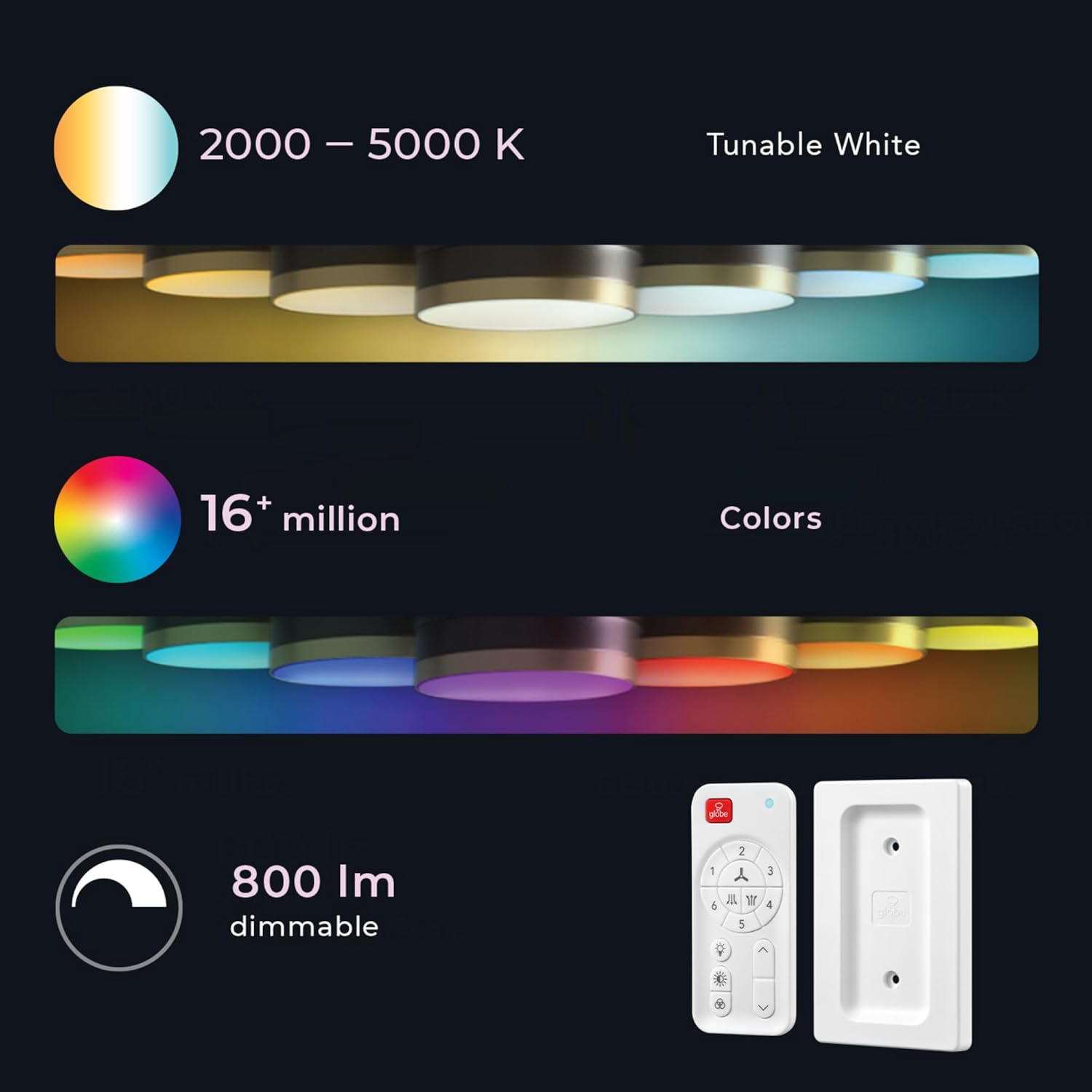
Image 3.1: Diagram illustrating the dimensions of the 48-inch ceiling fan and its compatibility with sloped ceilings. The fan has a total height of 15 inches and a width of 48 inches.
4. Operation
Your GLOBE Electric Edinburgh Smart Ceiling Fan can be controlled via the included remote, the Globe Smart App, or voice commands.
4.1 Remote Control Functions
The included remote control allows for convenient operation of your fan and light functions. It comes with a magnetic wall-mountable plate for easy storage.

Image 4.1: Detailed view of the wall-mountable remote control. Buttons include Full ON/OFF switch, 1-6 fan speed levels, airflow direction, Light ON/OFF, Color temperature select, RGB Color select, and Dimming controls.
- Full ON/OFF Switch: Powers the entire unit on or off.
- Fan ON/OFF: Toggles the fan motor on or off.
- 1-6 Fan Speed Levels: Adjusts fan speed from level 1 (lowest) to 6 (highest).
- Airflow Direction: Reverses the fan blade rotation for summer (downward airflow) or winter (upward airflow) modes.
- Light ON/OFF: Toggles the LED light on or off.
- Dimming: Adjusts the brightness of the LED light (10%-100%).
- Color Temperature Select: Changes the white light color temperature (2000K soft white to 5000K cool white).
- RGB Color Select: Accesses millions of color options for the LED light.
4.2 Globe Smart App Control
The Globe Smart App provides advanced control features for your ceiling fan, including scheduling, timers, and customized light settings. No separate hub is required.
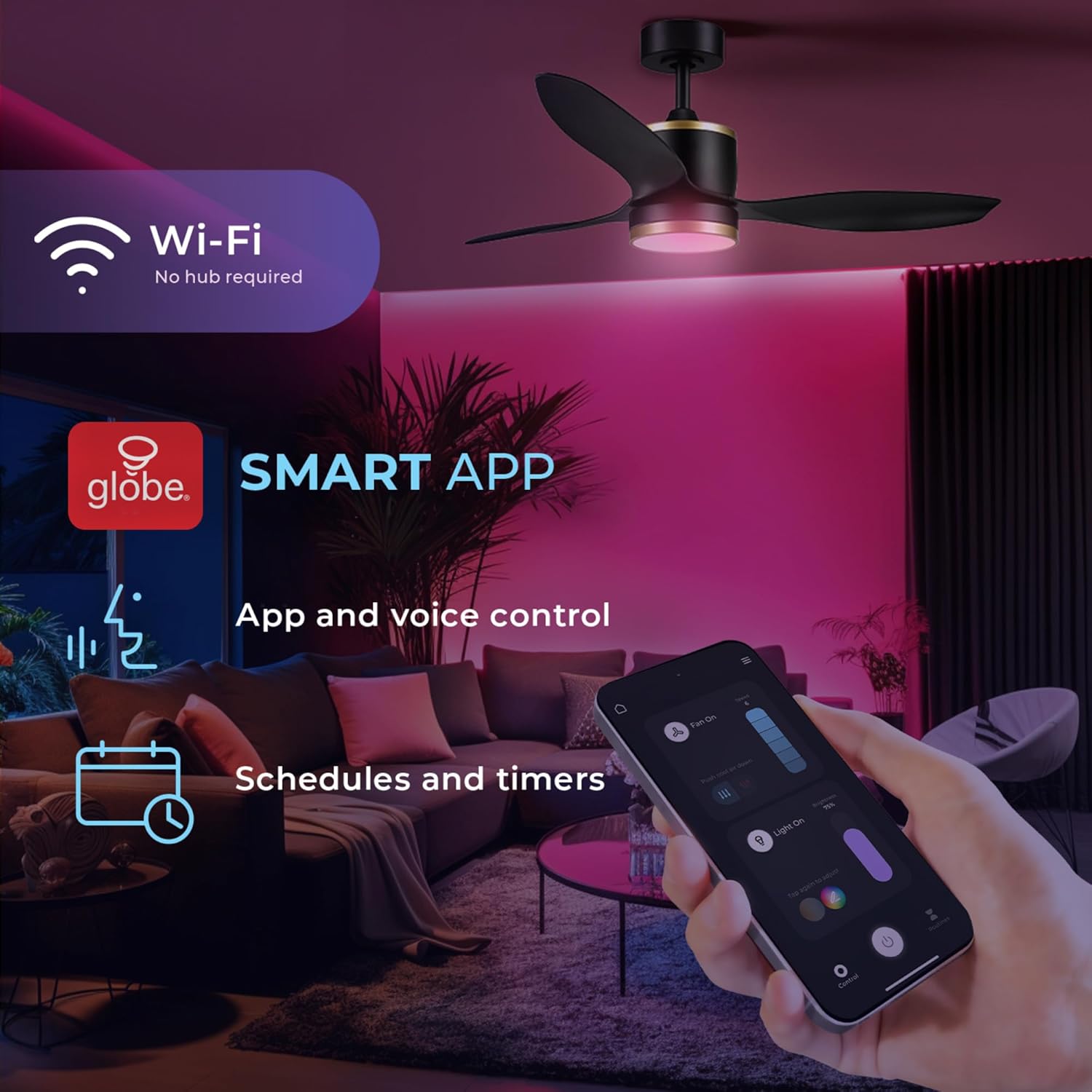
Image 4.2: A smartphone screen showing the Globe Smart App interface, demonstrating app and voice control, as well as scheduling and timer functions for the smart ceiling fan.
- Download the Globe Smart App from your device's app store.
- Follow the in-app instructions to pair your ceiling fan.
- Access fan speed control, light dimming, color temperature adjustment, and RGB color selection.
- Set schedules and timers for automated operation.
- Enable app and voice control functionalities.
4.3 Voice Control
Integrate your smart ceiling fan with voice assistants like Amazon Alexa or Google Assistant for hands-free control. Refer to the Globe Smart App for detailed setup instructions for voice control.
5. Features Overview
5.1 Integrated LED Light
The fan includes an integrated 18W LED light with 80 CRI and 800 Lumens. It offers adjustable color temperatures from 2000K (soft white) to 5000K (cool white) and millions of RGB color options. The light is dimmable from 10% to 100%.

Image 5.1: Visual representation of the LED light's capabilities, showing tunable white light from 2000K to 5000K and over 16 million color options. The light is 800 lumens and dimmable.
5.2 Energy-Saving DC Motor
The fan is equipped with a Whisper Quiet DC motor, which is up to 70% more energy-efficient than traditional AC motor fans. It provides powerful airflow up to 5000 cubic feet per minute (CFM) across 6 speed levels.

Image 5.2: A depiction of the fan's Whisper Quiet DC motor, highlighting its silent operation and energy efficiency (70% more efficient than AC motors), with 6 speed settings and a 3-year limited warranty.
5.3 Reversible Airflow for All Seasons
The fan features a reversible airflow function, allowing you to switch the blade rotation. In summer, it creates a cooling downdraft. In winter, it circulates rising warm air to improve heat distribution.

Image 5.3: An illustration demonstrating the reversible airflow feature of the ceiling fan, showing how it can create a cool downdraft in summer and circulate warm air in winter for all-season comfort.
6. Maintenance
Regular maintenance ensures optimal performance and extends the lifespan of your ceiling fan.
- Cleaning: Dust the fan blades and motor housing periodically with a soft, damp cloth. Do not use abrasive cleaners or solvents.
- Blade Balance: If the fan wobbles, check that all blade screws are tight and that the blades are properly balanced.
- Light Kit: The integrated LED light does not require bulb replacement.
- Electrical Connections: Periodically check all electrical connections for tightness.
7. Troubleshooting
Refer to this section for common issues and their solutions. If the problem persists, contact customer support.
| Problem | Possible Cause | Solution |
|---|---|---|
| Fan does not start | No power to the fan; Loose wire connections; Remote control battery low. | Check circuit breaker; Verify all wire connections are secure; Replace remote control battery. |
| Light does not turn on | Loose wire connection to light kit; Light function off on remote/app. | Check light kit wiring; Ensure light is turned on via remote or app. |
| Fan wobbles | Loose fan blade screws; Unbalanced blades; Loose mounting bracket. | Tighten all blade screws; Use a balancing kit (not included) if necessary; Ensure mounting bracket is secure. |
| Remote control not working | Battery depleted; Remote not paired with fan. | Replace remote battery; Refer to pairing instructions in the full manual. |
8. Specifications
| Feature | Detail |
|---|---|
| Brand | GLOBE |
| Model Name | Edinburgh |
| Model Number | 27105 |
| Product Dimensions | 48"D x 48"W x 15"H |
| Number of Blades | 3 |
| Motor Type | DC Motor |
| Fan Speed Levels | 6 |
| Air Flow Capacity | 5000 Cubic Feet Per Minute (CFM) |
| Light Type | Integrated LED |
| LED Wattage | 18 Watts |
| LED Lumens | 800 Lumens |
| Color Rendering Index (CRI) | 80 |
| Color Temperature Range | 2000K (Soft White) - 5000K (Cool White) |
| Control Method | App, Remote, Voice |
| Power Source | Corded Electric |
| Voltage | 120V |
| Item Weight | 12.8 Pounds |
| Indoor/Outdoor Usage | Indoor |
| UPC | 058219271056 |
9. Warranty and Support
This GLOBE Electric Edinburgh Smart Ceiling Fan is covered by a 3-year manufacturer's limited warranty.
For technical assistance, troubleshooting, or warranty claims, please contact GLOBE Electric customer support. Contact information can typically be found on the manufacturer's website or on the product packaging.
Online Resources: For additional support, FAQs, and the latest product information, visit the official GLOBE Electric website.


