
Introduction
Thank you for choosing the MasterPRO BY CARLO CRACCO Multifunction Food Processor. This appliance is designed to simplify your cooking process with its powerful 1000W motor, 4.5L stainless steel bowl, 7-inch TFT LED screen, and 12 versatile functions. This manual provides essential information for safe operation, setup, maintenance, and troubleshooting to ensure you get the most out of your new kitchen companion.
Important Safety Instructions
Please read all instructions carefully before using the appliance. Failure to follow these instructions may result in electric shock, fire, or serious injury.
- Always ensure the appliance is unplugged before assembly, disassembly, or cleaning.
- Do not immerse the motor unit in water or any other liquid.
- Keep hands and utensils away from moving blades during operation to prevent injury.
- Ensure all parts are correctly assembled and locked in place before operating.
- This appliance is not intended for use by persons with reduced physical, sensory, or mental capabilities, or lack of experience and knowledge, unless they have been given supervision or instruction concerning use of the appliance by a person responsible for their safety.
- Children should be supervised to ensure that they do not play with the appliance.
- Do not use attachments not recommended or sold by the manufacturer.
- Avoid contact with moving parts.
- Do not operate any appliance with a damaged cord or plug, or after the appliance malfunctions or has been dropped or damaged in any manner.
- For household use only.
Product Components
The MasterPRO Food Processor comes with several key components designed for various culinary tasks.
- Main Unit: Houses the motor, control panel, and 7-inch TFT LED screen.
- Stainless Steel Bowl: 4.5-liter capacity for processing ingredients.
- Lid: Secures the bowl during operation.
- Blades: Various blades for chopping, mixing, kneading, and more.
- Accessories: Includes additional tools for specific functions (e.g., whisk, spatula).

Image: MasterPRO Food Processor with its main unit, stainless steel bowl, lid, and various accessories including blades, whisk, and spatula.
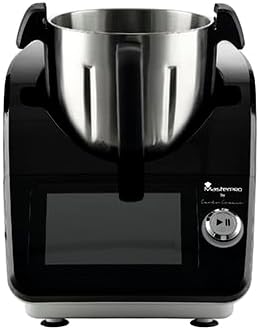
Image: Front view of the MasterPRO Food Processor, showcasing the main unit with the stainless steel bowl inserted and the control panel.
Setup Guide
Follow these steps to set up your food processor for first use:
- Unpack: Carefully remove all components from the packaging. Retain packaging for future storage or transport.
- Clean: Wash the stainless steel bowl, lid, and all accessories (blades, whisk, etc.) with warm soapy water. Rinse thoroughly and dry completely. The main unit should be wiped with a damp cloth.
- Assemble Bowl: Place the stainless steel bowl onto the main unit, ensuring it is securely seated and locked into position.
- Insert Blades: Carefully place the desired blade or accessory onto the spindle inside the bowl.
- Attach Lid: Place the lid onto the bowl and twist or secure it according to the locking mechanism until it clicks into place. The appliance will not operate if the lid is not properly secured.
- Connect Power: Plug the power cord into a grounded electrical outlet.
Operating Instructions
The MasterPRO Food Processor features a 7-inch TFT LED screen for intuitive control and 12 functions for diverse cooking needs.
Using the 7-inch TFT LED Screen
The touch-sensitive screen allows you to select functions, adjust settings, and monitor cooking progress. Use the rotary knob for precise adjustments.
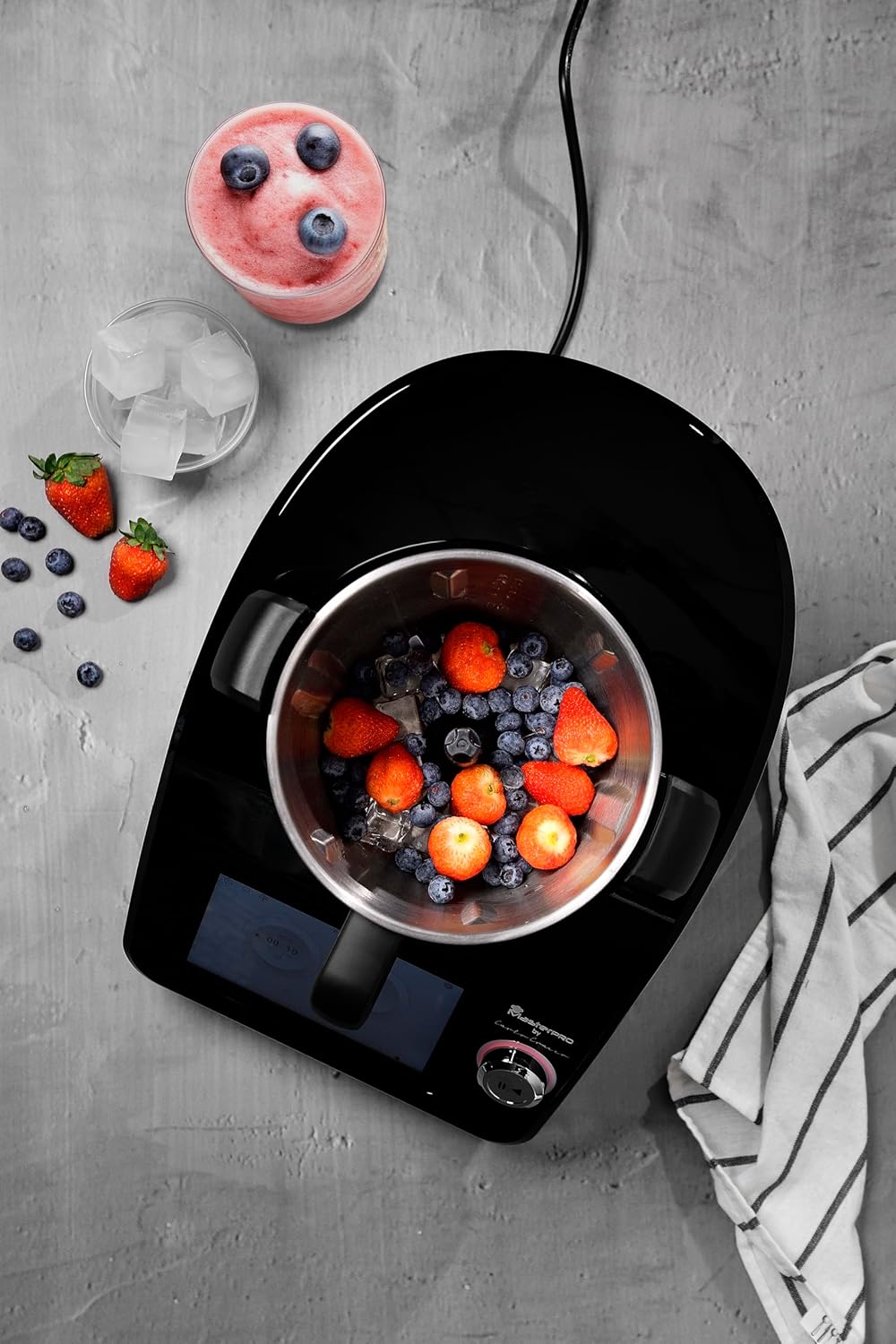
Image: A hand adjusting settings on the 7-inch TFT LED screen, demonstrating the intuitive control interface.
12 Functions Overview
This appliance is equipped with 12 functions, including but not limited to:
- Mixing: For combining ingredients.
- Chopping: For finely dicing vegetables, herbs, or nuts.
- Kneading: For preparing doughs for bread or pastries.
- Blending: For smoothies, sauces, and purees.
- Slicing: For uniform slices of fruits and vegetables.
- Grating: For cheese, vegetables, or other ingredients.
- Emulsifying: For creating smooth emulsions like mayonnaise.
- Cooking: Integrated heating element for cooking and simmering.
- Steaming: (If applicable with specific accessories)
- Whipping: For cream or egg whites.
- Grinding: For spices or coffee beans.
- Pureeing: For baby food or smooth soups.
Temperature and Timer Control
The appliance offers adjustable temperature control and a timer function, allowing for precise cooking and consistent results. Use the screen to set your desired temperature and cooking duration.

Image: Top-down view of the food processor bowl filled with berries and ice, illustrating its use for blending.
Cleaning and Maintenance
Proper cleaning and maintenance will extend the life of your MasterPRO Food Processor.
- Always unplug the appliance from the power outlet before cleaning.
- Hand Wash Only: The stainless steel bowl, lid, and all accessories (blades, whisk, etc.) are recommended for hand washing. Use warm soapy water and a non-abrasive sponge. Rinse thoroughly and dry immediately to prevent water spots or corrosion.
- Main Unit: Wipe the main unit, including the control panel and screen, with a soft, damp cloth. Do not use abrasive cleaners or immerse the main unit in water.
- Storage: Store the appliance and its accessories in a clean, dry place when not in use.
Troubleshooting
If you encounter issues with your food processor, refer to the following common problems and solutions:
| Problem | Possible Cause | Solution |
|---|---|---|
| Appliance does not turn on. | Not plugged in; lid or bowl not properly secured. | Ensure power cord is securely plugged in. Check that the bowl and lid are correctly assembled and locked. |
| Motor stops during operation. | Overload protection activated; lid or bowl dislodged. | Reduce the amount of ingredients. Turn off, unplug, wait 15 minutes, then restart. Re-secure lid and bowl. |
| Ingredients not processing evenly. | Too many ingredients; incorrect blade; insufficient liquid. | Process in smaller batches. Ensure the correct blade is used for the task. Add more liquid if blending. |
| Unusual noise or vibration. | Improper assembly; foreign object in bowl. | Turn off and unplug. Check for proper assembly of all parts. Remove any foreign objects. |
If the problem persists after attempting these solutions, please contact customer support.
Technical Specifications
| Feature | Detail |
|---|---|
| Model Number | BGMP-9305 |
| Brand | MasterPRO |
| Power | 1000 Watts |
| Bowl Capacity | 4.5 Liters |
| Material | Stainless Steel |
| Display | 7-inch TFT LED Screen |
| Special Features | Temperature Control, Timer, 12 Functions |
| Dimensions (P x L x H) | 45.5P x 25.5l x 32.5H centimeters |
| Item Weight | 11.71 Kilograms |
| Care Instructions | Hand Wash Only |
| Dishwasher Safe | No |
| Blade Material | Stainless Steel |
| Power Source | AC Power Adapter |
Warranty Information
This MasterPRO product is covered by a manufacturer's warranty. Please refer to the warranty card included in your product packaging for specific terms, conditions, and duration. Keep your proof of purchase for warranty claims.
Customer Support
For further assistance, technical support, or to inquire about replacement parts, please visit the official MasterPRO website or contact our customer service department. Contact details can typically be found on the product packaging or the brand's official website.


