
INSTRUKART AI-DP1-LCD
INSTRUKART AI-DP1-LCD Digital Differential Pressure Indicator User Manual
Model: AI-DP1-LCD | Brand: INSTRUKART
1. Introduction
The INSTRUKART AI-DP1-LCD is a digital differential pressure indicator designed for precise measurement in critical environments such as laminar airflow cabinets, clean rooms, biosafety cabinets, and Air Handling Units (AHU). This device serves as a modern replacement for traditional analog Magnehelic gauges, offering enhanced readability and functionality. It features a clear Graphic Backlit 128 x 64 LCD, an integrated high-speed differential pressure sensor, and a built-in buzzer alarm for process violation alerts with an acknowledgment key.
This manual provides essential information for the safe and efficient operation, installation, and maintenance of your AI-DP1-LCD Differential Pressure Indicator. Please read this manual thoroughly before using the device.
2. Safety Information
Always adhere to local safety regulations and guidelines when installing and operating the device. Ensure that the power supply matches the specified requirements (24V DC). Do not expose the device to corrosive gases or liquids. Only qualified personnel should perform installation and maintenance.
3. Package Contents
Upon unpacking, verify that all items listed below are present and undamaged:
- 1 Unit of INSTRUKART AI-DP1-LCD Differential Pressure Indicator
- Power Adaptor
- Instruction Manual (this document)
- Factory Calibration Certificate with NABL Standards
4. Product Overview
The AI-DP1-LCD is designed for accurate differential pressure monitoring. Its robust construction and advanced features make it suitable for demanding industrial and scientific applications.
4.1 Key Features
- Digital readout with Graphic Backlit 128 x 64 LCD.
- Integrated high-speed differential pressure sensor.
- Built-in high and low buzzer alarm for process set parameter violation with acknowledgment key.
- Unit conversion capability (mm.w.c. & Pascals) - Note: Unit selection is factory fixed for this model (-180 to 180 Pascals).
- Offset provision to meet audit requirements.
- 30 mm depth for cleanroom modular wall fitment.
- Isolated RS485 Modbus communication for BMS / SCADA / PLC integration.
4.2 Product Views
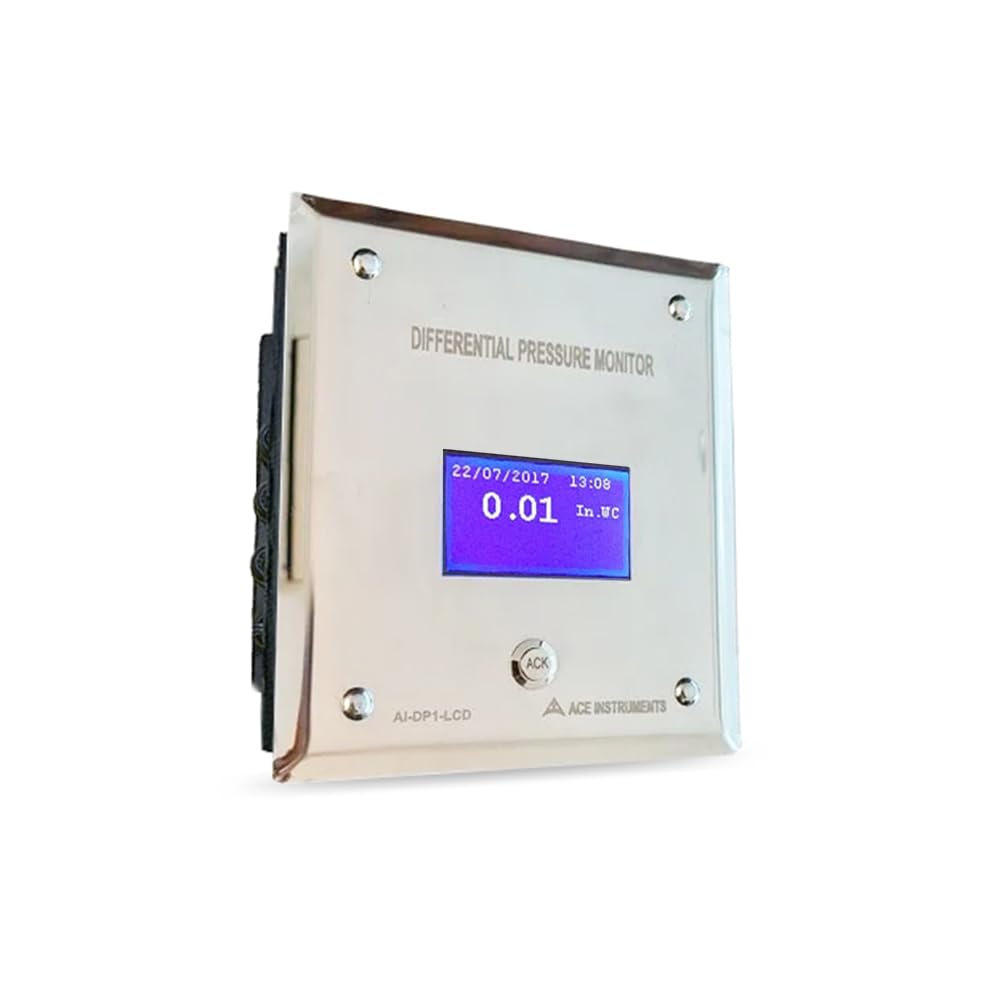
Figure 1: Angled view of the INSTRUKART AI-DP1-LCD Differential Pressure Indicator.
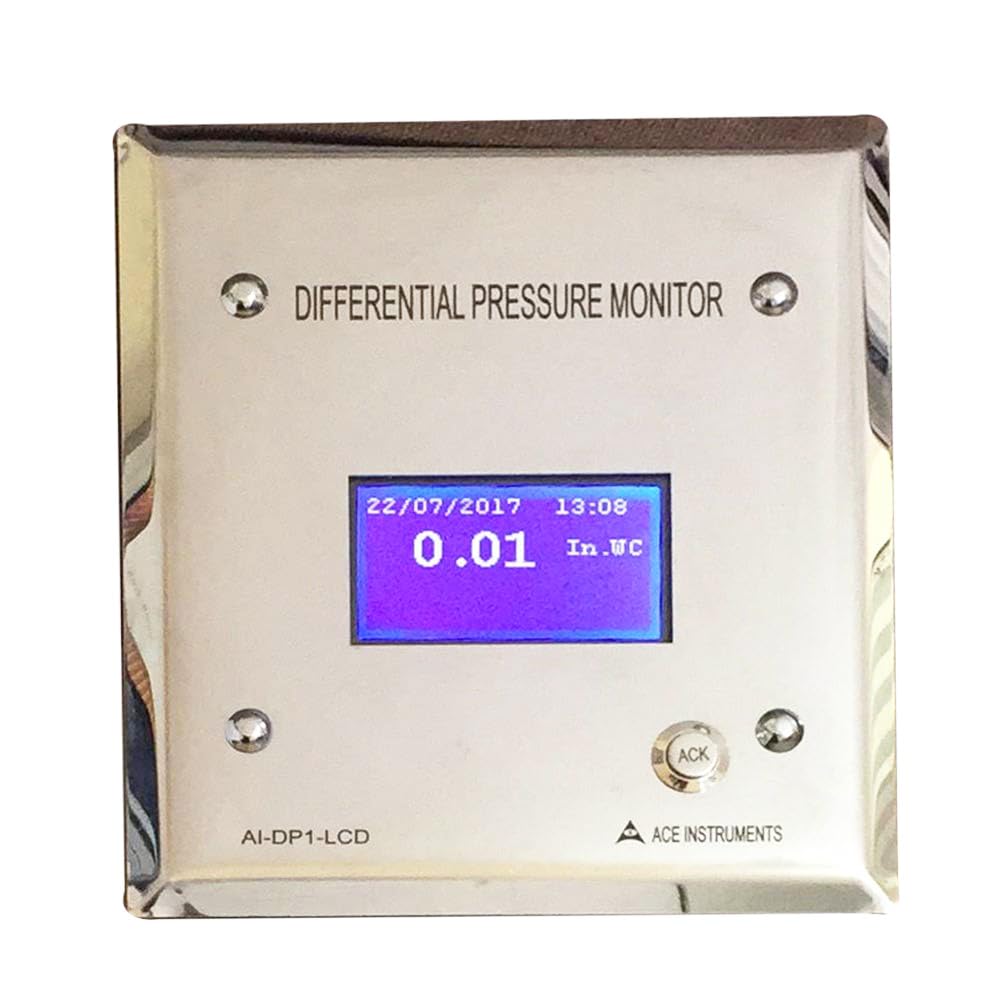
Figure 2: Front view of the AI-DP1-LCD, showing the display and 'ACK' button.

Figure 3: Comparison of the side and front views, highlighting the slim profile and rear connections.
5. Setup and Installation
The AI-DP1-LCD is designed for modular wall fitment in cleanroom environments.
5.1 Mounting
The instrument enclosure has dimensions of 100mm (W) × 90mm (H) × 30mm (D), allowing for flush mounting into cleanroom modular walls. Ensure adequate space for rear connections.
5.2 Pressure Connections
Connect the pressure tubing to the two 4mm stainless steel hose nipples located at the back of the unit. Ensure connections are secure to prevent leaks. The device is designed for use with air or non-corrosive gases.
5.3 Power Connection
Connect the provided power adaptor to the device's power input. The typical power requirement is 24V DC.
5.4 Communication (Optional)
For integration with Building Management Systems (BMS), SCADA, or PLC, utilize the isolated RS485 communication port with Modbus protocols. Refer to the Modbus communication protocol documentation for detailed setup instructions (not included in this manual).
6. Operating Instructions
6.1 Power On
Once powered on, the Graphic Backlit LCD will display the current differential pressure reading. The display also shows the date and time.
6.2 Reading Display
The LCD shows the differential pressure value in Pascals. This model has a factory-fixed unit selection for Pascals.
6.3 Alarm Function
The device features a built-in high and low buzzer alarm. If the measured differential pressure exceeds or falls below the pre-set parameters, the buzzer will activate to indicate a process violation.
6.4 Alarm Acknowledgment
To acknowledge and silence an active alarm, press the 'ACK' button located on the front panel below the display. Acknowledging the alarm does not resolve the underlying issue; it only silences the buzzer.
7. Maintenance
7.1 Cleaning
Wipe the front stainless steel plate and LCD screen with a soft, damp cloth. Do not use abrasive cleaners or solvents, as these may damage the surface or display. Ensure no liquid enters the device.
7.2 Calibration
The device comes with a Factory Calibration Certificate with NABL Standards. Regular re-calibration may be required depending on application and regulatory requirements. Contact INSTRUKART for calibration services.
8. Troubleshooting
| Problem | Possible Cause | Solution |
|---|---|---|
| No display/Device not powering on | No power supply or incorrect voltage. | Check power adaptor connection and ensure 24V DC supply. |
| Incorrect pressure reading | Leaky pressure connections or blocked hose nipples. | Verify all hose connections are secure. Check for any blockages in the tubing or nipples. |
| Alarm constantly active | Differential pressure outside set parameters. | Investigate the environmental conditions causing the pressure deviation. Acknowledge the alarm by pressing 'ACK'. |
| Communication issues (RS485) | Incorrect wiring or Modbus configuration. | Verify RS485 wiring and Modbus parameters. Consult Modbus documentation or INSTRUKART support. |
9. Technical Specifications
| Parameter | Detail |
|---|---|
| Measuring Range | -180 to 180 Pascals |
| Accuracy | ±0.5% of Full Scale |
| Display | Graphic Backlit 128 x 64 LCD |
| Maximum Over Pressure | 4 Times the rated pressure |
| Sensor | Integrated High Speed Differential Pressure Sensor |
| Power Supply | 24V DC Typical |
| Alarms | Built-in High & Low Buzzer Alarm with Acknowledgment Key |
| Construction | M.S. Powder Coated Body (Back) with Stainless Steel Front Flush Plate |
| Communication | Isolated RS485 communication, Modbus Protocols |
| Pressure Connection | 2 x 4mm Stainless Steel Hose Nipples at the back |
| Medium | Air or Non-Corrosive Gases |
| Dimensions (W×H×D) | 100mm × 90mm × 30mm |
| Unit Selection | Factory Fixed for Pascals |
| Item Weight | 1.76 Pounds (approx. 0.8 kg) |
10. Applications
The INSTRUKART AI-DP1-LCD is suitable for a wide range of critical environments requiring precise differential pressure monitoring:
- Infection Rooms
- Hospital Operation Theatre (OT) rooms
- Isolation Rooms (especially where negative pressure is required)
- Laminar Air Flow Cabinets
- Pharmaceutical Clean Rooms
- HVAC Systems
- Bio Safety Cabinets
- Air Handling Units (AHUs)
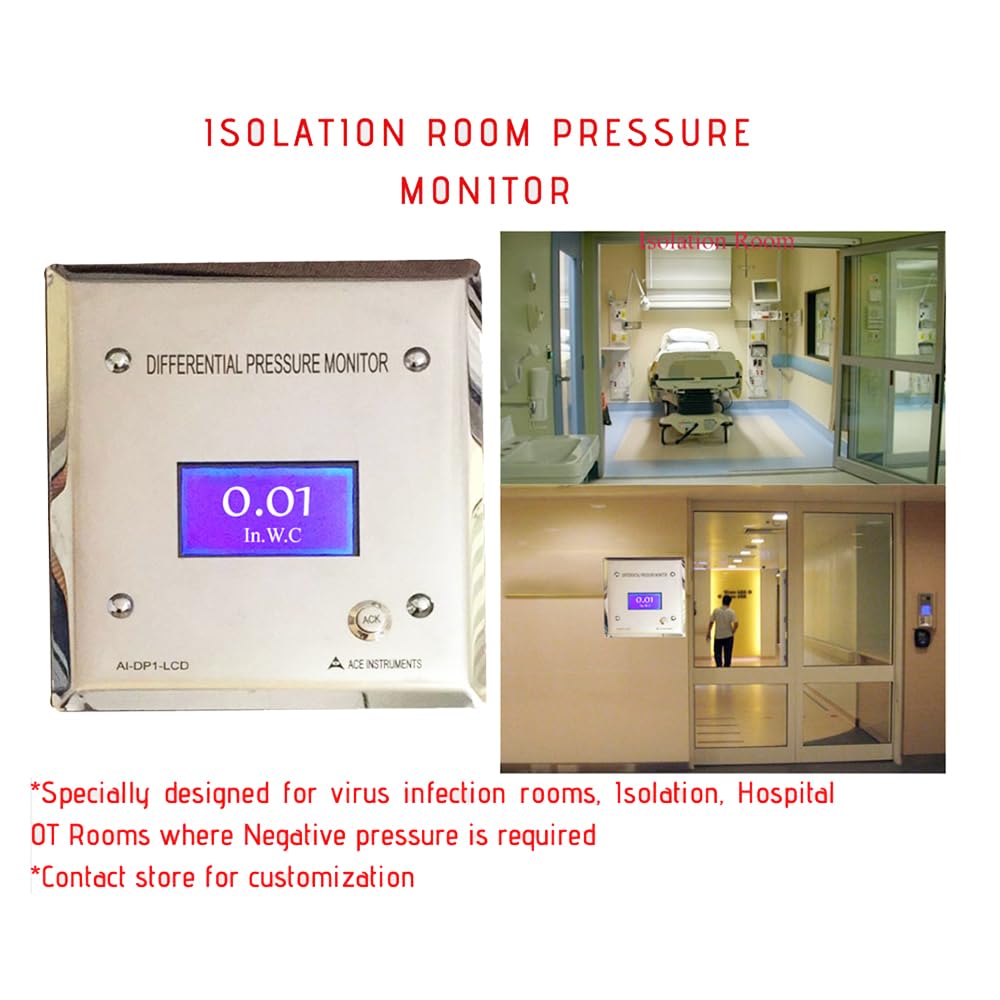
Figure 4: The AI-DP1-LCD installed in an isolation room, demonstrating its application in critical healthcare environments.

Figure 5: Visual representation of diverse applications for the differential pressure indicator, including cleanrooms, HVAC, and pharmaceutical settings.
11. Warranty and Support
For warranty information, technical support, or service inquiries, please contact INSTRUKART directly. Refer to the product packaging or INSTRUKART's official website for the most current contact details.
Related documentsAI-DP1-LCD

Ask a question about this manual
Ask about setup, troubleshooting, compatibility, parts, safety, or missing instructions. Manuals+ will review the question and use this page’s manual context to help answer it.