
1. Introduction
This manual provides essential information for setting up, operating, maintaining, and troubleshooting your HP 15.6-inch Laptop PC. This device is equipped with a 13th Gen Intel Core i7-1355U Processor, 16GB DDR4-3200 MHz RAM, and a 1TB PCIe NVMe M.2 SSD, running on Windows 11 Home. It features a 15.6-inch FHD (1920 x 1080) anti-glare display and Intel Iris Xe Graphics.
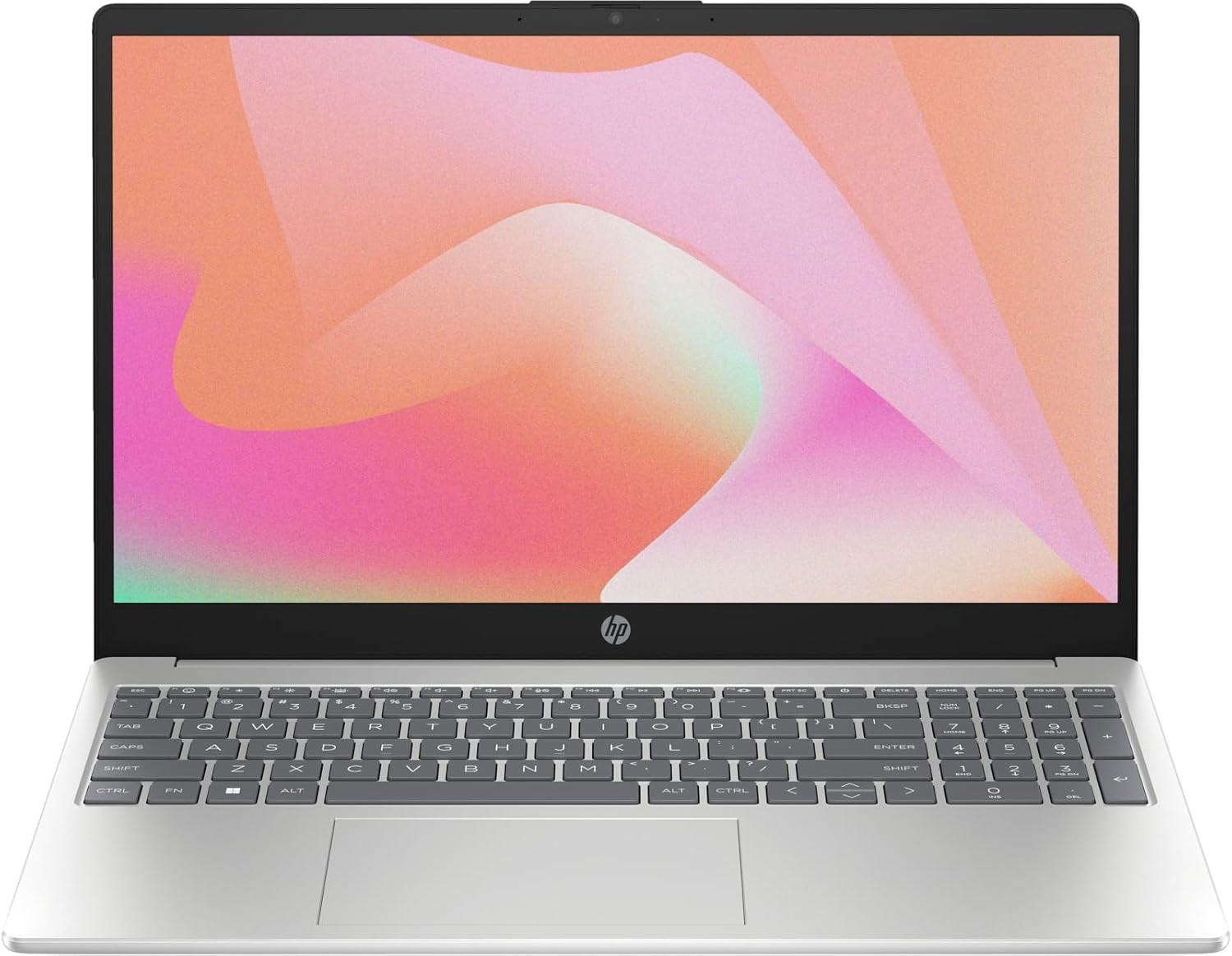
Figure 1.1: HP 15.6-inch Laptop PC. This image shows the laptop open, revealing the keyboard, touchpad, and the 15.6-inch display.
Key Features:
- 13th Gen Intel Core i7-1355U Processor: Designed for efficient multi-tasking and enhanced performance.
- 15.6" FHD Anti-Glare Display: Provides clear visuals with a 1920 x 1080 resolution.
- 16GB DDR4 RAM & 1TB SSD: Offers ample memory and fast storage for applications and data.
- Intel Iris Xe Graphics: Delivers impressive graphics performance for various tasks.
- Wi-Fi 6 & Bluetooth 5.3: Ensures high-speed wireless connectivity.
- HP Fast Charge: Recharges the battery to approximately 50% in 45 minutes.
- Windows 11 Home: Provides a modern and intuitive operating system experience.
2. Setup
2.1 Initial Power-On and Charging
- Unpack: Carefully remove the laptop and all accessories from the packaging.
- Connect Power: Plug the AC smart pin power adapter into the laptop's power port and then into a wall outlet.
- First Boot: Open the laptop lid. The system may power on automatically or require you to press the power button.
- Initial Setup: Follow the on-screen instructions to complete the Windows 11 Home setup, including language, region, network connection, and user account creation.
2.2 Connecting Peripherals
Your HP Laptop PC offers various ports for connecting external devices.
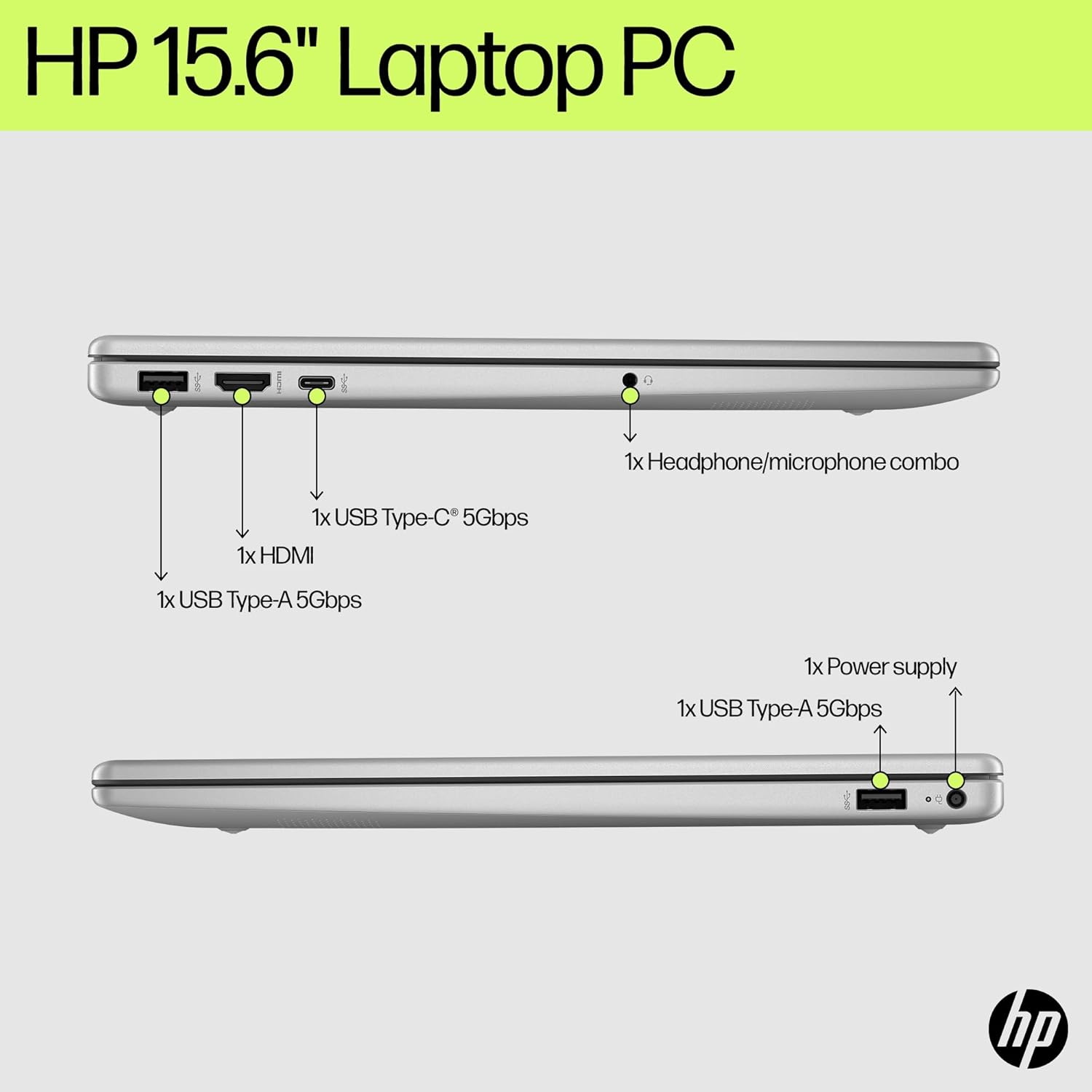
Figure 2.1: Laptop Ports. This diagram illustrates the location and type of ports available on both sides of the laptop, including USB Type-A, USB Type-C, HDMI, headphone/microphone combo, and power supply.
- USB Devices: Connect USB Type-A devices (e.g., mouse, external drive) to the USB Type-A 5Gbps signaling rate ports. For USB Type-C devices, use the USB Type-C 5Gbps signaling rate port (data transfer only).
- External Display: Use the HDMI 1.4b port to connect an external monitor or projector.
- Audio: Plug headphones or an external microphone into the headphone/microphone combo jack.
- Wireless: The laptop supports Wi-Fi 6 for internet access and Bluetooth 5.3 for connecting wireless accessories like headphones or speakers.
3. Operating Instructions
3.1 Display and Graphics
Your laptop features a 15.6-inch FHD (1920 x 1080) micro-edge, anti-glare display with 250 nits brightness. The integrated Intel Iris Xe Graphics provides clear and vibrant visuals.

Figure 3.1: Display Features. This image emphasizes the 15.6-inch screen size, micro-edge bezels, and high-quality display of the laptop.
3.2 Keyboard and Touchpad
- Full-size Keyboard: Includes a numeric keypad for easy data entry.
- Backlit Keyboard: Press the appropriate function key (usually F5 or F4, check keyboard icons) to toggle the keyboard backlight.
- HP Imagepad with Precision Touchpad support: Use multi-touch gestures for navigation, scrolling, and zooming. Refer to Windows settings for touchpad customization.
3.3 Audio and Webcam
- Dual Speakers: Provides stereo audio output.
- HP True Vision 720p HD Camera: Located above the display, with temporal noise reduction for clearer video calls.
- Integrated Dual Array Digital Microphones: Enhances audio input quality for communication.
3.4 Battery Management
The laptop is equipped with a 3-cell, 41 Wh Li-ion polymer battery. Battery life can last up to 7 hours and 45 minutes for general use and up to 9 hours and 45 minutes for video playback.
- Charging: Use the provided 45 W Smart AC power adapter.
- Fast Charge: Supports fast charging, reaching approximately 50% charge in 45 minutes when powered off.
- Power Modes: Utilize Windows 11 power settings to optimize battery life or performance.
4. Maintenance
4.1 Cleaning Your Laptop
- Screen: Use a soft, lint-free cloth lightly dampened with water or a screen cleaner. Avoid harsh chemicals.
- Keyboard and Chassis: Use a soft, dry cloth. For stubborn dirt, a slightly damp cloth with mild soap solution can be used, ensuring no liquid enters openings.
- Ports: Keep ports free of dust and debris. Use compressed air if necessary, holding the can upright.
4.2 Battery Care
- Avoid extreme temperatures.
- Do not fully discharge the battery frequently.
- If storing the laptop for an extended period, ensure the battery is charged to about 50%.
4.3 Software Updates
Regularly check for and install updates for Windows 11 and HP drivers to ensure optimal performance and security. Access Windows Update via Settings > Windows Update.
5. Troubleshooting
5.1 Common Issues and Solutions
| Problem | Possible Solution |
|---|---|
| Laptop does not power on. | Ensure the AC adapter is securely connected to both the laptop and a working power outlet. Check the power indicator light. Try a different outlet. |
| Screen is blank or black. | Check if the laptop is powered on. Adjust screen brightness. Connect an external monitor to check if the issue is with the laptop's display. |
| Wi-Fi connection issues. | Ensure Wi-Fi is enabled in Windows settings. Restart your router and modem. Check for updated Wi-Fi drivers. |
| Slow performance. | Close unnecessary applications. Check for background processes. Ensure sufficient free storage space. Run a system scan for malware. |
| Battery not charging. | Verify the AC adapter is functioning correctly. Check the charging port for damage. Update battery drivers. |
6. Specifications
Detailed technical specifications for your HP 15.6-inch Laptop PC.
| Feature | Detail |
|---|---|
| Brand | HP |
| Model Name | HP - Envy |
| Processor | 13th Gen Intel Core i7-1355U (up to 5.0 GHz, 10 cores, 12 threads) |
| Graphics | Integrated Intel Iris Xe Graphics |
| Display | 15.6" FHD (1920 x 1080), micro-edge, anti-glare, 250 nits |
| RAM | 16GB DDR4-3200 MHz RAM |
| Storage | 1TB PCIe NVMe M.2 SSD |
| Operating System | Windows 11 Home |
| Wireless Connectivity | Realtek Wi-Fi 6 (2x2) and Bluetooth 5.3 |
| Ports | 1x USB Type-C 5Gbps (data only), 2x USB Type-A 5Gbps, 1x HDMI 1.4b, 1x headphone/microphone combo, 1x AC smart pin |
| Webcam | HP True Vision 720p HD camera with temporal noise reduction |
| Audio | Dual speakers, Integrated dual array digital microphones |
| Battery | 3-cell, 41 Wh Li-ion polymer |
| Power Adapter | 45 W Smart AC power adapter |
| Dimensions (W x D x H) | 14.17 x 9.29 x 0.73 inches (36 x 23.6 x 1.85 cm) |
| Weight | 3.52 lb (1.6 kg) |
| Color | Natural silver |
7. Warranty and Support
7.1 Product Warranty
Your HP 15.6-inch Laptop PC comes with a 1-Year Limited Warranty from the manufacturer. Please refer to the warranty documentation included with your product for specific terms and conditions.
7.2 Customer Support
For technical assistance, driver downloads, or further support, please visit the official HP Support website:
You will typically need your product's serial number or model number (HP - Envy) to access specific support resources.


