
UPBRIGHT Phonak Case RIC Combi 5V Charger
UpBright USB 5V AC/DC Adapter User Manual
Model: Phonak Case RIC Combi 5V Charger
1. Product Overview
The UpBright USB 5V AC/DC Adapter is a versatile power supply designed to provide reliable charging for various devices, primarily compatible with Phonak Charger Case Go BTE RIC Combi Ease Life Slim PartnerMic Audeo P90R L90R P90 B90 L90 R 0459 Lumity PAIR Digital Hearing Aids Docks. This adapter features a wide input voltage range (100-240VAC) for global use and includes multiple safety protections.
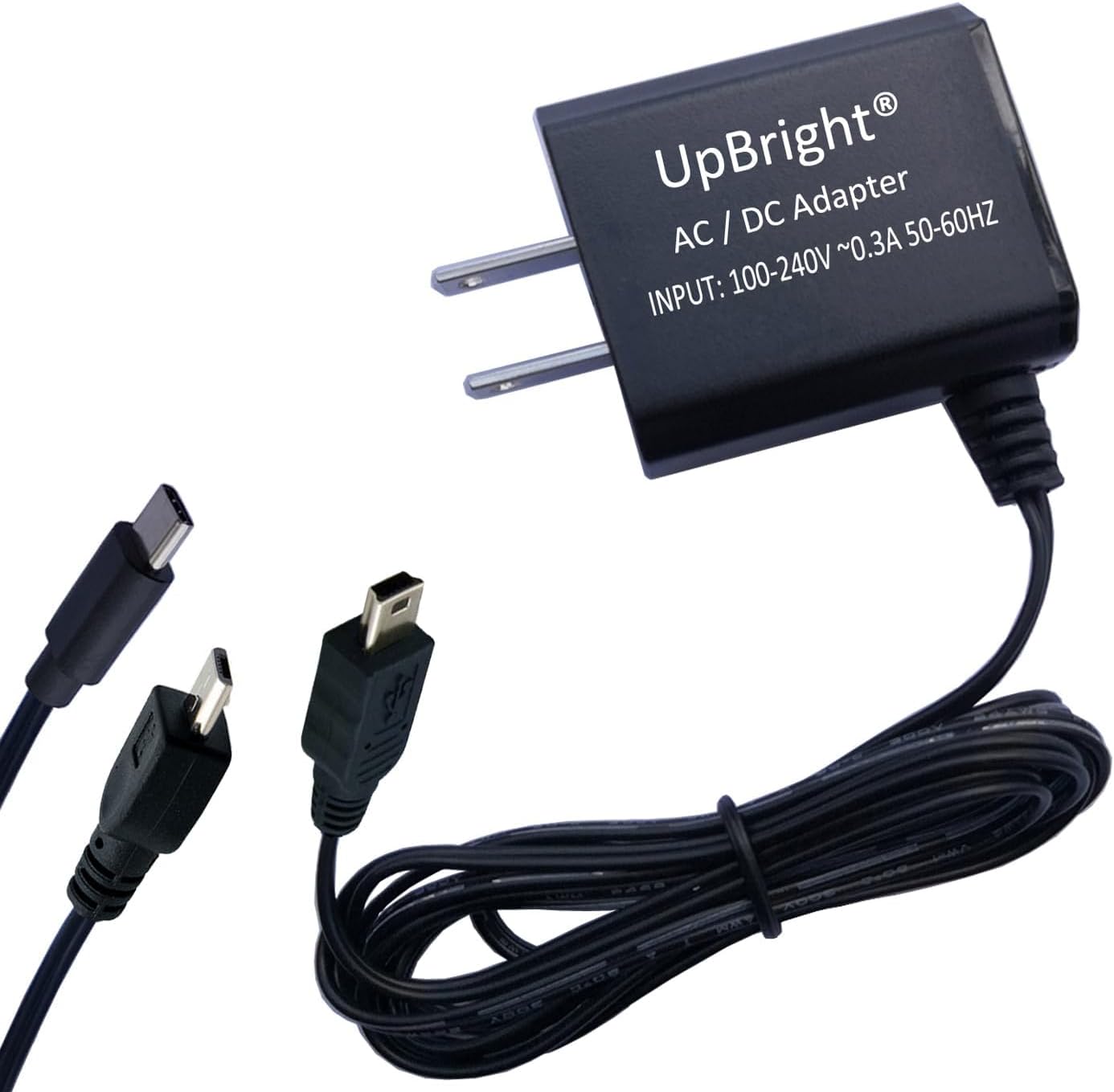
Image 1.1: The UpBright USB 5V AC/DC Adapter, showcasing the main unit with detachable USB-C and Micro USB tips for broad compatibility.
2. Key Features
- Universal Compatibility: Designed for Phonak Charger Case Go BTE RIC Combi Ease Life Slim Audeo P90R L90R P90 B90 L90 R 0459 Lumity PAIR Digital Hearing Aids Docks and other 5VDC devices.
- Global Input Voltage: Supports 100-240VAC, 50/60Hz, making it suitable for worldwide use.
- Multiple Safety Protections: Includes Over Voltage Protection (OVP), Over Current Protection (OCP), and Short Circuit Protection (SCP) to ensure safe charging.
- Smart Plug Tip Pigtails: Comes with various plug tips (e.g., USB Type C, Micro USB) for enhanced compatibility with different devices.
- Durable Construction: Made with high-quality, environmentally friendly TPE material for flexibility and resistance to wear and tear.

Image 2.1: An illustration of the adapter's internal components, highlighting its advanced power management chips and built-in safety features such as short-circuit, over-temp, over-voltage, and overcurrent protection.
3. Package Contents
Upon opening the package, verify that all components are present:
- UpBright USB 5V AC/DC Adapter Unit
- Smart Plug Tip Pigtails (e.g., USB Type C, Micro USB)
- USB Cable
4. Setup Instructions
- Identify the Correct Tip: Select the appropriate smart plug tip (e.g., USB-C, Micro USB) that matches the charging port of your device (e.g., Phonak Charger Case).
- Connect the Tip: Securely attach the selected smart plug tip to the USB cable of the UpBright adapter.
- Plug into Device: Insert the connected tip into the charging port of your Phonak Charger Case or other compatible device.
- Connect to Power Outlet: Plug the AC/DC adapter unit into a standard wall power outlet (100-240VAC). Ensure the outlet is easily accessible.
- International Use (if applicable): If using in a country with a different outlet type, use a suitable outlet adapter (not included unless specified).


Image 4.1: The adapter shown with a USB-C tip (left) and a Micro USB tip (right), demonstrating the interchangeable compatibility options.

Image 4.2: Examples of different international plug types (AU, EU, UK) that may be required for use in various regions. The adapter itself is universal voltage, but a physical plug adapter might be needed.
5. Operating Instructions
Once properly connected, the UpBright adapter will begin supplying power to your device. The charging indicator on your device (e.g., Phonak Charger Case) will typically illuminate to show that charging is in progress.
- Charging Time: Charging time will vary depending on the device's battery capacity and current charge level. Refer to your device's manual for specific charging times.
- Charging Completion: The device's charging indicator will usually change or turn off when charging is complete.
- Disconnecting: Once charging is complete, disconnect the adapter from the device first, then unplug the adapter from the wall outlet.
6. Maintenance and Care
- Cleaning: Use a soft, dry cloth to clean the adapter. Do not use liquid cleaners or aerosols.
- Storage: Store the adapter in a cool, dry place away from direct sunlight and extreme temperatures.
- Handling: Avoid dropping the adapter or subjecting it to strong impacts. Do not bend or crimp the cable excessively.
- Safety: Do not attempt to open or repair the adapter. Refer all servicing to qualified personnel. Keep out of reach of children.
7. Troubleshooting
| Problem | Possible Cause | Solution |
|---|---|---|
| Device not charging. |
|
|
| Adapter feels warm during charging. | Normal operation. | A slight warmth is normal during operation. If it becomes excessively hot or emits smoke/odor, unplug immediately and discontinue use. |
| Adapter not working after a power surge. | Internal protection activated. | The adapter's built-in OVP, OCP, or SCP may have activated to protect connected devices. If the adapter no longer functions, it may need replacement. |
8. Specifications
| Attribute | Detail |
|---|---|
| Brand | UPBRIGHT |
| Model Number | Phonak Case RIC Combi 5V Charger |
| Input Voltage | 100-240VAC, 50/60Hz |
| Output Voltage | 5VDC |
| Connectivity Technology | USB |
| Connector Type | USB Connector (with Smart Plug Tip pigtails) |
| Compatible Devices | Phonak Charger Case Go BTE RIC Combi Ease Life Slim Audeo P90R L90R P90 B90 L90 R 0459 Lumity PAIR Digital Hearing Aids Dock, and other 5VDC devices. |
| Product Dimensions | 4 x 3 x 2 inches |
| Item Weight | 2.39 ounces |
| Special Features | OVP (Over Voltage Protection), OCP (Over Current Protection), SCP (Short Circuit Protection) |
9. Warranty and Support
UpBright offers a warranty for this product. Please refer to the information below for details:
- Warranty Period: UpBright offers a 30-day refund policy and 24 months exchange for tested units in great working condition.
- Contact Support: For any issues or inquiries, please contact UpBright customer support through the platform where the product was purchased or visit the official UpBright store page.
- Online Resources: Additional information and support may be available on the UPBRIGHT Amazon Store.
Related documentsPhonak Case RIC Combi 5V Charger

Ask a question about this manual
Ask about setup, troubleshooting, compatibility, parts, safety, or missing instructions. Manuals+ will review the question and use this page’s manual context to help answer it.