
1. Product Overview
The YMS GTS7 Pro Smart Watch is a versatile fitness tracker designed for both men and women, compatible with Android and iOS devices. It features a vibrant 2.0-inch HD touch screen, Bluetooth calling capabilities, and extensive health monitoring functions including heart rate, blood oxygen, and sleep tracking. With over 100 sports modes and IP68 waterproofing, it's built to support an active lifestyle.

Figure 1: YMS GTS7 Pro Smart Watch (Brown Leather Band)
2. What's in the Box
Please verify that all items are present in your product package:
- YMS GTS7 Pro Smart Watch
- Magnetic Charging Cable
- User Manual
3. Setup Guide
3.1 Initial Charging
Before first use, fully charge your smart watch. Connect the magnetic charging cable to the charging points on the back of the watch and plug the USB end into a compatible power adapter (not included). A full charge typically takes approximately 2.5 hours.

Figure 2: Rear view of the watch showing charging pins and sensors.
3.2 App Installation and Pairing
To unlock the full features of your YMS GTS7 Pro Smart Watch, you need to install the companion app on your smartphone.
- Turn on Bluetooth: Ensure Bluetooth is enabled on your smartphone.
- Download the App: Open the Google Play Store (for Android) or App Store (for iOS) and search for "Runmefit". Download and install the app.
- Open and Connect: Launch the Runmefit app. Follow the on-screen instructions to add your device. Select "GTS7 PRO" or "GTR2" from the list of available devices to bind it.

Figure 3: App download and device connection process.
3.2.1 Activating Bluetooth Calling Function
After initial pairing, you need to enable the Bluetooth calling feature separately:
- Phone Bluetooth Settings: Go to your phone's Bluetooth settings.
- Connect to GTS7 PRO-XXXX: Find "GTS7 PRO-XXXX" (where XXXX is a unique identifier) in the list of available devices and click to connect.
- Enable System Notifications: Ensure system notifications are enabled for the watch in your phone's Bluetooth settings.
- Activate Call Icon: On your watch, locate and light up the call icon.
- Ready for Calls: Once connected, you can make and answer calls directly from your watch.

Figure 4: Steps to activate Bluetooth calling.
4. Operating Instructions
4.1 Navigating the Interface
The YMS GTS7 Pro features a 2.0-inch HD touch screen for intuitive navigation. Swipe across the screen to access different functions and menus. The watch also incorporates a dual-button design, with the lower button customizable as a shortcut for frequently used features.

Figure 5: Watch screen displaying key information.
4.2 Personalized Watch Faces
Customize your watch face to match your style. The Runmefit app offers over 200 watch faces, or you can upload your own photos to create a unique display.

Figure 6: Options for customizing watch faces.
4.3 Bluetooth Call Functionality
Once connected via Bluetooth, you can answer and make clear calls directly from your watch, freeing your hands during activities or meetings.
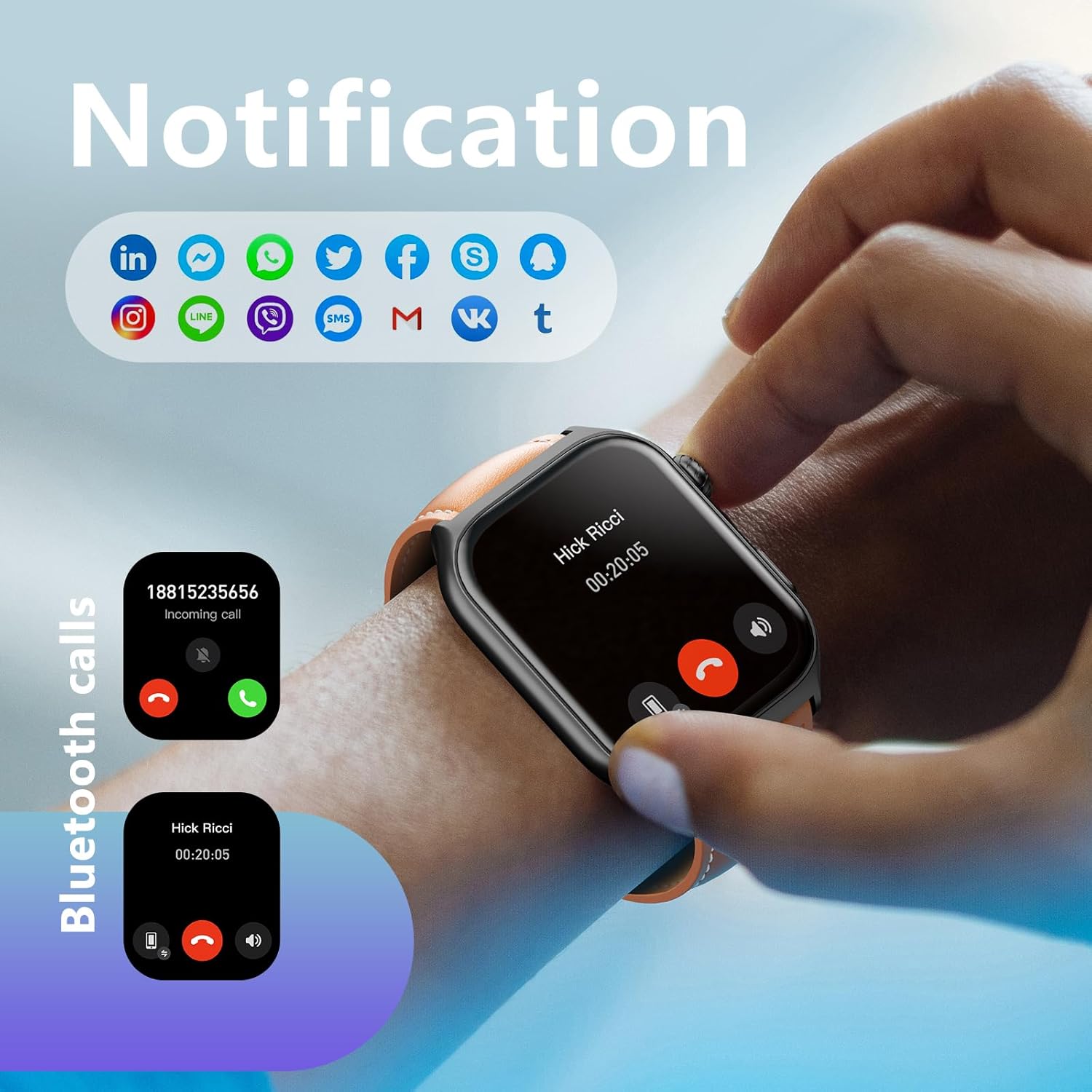
Figure 7: Watch displaying call and notification features.
Video 1: Demonstrates various smart watch functions including health tracking, sports modes, and interface navigation.
4.4 Smart Notifications
Receive notifications for SMS, emails, and various app alerts directly on your watch. The watch will vibrate to keep you informed, ensuring you don't miss important messages.

Figure 8: Smart notifications from connected apps.
4.5 Health Monitoring
The GTS7 Pro is equipped with an advanced dual-color three-channel high-precision PPG bio-tracking sensor for accurate health data. It continuously monitors:
- Heart Rate: Real-time heart rate tracking.
- Blood Oxygen (SpO2): Monitors blood oxygen saturation levels.
- Blood Pressure: Provides real-time blood pressure readings.
- Sleep Tracking: Analyzes sleep patterns (deep sleep, light sleep, awake time).
- Stress Level: Assesses your stress levels.
- Steps & Calories: Records daily steps, distance, and calorie consumption.

Figure 9: Heart rate and SpO2 monitoring in action.

Figure 10: Sleep quality monitoring.

Figure 11: Comprehensive health monitoring features.
4.6 Sports Modes
The GTS7 Pro supports over 100 sports modes, including running, walking, hiking, badminton, basketball, rowing, rock climbing, cycling, fitness, football, swimming, yoga, and more. It tracks your activity, steps, distance, and calories during workouts.

Figure 12: Tracking activity with 100+ sports modes.
4.7 Other Functions
The smart watch includes many other useful tools to enhance your daily life:
- Event Reminders
- Cycle Tracking
- Weather Forecast
- Music Control
- Set Alarm
- Stopwatch
- Timer
- Find Phone
- Women's Health
- Pomodoro Timer
- World Clock
- Flashlight
- Calculator
- Breathing Training

Figure 13: Additional smart watch features.
5. Maintenance and Care
5.1 Waterproofing
The YMS GTS7 Pro Smart Watch has an IP68 waterproof rating. This means it is resistant to dust and can withstand immersion in water up to 1.5 meters for up to 30 minutes. It is suitable for daily use, such as hand washing, showering, and swimming in shallow water. However, it is not recommended for hot baths, saunas, or diving, as steam and high water pressure can damage the seals.
5.2 Cleaning
To maintain your watch's appearance and functionality, regularly clean the device and strap. Use a soft, dry cloth to wipe the screen and body. For the strap, follow the manufacturer's recommendations based on the material (e.g., leather, silicone). Avoid using harsh chemicals or abrasive materials.
5.3 Battery Life
The watch offers extended battery life:
- Up to 40 days of standby time.
- 7-10 days of regular usage.
To maximize battery life, consider reducing screen brightness, limiting background app refresh, and disabling unnecessary notifications.

Figure 14: Watch dimensions and battery life overview.
6. Troubleshooting
6.1 Common Issues and Solutions
- Watch not connecting to phone:
Ensure Bluetooth is on for both devices. Restart the watch and your phone. Re-pair the device through the Runmefit app. Check if the watch is connected to another phone. - Notifications not appearing:
Verify that notifications are enabled in the Runmefit app and in your phone's system settings for the app. Ensure the watch is properly connected via Bluetooth. - Inaccurate health data:
Ensure the watch is worn snugly on your wrist, not too loose or too tight. Clean the sensors on the back of the watch. Avoid excessive movement during measurements. Note that smartwatches are not medical devices and readings are for reference only. - Short battery life:
Reduce screen brightness. Disable unnecessary features like 'Always-On Display' if available. Limit background app refresh. Ensure the watch is fully charged using the provided magnetic cable. - Watch screen unresponsive:
Try restarting the watch by pressing and holding the power button. If unresponsive, allow the battery to drain completely and then recharge.
If issues persist, refer to the official YMS support website or contact customer service for further assistance.
7. Technical Specifications
| Feature | Specification |
|---|---|
| Model Number | GTS7 Pro |
| Screen Size | 2.0 Inches |
| Display Type | HD Touch Screen |
| Connectivity | Bluetooth 5.3 |
| Waterproof Rating | IP68 |
| Battery Capacity | 300 Milliamp Hours |
| Typical Usage Battery Life | 7-10 days |
| Standby Time | Up to 40 days |
| Charging Time | Approx. 2.5 hours |
| Operating System | Android Wear 2.9 |
| Memory Storage Capacity | 128 MB |
| Item Weight | 1.7 ounces |
8. Warranty and Support
Your YMS GTS7 Pro Smart Watch comes with a standard manufacturer's warranty. Please refer to the warranty card included in your packaging for specific terms and conditions, including coverage duration and claim procedures.
For technical support, troubleshooting assistance, or warranty claims, please contact YMS customer service through the contact information provided on the official YMS website or within the Runmefit application. Ensure you have your product model number (GTS7 Pro) and purchase details ready when contacting support.