
1. Getting Started
1.1 Unboxing and Components
Upon opening the package, ensure all components are present:
- YMS GTS7 Pro Smart Watch
- Magnetic Charging Cable
- User Manual (this document)
1.2 Charging the Smart Watch
Before initial use, fully charge your smart watch. Connect the magnetic charging cable to the charging points on the back of the watch and to a USB power source.

Image: The YMS GTS7 Pro Smart Watch in pink, showing the main display and strap. The watch features a sleek, rectangular design with a side button and crown.
A full charge typically takes approximately 2.5 hours. The watch offers up to 7-10 days of regular usage and up to 40 days of standby time.

Image: Diagram illustrating the watch dimensions (260mm length, 40mm width, 12.3mm thickness) and battery life estimates: 10 days light use, 8 days medium use, 6 days heavy use, and 45 days standby after a 2.5-hour charge.
1.3 App Installation and Pairing
To unlock the full functionality of your YMS GTS7 Pro Smart Watch, download and install the 'Runmefit' app on your smartphone.
- Ensure Bluetooth is enabled on your smartphone.
- Open the Google Play Store (for Android) or Apple App Store (for iOS).
- Search for 'Runmefit' and install the application.
- Open the 'Runmefit' app, navigate to 'Add Device', and select 'GTS7 Pro' or 'GTR2' to bind your watch.

Image: Visual guide showing steps to connect the watch to a phone: turn on Bluetooth, open App Store/Google Play, download 'Runmefit' app, and add device 'GTS7 Pro'.
2. Operating the Smart Watch
2.1 Basic Navigation
The YMS GTS7 Pro features a 2.0-inch touch screen and dual-button design for intuitive control.
- Swipe Up/Down: Scroll through menus and notifications.
- Swipe Left/Right: Access quick functions or widgets (e.g., activity, weather, music).
- Side Button (Crown): Press to return to the home screen or access the app list. Rotate to scroll through menus.
- Lower Button: Configurable as a shortcut button for frequently used functions.
2.2 Bluetooth Calling and Notifications
Once paired with your phone, the watch supports Bluetooth calls and notifications.
- Bluetooth Call: Answer or make calls directly from your watch. Ensure the Bluetooth calling function is activated in your phone's settings after initial pairing.
- Notifications: Receive alerts for SMS, emails, and various app notifications (e.g., Facebook, WhatsApp, Instagram) with vibration.

Image: The smart watch screen showing various app notification icons (LinkedIn, Messenger, WhatsApp, Twitter, Facebook, Skype, Snapchat, Instagram, Line, SMS, Mail, VK, TikTok) and an incoming Bluetooth call interface.

Image: Visual guide demonstrating how to activate Bluetooth calling: turn on Bluetooth in phone settings, find 'GTS7 Pro' and connect, then use the call icon on the watch to make/answer calls.
2.3 Health Monitoring
The watch is equipped with advanced sensors for comprehensive health tracking.
- Heart Rate Monitoring: Continuously tracks your heart rate.
- Blood Oxygen (SpO2) Monitoring: Measures blood oxygen saturation levels.
- Blood Pressure Monitoring: Provides blood pressure readings.
- Stress Level Monitoring: Assesses your stress levels.
- Sleep Tracking: Monitors sleep quality, including deep sleep, light sleep, and awake times.

Image: The smart watch screen showing heart rate (89 bpm) and blood oxygen saturation (98% SpO2) readings, with a person exercising in the background.

Image: The smart watch screen showing sleep tracking data: Deep sleep (5 hours), Light sleep (2 hours 22 minutes), and Awake (1 hour). A couple is shown sleeping in the background.
2.4 Sports Modes and Activity Tracking
The watch supports over 100 sports modes and tracks daily activity.
- Activity Tracking: Records daily steps, distance, and calorie consumption.
- 100+ Sports Modes: Includes running, walking, hiking, badminton, basketball, rowing, rock climbing, cycling, fitness, football, swimming, yoga, and more.

Image: The smart watch screen showing all-day event tracking, including heart rate (98 bpm), and a list of 100+ sports modes with icons (running, walking, hiking, cycling, swimming, etc.).
2.5 Customization and Other Functions
Personalize your watch and utilize various built-in tools.
- Personalized Watch Faces: Choose from over 200 watch faces in the app or use your own photos.
- Alexa Voice Control: Control your watch using Alexa Voice Assistant.
- Useful Tools: Event reminders, cycle tracking, weather forecast, music control, alarm, stopwatch, timer, find phone, women's health, Pomodoro timer, world clock, flashlight, calculator, breathing training, and more.

Image: A close-up of the YMS GTS7 Pro Smart Watch screen showcasing multiple personalized watch face options, including digital and analog styles with various data displays.

Image: A grid of icons representing various smart watch functions: Breathing Training, Drink Water Reminder, Sedentary Reminder, Voice Assistant, Remote Camera, Weather Forecast, Music Control, and Alarm Clock.
2.6 Product Video Overview
For a visual demonstration of the YMS GTS7 Pro Smart Watch's features and functionality, please watch the official product video below.
Video: An official product video showcasing the smart fitness watch functions and available colors of the YMS GTS7 Pro. This video highlights various features such as health monitoring, sports modes, and smart notifications.
3. Care and Maintenance
3.1 Cleaning Your Smart Watch
- Wipe the watch screen and strap regularly with a soft, damp cloth.
- Avoid using harsh chemicals or abrasive materials, as these can damage the watch's finish.
- Ensure the charging contacts are clean and dry before charging to prevent corrosion.
3.2 Water Resistance (IP68)
The YMS GTS7 Pro Smart Watch has an IP68 waterproof rating, meaning it is resistant to dust and can withstand immersion in water up to 1.5 meters for 30 minutes. It is suitable for daily use, including hand washing, rain, and swimming. However, it is not recommended for hot showers, saunas, or diving, as steam and high water pressure can compromise the seal.
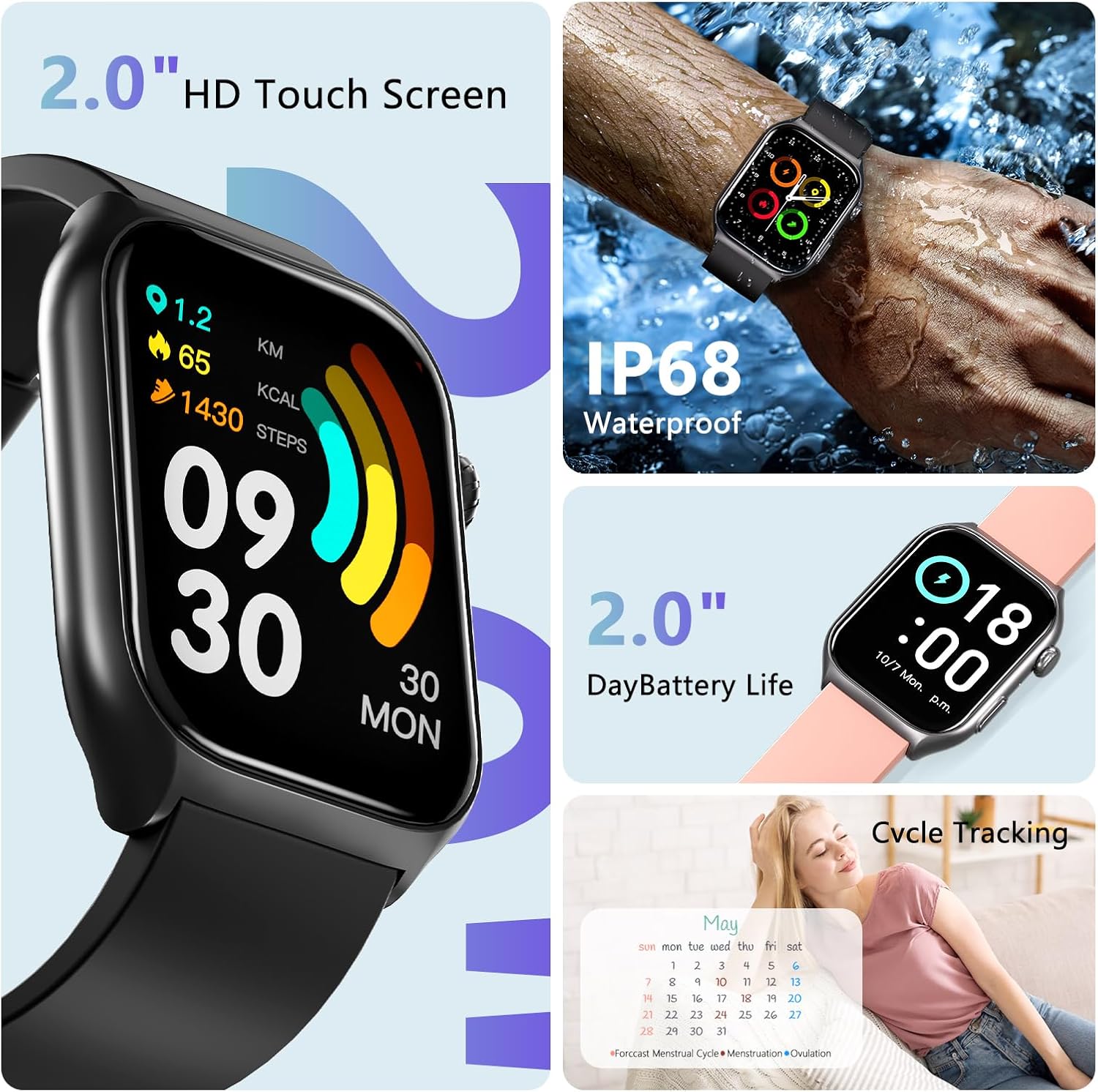
Image: A composite image showing the YMS GTS7 Pro Smart Watch with a 2.0" HD touch screen, its IP68 waterproof capability (worn on a hand under running water), and information about day battery life and cycle tracking.
3.3 Battery Life Optimization
- Reduce screen brightness.
- Disable unnecessary notifications.
- Limit continuous heart rate or SpO2 monitoring if not required.
- Close background apps on the watch.
4. Troubleshooting
If you encounter issues with your YMS GTS7 Pro Smart Watch, refer to the following common solutions:
| Issue | Possible Solution |
|---|---|
| Watch not turning on | Ensure the watch is fully charged. Connect it to the charger for at least 30 minutes. |
| Unable to pair with phone | Check if Bluetooth is enabled on your phone. Ensure the 'Runmefit' app is installed and updated. Restart both the watch and phone. |
| Notifications not received | Verify notification permissions are granted to the 'Runmefit' app in your phone's settings. Ensure the watch is connected via Bluetooth. |
| Inaccurate health data | Ensure the watch is worn snugly on your wrist, not too tight or too loose. Clean the sensor on the back of the watch. |
| Short battery life | Refer to the 'Battery Life Optimization' section for tips. Reduce screen brightness and disable continuous monitoring if not needed. |
| Bluetooth calling not working | After initial pairing, ensure you have also connected to the watch's Bluetooth for calls in your phone's Bluetooth settings (often appears as a separate connection). |
5. Product Specifications
| Feature | Detail |
|---|---|
| Model Number | GTS7 Pro |
| Screen Size | 2.0 Inches |
| Operating System | Android Wear 2.9 |
| Connectivity Technology | Bluetooth (BT5.3) |
| Waterproof Rating | IP68 |
| Battery Capacity | 300 Milliamp Hours (Lithium Polymer) |
| Battery Life (Typical Use) | 7-10 days |
| Standby Time | Up to 40 days |
| Charging Time | Approx. 2.5 hours |
| Health Monitoring | Heart Rate, Blood Oxygen, Blood Pressure, Stress Level, Sleep Tracking |
| Sports Modes | 100+ |
| Special Features | Activity Tracker, Daily Workout Memory, Phone Call, Sedentary Reminder, Voice Control (Alexa), Music Control, Weather Forecast, Remote Camera |
| Item Weight | 1.7 ounces |
6. Warranty and Support
6.1 Product Warranty
The YMS GTS7 Pro Smart Watch typically comes with a manufacturer's warranty covering defects in materials and workmanship. Please refer to the warranty card included in your product packaging or contact the seller for specific warranty terms and duration.
6.2 Customer Support
For technical assistance, troubleshooting not covered in this manual, or warranty claims, please contact YMS customer support through the contact information provided with your purchase or on the official YMS website. When contacting support, please have your product model number (GTS7 Pro) and purchase details ready.
