
1. Introduction
This manual provides essential information for the setup, operation, and maintenance of your Cello C1924WSH 19-inch Smart TV. This television integrates the WebOS Hub operating system by LG, offering a comprehensive smart TV experience. It features a triple tuner for various broadcast signals, Bluetooth connectivity, and Cello's patented Pitch Perfect Sound technology for enhanced audio.
Please read this manual thoroughly before using your television to ensure proper functionality and to maximize your viewing experience.
2. Package Contents
Verify that all items are present in the packaging:
- Cello C1924WSH 19-inch Smart TV
- Remote Control
- Power Cable
- User Manual (this document)
3. Physical Setup
3.1. Unpacking
Carefully remove the television and all accessories from the packaging. Retain the packaging for future transport or storage.
3.2. Stand Installation (if applicable)
If using the included stand, attach it securely to the base of the television according to the diagrams provided in the quick start guide (not included in this manual, refer to physical packaging). Ensure all screws are tightened to prevent instability.
3.3. Wall Mounting (optional)
The television's slim design is suitable for wall mounting. Use a VESA-compatible wall mount (not included) and follow the wall mount manufacturer's instructions. Ensure the wall can support the weight of the television.
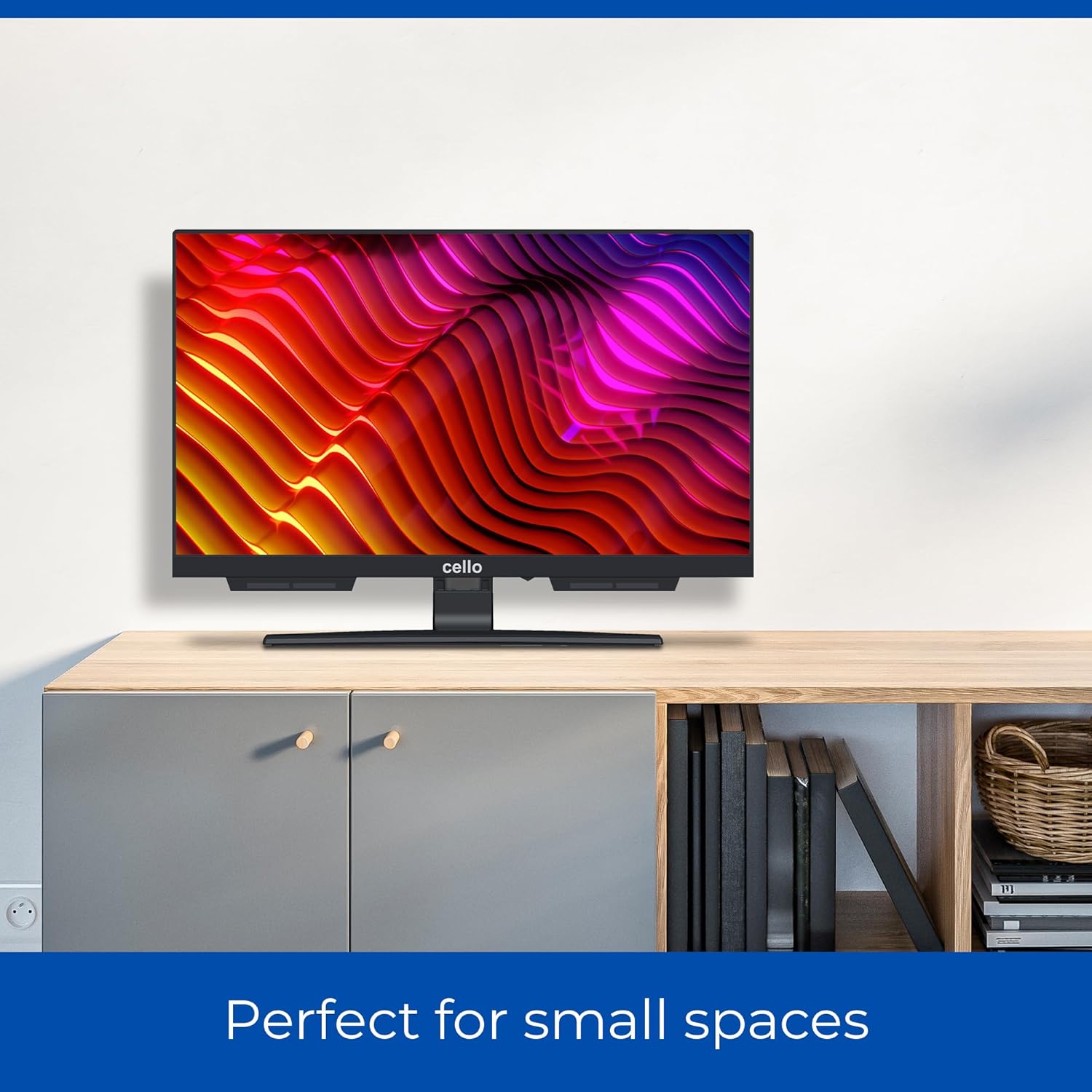
Image: Cello C1924WSH 19-inch Smart TV mounted on a wall, demonstrating its suitability for small spaces. The TV is positioned above a light-colored wooden cabinet.
3.4. Dimensions
The television has a 19-inch diagonal screen. Approximate dimensions are:
- Width: 44 cm
- Height: 27 cm (without stand)
- Depth: 8 cm (without stand)
- Depth with stand: 16 cm
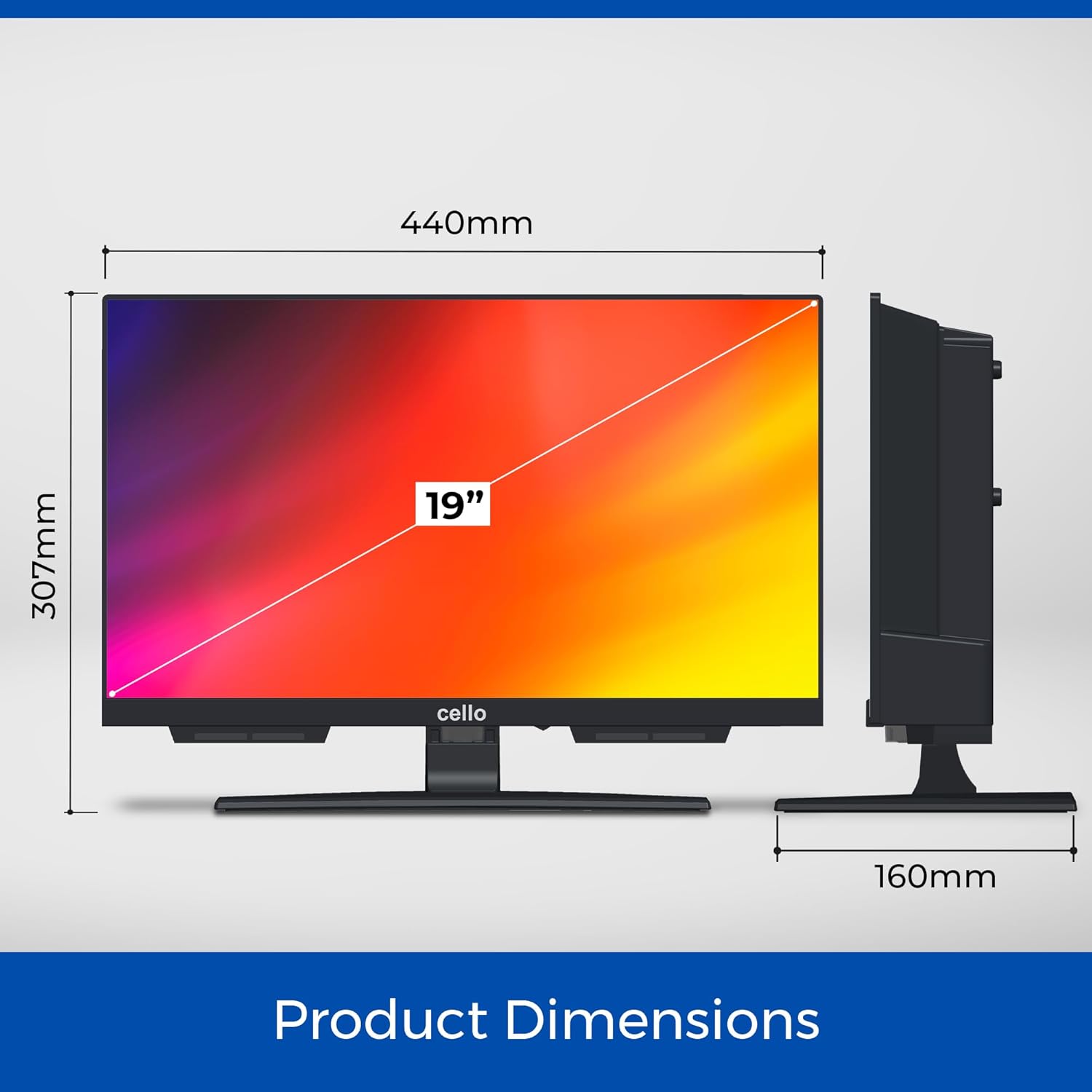
Image: A diagram illustrating the product dimensions of the Cello C1924WSH TV. It shows a width of 440mm, a height of 307mm (including stand), and a depth of 160mm (including stand).
4. Connectivity
The Cello C1924WSH offers various ports for connecting external devices.
- HDMI Port (x1): For connecting high-definition devices such as Blu-ray players, game consoles, or set-top boxes.
- Optical Port (x1): For digital audio output to soundbars or home theater systems.
- RF Port (x1): For connecting an antenna or satellite dish.
- USB Ports (x2): For connecting USB storage devices to play media or record TV programs (DVR function).
- Ethernet Port: For a wired internet connection.
- Bluetooth: For wireless connection to compatible audio devices like soundbars or headphones.
- Wi-Fi: For wireless internet access.


Image: Icons representing HDMI, Bluetooth, and Satellite/Antenna connectivity options available on the TV.
5. Initial Setup and Operation
5.1. Power On
Connect the power cable to the TV and then to a wall outlet. Press the power button on the remote control or on the TV itself to turn it on.
5.2. First-Time Setup Wizard
Upon first power-on, the TV will guide you through an initial setup wizard. This includes:
- Language selection
- Network connection (Wi-Fi or Ethernet)
- Channel scanning (DVB-C, DVB-S2, DVB-T2)
- Time and date settings
5.3. WebOS Smart Features
The Cello C1924WSH is powered by WebOS Hub by LG, providing a fast and intuitive smart TV experience.

Image: The Cello C1924WSH Smart TV screen showing the WebOS Hub interface, featuring icons for popular streaming services like Netflix, iPlayer, Freeview Play, ITVX, Channel 4, Channel 5, Prime Video, Rakuten TV, Disney+, Apple TV, BBC Sounds, and YouTube.
- App Access: Download and access popular streaming applications such as Netflix, Prime Video, Disney+, Apple TV+, Paramount+, BBC iPlayer, ITVX, and YouTube directly from the WebOS app store.
- Browser: Utilize the integrated web browser for general internet surfing.
- Miracast: Wirelessly mirror content from compatible devices to your TV screen.
- Ultrafast Performance: Experience up to 100% faster streaming app performance compared to other systems.
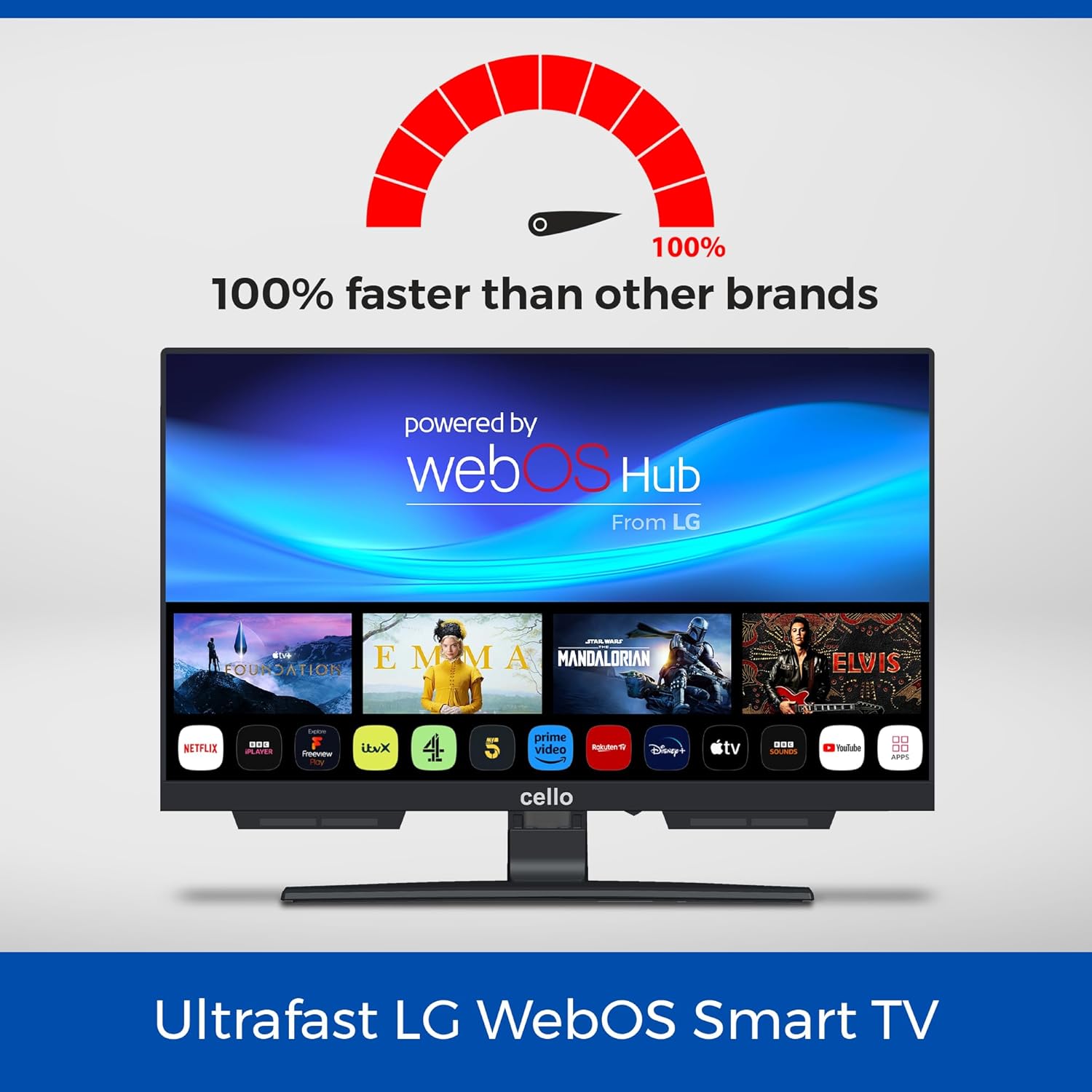
Image: The Cello C1924WSH Smart TV screen with the WebOS Hub logo and a graphic indicating "100% faster than other brands," highlighting its ultrafast performance for streaming applications.
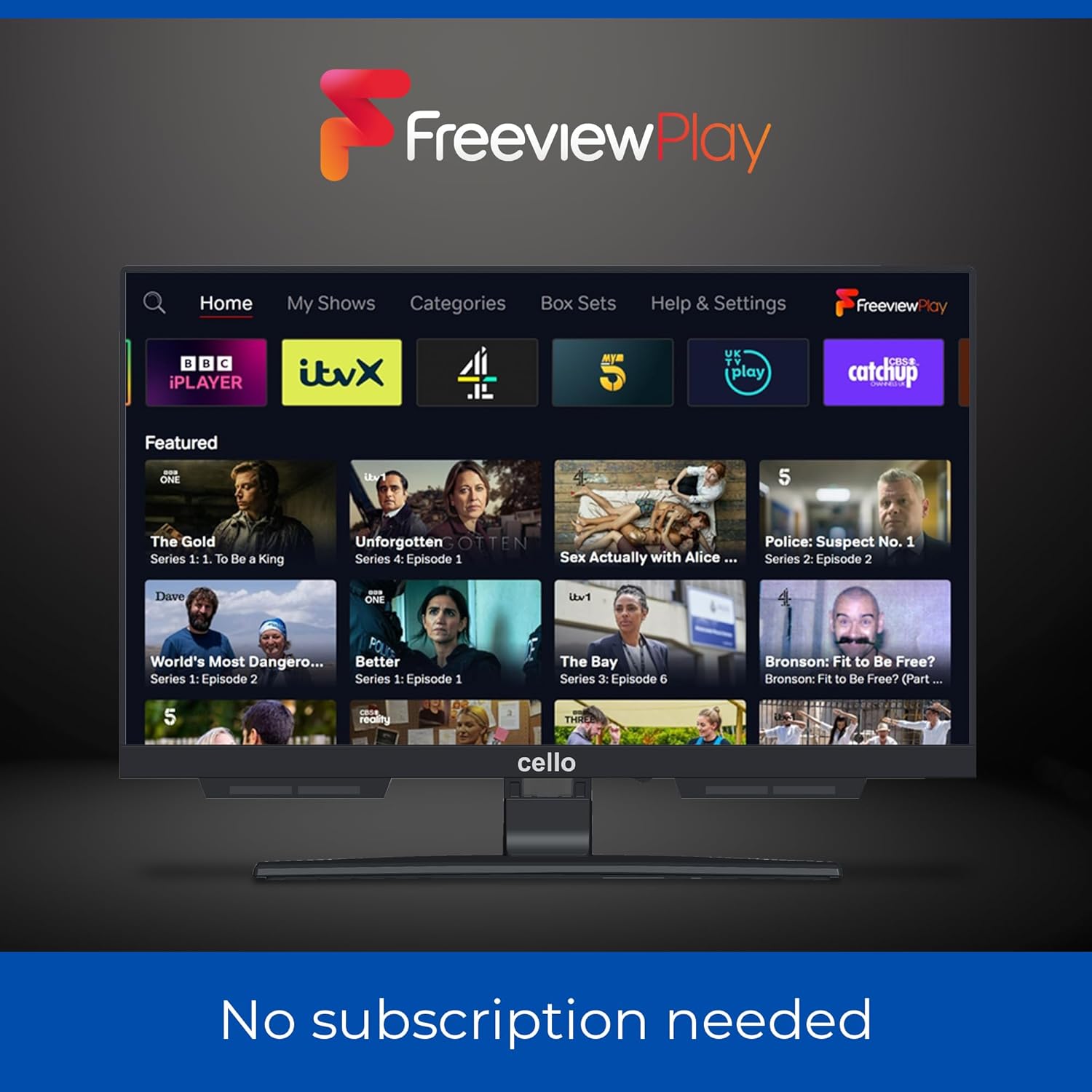
Image: The Cello C1924WSH Smart TV displaying the Freeview Play interface, showing various catch-up TV services like BBC iPlayer, ITVX, Channel 4, and Channel 5. The text "No subscription needed" is visible below the screen.
5.4. Triple Tuner
The integrated triple tuner supports DVB-C (cable), DVB-S2 (satellite), and DVB-T2 (terrestrial) signals, allowing access to a wide range of digital channels in HD resolution.
- Channel Scan: Perform an automatic or manual channel scan during initial setup or via the settings menu to find available channels.
- USB Recording (DVR): Connect a USB storage device to record your favorite programs and play back multimedia files.
5.5. Pitch Perfect Sound
The Cello C1924WSH features patented Pitch Perfect Sound technology. This design incorporates a speaker enclosure below the TV to enhance bass, clarify mid-range frequencies, and define high tones, providing an immersive audio experience without external speakers.

Image: A diagram explaining Cello's Pitch Perfect Sound. It shows a speaker enclosure positioned below the TV screen, designed to deliver enhanced bass, clearer mids, and more defined highs for an immersive listening experience.
6. Maintenance
6.1. Cleaning the Screen
Gently wipe the screen with a soft, lint-free cloth. For stubborn marks, slightly dampen the cloth with water or a specialized screen cleaner. Avoid using harsh chemicals or abrasive materials.
6.2. Cleaning the Cabinet
Wipe the TV cabinet with a soft, dry cloth. Do not use liquid cleaners directly on the cabinet.
6.3. Software Updates
The TV may receive software updates to improve performance and add features. Ensure your TV is connected to the internet to receive these updates. Check the TV's settings menu for options to manually check for updates.
7. Troubleshooting
7.1. No Power
- Ensure the power cable is securely connected to both the TV and the wall outlet.
- Check if the wall outlet is functioning by plugging in another device.
- Try a different power outlet.
7.2. No Picture / Poor Picture Quality
- Verify the correct input source is selected (e.g., HDMI 1, TV).
- Check all cable connections (HDMI, antenna) for looseness or damage.
- If using an antenna, ensure it is properly positioned and connected.
- Adjust picture settings (brightness, contrast, sharpness) in the TV menu.
7.3. No Sound / Poor Sound Quality
- Check the volume level and ensure the TV is not muted.
- If using external audio devices (soundbar, headphones), ensure they are properly connected and powered on.
- Verify audio output settings in the TV menu.
- If using Bluetooth audio, ensure the device is paired correctly.
7.4. Smart Features Not Working / Network Issues
- Ensure the TV is connected to the internet (Wi-Fi or Ethernet).
- Restart your router and modem.
- Check network settings on the TV to ensure correct Wi-Fi password or IP configuration.
- If an app is not working, try restarting the app or reinstalling it.
8. Specifications
| Brand | Cello |
| Model Number | C1924WSH |
| Screen Size | 19 Inches |
| Display Technology | LED |
| Resolution | 720p |
| Refresh Rate | 60 Hz |
| Operating System | WebOS |
| Connectivity Technology | Bluetooth, HDMI, USB, Wi-Fi |
| Number of HDMI Ports | 1 |
| Number of USB Ports | 2 |
| Special Features | Bezel-Less Design, Browser, Miracast, USB Recording (DVR) |
| Tuner Type | Triple Tuner (DVB-C/-S2/-T2) |
| Audio Technology | Pitch Perfect Sound |
| Color | Black |
| Aspect Ratio | 16:9 |
| Product Dimensions (LxWxH) | 44 x 16 x 30 cm (with stand) |
| Energy Efficiency Rating | E |
9. Warranty and Support
9.1. Spare Parts Availability
Spare parts for this product are guaranteed to be available for 5 years from the date of purchase.
9.2. Customer Support
For technical assistance, troubleshooting beyond this manual, or warranty claims, please contact Cello customer support. Refer to the contact information provided with your purchase documentation or visit the official Cello website.


