
K&F CONCEPT FH-03
K&F CONCEPT FH-03 Fluid Head Instruction Manual
Model: FH-03
1. Introduction
This manual provides comprehensive instructions for the safe and effective use of your K&F CONCEPT FH-03 Fluid Head. Please read this manual thoroughly before operating the product to ensure optimal performance and longevity. The FH-03 Fluid Head is designed for smooth and stable camera movements, ideal for videography and photography applications requiring precise pan and tilt control.
2. Product Overview
2.1 Key Features
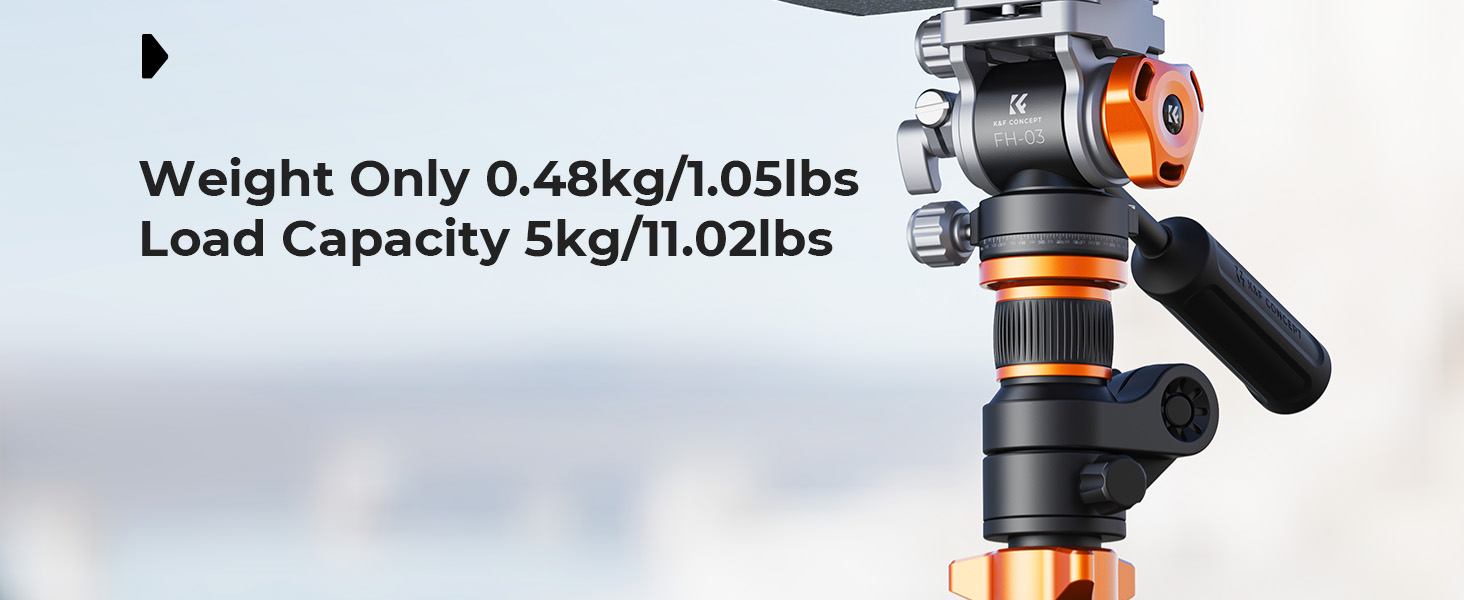
- Compact and Portable: Weighing approximately 1.06 lbs (484g), designed for easy transport.
- Smooth Pan and Tilt: Hydraulic technology ensures fluid 360° panoramic shots and -90°/+90° tilt movements.
- High Load Capacity: Supports equipment up to 11 lbs (5kg).
- Wide Compatibility: Features 3/8" and 1/4" threaded connections for various tripods and monopods.
- Arca-Swiss Quick-Release Plate: Facilitates quick and secure camera mounting and dismounting.
- Removable Telescopic Handle: Adjustable handle for comfortable and precise control.
2.2 Package Contents
The package includes the following items:
- K&F Concept FH-03 Fluid Head x 1
- Quick Release Plate x 1 (complimentary)
2.3 Component Identification
Familiarize yourself with the various parts of the FH-03 Fluid Head:

- Quick Release Plate
- Platform
- Tilt Lock Knob
- Base
- Leveler
- 1/4" Screw Cap (for 3/8" to 1/4" conversion)
- Platform Locking Knob
- Handle
- Base Locking Knob
3. Setup Instructions
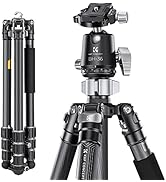
3.1 Attaching to a Tripod or Monopod
The FH-03 Fluid Head features universal 1/4" and 3/8" bottom threads for compatibility with most tripods and monopods.
- Locate the mounting screw on your tripod or monopod.
- Align the base of the FH-03 Fluid Head with the mounting screw.
- Rotate the fluid head clockwise onto the tripod screw until securely tightened. If your tripod has a 1/4" screw and the fluid head's base is 3/8", use the included 1/4" screw cap adapter.
3.2 Attaching the Quick Release Plate to Your Camera
The Arca-Swiss compatible quick release plate allows for rapid attachment and detachment of your camera.
- Locate the 1/4" screw on the quick release plate.
- Align the screw with the tripod socket on the bottom of your camera.
- Tighten the screw securely using a coin or the integrated D-ring (if available on your plate).
3.3 Mounting the Camera to the Fluid Head
- Ensure the Platform Locking Knob (7) on the fluid head is loosened.
- Slide the camera with the attached quick release plate into the platform slot.
- Once positioned, tighten the Platform Locking Knob (7) to secure the camera.

3.4 Attaching the Handle
- Insert the handle into the designated port on the side of the fluid head.
- Rotate the handle's locking mechanism to secure it in place.
- The handle can be adjusted for angle and direction for comfortable operation.

4. Operating Instructions
4.1 Pan Movement (360° Panoramic Shooting)
The FH-03 Fluid Head allows for smooth 360° horizontal rotation for panoramic shots.
- Loosen the Base Locking Knob (9) located at the bottom of the fluid head.
- Use the handle to smoothly rotate the camera horizontally to achieve your desired panoramic view.
- Once the desired position is reached, tighten the Base Locking Knob (9) to secure the head.

4.2 Tilt Movement (-90°/+90° Tilt)
The fluid head supports vertical tilt movements from -90° to +90°.
- Loosen the Tilt Lock Knob (3) on the side of the fluid head.
- Adjust the camera vertically using the handle to achieve the desired tilt angle.
- Tighten the Tilt Lock Knob (3) to lock the camera in position.


4.3 Using the Leveler
The integrated leveler (5) assists in ensuring your camera is perfectly horizontal for accurate framing.
- Observe the bubble in the leveler.
- Adjust your tripod legs or the fluid head's base until the bubble is centered, indicating a level setup.
5. Maintenance
Proper maintenance ensures the longevity and smooth operation of your FH-03 Fluid Head.
- Cleaning: Use a soft, dry cloth to wipe down the fluid head after each use. Avoid abrasive cleaners or solvents.
- Storage: Store the fluid head in a dry, dust-free environment.
- Inspection: Periodically check all knobs and screws for tightness. Do not overtighten.
- Avoid Extreme Temperatures: Exposure to extreme hot or cold temperatures can affect the fluid damping system.
6. Troubleshooting
If you encounter issues with your FH-03 Fluid Head, refer to the following common problems and solutions:
- Issue: Pan or tilt movement feels stiff or jerky.
Solution: Ensure that the respective locking knobs (Base Locking Knob (9) for pan, Tilt Lock Knob (3) for tilt) are fully loosened. If the issue persists, clean any debris from the moving parts and ensure the head is not exposed to extremely low temperatures, which can affect fluid viscosity.
- Issue: Camera is not securely mounted or wobbles.
Solution: Verify that the quick release plate is firmly attached to your camera and that the Platform Locking Knob (7) on the fluid head is fully tightened after mounting the camera.
- Issue: Fluid head detaches from tripod/monopod.
Solution: Ensure the fluid head is securely screwed onto the tripod's mounting screw. Check if the correct adapter (1/4" screw cap) is used if necessary.
7. Specifications
| Model | FH-03 |
| Load Capacity | 11 lbs (5 kg) |
| Net Weight | 1.06 lbs (0.48 kg) |
| Product Dimensions | Approx. 3.38" (86.05mm) Height, 1.77" (45mm) Base Diameter |
| Bottom Interface | 1/4" & 3/8" threaded connections |
| Top Interface | Arca-Swiss compatible quick release plate |
| Pitch Angle (Tilt) | -90° / +90° |
| Pan Rotation | 360° |
| Material | Aluminum alloy |
8. Warranty and Support
K&F CONCEPT products are manufactured to high-quality standards. For information regarding warranty coverage, technical support, or service inquiries, please refer to the warranty card included with your product or visit the official K&F CONCEPT website.
You can also contact customer support through the retailer where the product was purchased.