
1MORE Q10-W
1MORE Q10 Wireless Earbuds User Manual
Model: Q10-W
Brand: 1MORE
Introduction
Thank you for choosing the 1MORE Q10 Wireless Earbuds. This manual provides essential information on setting up, operating, maintaining, and troubleshooting your new earbuds to ensure optimal performance and longevity. Please read this manual thoroughly before use.
What's in the Box
- 1MORE Q10 Wireless Earbuds (Left and Right)
- Charging Case
- User Manual
Note: Charging cable is not included.
Setup
Charging the Earbuds and Case
Before first use, ensure both the earbuds and the charging case are fully charged. The earbuds provide up to 7.5 hours of playback on a single charge, and the charging case extends total playtime to 26 hours.
To charge the case, connect it to a USB power source using a compatible USB-C cable (not included). The indicator light on the case will show charging status.

Enjoy extended listening with 7.5 hours of playback on a single charge, and up to 26 hours total with the charging case.
Pairing with Your Device
The 1MORE Q10 earbuds feature one-step instant pairing with Bluetooth 5.3 technology for stable and quick connections.
- Open the charging case. The earbuds will automatically enter pairing mode.
- On your device (smartphone, tablet, laptop), enable Bluetooth.
- Search for "1MORE Q10" in the list of available Bluetooth devices.
- Select "1MORE Q10" to connect. Once connected, you will hear an audible confirmation.
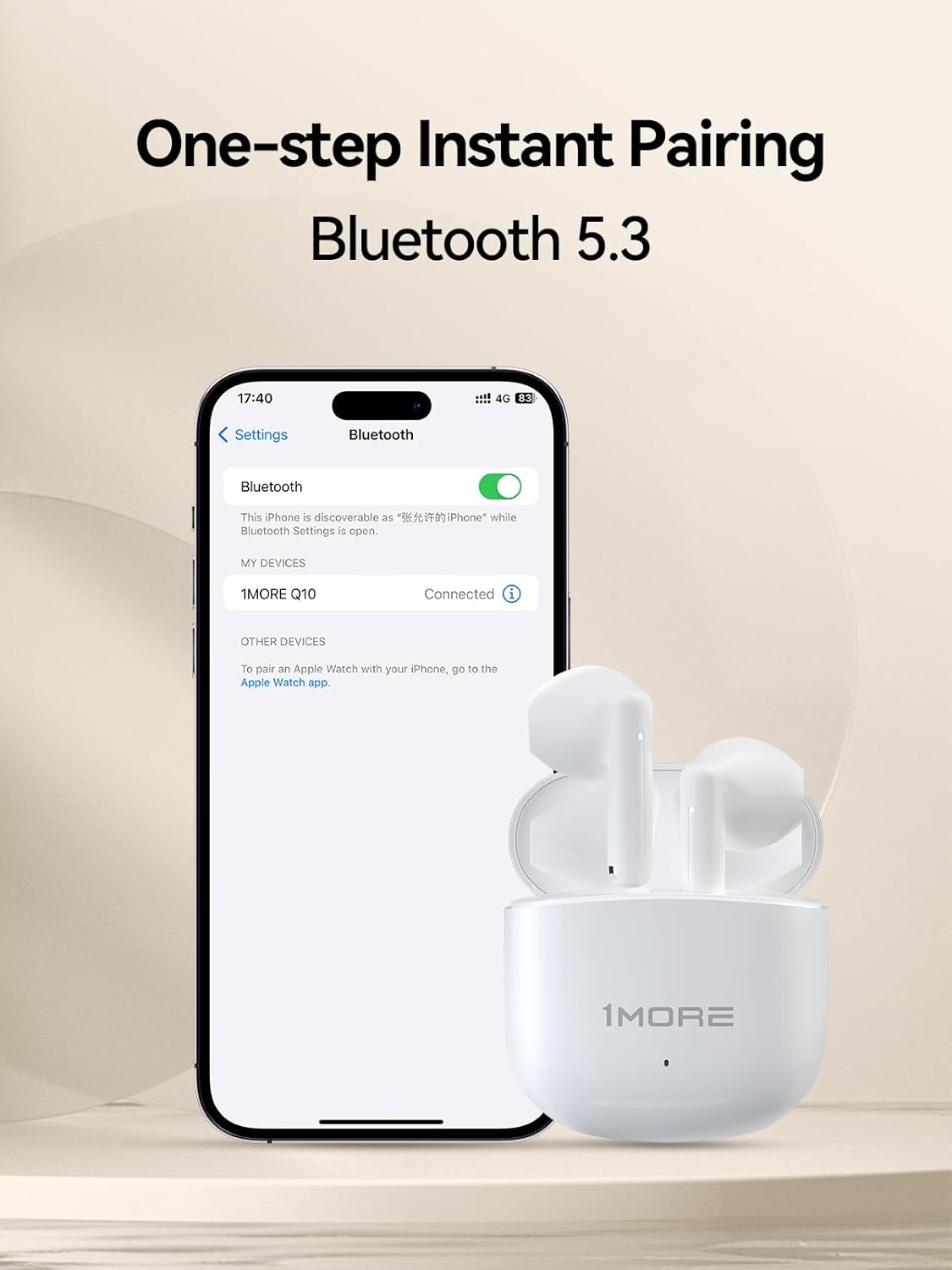
Bluetooth 5.3 technology provides stable audio transmission and instant, one-step pairing for seamless connectivity.
Operating Your Earbuds
Wearing the Earbuds
The 1MORE Q10 earbuds feature a half in-ear design, weighing only 3.2 grams per earbud, ensuring a feather-light and comfortable fit that reduces ear pressure and potential allergies.

Each earbud weighs only 3.2 grams, offering a feather-light and comfortable fit for prolonged use.

The half in-ear design is engineered for a snug and comfortable fit, reducing ear pressure and enhancing wearability.
Smart Touch Controls
The earbuds are equipped with intuitive touch controls for easy management of music and calls.
- Double Tap: Play/Pause music, Answer/End calls.
- Triple Tap: Previous song (Left earbud), Next song (Right earbud).
- Press for 2s: Reject call.

Control music playback, calls, and more with intuitive touch controls on each earbud.
Gaming Mode
Activate the low-latency Gaming Mode for perfect audio-visual synchronization, providing an immersive experience for your favorite games.
Call Functionality
Dual microphones in each earbud reduce ambient noise interference, enhancing human voice clarity for crystal clear calls.
Features Overview
Audio Quality
Experience superior audio with the 13mm dynamic driver unit, designed for deep bass and high-speed acoustic delivery, ensuring a full-bodied, well-rounded audio journey.

The 13mm dynamic driver ensures deep bass and well-balanced sound for an immersive audio experience.
IPX4 Waterproof Rating
The 1MORE Q10 wireless earbuds provide ultimate protection for your actions with an IPX4 waterproof rating. No need to worry about sweat, rain, or splashes during daily use.

The IPX4 waterproof rating provides protection against sweat, rain, and splashes, making the earbuds suitable for various activities.
Product Video
This video provides a visual overview of the 1MORE Q10 Wireless Earbuds, highlighting their key features and design.
Maintenance
Proper maintenance ensures the longevity and performance of your earbuds.
- Cleaning: Regularly clean the earbuds and charging case with a soft, dry, lint-free cloth. Do not use harsh chemicals or abrasive materials.
- Storage: When not in use, store the earbuds in their charging case to protect them from dust and damage.
- Avoid Extreme Conditions: Do not expose the earbuds to extreme temperatures, humidity, or direct sunlight.
- Water Exposure: While IPX4 rated, avoid submerging the earbuds in water. The charging case is not waterproof.
Troubleshooting
If you encounter issues with your 1MORE Q10 Wireless Earbuds, try the following solutions:
- No Sound/Poor Sound Quality:
- Ensure earbuds are charged.
- Check device volume and earbud volume.
- Ensure earbuds are properly paired and connected. Try re-pairing.
- Clean any debris from the earbud speakers.
- Pairing Issues:
- Ensure Bluetooth is enabled on your device.
- Place earbuds back in the case, close, then reopen to re-enter pairing mode.
- Forget/remove "1MORE Q10" from your device's Bluetooth list and try pairing again.
- Ensure earbuds are within Bluetooth range (10 meters).
- Charging Issues:
- Ensure the charging cable is securely connected to both the case and power source.
- Try a different charging cable or power adapter.
- Ensure charging contacts on earbuds and case are clean and free of debris.
- Touch Control Unresponsive:
- Ensure your fingers are clean and dry when touching the control area.
- Restart the earbuds by placing them in the case and taking them out again.
Specifications
| Feature | Detail |
|---|---|
| Model Name | Q10 |
| Item Model Number | Q10-W |
| Brand | 1MORE |
| Connectivity Technology | Wireless |
| Wireless Communication Technology | Bluetooth |
| Bluetooth Version | 5.3 |
| Bluetooth Range | 10 Meters |
| Battery Life (Single Earbud) | 7.5 Hours |
| Total Playtime (with Charging Case) | 26 Hours |
| Charging Time | 1.5 Hours |
| Water Resistance Level | IPX4 Waterproof |
| Control Method | Touch |
| Audio Driver Type | Dynamic Driver (13mm) |
| Item Weight | 0.317 ounces (per earbud) |
| Color | White |
| UPC | 190280001191 |
Warranty and Support
1MORE products are designed and manufactured to the highest quality standards. For information regarding warranty coverage, technical support, or customer service, please refer to the official 1MORE website or contact their customer support directly.
You can often find additional support resources, FAQs, and contact information by visiting the 1MORE official website or the product's detail page on the retailer's website.
Related documentsQ10-W


Ask a question about this manual
Ask about setup, troubleshooting, compatibility, parts, safety, or missing instructions. Manuals+ will review the question and use this page’s manual context to help answer it.