
Artisan Power CH-TFD62-2
Artisan Power Dual Charger Instruction Manual
Model: CH-TFD62-2
Introduction
This manual provides instructions for the proper use and maintenance of your Artisan Power Dual Charger, Model CH-TFD62-2. This charger is designed to efficiently charge one Ascom d63/i63 or d62/i62 phone and one spare battery simultaneously. It is also compatible with select Avaya, Alcatel/Lucent, and Siemens phone models and their corresponding batteries.
Please read this manual thoroughly before using the charger to ensure safe and optimal performance.
What's in the Box
Verify that all items are present in the package:
- Artisan Power Dual Charger (Model: CH-TFD62-2)
- USB Type-C Power Adapter
- USB Cable
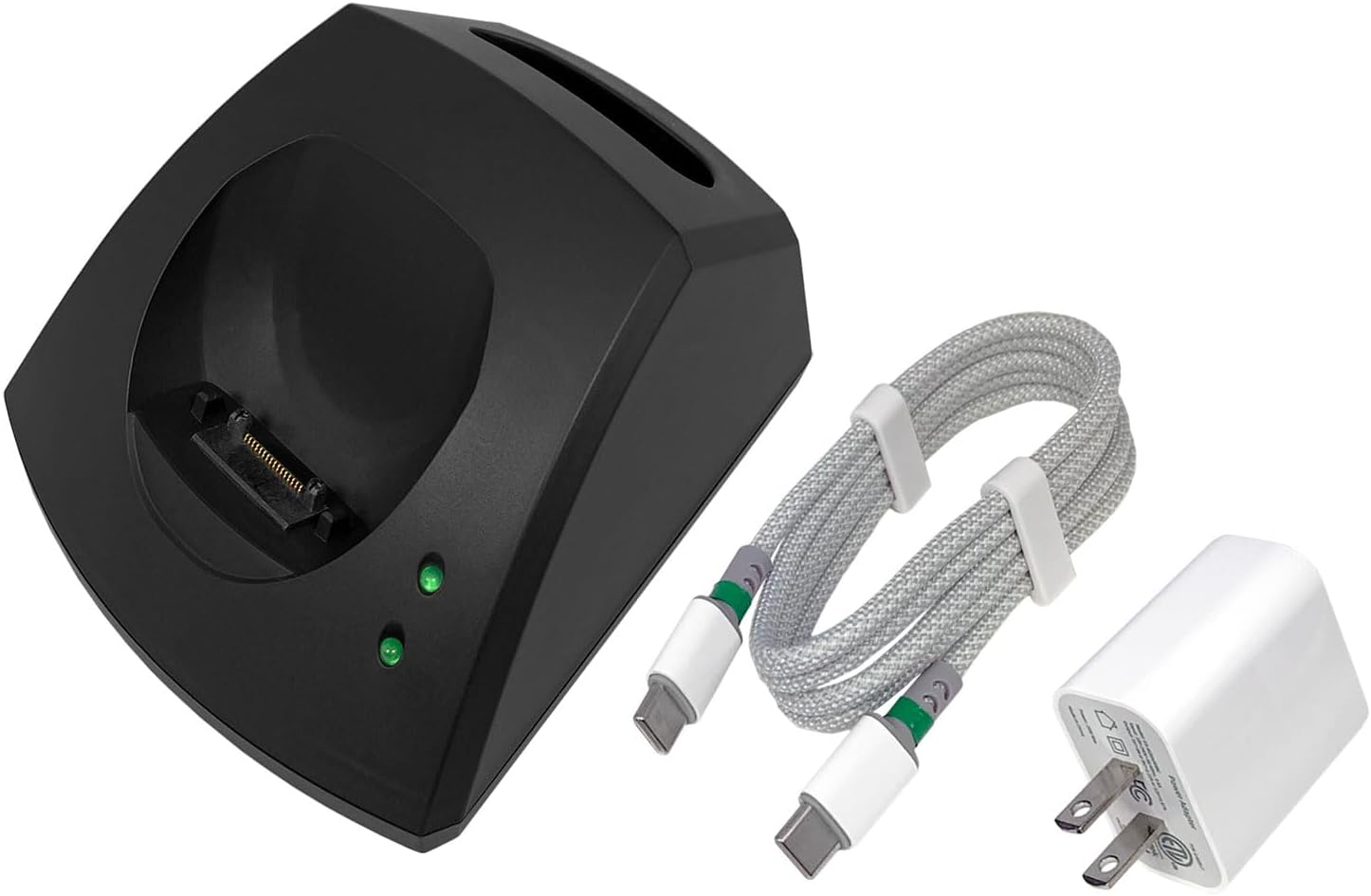
Image: Contents of the Artisan Power Dual Charger package, including the charger unit, a USB Type-C cable, and a power adapter.
Setup Instructions
- Connect Power Adapter: Insert the USB cable into the USB Type-C port on the back of the dual charger.
- Plug into Outlet: Connect the other end of the USB cable to the provided USB Type-C Power Adapter, then plug the power adapter into a standard wall outlet.
- Power On: The charger is now ready for use. The LED indicators on the front of the charger will illuminate briefly upon power connection.

Image: Side view of the Artisan Power Dual Charger, highlighting the USB Type-C input port for power connection.
Operating Instructions (Charging)
The Artisan Power Dual Charger allows for simultaneous charging of one compatible phone and one spare battery.
Charging a Phone:
- Insert Phone: Carefully place your compatible Ascom d63/i63 or d62/i62 phone into the designated phone charging slot on the left side of the charger. Ensure it is seated correctly and makes proper contact with the charging pins.
- Verify Charging: The LED indicator corresponding to the phone slot will illuminate to show charging status. A solid green light typically indicates a full charge, while a blinking light may indicate charging in progress. Refer to your phone's manual for specific charging indicator behavior.
Charging a Spare Battery:
- Insert Battery: Place a compatible spare battery into the designated battery charging slot on the right side of the charger. Ensure the battery is oriented correctly to make contact with the charging terminals.
- Verify Charging: The LED indicator corresponding to the spare battery slot will illuminate to show charging status. A solid green light typically indicates a full charge, while a blinking light may indicate charging in progress.
The charger is designed to fully charge both devices in approximately 3 hours or less, depending on the battery's initial charge level.
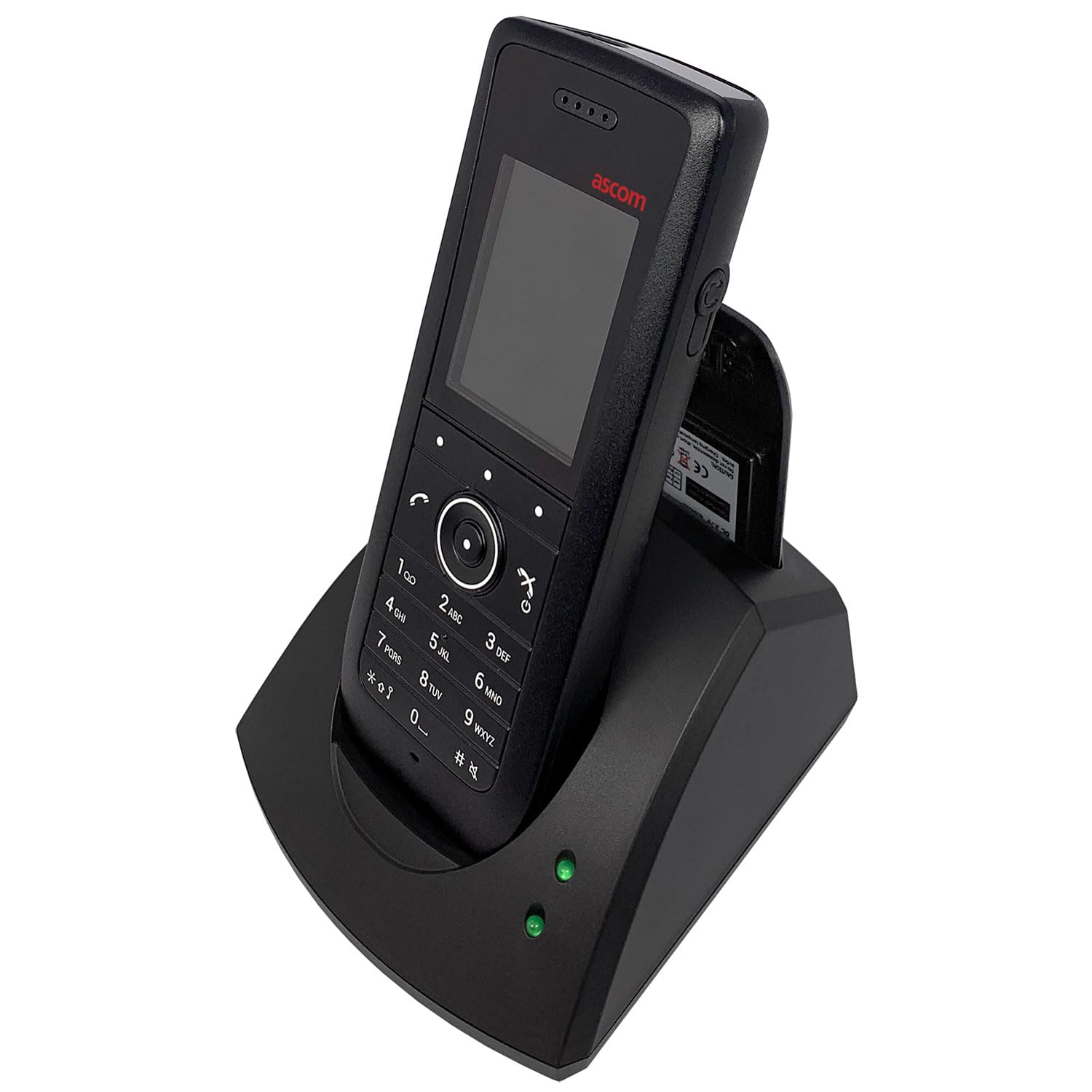
Image: The Artisan Power Dual Charger with an Ascom phone in the left slot and a spare battery in the right slot, both charging.

Image: An older model Ascom phone correctly placed in the phone charging slot of the Artisan Power Dual Charger.
Maintenance
- Cleaning: Disconnect the charger from the power outlet before cleaning. Use a soft, dry cloth to wipe the exterior of the charger. Do not use liquid cleaners or solvents.
- Storage: Store the charger in a cool, dry place away from direct sunlight and extreme temperatures when not in use.
- Avoid Damage: Do not drop the charger or expose it to excessive force. Keep it away from water and other liquids.
- Inspect Cables: Regularly inspect the USB cable and power adapter for any signs of damage. Replace if frayed or damaged.
Troubleshooting
| Problem | Possible Cause | Solution |
|---|---|---|
| Charger not powering on / LEDs not lighting up. | No power connection or faulty power adapter/cable. | Ensure the power adapter is securely plugged into a working wall outlet and the USB cable is firmly connected to both the charger and the adapter. Try a different outlet. |
| Phone/Battery not charging. | Improper placement, dirty contacts, or incompatible device/battery. |
|
| Slow charging. | Using a non-standard power adapter or cable, or high power consumption by the device during charging. |
|
Product Specifications
| Model Number | CH-TFD62-2 |
| Brand | Artisan Power |
| Input Voltage | 5 Volts |
| Output Voltage | 4.2 Volts |
| Output Current | 1.1 Amps |
| Connector Type | USB Type C |
| Special Feature | LED Status Indicators |
| Compatible Phone Models |
|
| Compatible Battery Part Numbers |
|
| Power Source | Corded Electric |
| Mounting Type | Tabletop Mount |
Warranty Information
The Artisan Power Dual Charger (Model: CH-TFD62-2) comes with a 1-Year Limited Warranty from the date of purchase. This warranty covers defects in materials and workmanship under normal use. It does not cover damage caused by misuse, accident, unauthorized modification, or external causes such as power surges.
For warranty claims or further details, please contact Artisan Power customer support.
Customer Support
If you encounter any issues or have questions regarding your Artisan Power Dual Charger, please contact our customer support team:
- Website: Visit the Artisan Power Store on Amazon for product information and support resources.
- Contact: Refer to the contact information provided with your purchase or on the official Artisan Power website for direct support.
Ask a question about this manual
Ask about setup, troubleshooting, compatibility, parts, safety, or missing instructions. Manuals+ will review the question and use this page’s manual context to help answer it.