
Introduction
This manual provides detailed instructions for the setup, operation, and maintenance of your VolenGo H1100 Label Maker. Please read this manual thoroughly before using the device to ensure proper function and longevity.
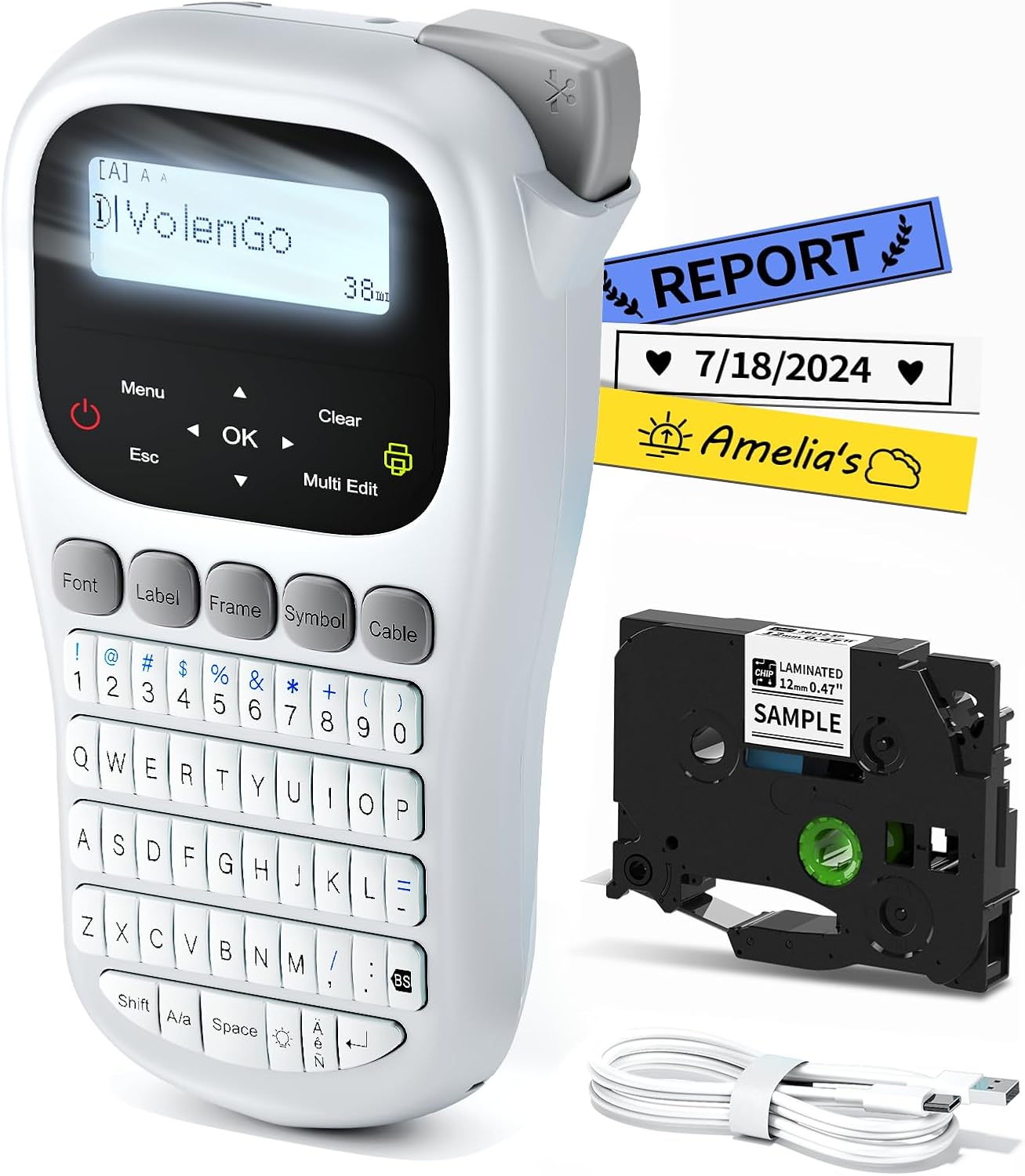
Image: The VolenGo H1100 Label Maker, showing the device, a label tape cartridge, and a USB-C cable.
Package Contents
Verify that all items are present in the package:
- 1 x VolenGo H1100 Label Maker Machine
- 1 x Replacement Cutting Holder
- 1 x USB Type-C Cable
- 1 x Laminated White Tape (12mm x 4m)
- 1 x Instruction Manual (this document)
Setup
1. Powering the Device
The VolenGo H1100 Label Maker offers two power options:
- USB-C Cable: Connect the included USB Type-C cable to the label maker and a compatible USB power adapter (not included). This mode is recommended for stationary use.
- AAA Batteries: Insert 6 AAA dry cell batteries (not included) into the battery compartment. Ensure the total battery power is above 70% for optimal performance. This option provides portability.

Image: Illustration of the two power modes: USB-C cable connection and AAA battery installation.
2. Installing the Label Tape
- Open the tape compartment cover on the back of the label maker.
- Insert the label tape cartridge with the tape facing the print head. Ensure it clicks into place.
- Close the tape compartment cover securely.
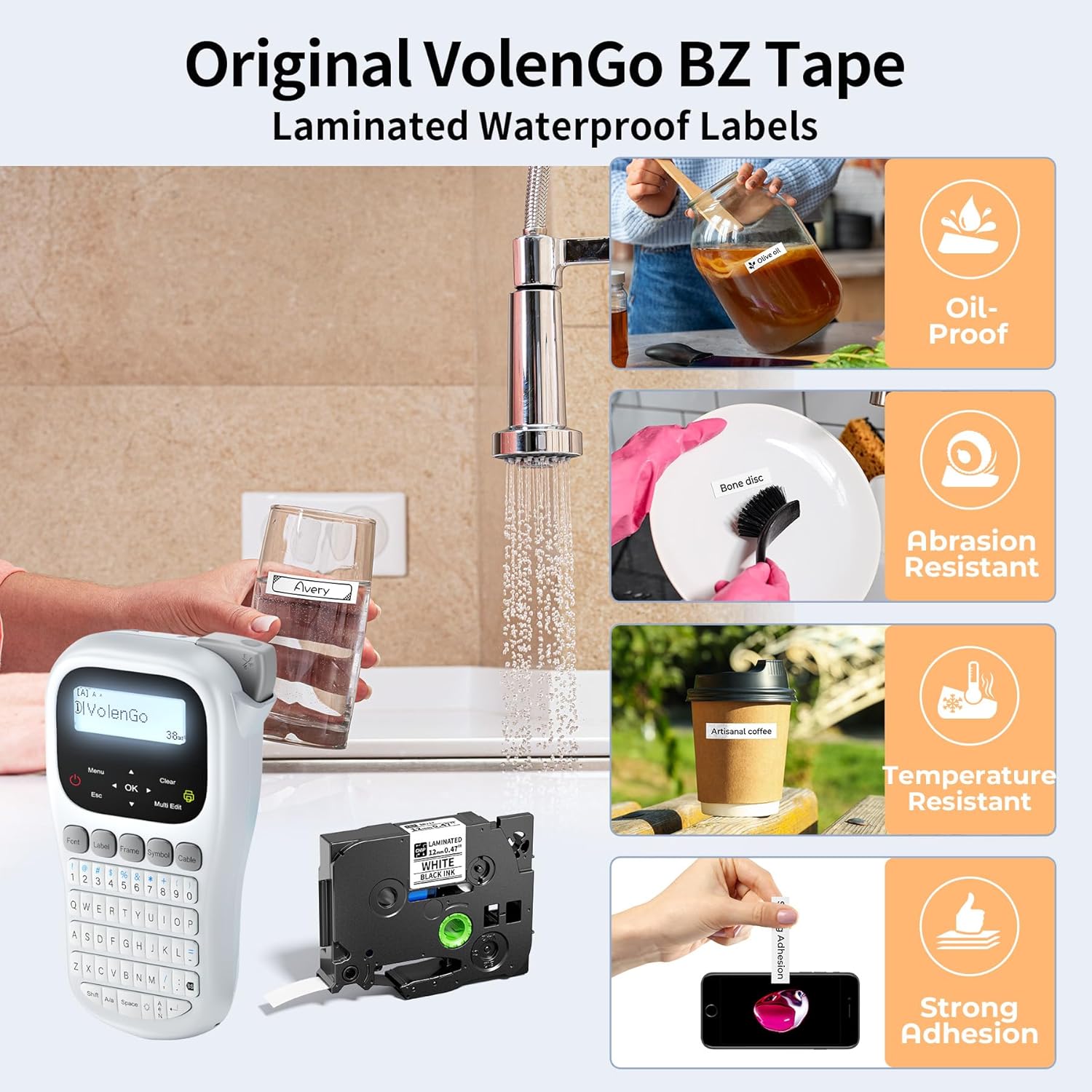
Image: A hand inserting a label tape cartridge into the VolenGo H1100 Label Maker.
Operating Instructions
1. Basic Operation
The H1100 features a QWERTY keyboard and a backlit LCD screen for easy text entry and viewing, even in low-light conditions. Power on the device using the power button.
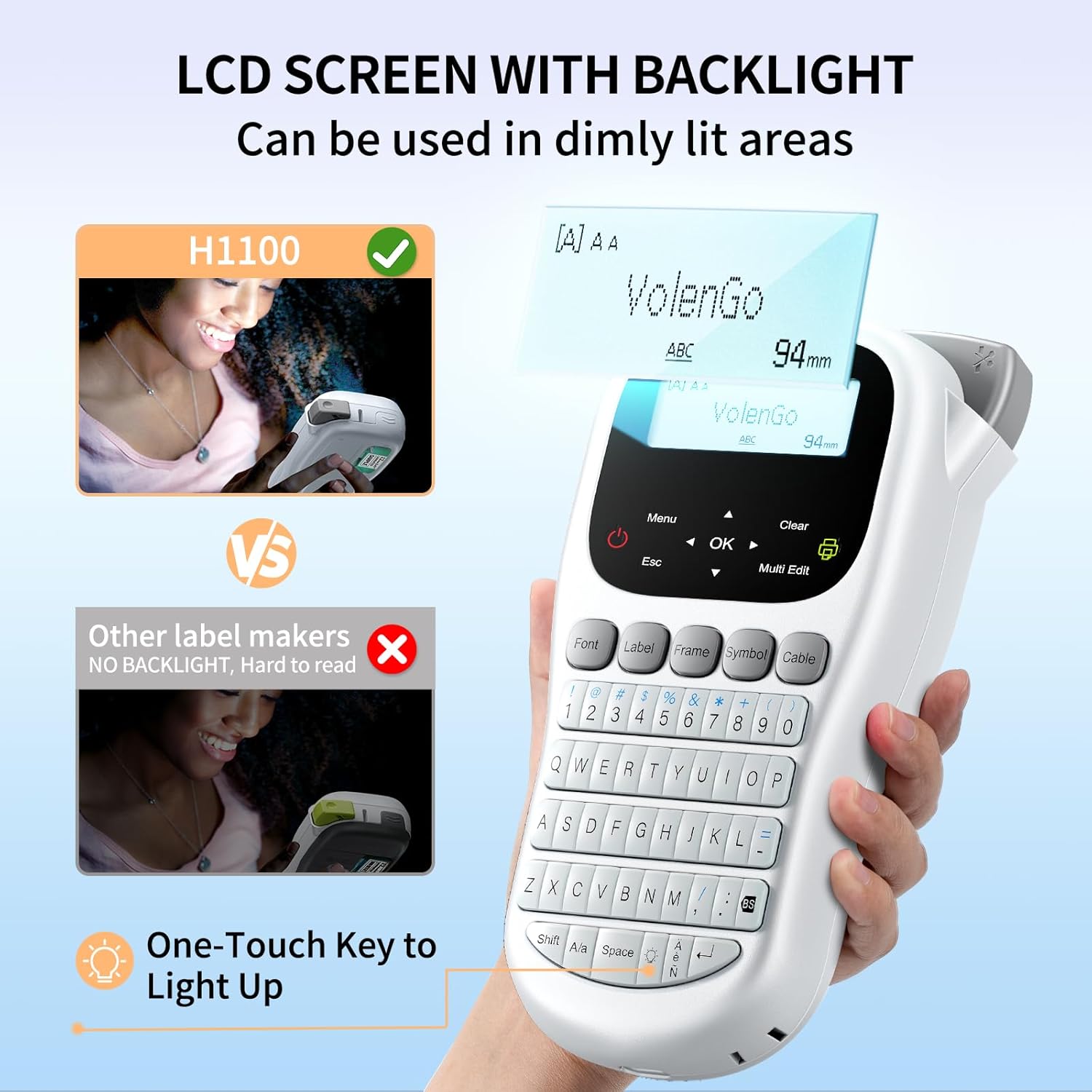
Image: The VolenGo H1100 Label Maker displaying its backlit LCD screen, highlighting readability in dim light.
2. Text Entry and Editing
- Use the QWERTY keyboard to type your desired text.
- The Menu button provides access to various settings.
- The OK button confirms selections.
- The Esc button cancels operations or returns to the previous screen.
- The Clear button deletes characters.
- The Multi Edit button allows for continuous editing of up to 20 different labels.
3. Customizing Labels
The H1100 offers extensive customization options:
- Fonts: Select from 16 different fonts using the Font button.
- Frames: Choose from over 100 frames using the Frame button to add decorative borders.
- Symbols: Access over 800 symbols using the Symbol button to enhance your labels.
- Languages: The device supports 22 languages. Adjust this setting in the Menu.
- Font Size: Three font sizes (Large, Medium, Small) are available.

Image: A visual representation of the various fonts, frames, and symbols available on the H1100 Label Maker.
4. Printing Labels
After entering and customizing your text, press the Print button (usually indicated by a printer icon).
- Multiple Copies: You can print up to 9 copies of each label.
- Multi-line Printing: The H1100 supports printing up to 4 lines of text on a single label.
- Label Margin Settings: Adjust margins (Full, Half, Narrow) to reduce tape waste. The "Narrow" setting can save up to 42mm per tape.

Image: Diagram illustrating multi-line text printing and different label margin options (Full, Half, Narrow) to optimize tape usage.
5. Saving Label Files
The device allows you to save up to 9 label files for convenient reprinting. Access the save/open functions through the Menu.

Image: Screenshot of the label maker's display showing options to save and open label files.
6. Cutting Labels
After printing, use the built-in cutting knife to cleanly separate the label from the tape roll. Press the cutting lever located on the side of the device.

Image: Illustration of how to use the built-in cutting knife on the VolenGo H1100 Label Maker for a clean cut.
Maintenance
1. Cleaning the Device
To maintain optimal performance, periodically clean the print head and the exterior of the label maker. Use a soft, dry cloth. Do not use abrasive cleaners or solvents.
2. Replacing Label Tape
When the label tape runs out or you wish to change tape types, follow the tape installation steps in the Setup section to replace the cartridge.
Troubleshooting
| Problem | Possible Cause | Solution |
|---|---|---|
| No power | Batteries are low or incorrectly installed; USB-C cable not connected properly. | Replace batteries (ensure total power > 70%) or ensure USB-C cable is securely connected to a power source. |
| Poor print quality | Print head is dirty; tape cartridge is not installed correctly; low battery power. | Clean the print head; re-install the tape cartridge; replace batteries or use USB-C power. |
| Tape not feeding or jamming | Tape cartridge is jammed or incorrectly installed. | Open the tape compartment, remove and re-insert the tape cartridge, ensuring it is properly seated. |
| Excessive tape waste | Margin settings are too wide. | Adjust the label margin settings to "Narrow" via the Menu to reduce tape consumption. |
Specifications
| Feature | Detail |
|---|---|
| Model Name | H1100 Label Maker with Tape |
| Brand | VolenGo |
| Connectivity Technology | USB |
| Printing Technology | Laminated Thermal Transfer |
| Special Feature | Portable handheld label maker, Backlit LCD |
| Color | Grey |
| Printer Output | Monochrome |
| Maximum Print Speed (Monochrome) | 10 ppm |
| Maximum Black and White Print Resolution | 203 DPI |
| Maximum Media Size | 12 millimeters |
| Sheet Size | 3.5, 6, 9, 12 Millimeters |
| Control Method | Push Button, QWERTY Keyboard |
| Power Source | 6 AAA Batteries (not included) or USB-C Cable (included) |
| Product Dimensions | 2.64"D x 4.92"W x 8.66"H |
| Item Weight | 1.12 pounds |
| Included Components | Label maker, replacement cutting holder, USB Type-C cable, 12mm laminated white tape, instruction manual |
Warranty Information
The VolenGo H1100 Label Maker comes with a limited warranty. For specific terms and conditions, please refer to the warranty card included in your package or contact VolenGo customer support.
Customer Support
If you encounter any issues or have questions not covered in this manual, please contact VolenGo customer support for assistance. Contact information can typically be found on the product packaging or the official VolenGo website.
