
MERACH MR-2403
Contents
MERACH Dual-Action Mini Stepper MR-2403 User Manual
Introduction
Welcome to the user manual for your MERACH Dual-Action Mini Stepper, model MR-2403. This manual provides essential information for the safe and effective use of your new fitness equipment. Please read it thoroughly before first use and retain it for future reference.
Important Safety Instructions
- Consult a physician before starting any new exercise program.
- Use the stepper on a flat, stable surface.
- Ensure all components are securely in place before each use.
- Do not exceed the maximum weight capacity of 330 lbs (150 kg).
- Do not use continuously for more than 20 minutes to prevent cylinder overheating. Allow the unit to cool down between sessions.
- Keep children and pets away from the equipment during operation.
- Stop exercising immediately if you feel pain, dizziness, or shortness of breath.
Package Contents
- MERACH Dual-Action Mini Stepper (MR-2403)
- 2 Resistance Bands
- User Manual
- L-Wrench (for mode adjustment)
- 3 Lithium Metal batteries (pre-installed or included for the display)
Setup and Assembly
The MERACH Dual-Action Mini Stepper MR-2403 comes pre-assembled. No complex assembly is required. Simply remove it from the packaging and place it on a stable, level surface.
Components Overview
Familiarize yourself with the main parts of your stepper:
- Pedals: Large, anti-slip foot pedals (13.78" x 5.51" x 1.77") accommodating shoe sizes up to 16.
- Hydraulic Cylinders: Dual cylinders providing resistance.
- Mode Adjustment Lever: Located between the pedals, used with the L-Wrench to switch between stepping modes.
- Electronic Display: Tracks workout data.
- Resistance Band Attachment Points: For connecting the included resistance bands.
- U-shaped Base: Provides stability.

This image displays the MERACH Dual-Action Mini Stepper, highlighting its compact design, dual pedals, central display, and included resistance bands. A person is shown using the stepper with resistance bands, and a smartphone screen illustrates the companion app.
Operating Instructions
Powering the Electronic Display
The electronic display is powered by 3 Lithium Metal batteries (included). If the display is not active, check battery installation.
Switching Stepping Modes
Your MERACH Stepper offers two distinct stepping motions:
- Vertical Step: Provides an up-and-down motion, targeting leg muscles.
- Twist Step: Incorporates a side-to-side twisting motion, engaging core and outer thigh muscles.
To switch between modes, locate the adjustment lever between the pedals. Use the provided L-Wrench to adjust the lever. Ensure the lever is securely locked in the desired position before use.

This image illustrates the two primary stepping modes: vertical step (up-down) and twist step (side-to-side). An L-Wrench is shown, indicating the tool used to switch between these modes.

This image provides a visual representation of the muscle groups targeted by both the twist step and vertical step motions. It also shows a user engaging in a workout with the stepper and resistance bands.
Using Resistance Bands
Attach the resistance bands to the designated attachment points on the stepper. Hold the handles firmly and incorporate arm exercises while stepping to engage upper body muscles and enhance your workout.
Tracking Progress with the MERACH APP and Display
The upgraded electronic display tracks your workout data, including count, reps per minute, time, and calories.
For more detailed tracking and connectivity, download the MERACH APP (available on App Store and Google Play). The app allows you to record your workout data seamlessly.
Note: Some users have reported that the app may identify the stepper as a different model. If this occurs, try connecting to the available device that records your progress, even if the model number does not perfectly match.

This image highlights the stepper's built-in electronic display, which shows workout metrics. It also features a smartphone screen displaying the MERACH app, demonstrating its capability to track and record fitness data.
Workout Recommendations
For optimal performance and to prevent overheating of the hydraulic cylinders, limit continuous use to a maximum of 20 minutes per session. Allow the stepper to cool down before starting another session.
The stepper provides a superior range of motion with 14" vertical steps and 17° twisting steps, designed to enhance workout efficiency.

This image illustrates the enhanced range of motion offered by the stepper, specifically 14 inches for vertical steps and 17 degrees for twisting steps, designed to maximize workout effectiveness.
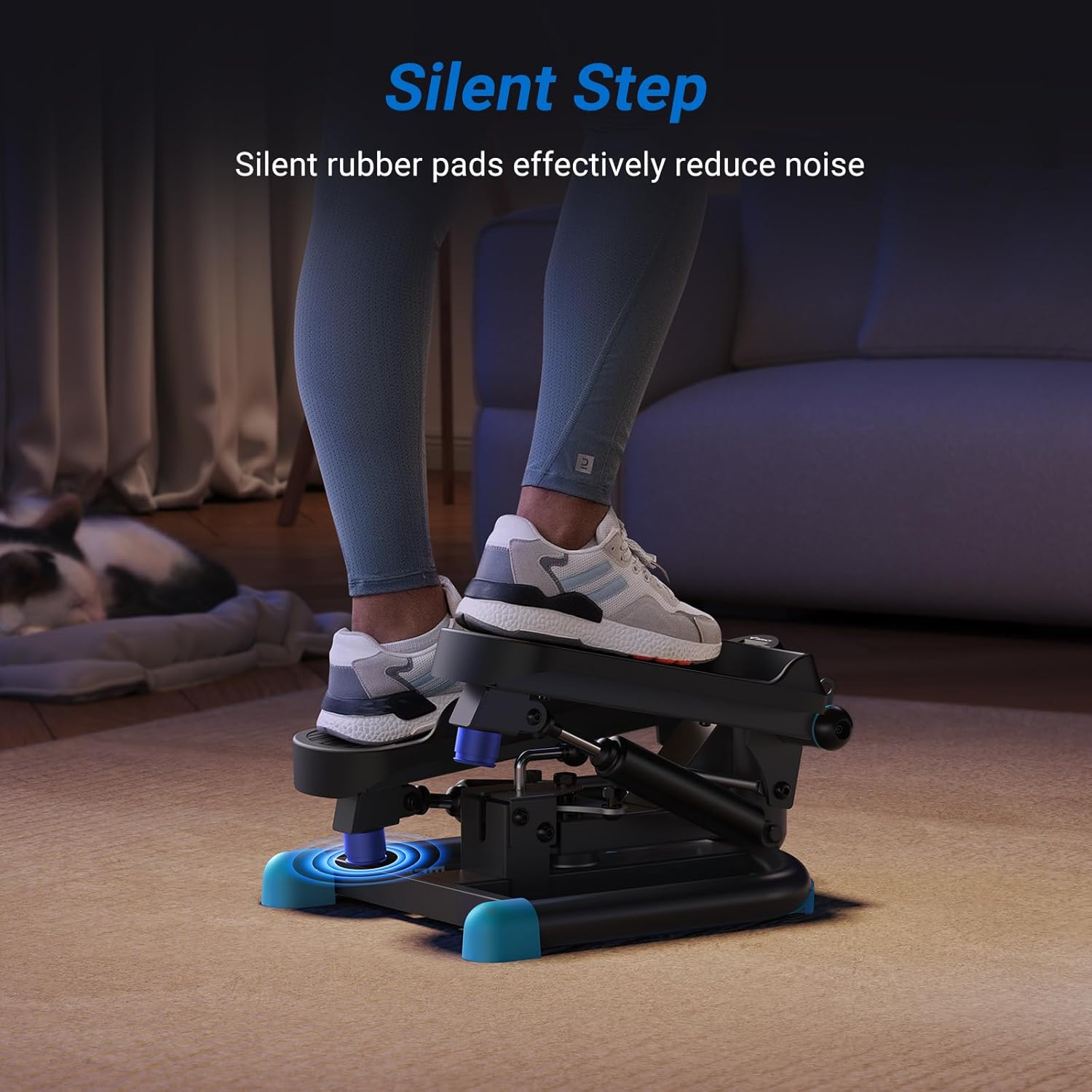
This image focuses on the stepper's silent operation, showing feet on the pedals and highlighting the silent cushioning pads that reduce noise during workouts.
Care and Maintenance
- Cleaning: Wipe down the stepper with a damp cloth after each use to remove sweat and dust. Avoid abrasive cleaners.
- Inspection: Regularly check all bolts, nuts, and moving parts for tightness and wear. Tighten any loose components.
- Storage: Store the stepper in a cool, dry place away from direct sunlight and extreme temperatures. Its compact design (16.9 L x 13.4 W x 10.4 H inches) allows for easy storage.
- Hydraulic Cylinders: The dual hydraulic cylinders are designed for durability (retract 160,000 times). If you notice a decrease in resistance or unusual noise, contact customer service.

This image provides a close-up view of the stepper's bidirectional hydraulic cylinders, emphasizing their features: high resistance, smooth stepping action, and durability, with a claim of 160,000 retraction cycles.
Common Issues and Solutions
- Stepper feels wobbly or unstable:
Solution: Ensure the stepper is placed on a flat, even surface. Check all screws and bolts for tightness, especially those on the U-shaped base. - Pedals not moving smoothly or resistance is inconsistent:
Solution: This could indicate cylinder overheating. Stop use and allow the stepper to cool down for at least 30 minutes. If the issue persists, contact customer service. - Electronic display not working:
Solution: Check the battery compartment for proper installation of the 3 Lithium Metal batteries. Replace batteries if necessary. - Difficulty connecting to MERACH APP:
Solution: Ensure Bluetooth is enabled on your device. Try restarting your phone and the stepper. As noted, the app might display a different model name; attempt to connect to any available device that shows activity tracking.
Product Specifications
| Feature | Detail |
|---|---|
| Model Number | MR-2403 |
| Brand | MERACH |
| Dimensions (L x W x H) | 16.9 L x 13.4 W x 10.4 H inches (42.93 x 34.04 x 26.42 cm) |
| Item Weight | 21.8 lbs (9.89 kg) |
| Maximum Weight Capacity | 330 lbs (150 kg) |
| Material | Metal |
| Stepping Motion | Dual-Action (Up-Down and Twisting) |
| Vertical Step Range | 14 inches |
| Twisting Step Angle | 17 degrees |
| Pedal Dimensions | 13.78" x 5.51" x 1.77" |
| Power Source (Display) | 3 Lithium Metal batteries (included) |
| Included Accessories | 2 Resistance Bands, User Manual, L-Wrench |

This image showcases the stepper's robust construction, featuring a U-shaped base and reinforced steel frame designed for stability and supporting up to 330 lbs.

This image provides a detailed view of the stepper's extra-large pedals, highlighting their dimensions (13.78 inches long, 5.51 inches wide) and their capacity to accommodate shoe sizes up to 16.
Warranty Information and Customer Support
Your MERACH Mini Stepper comes with a one-year manufacturer's warranty.
In the event of any quality issues or for further assistance, please contact MERACH customer service directly. Refer to the contact information provided with your product or visit the official MERACH website.
Documents and downloads
Ask a question about this manual
Ask about setup, troubleshooting, compatibility, parts, safety, or missing instructions. Manuals+ will review the question and use this page’s manual context to help answer it.