
Introduction
This user manual provides detailed instructions for the safe and efficient operation of your HETP 10800 mAh Magnetic Wireless Fast Charging Power Bank. Please read this manual thoroughly before using the product and retain it for future reference.
Product Features
- Magnetic Compatibility: Designed with the latest magnetic technology for strong magnetic adsorption and perfect alignment, compatible with iPhone 16, 15, 14, 13, and 12 series. Requires magnetic suction alignment; not compatible with non-magnetic cases or other iPhone series.
- Compact and Lightweight Design: Measures 10.3 x 6.8 cm with a thickness of 2.1 cm and weighs 202g. Does not obstruct the phone's camera lens, allowing for single-handed use during charging.
- 20W PD USB-C Input & Output: Equipped with a 20W Power Delivery USB-C port for fast recharging of the power bank and efficient wired charging of your devices.
- Fast Wireless Charging: Offers convenient wireless charging, eliminating the need for traditional charging cables. Features a silicone surface to prevent scratching your phone.
- LED Display & Multi-Protection: Integrated LED display accurately shows the remaining power percentage (to 1%). Built-in intelligent chips and safety systems protect against overcharge, over-discharge, overheating, and high temperatures, extending battery life.
Package Contents
Please check the package for the following items:
- 1 x HETP 10800 mAh Magnetic Power Bank
- 1 x USB-C Charging Cable
- 1 x Protective Pouch
- 1 x User Manual
Setup
Before first use, fully charge your HETP Magnetic Power Bank.
- Initial Charge: Connect the provided USB-C charging cable to the power bank's USB-C port and the other end to a compatible USB-C power adapter (not included). The LED display will show the charging progress. Charge until the display shows 100%.
- Device Compatibility: Ensure your device (iPhone 16/15/14/13/12 series) supports MagSafe or has a MagSafe-compatible case for magnetic wireless charging.
Operating Instructions
Wireless Charging (Magnetic)
For iPhone 16/15/14/13/12 series with MagSafe functionality or a MagSafe-compatible case:
- Align the back of your compatible iPhone with the magnetic charging area of the power bank. The magnets will snap into place, ensuring perfect alignment.
- The power bank will automatically begin wireless charging. The LED display will show the remaining power.
- To stop charging, simply detach your iPhone from the power bank.

Image: The HETP Power Bank magnetically attaches to an iPhone, demonstrating its compatibility with iPhone 16/15/14/13/12 series and MagSafe cases. Various iPhone models are shown with the power bank attached, highlighting the secure magnetic connection.

Image: This illustration shows the HETP Power Bank's ability to charge through magnetic phone cases. It clearly differentiates between compatible magnetic cases (indicated by a green checkmark) and incompatible non-magnetic cases (indicated by a red 'X'), emphasizing the requirement for magnetic compatibility.
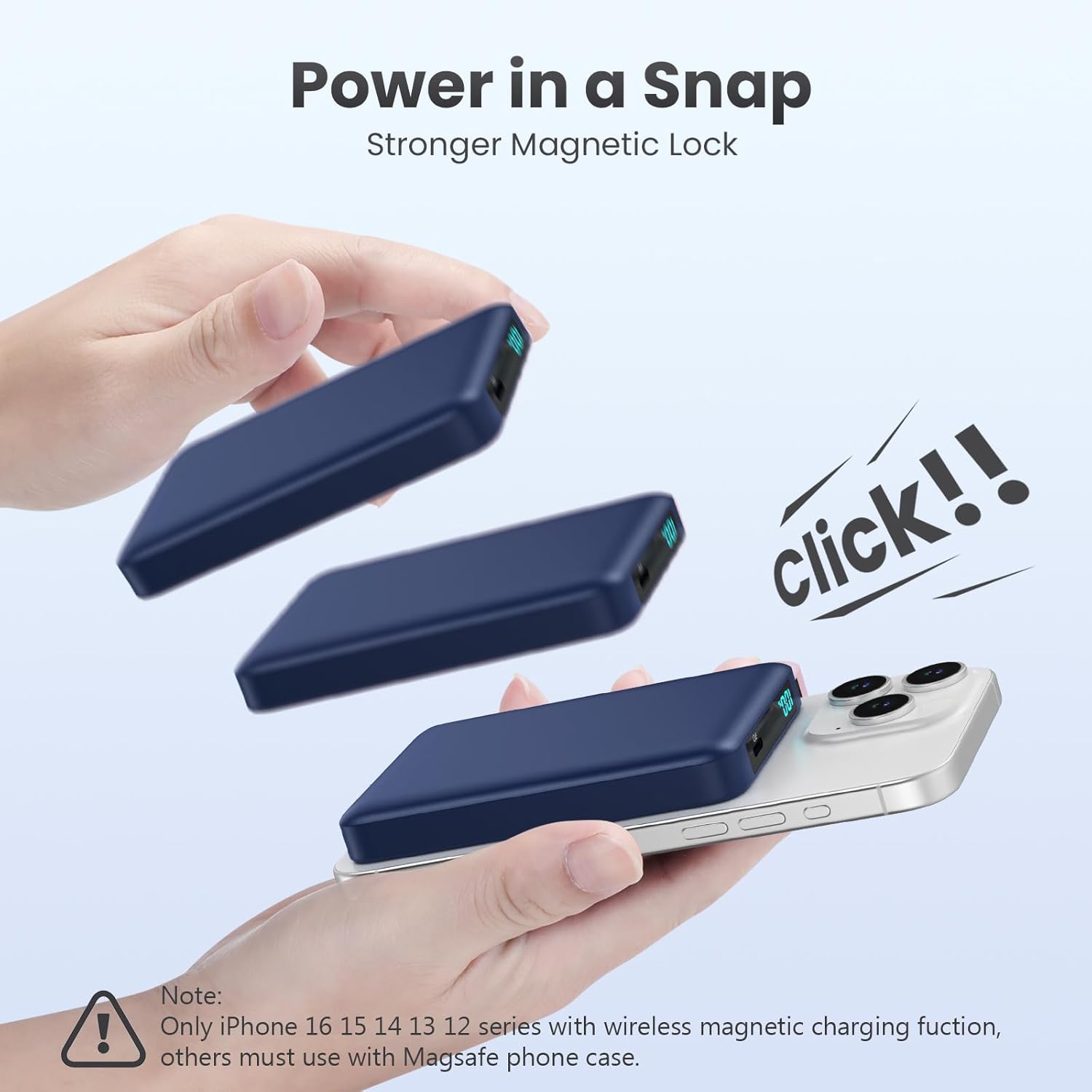
Image: A sequence of images demonstrating the "Power in a Snap" feature, where the HETP Power Bank securely attaches to an iPhone with a strong magnetic lock. The visual shows the power bank approaching the phone and then clicking into place, indicating a firm connection.
Wired Charging (USB-C)
For devices requiring wired charging:
- Connect one end of the USB-C charging cable (or your device's charging cable) to the power bank's USB-C port.
- Connect the other end of the cable to your device's charging port.
- The power bank will automatically begin wired charging. The LED display will show the remaining power.

Image: This graphic illustrates the HETP Power Bank's dual charging capabilities: wireless output for magnetic charging and a USB-C port providing up to 20W max output for wired charging. Both methods are shown actively charging devices.
Recharging the Power Bank
To recharge the HETP Power Bank:
- Connect the provided USB-C charging cable to the power bank's USB-C port.
- Connect the other end of the cable to a compatible USB-C power adapter (e.g., a 20W PD adapter) plugged into a wall outlet.
- The LED display will show the charging percentage. Charge until it reaches 100%.

Image: This image demonstrates the pass-through charging feature, where the HETP Power Bank can be recharged while simultaneously charging a connected iPhone. A USB-C cable is shown connecting the power bank to a wall adapter, and the iPhone is magnetically attached to the power bank, both indicating active charging.
LED Display
The integrated LED display provides real-time information about the power bank's battery status. The percentage displayed indicates the remaining charge, allowing you to monitor power levels precisely.
Maintenance
- Cleaning: Use a soft, dry cloth to clean the power bank. Do not use liquid cleaners or aerosols.
- Storage: Store the power bank in a cool, dry place away from direct sunlight, extreme temperatures, and humidity.
- Battery Care: To prolong battery life, avoid fully discharging the power bank frequently. Recharge it regularly, even if not in use for extended periods.
- Protection: Use the provided protective pouch to prevent scratches and minor impacts.
Troubleshooting
| Problem | Possible Cause | Solution |
|---|---|---|
| Power bank not charging device wirelessly. | Device not MagSafe compatible; misaligned; non-magnetic case; power bank battery low. | Ensure device is iPhone 16/15/14/13/12 series or has a MagSafe case. Realign the phone. Check power bank charge level. |
| Power bank not charging device via USB-C. | Cable faulty; device not connected properly; power bank battery low. | Try a different USB-C cable. Ensure cable is fully inserted. Check power bank charge level. |
| Power bank not recharging. | Charging cable faulty; power adapter incompatible; power outlet issue. | Use the provided USB-C cable. Ensure power adapter is 20W PD compatible. Try a different power outlet. |
| LED display not working. | Power bank completely discharged; internal fault. | Attempt to recharge the power bank for several hours. If issue persists, contact customer support. |
| Power bank gets warm during use. | Normal operation; excessive load. | Slight warming is normal. If it becomes excessively hot, disconnect immediately and contact support. Ensure proper ventilation. |
Specifications
| Feature | Detail |
|---|---|
| Brand | HETP |
| Battery Capacity | 10800 mAh |
| Connector Type | USB Type C |
| Voltage | 5 Volts |
| Battery Composition | Lithium-polymer |
| Power Source | Cable Electric |
| Product Dimensions | 10.3L x 6.8W x 2.1H cm |
| Number of Ports | 1 (USB-C) |
| Color | Blue |
Warranty and Support
HETP products are designed for reliability and performance. For any issues or inquiries, please refer to the contact information provided with your purchase or visit the official HETP website for support.
If you encounter any problems, please do not hesitate to contact us.