Introduction
The Retekess TT119 is a versatile assistive listening and simultaneous interpretation system designed for various environments such as churches, schools, and conferences. It features a long transmission range, clear stereo sound quality, and user-friendly controls to ensure effective communication.

Figure 1: Overview of the Retekess TT119 Simultaneous Interpretation System in use.
Package Contents
Verify that all items listed below are included in your package:
- 1 x Transmitter
- 20 x TT118 Receivers
- 1 x FM Desktop Transmitter
- 1 x Headset Microphone
- 1 x Power Adapter
- 1 x Instruction Manual
- 20 x Lanyards
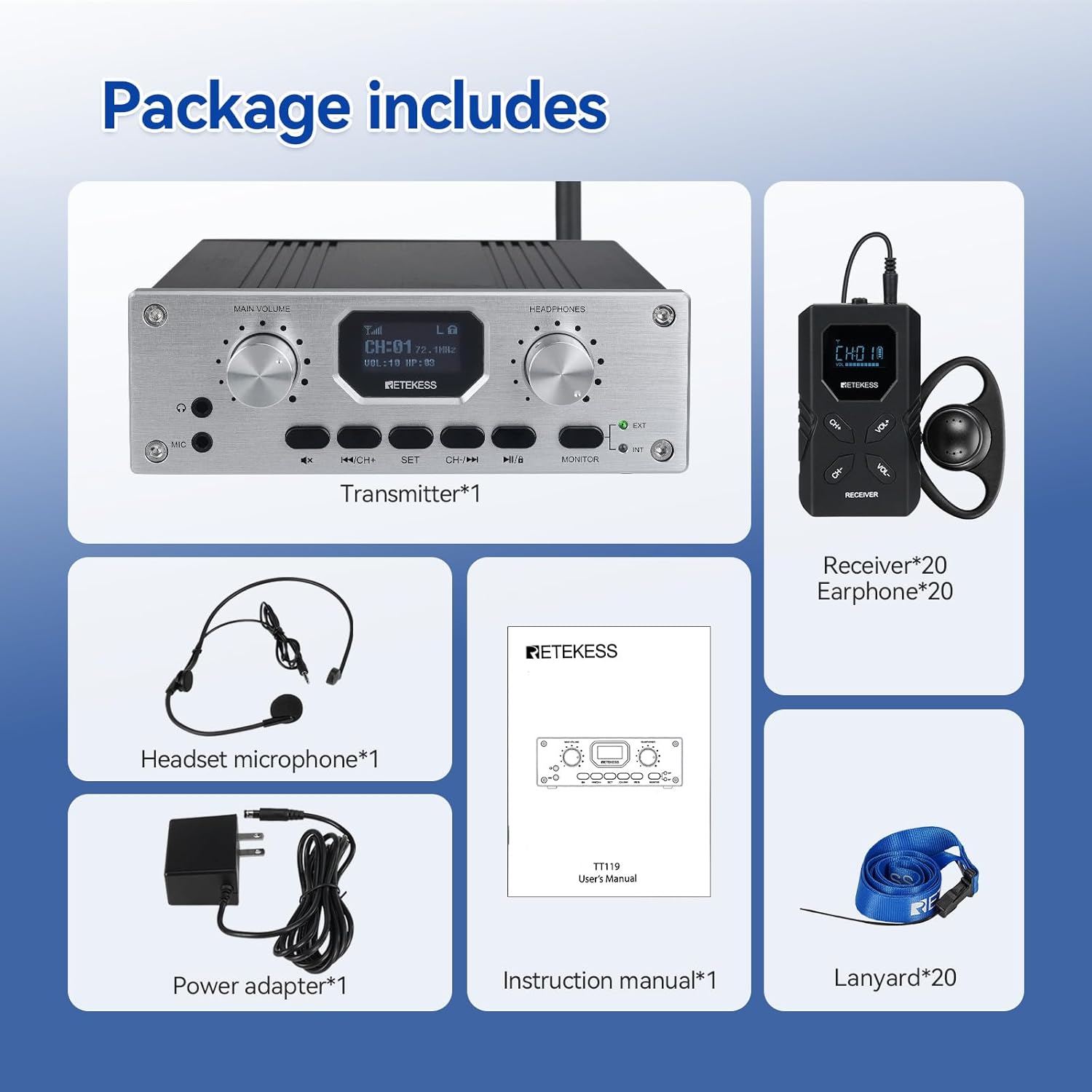
Figure 2: All components included in the Retekess TT119 system package.
Product Features
- Extended Working Distance: Offers a transmission range of up to 300m/980ft for clear and consistent signal.
- Clear Stereo Sound: Supports mono to stereo sound conversion for a realistic and immersive audio experience.
- Hygienic Non-In-Ear Earphones: Receivers come with non-in-ear earphones, promoting hygiene and comfort.
- Versatile External Audio Input: Compatible with various audio sources via XLR, AUX, RCA, and USB inputs.
- All-in-One Transmitter: The transmitter unit can also receive audio, allowing the speaker to monitor the original audio source.
Setup Guide
1. Transmitter Setup
- Connect Antenna: Screw the antenna firmly into the designated port on the transmitter.
- Connect Microphone: Plug the headset microphone into the MIC input jack on the transmitter.
- Connect Power: Plug the power adapter into the transmitter and a power outlet.
- External Audio Input (Optional): If using an external audio source, connect it to the appropriate XLR/AUX/RCA/USB input on the transmitter.

Figure 3: Transmitter rear panel with input connections.
2. Receiver Setup
- Insert Batteries: Open the battery compartment on each TT118 receiver and insert 2 AA batteries (included).
- Attach Earphones: Plug the non-in-ear earphones into the headphone jack on each receiver.
- Attach Lanyard: Secure the lanyard to the receiver for easy wearing around the neck.

Figure 4: Inserting batteries into the TT118 receiver.

Figure 5: Non-in-ear earphone design for comfort and hygiene.
Operating Instructions
1. Power On/Off
- Transmitter: Press and hold the power button on the transmitter until the screen illuminates.
- Receivers: Press and hold the power button on each receiver until the screen illuminates.
2. Channel Adjustment
- Transmitter: Use the CH+/CH- buttons to select the desired channel.
- Receivers: Use the CH+/CH- buttons on the receiver to match the transmitter's channel.

Figure 6: Receiver display showing channel and volume.
3. Volume Adjustment
- Transmitter: Adjust the 'MAIN VOLUME' knob for overall output and 'HEADPHONES' knob for monitoring volume.
- Receivers: Use the VOL+/VOL- buttons on the receiver to adjust the listening volume.
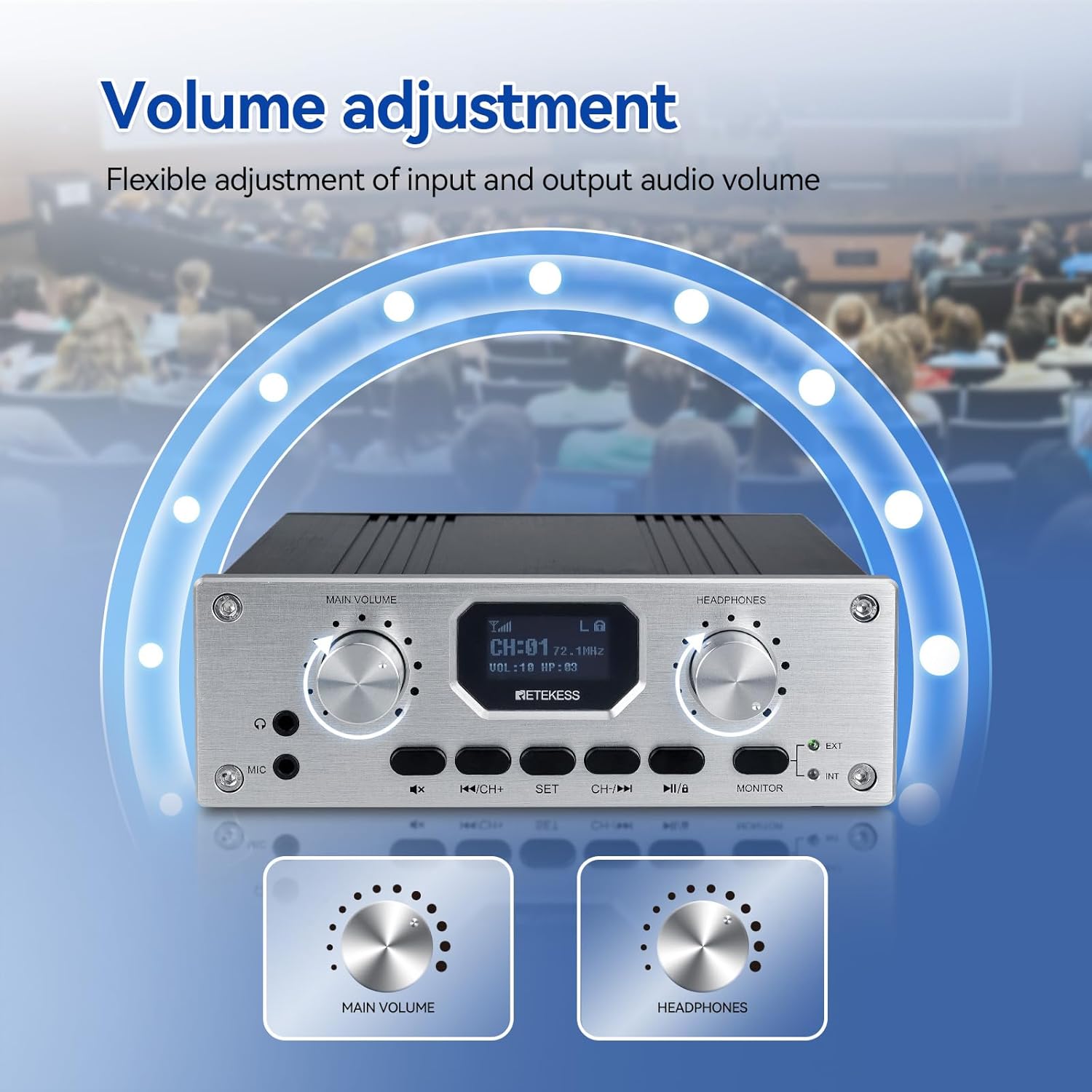
Figure 7: Volume adjustment controls on the transmitter.
4. Mute Function
Press the 'MUTE' button on the transmitter to temporarily silence the audio transmission. This is useful for private conversations or breaks.

Figure 8: One-key mute function on the transmitter.
5. Automatic Lock Button
The transmitter features an automatic lock function that activates after 2 minutes of inactivity to prevent accidental changes to settings.
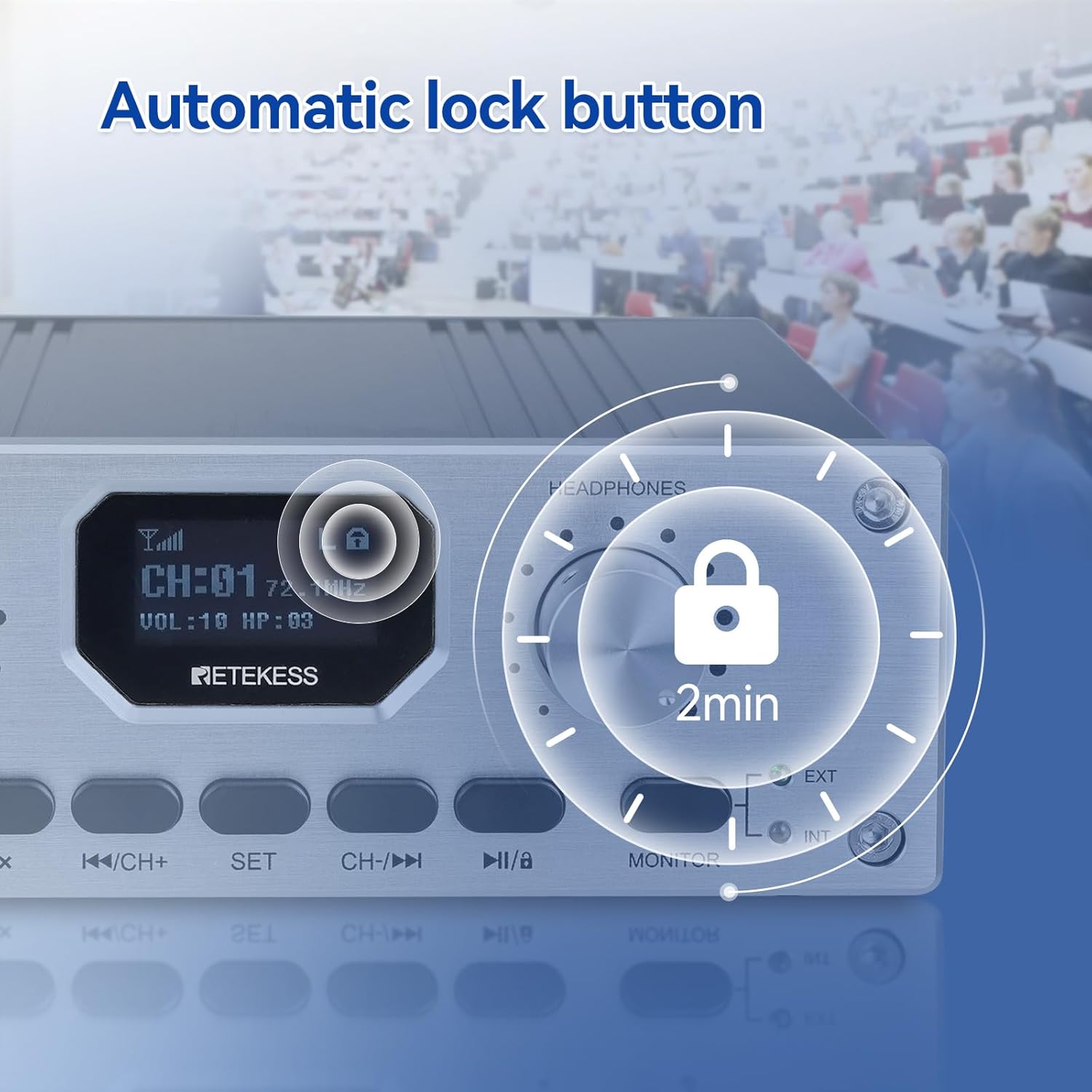
Figure 9: Automatic lock feature for the transmitter.
6. Switching Original Language (Transmitter Monitor)
The transmitter allows the interpreter to switch between the original audio source and the translated audio. Use the 'MONITOR' button to toggle between 'EXT' (external audio) and 'INT' (internal microphone) modes.
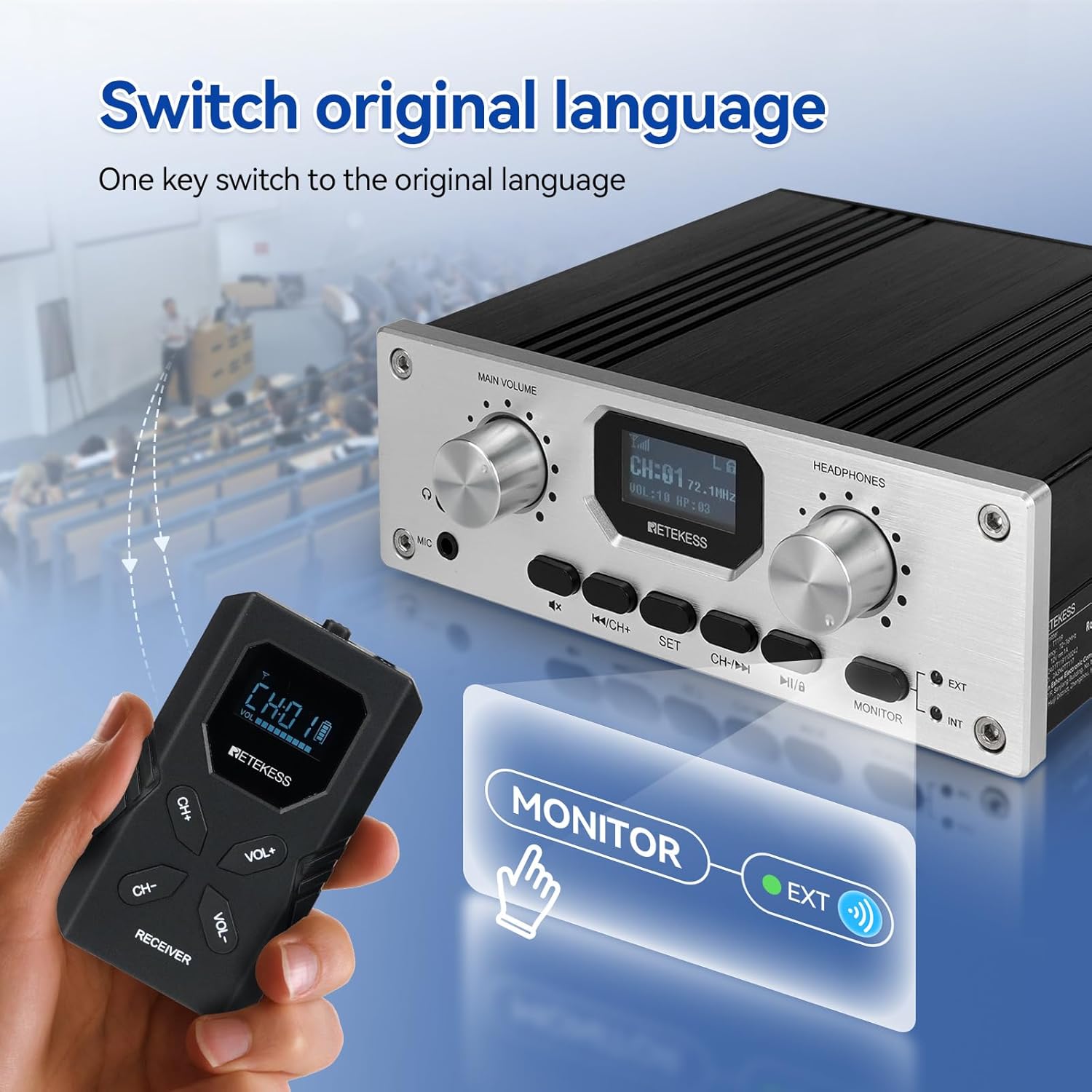
Figure 10: Switching between original language and translated audio on the transmitter.
Connectivity
The TT119 transmitter supports multiple external audio input options:
- XLR Input: For professional microphones or audio mixers.
- AUX Input: For connecting devices with a 3.5mm audio jack.
- RCA Input: For connecting devices with RCA audio outputs.
- USB Input: For digital audio sources.
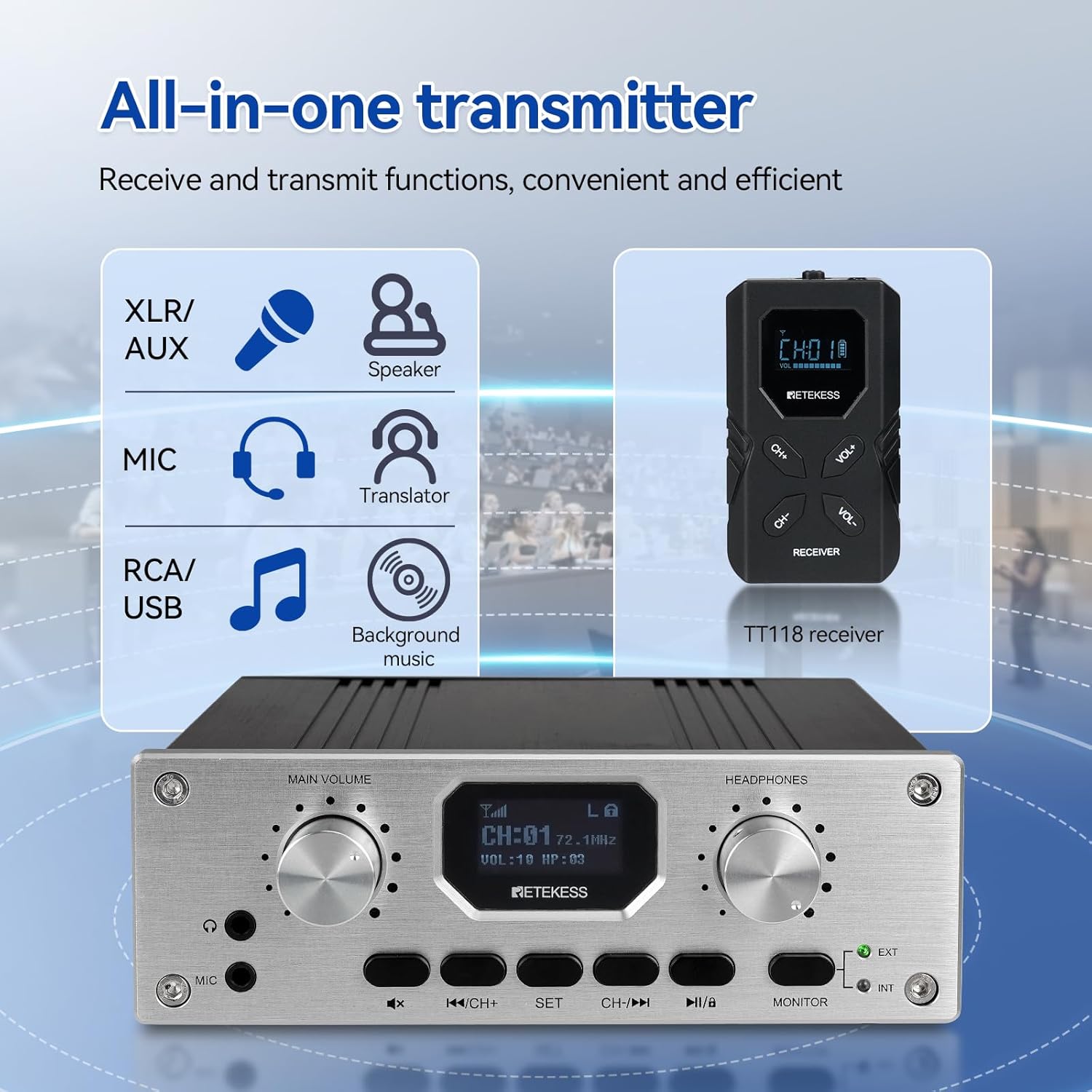
Figure 11: All-in-one transmitter with multiple input options.
Specifications
| Feature | Specification |
|---|---|
| Product Dimensions | 17.32 x 12.6 x 17.13 inches |
| Item Weight | 27 pounds |
| Item Model Number | TT119 |
| Batteries | 20 AA batteries required (included) |
| Connectivity Technologies | 2.4GHz |
| Special Features | Stand |
| Manufacturer | Retekess |
| Date First Available | April 29, 2024 |

Figure 12: Physical specifications and dimensions of the transmitter.
Troubleshooting
- No Sound from Receiver:
- Ensure the receiver is powered on and has fresh batteries.
- Verify the receiver's channel matches the transmitter's channel.
- Check the receiver's volume level.
- Ensure earphones are properly plugged in.
- Poor Sound Quality/Interference:
- Check the distance between the transmitter and receivers; ensure it's within the 300m/980ft range.
- Avoid obstacles that may block the signal.
- Try changing the channel on the transmitter and all receivers to find a clearer frequency.
- Ensure the transmitter's microphone is not muted.
- Transmitter Not Powering On:
- Ensure the power adapter is correctly connected and receiving power.
- If using batteries (for portable transmitters), ensure they are charged or replaced.
Maintenance
- Cleaning: Use a soft, dry cloth to clean the devices. Do not use liquid cleaners or aerosols.
- Battery Care: Remove batteries from receivers if they will not be used for an extended period to prevent leakage.
- Storage: Store the system in a cool, dry place away from direct sunlight and extreme temperatures.
Safety Information
- Do not expose the devices to water or moisture.
- Avoid dropping or subjecting the devices to strong impacts.
- Do not attempt to disassemble or repair the devices yourself. Refer to qualified service personnel.
- Keep out of reach of children.
- Use only the provided power adapter and accessories.
Official Product Video
Video 1: This video demonstrates the key functions of the Retekess TT119 tour guide system, including setup and operation.
Warranty and Support
Retekess products typically come with a three-year service warranty. For detailed warranty information, technical support, or service inquiries, please refer to the official Retekess website or contact their customer service directly. Product customization options are also available to meet specific needs.


