
Dyeetic 46680cd8-fb67-48fa-bfd8-e60e213de3cf
Dyeetic Portable Car Jump Starter User Manual
Model: D15 3500A / D16 6000A
1. Product Overview
The Dyeetic Portable Car Jump Starter is a versatile and essential tool for any vehicle owner. It combines a powerful jump starter for 12V vehicles, a high-capacity power bank for charging electronic devices, and a multi-mode LED emergency light. Its compact design and robust safety features make it reliable for various situations, from roadside emergencies to outdoor adventures.

Image: The Dyeetic Portable Car Jump Starter, showcasing two models with their respective smart clamps and a compact carrying case.
2. What's in the Box
Please check the contents of your package to ensure all items are present:
- 1 x Dyeetic Portable Car Jump Starter (D15 3500A or D16 6000A model)
- 1 x Smart Jump Cables
- 1 x USB Type-C Charging Cable
- 1 x Storage Case
- 1 x User Manual
3. Key Features
- Powerful Jump Starting: Peak 3500A (D15) or 6000A (D16) for starting 12V vehicles, including up to 10.0L Gas and 8.0L Diesel engines (D15) or All Gas and 10.0L Diesel engines (D16). Supports over 50 jump starts on a single charge.
- Advanced 4-Cell Battery: Ensures stable and reliable current, even in cold weather or low battery conditions.
- Smart Safety Protection: Features 10 intelligent safety protections including reverse polarity, over-current, over-charge, and short-circuit protection, with real-time alerts. UL2734 certified.
- Portable Power Bank: 26800mAh capacity with multiple output ports (5V/2.4A, 9V/2A, 12V/1.5A) for charging smartphones, tablets, and other USB-powered devices.
- Multi-Mode LED Light: Built-in 500 lumens flashlight with Stable, Strobe, and SOS modes for emergency lighting.
- Large LCD Display: Provides clear indication of battery level and operational status.
- Durable and Portable: Comes with a waterproof EVA bag for easy storage and transport.
Feature Highlights:

Image: The jump starter displaying its capability to start 12V vehicles with up to 10.0L Gas and 8.0L Diesel engines, highlighting the force start button for low-voltage batteries.
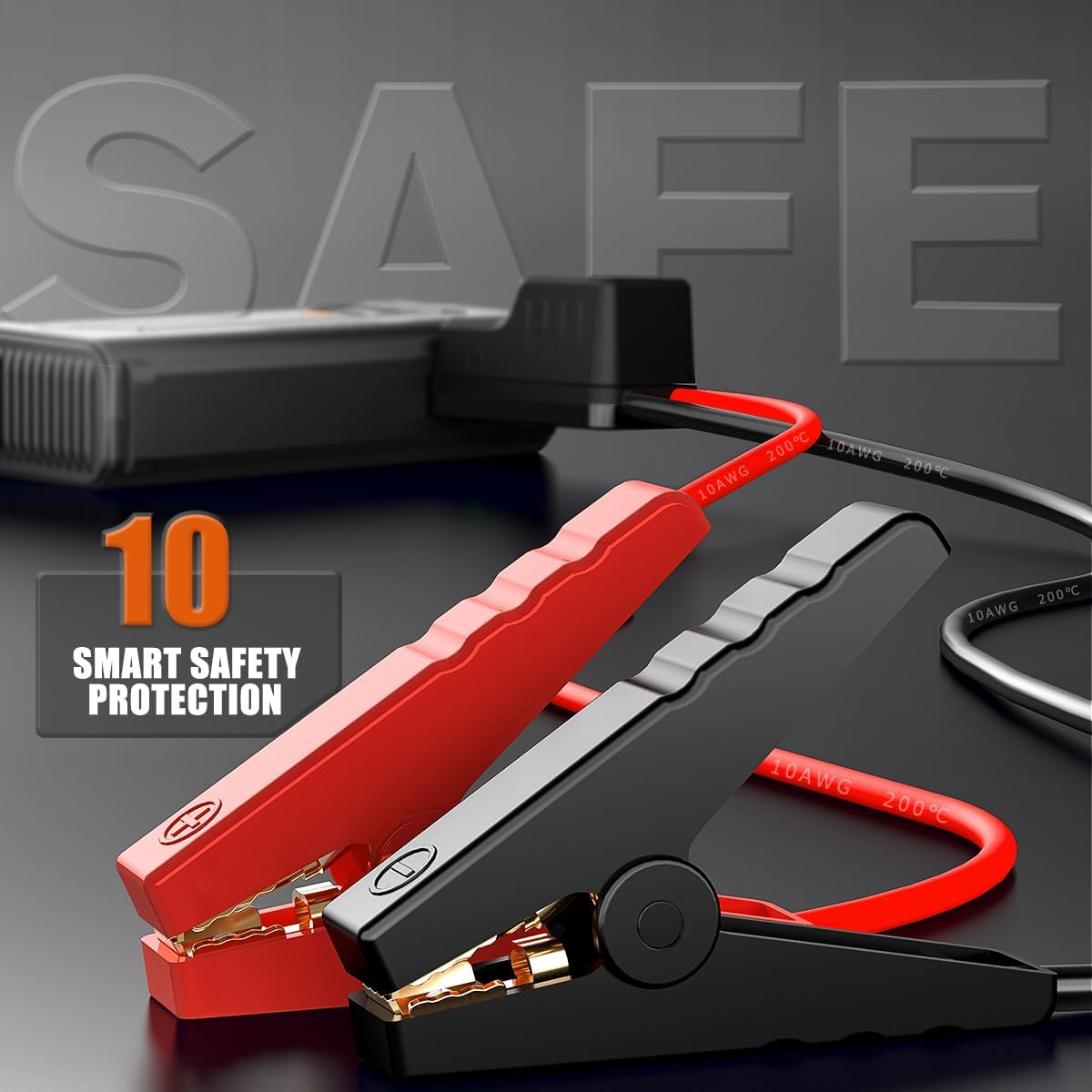
Image: The jump starter functioning as a 26800mAh portable power bank, charging multiple devices via its USB output ports.

Image: Close-up of the smart jump cables, emphasizing the 10 built-in smart safety protections for secure operation.

Image: The jump starter's 500 lumen emergency light in action, demonstrating its utility for night repair, night journeys, and camping scenarios.
4. Setup
Initial Charging
Before first use, fully charge the jump starter. Connect the provided USB Type-C charging cable to the jump starter's input port and the other end to a suitable USB power adapter (not included). The LCD screen will display the charging progress. A full charge typically takes several hours.
5. Operating Instructions
5.1. Jump Starting a Vehicle
- Ensure the jump starter has at least 50% charge.
- Connect the red clamp of the smart jump cables to the positive (+) terminal of the vehicle's dead battery.
- Connect the black clamp of the smart jump cables to the negative (-) terminal of the vehicle's dead battery.
- Ensure the clamps are securely connected to the battery terminals. The indicator light on the smart cable will show connection status.
- Start the vehicle's engine.
- Once the vehicle starts, immediately disconnect the smart jump cables from the car battery, then from the jump starter.
- If the vehicle does not start on the first attempt, wait at least 30 seconds before trying again. If the battery is completely dead, you may need to use the 'Force Start' function (refer to your specific model's detailed instructions for this feature).
5.2. Using as a Portable Power Bank
- Connect your device's USB charging cable to one of the jump starter's USB output ports (USB1 or USB2).
- The jump starter will automatically begin charging your device. The LCD screen may indicate output status.
5.3. Using the LED Light
- To turn on the flashlight, press and hold the power button for approximately 3 seconds.
- Press the power button briefly to cycle through the light modes: Stable → Strobe → SOS.
- To turn off the LED light, press and hold the power button again for approximately 3 seconds.
6. Maintenance
- Recharging: To maintain optimal battery health, recharge the jump starter every 3-6 months, even if it has not been used.
- Storage: Store the device in a cool, dry place, away from direct sunlight, moisture, and extreme temperatures. Keep it in its provided storage case for protection.
- Cleaning: Wipe the exterior of the jump starter with a soft, dry cloth. Do not use harsh chemicals, abrasive cleaners, or immerse the device in water.
7. Troubleshooting
| Problem | Possible Cause | Solution |
|---|---|---|
| Jump starter does not turn on. | Battery is depleted. | Recharge the jump starter fully. |
| Vehicle does not start. | Clamps are not connected correctly or securely. Jump starter battery is too low. Vehicle battery is completely dead. | Ensure clamps are firmly attached to correct battery terminals. Recharge jump starter. Use 'Force Start' function if applicable (consult specific model instructions). |
| No power output from USB ports. | Jump starter is not turned on. Device cable is faulty. | Press the power button to activate the jump starter. Try a different USB cable. |
| LED light does not turn on. | Battery is depleted. Incorrect button press. | Recharge the jump starter. Press and hold the power button for 3 seconds to activate. |
8. Technical Specifications
| Specification | Value |
|---|---|
| Brand | Dyeetic |
| Peak Amperage (D15) | 3500A |
| Peak Amperage (D16) | 6000A |
| Type C Input | 18W |
| USB Output | 5V/2.4A, 9V/2A, 12V/1.5A |
| Battery Life Cycles | >1000 cycles |
| Engine Compatibility (D15) | Up to 10.0L Gas / 8.0L Diesel Engine |
| Engine Compatibility (D16) | Up to All Gas / 10.0L Diesel Engine |
| Operating Temperature | -4°F to 140°F (-20°C to 60°C) |
9. Warranty and Support
Dyeetic offers a 3-YEAR FREE Warranty for your Portable Car Jump Starter. We are committed to providing high-quality products and excellent customer service.
For any questions, technical assistance, or warranty claims, please contact our customer service team. We provide Lifetime Technical Support and 24/7 Customer Service to ensure your satisfaction.
Please refer to your purchase documentation or the official Dyeetic website for specific contact information.
Ask a question about this manual
Ask about setup, troubleshooting, compatibility, parts, safety, or missing instructions. Manuals+ will review the question and use this page’s manual context to help answer it.