Introduction
This manual provides detailed instructions for the proper use and maintenance of your Homtronics 1S Instant Read Meat Thermometer, Model AUHMT3. Designed for fast and accurate temperature readings, this digital thermometer is suitable for various cooking applications, including grilling, baking, and smoking. Please read this manual thoroughly before first use to ensure optimal performance and longevity of your device.
Product Overview
The Homtronics 1S Instant Read Meat Thermometer features a foldable probe, a large LCD display, and intuitive controls for ease of use.

Figure 1: Homtronics 1S Instant Read Meat Thermometer and its packaging. The thermometer features a sleek design with a digital display and a foldable probe.
Components:
- Foldable Stainless Steel Probe: Food-grade probe for temperature measurement.
- LCD Display: Backlit, 180° reversible display for clear readings.
- Control Buttons: For functions such as unit switching and calibration.
- Magnetic Back: Allows for convenient storage on metallic surfaces.
- Hanging Hole: For alternative storage options.
Setup
Battery Installation:
- Locate the battery compartment on the back of the thermometer.
- Open the battery cover.
- Insert one (1) AAA battery, ensuring correct polarity (+/-).
- Close the battery cover securely.
The thermometer is now ready for use. It will automatically turn on when the probe is unfolded.
Operating Instructions
1. Power On/Off:
- To Power On: Unfold the stainless steel probe. The display will illuminate.
- To Power Off: Fold the probe back into the housing. The thermometer will automatically turn off.
- Auto-Off Feature: The thermometer will automatically turn off after 120 seconds of inactivity to conserve battery life.
- Motion-Activated Wake: If the thermometer is in auto-sleep mode, unfolding the probe or moving the device will wake it up.
2. Taking a Temperature Reading:
- Unfold the probe to power on the thermometer.
- Insert the tip of the stainless steel probe into the thickest part of the food item, avoiding bone or gristle.
- Hold the probe in place until the temperature reading stabilizes on the LCD display (typically within 1 second).
- The display is 180° reversible, automatically adjusting for left or right-handed use and various viewing angles.

Figure 2: Using the thermometer to measure the internal temperature of meat on a grill. The probe should be inserted into the thickest part of the food.

Figure 3: The thermometer is versatile for measuring temperatures of various items, including ice, grilled foods, oven-cooked dishes, and frying oil.

Figure 4: The 180° reversible display automatically adjusts its orientation for optimal readability from any angle.
3. Switching Temperature Units (°C/°F):
To switch between Celsius (°C) and Fahrenheit (°F), press the dedicated °C/°F button located on the back or side of the thermometer (refer to the device for exact button placement).
4. Temperature Lock Function:
The thermometer features a temperature lock function. Press the "LOCK" button (usually located on the front or side) to hold the current temperature reading on the display. Press it again to unlock and resume live temperature measurement.
5. Calibration Function:
To ensure continued accuracy, the thermometer can be calibrated. Refer to the specific instructions provided with your device for the exact calibration procedure, which typically involves using an ice-water bath.
Care and Maintenance
Cleaning:
- The Homtronics thermometer is IP67 waterproof, allowing it to be rinsed under running tap water.
- Clean the stainless steel probe with a damp cloth and mild soap after each use.
- Wipe the body of the thermometer with a damp cloth.
- Do not immerse the entire thermometer in water for extended periods.
- Do not wash in a dishwasher.
- Ensure the thermometer is completely dry before storing.
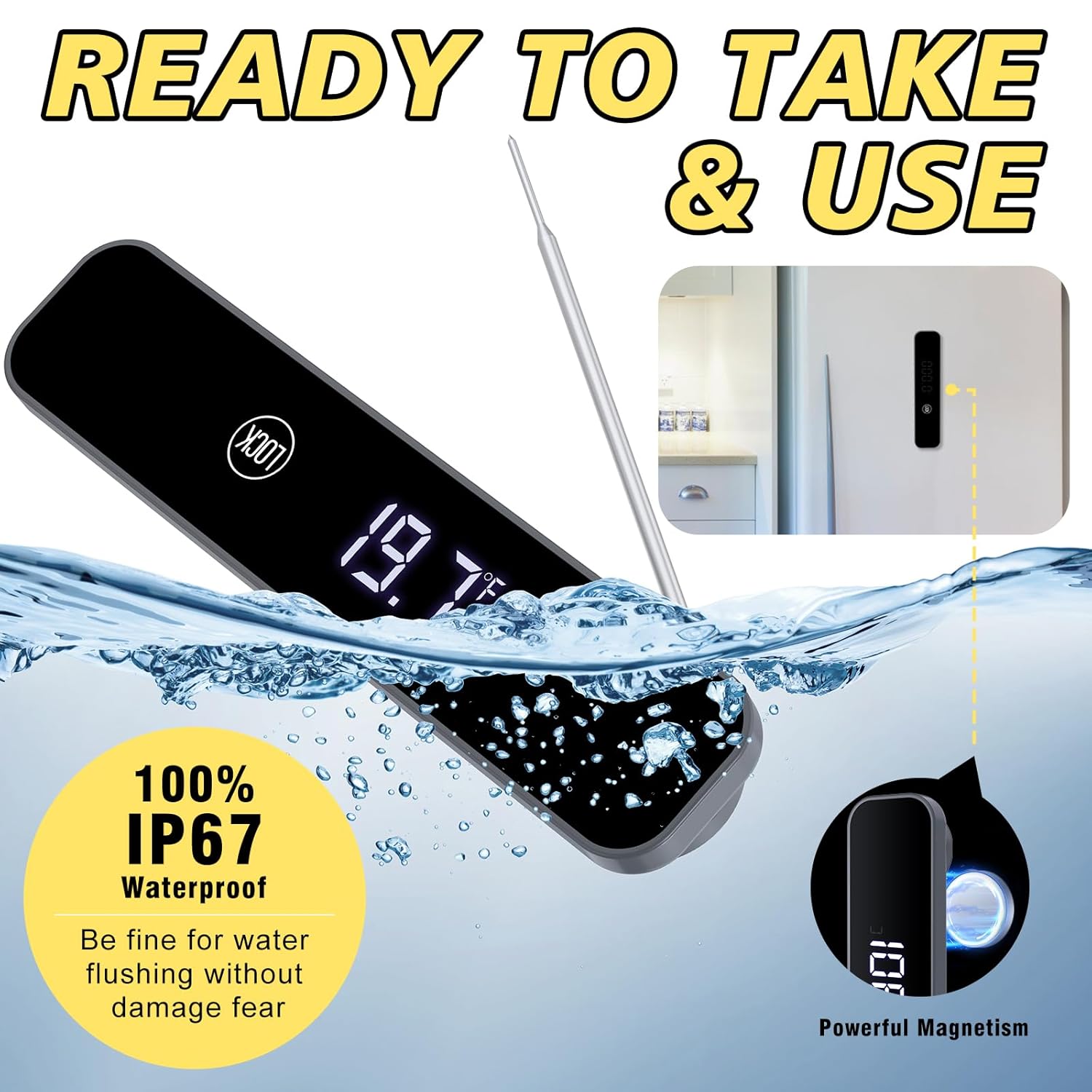
Figure 5: The thermometer's IP67 waterproof rating allows for easy cleaning under running water. It also features a magnetic back for convenient storage.
Storage:
- Fold the probe securely into the thermometer body.
- Store the thermometer in a dry place, away from extreme temperatures.
- Utilize the magnetic back to attach it to a refrigerator or other metallic surface, or use the hanging hole for hook storage.
- Remove the battery if the thermometer will not be used for an extended period to prevent leakage.
Troubleshooting
| Problem | Possible Cause | Solution |
|---|---|---|
| Display not turning on. |
|
|
| Inaccurate temperature readings. |
|
|
| Display is dim or flickering. |
|
|
Specifications
| Model: | AUHMT3 |
| Temperature Range: | -58°F to 572°F (-50°C to 300°C) |
| Accuracy: | ±1°C (±1.8°F) from -50°C to 200°C (±2°C/±3.6°F above 200°C) |
| Response Time: | 1 second or less |
| Waterproof Rating: | IP67 |
| Display: | 180° Reversible Backlit LCD |
| Power Source: | 1 x AAA Battery |
| Material: | ABS Plastic (body), Food-grade Stainless Steel (probe) |
| Special Features: | Auto Off, Backlit Display, High Accuracy, Large Display, Waterproof, Magnetic Back, Hanging Hole, Calibration Function, Motion-Activated Wake |
Warranty and Support
For warranty information or technical support, please contact Homtronics customer service. Details can typically be found on the product packaging or the official Homtronics website.
For further assistance, you may visit the Homtronics store on Amazon: Homtronics Store


