
1. Introduction
Thank you for choosing the AddAcc A14 Rechargeable Collapsible Fan. This portable fan is designed to provide powerful and quiet cooling with the convenience of a long-lasting battery, remote control, and ambient lighting. Please read this manual thoroughly before use to ensure proper operation and maintenance.
2. Key Features
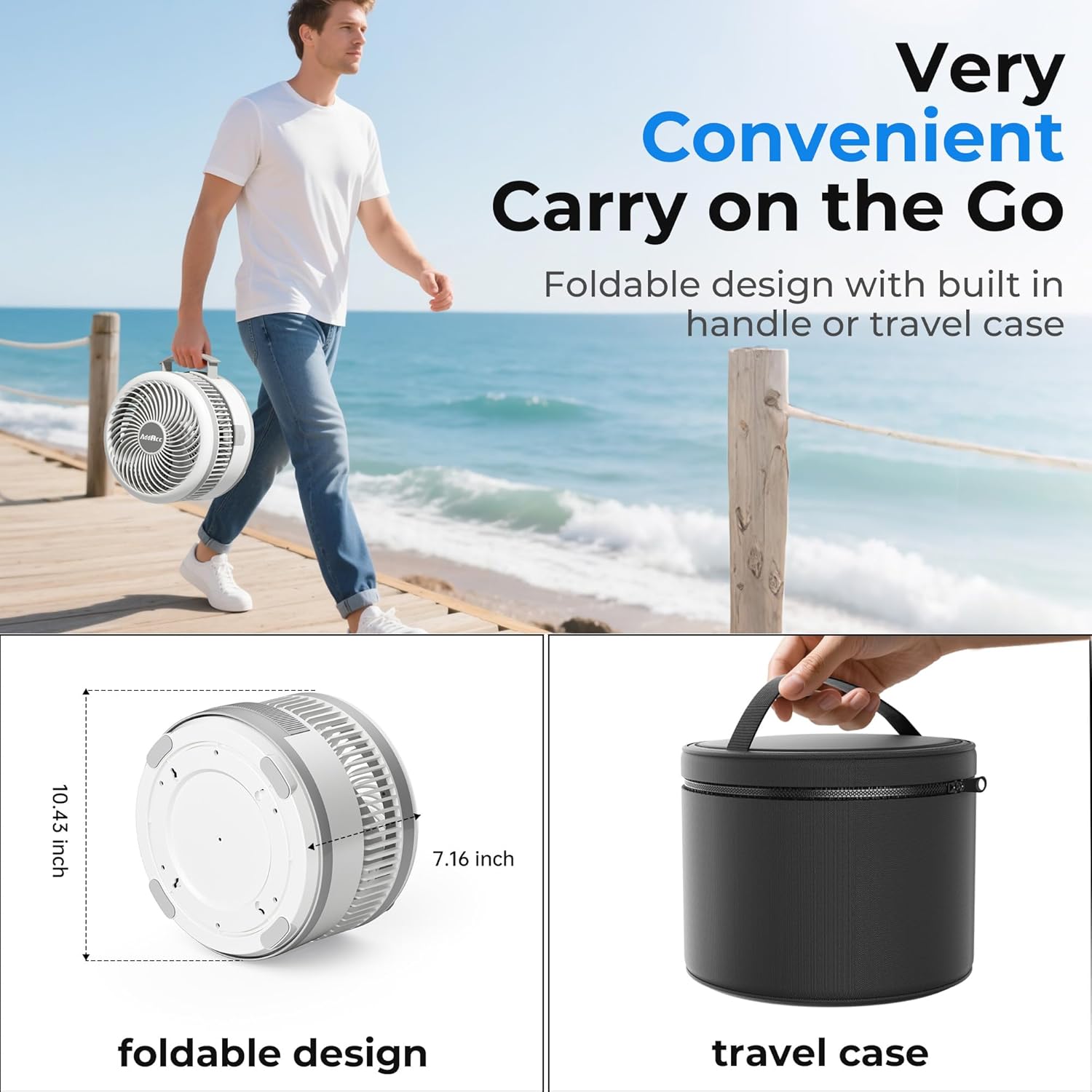
- Ultra-Portable Design: Foldable and adjustable height (7.16 to 31.49 inches) with a built-in handle for easy transport. Compacts to 10.43 x 7.16 inches when folded.
- Extended Battery Life: Equipped with a 40,000mAh built-in battery, offering up to 106 hours of continuous operation on a single charge.
- Power Bank Functionality: Features a 5V/3A output port to charge your mobile devices and other gadgets.
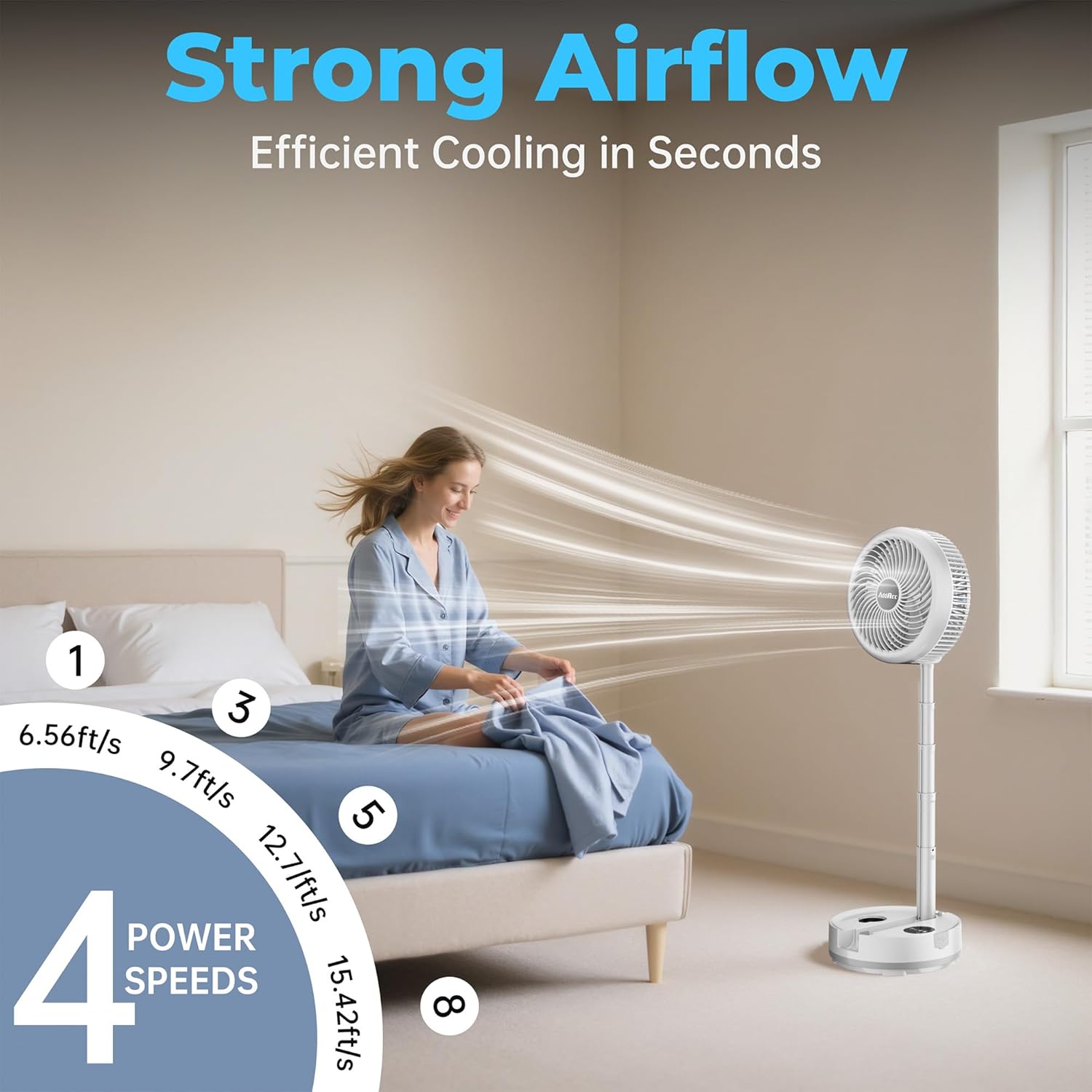
- Versatile Airflow: Offers 8 wind speed settings plus a natural wind mode, with air speeds ranging from 6.56 ft/s to 15.41 ft/s.
- Adjustable Oscillation: Includes 180° adjustable pivot and 45°/90° auto oscillation for wide-angle cooling.
- Quiet Operation: Operates at a low noise level of less than 25 dB, suitable for undisturbed work or rest.
- Digital Display: A clear digital screen shows current wind speed, light status, and timer settings.
- Fast Charging: Recharges fully in 8-9 hours via a 5V/3A USB-C port.
- Remote Control: A wireless remote with a 16.4 ft range allows convenient control of fan speed, oscillation, and lights.
- Ambient Lighting: Features cozy colorful lights to enhance the atmosphere.
- Timer Function: Set the fan to run for 1, 2, 4, or 8 hours.
3. Package Contents
- AddAcc A14 Rechargeable Collapsible Fan
- Remote Control
- USB-C Charging Cable
- User Manual
4. Setup
- Unfolding the Fan: Gently pull the fan head upwards from the base. The telescopic pole will extend. Adjust the height to your desired level (from 7.16 to 31.49 inches). Ensure the fan head is securely locked in place.
- Placing the Fan: Place the fan on a stable, flat surface.
- Remote Control: The remote control can be stored in a dedicated slot on the fan base when not in use.

5. Operating Instructions
5.1 Power On/Off
Press the power button on the fan base or the remote control to turn the fan on or off.
5.2 Fan Speed Adjustment
The fan offers 8 adjustable wind speeds and a natural wind mode. Use the speed control buttons on the fan base or remote to cycle through the settings. The digital display will show the current speed level.
5.3 Oscillation Control
The fan features a 180° adjustable pivot for manual angle adjustment and automatic oscillation at 45° or 90°. Press the oscillation button on the fan base or remote to activate or change the oscillation mode.

5.4 Timer Function
Set the fan to automatically turn off after 1, 2, 4, or 8 hours using the timer button on the fan base or remote control. The digital display will indicate the selected timer duration.
5.5 Ambient Light Control
The fan includes colorful ambient lights. Use the light button on the fan base or remote to cycle through different light modes or turn the lights off.
5.6 Remote Control Usage
The wireless remote control allows you to adjust fan speed, oscillation, and light settings from up to 16.4 feet away. Ensure the remote is pointed towards the fan's base for optimal reception.

5.7 Charging the Fan
Connect the provided USB-C charging cable to the fan's charging port and a compatible 5V/3A USB power adapter (not included). A full charge takes approximately 8-9 hours. The digital display will show the battery status.
5.8 Power Bank Functionality
The fan can act as a power bank. Use the 5V/3A output port on the base to charge your smartphone or other USB-powered devices.

6. Maintenance
- Cleaning: Ensure the fan is turned off and unplugged before cleaning. Use a soft, dry cloth to wipe the exterior surfaces. For the fan blades, carefully remove the front grille (if detachable) and wipe the blades with a damp cloth. Do not use abrasive cleaners or immerse the fan in water.
- Storage: When not in use, fold the fan into its compact form and store it in a cool, dry place away from direct sunlight and extreme temperatures.
7. Troubleshooting
- Fan not turning on: Check if the battery is charged. Connect the fan to a power source using the USB-C cable.
- Remote control not working: Ensure there are no obstructions between the remote and the fan. Check the remote's battery.
- Weak airflow: Increase the fan speed setting. Ensure the fan grille is not obstructed by dust or debris.
- Fan making unusual noise: Turn off the fan and check for any foreign objects caught in the blades. Ensure the fan is on a stable surface.
- Lights not working: Press the light button on the fan or remote to cycle through light modes. Ensure the fan has sufficient battery charge.
8. Specifications
| Brand | AddAcc |
| Model Name | A14 |
| Color | White |
| Power Source | Battery Powered |
| Battery Capacity | 40,000mAh (4 Lithium Ion batteries included) |
| Run Time | Up to 106 hours |
| Charging Input | 5V/3A USB-C (8-9 hours for full charge) |
| Power Output | 5V/3A (for charging external devices) |
| Fan Speeds | 8 speeds + Natural Wind Mode |
| Air Flow Capacity | 549 Cubic Feet Per Minute |
| Noise Level | Less than 25 Decibels |
| Oscillation | 45°/90° Auto Oscillation, 180° Manual Tilt |
| Timer Settings | 1, 2, 4, 8 hours |
| Product Dimensions (Folded) | 10.43"D x 7.16"W x 10.43"H |
| Adjustable Height Range | 7.16 to 31.49 inches |
| Item Weight | 7.7 pounds |
| Control Method | Remote, Touch Panel |
9. Safety Information
- Do not insert fingers or any objects into the fan grille when the fan is operating.
- Keep the fan away from water or other liquids to prevent electric shock.
- Do not block the air inlets or outlets.
- Ensure the fan is placed on a stable surface to prevent it from tipping over.
- Keep out of reach of children and pets.
- Use only the provided USB-C cable for charging.
- Do not attempt to disassemble or repair the fan yourself. Contact customer support for assistance.
10. Warranty and Support
AddAcc offers a 360-day free return policy for this product. For any inquiries or assistance, please utilize our 24-hour online customer service.

