
1. Introduction
The ORICO 7-Port USB 3.0 Hub is designed to expand the USB-A connectivity of your computer or laptop. It provides seven USB 3.0 ports, enabling simultaneous connection of multiple USB-A devices such as keyboards, external hard drives, mice, and printers. This hub supports data transfer speeds of up to 5Gbps, facilitating quick transfer of large files. Its aluminum alloy construction ensures durability and efficient heat dissipation, while an additional 5V/3A Type-C power port provides stable power for high-performance devices.
2. Package Contents
- 1 × ORICO 7-Port USB 3.0 Hub with 1.64ft (50cm/0.5M) integrated cable
- 1 × User Manual
3. Product Overview
The ORICO 7-Port USB 3.0 Hub offers robust functionality and a compact design for enhanced connectivity.
Key Features:
- 7 USB 3.0 Ports: Expand your device connectivity with seven USB-A ports.
- 5Gbps High-Speed Data Transfer: Experience rapid data transfer rates, up to 10 times faster than USB 2.0.
- Extra 5V/3A Type-C Power Port: Provides stable power for power-hungry devices like external hard drives. Note: This port is for power supply to the hub only and does not support data transfer or charging for phones/laptops.
- Durable Aluminum Alloy Body: Ensures superior heat dissipation and long-lasting stability.
- Plug and Play: No drivers required for most operating systems.
- Wide Compatibility: Supports Windows, macOS, Linux, and Android operating systems.
- Compact and Portable Design: Easy to carry for use in various environments.
Visual Guide:
Video: ORICO Aluminium USB Splitter Multiport Adapter. This video demonstrates the general features and usage of the ORICO USB hub.
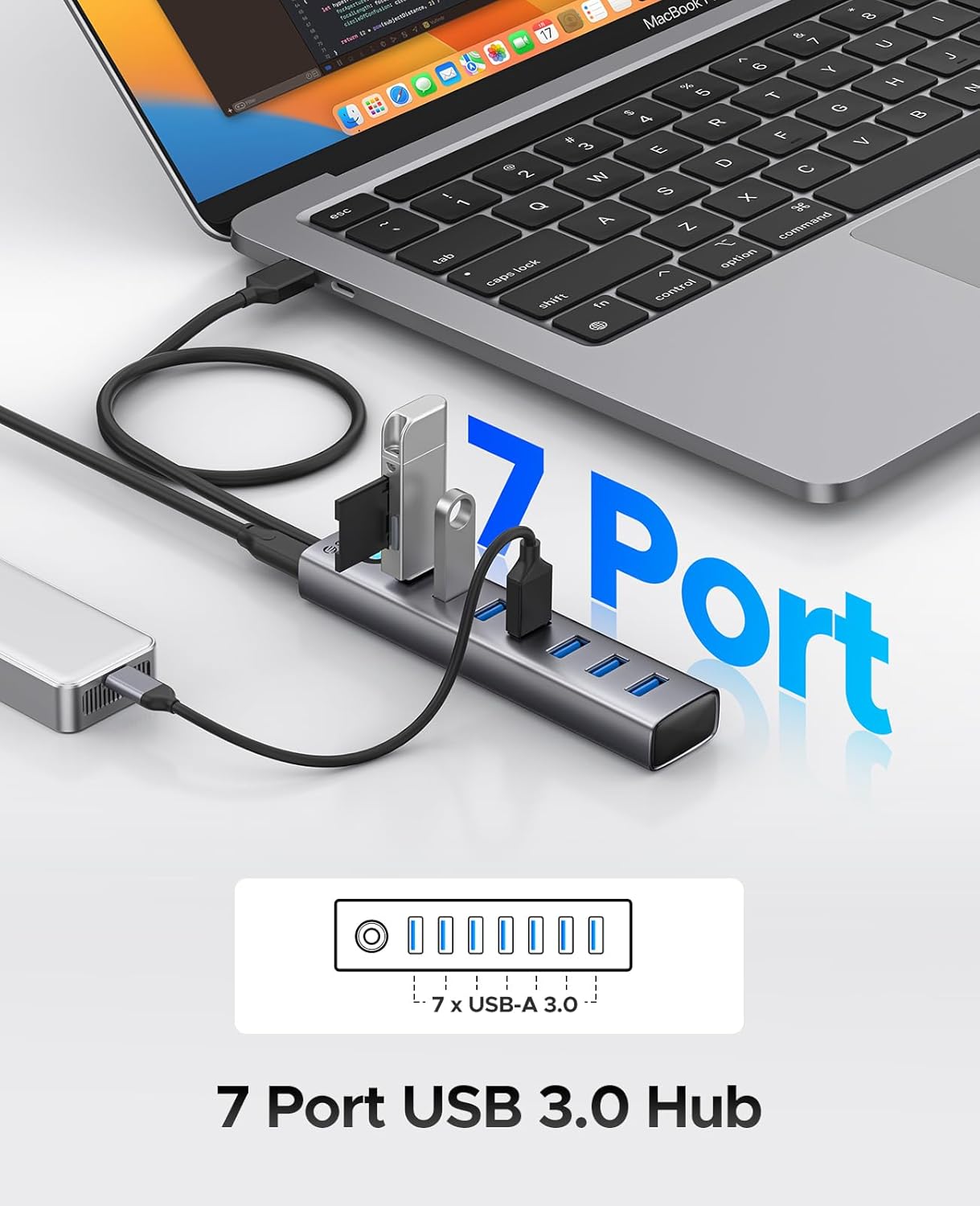
Image: The ORICO 7-Port USB 3.0 Hub in use, showing its seven available USB-A 3.0 ports for connecting various peripherals.

Image: Illustration of the 5Gbps high-speed data transmission capability of the hub, highlighting its efficiency for large file transfers.
Video: Extra 5V Port for Providing More Stable Transfer Performance. This video explains the function of the additional power port for stable connections.

Image: The hub connected to a power source via its 5V/3A Type-C power port, ensuring stable operation for connected devices.
Video: ORICO 7 Ports USB Hub with Different Length of Cable. This video showcases the hub's design and the various cable lengths available for different setups.
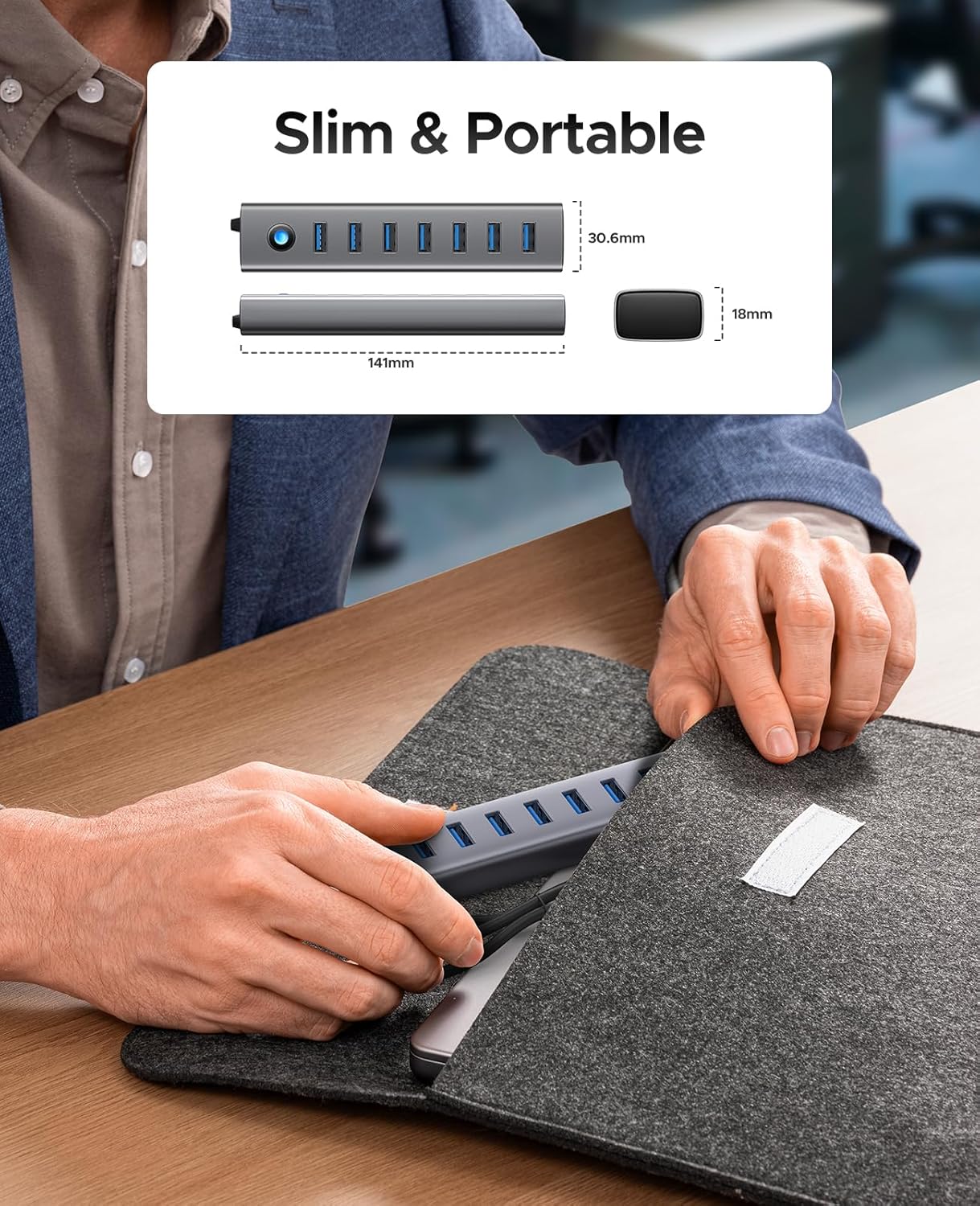
Image: Dimensions of the ORICO 7-Port USB 3.0 Hub, illustrating its slim and portable design for easy transport.

Image: The hub's aluminum alloy construction and internal protections for secure and stable operation, including over-temperature, short-circuit, and over-current control.
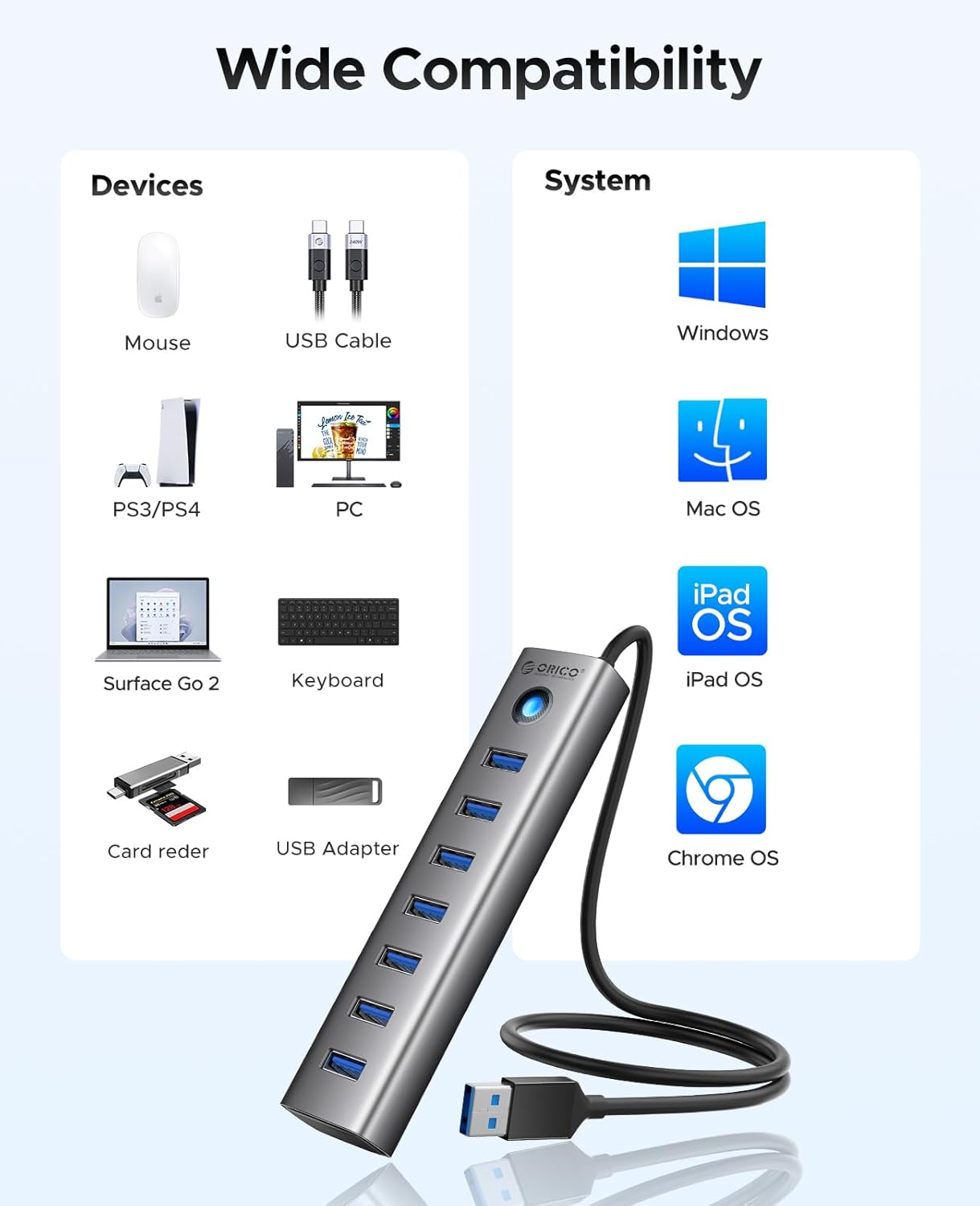
Image: A diagram illustrating the wide compatibility of the hub with various devices (mouse, keyboard, hard drives) and operating systems (Windows, Mac OS, iPad OS, Chrome OS).
4. Setup
Follow these steps to set up your ORICO 7-Port USB 3.0 Hub:
- Connect to Host Device: Plug the integrated USB-A cable of the hub into an available USB-A port on your computer, laptop, or desktop.
- Optional Power Connection: If you plan to connect power-intensive devices (e.g., external hard drives), connect a 5V/3A Type-C power adapter (not included) to the hub's dedicated Type-C power input port. This ensures stable performance.
- Driver Installation: The hub is plug-and-play for most modern operating systems (Windows, macOS, Linux, Android) and typically does not require additional driver installation. Your system should automatically recognize the device.
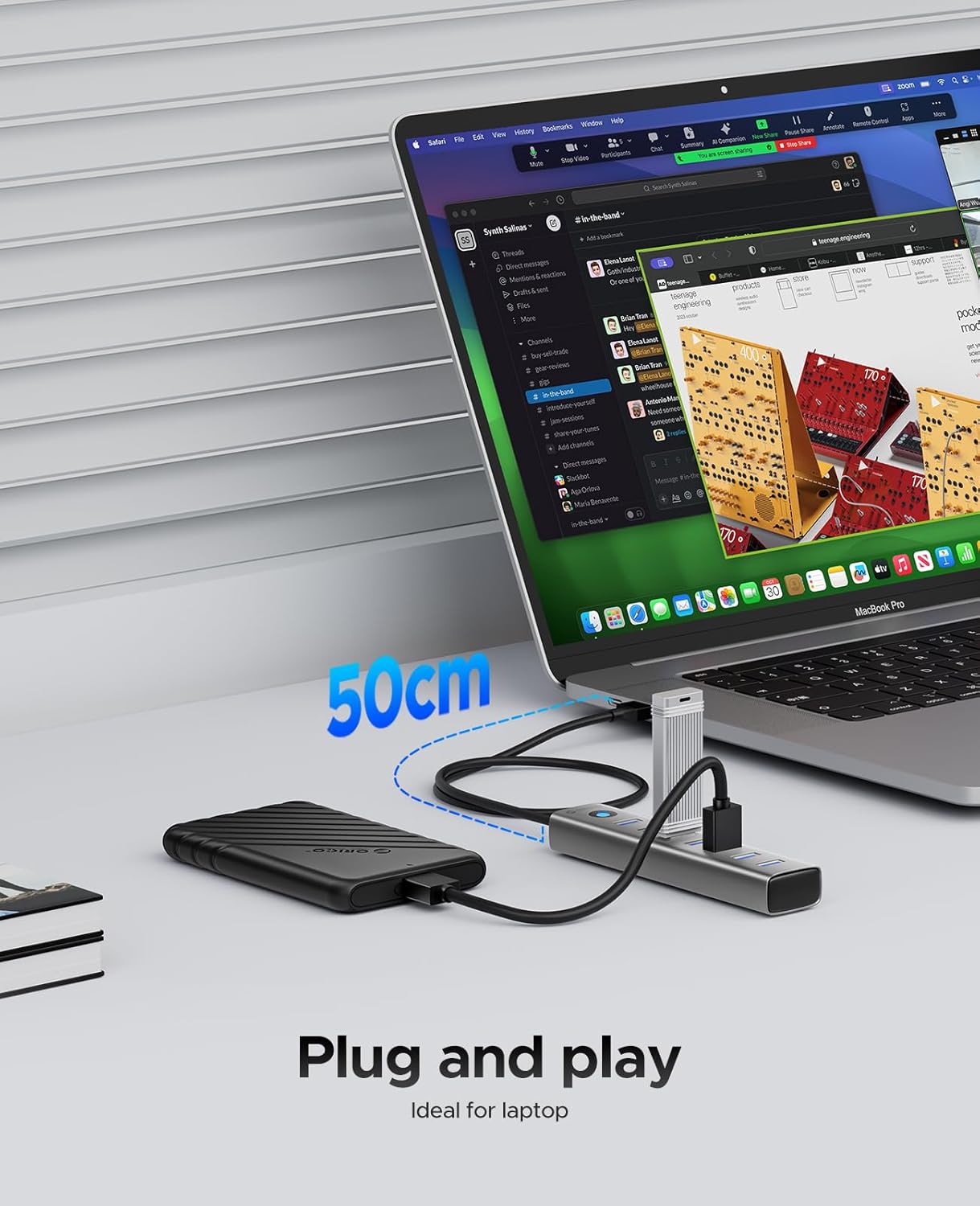
Image: The hub connected to a laptop, demonstrating its simple plug-and-play functionality.
5. Operating Instructions
Once the hub is connected to your host device, you can begin using it immediately:
- Connecting Devices: Insert your USB-A devices (e.g., flash drives, external hard drives, mouse, keyboard, printer) into any of the seven available USB 3.0 ports on the hub.
- Data Transfer: When transferring data, ensure both the host device and the connected storage device support USB 3.0 for optimal 5Gbps speeds. The hub is backward compatible with USB 2.0 and USB 1.1 devices, but speeds will be limited to the lowest common standard.
- Power Indicator: The hub features an LED indicator that illuminates when connected and powered, confirming operational status.
- Safe Removal: Always safely eject external storage devices from your operating system before disconnecting them from the hub to prevent data corruption.
6. Specifications
| Feature | Description |
|---|---|
| Brand | ORICO |
| Model Number | CL7U-U3-10 |
| Color | Silver |
| Hardware Interface | USB, USB 2.0, USB 3.0 |
| Total USB Ports | 7 (USB-A 3.0) |
| Data Transfer Rate | 5 Gigabits Per Second (USB 3.0) |
| Power Port | 5V/3A Type-C (for power supply to hub only) |
| Compatible Devices | Desktops, Keyboards, Laptops, Mice, Flash Drives, Mobile HDDs |
| Operating System | Windows, macOS, Linux, Android |
| Enclosure Material | Aluminum |
| Item Weight | 80 Grams |
7. Troubleshooting
- Device Not Recognized:
- Ensure the hub's main USB-A cable is securely connected to your computer.
- Try connecting the device directly to your computer's USB port to verify its functionality.
- If using power-intensive devices, ensure the optional 5V/3A Type-C power adapter is connected to the hub.
- Try a different USB port on your computer.
- Slow Data Transfer Speed:
- Verify that both your computer's USB port and the connected device support USB 3.0.
- Ensure the optional 5V/3A Type-C power adapter is connected if multiple devices are drawing significant power.
- Avoid connecting too many power-intensive devices simultaneously without external power.
- Intermittent Connection:
- Check all cable connections for looseness.
- Ensure the hub is placed on a stable surface and not subject to movement.
- If the issue persists, try connecting the hub to a different USB port on your computer.
8. Maintenance
To ensure the longevity and optimal performance of your ORICO 7-Port USB 3.0 Hub:
- Cleaning: Use a soft, dry cloth to wipe the surface of the hub. Avoid liquid cleaners or abrasive materials.
- Storage: Store the hub in a cool, dry place away from direct sunlight and extreme temperatures.
- Handling: Avoid dropping or subjecting the hub to strong impacts. Do not attempt to disassemble the device.
9. Warranty and Support
This ORICO 7-Port USB 3.0 Hub comes with an 18-month warranty from the date of purchase. The warranty covers manufacturing defects and malfunctions under normal use.
For technical support, warranty claims, or further inquiries, please contact ORICO customer service through the retailer where you purchased the product or visit the official ORICO website for contact information.
Please retain your proof of purchase for warranty service.