1. Introduction
Thank you for choosing the VOOPEAK TC07 Trail Camera. This manual provides essential information for setting up, operating, and maintaining your camera to capture high-quality wildlife photos and videos. The TC07 features a dual-lens system, 4K video recording, 60MP image capture, solar power, starlight night vision, and convenient app control.
2. What's in the Box
- VOOPEAK TC07 Trail Camera
- Charging Cable
- Mounting Strap
- Mounting Bracket and Screws
- Instruction Manual
- Solar Power Bank Manual
3. Setup Guide
3.1. Installing the Solar Panel
Ensure the solar panel is securely attached to the top of the camera. It is recommended to charge the solar panel for 6-8 hours before initial use to ensure optimal performance.

Figure 1: Attaching the integrated solar panel to the camera.
3.2. Battery Installation
The TC07 camera can be powered by 8 new AA LR6 alkaline batteries (not included) in addition to the integrated solar panel. Open the camera casing and insert the batteries according to the polarity markings inside the battery compartment.
3.3. SD Card Installation
Insert a U3 speed or faster brand SD card (maximum 128GB, not included) into the designated SD card slot. Ensure it is inserted correctly until it clicks into place.
3.4. Initial Camera Settings
Switch the camera to 'SETUP' mode. Use the navigation buttons to access the menu. It is crucial to format the SD card before first use to ensure compatibility and optimal performance. Navigate to the 'Format' option in the settings menu and confirm.
Video 1: VOOPEAK TC07 Trail Camera Setup Guide.
4. Operating the Camera
4.1. Operating Modes
The camera has three main modes: OFF, SETUP, and ON. Use the switch inside the camera to select the desired mode.
- OFF: Powers down the camera.
- SETUP: Allows access to the menu for configuration, viewing captured media, and connecting to the mobile app.
- ON: Activates the camera for automatic recording based on motion detection and configured settings.
4.2. App Connection and Control
The VOOPEAK TC07 features WiFi and Bluetooth connectivity for remote control via a smartphone app. Download the 'Hunting 4K Pro' app from your device's app store (available for iOS and Android).
- Enable Bluetooth on your smartphone.
- Open the 'Hunting 4K Pro' app and scan for devices.
- Select your camera from the device list (e.g., 'CAMERA-a1286de1' or 'CAMERA-666').
- The app will prompt you to turn on the camera's WiFi. Follow the on-screen instructions to connect to the camera's WiFi network (e.g., 'Hunting 4K').
- Once connected, you can adjust camera settings, preview live footage, and download photos/videos directly to your phone.

Figure 2: Remote control and media management via the 'Hunting 4K Pro' app.
5. Key Features
5.1. Advanced Dual-Lens & Starlight Night Vision
The TC07 features independent day and night lenses. The UHD camera lens is active during the day for clear, realistic photos/videos. At night, it switches to a dedicated night vision lens with unique starlight night vision, allowing for incredibly clear color photos/videos in low light conditions.
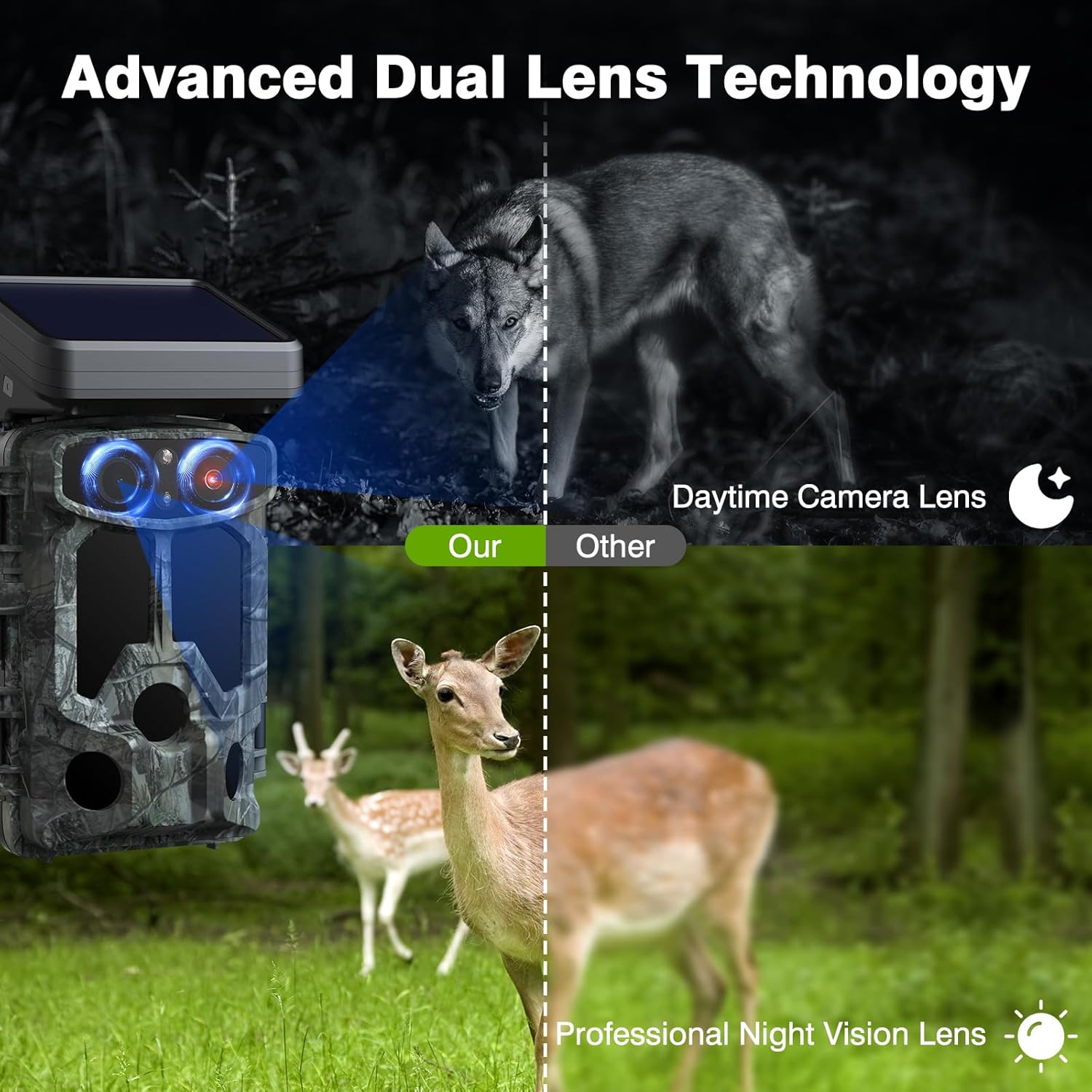
Figure 3: Dual-lens technology for optimized day and night performance.

Figure 4: Starlight night vision provides color images in low light.
5.2. 4K 30FPS UHD Videos & 60MP Clear Images
Equipped with a 6-layer high-quality glass lens, Sony IMX458 image sensor, and Novatek 96670 image denoising technology, the TC07 delivers natural and authentic wildlife footage. Customizable video resolutions include 4K 30fps (3840x2160), 2K 60fps (2560x1440), and 1080P (1920x1080).
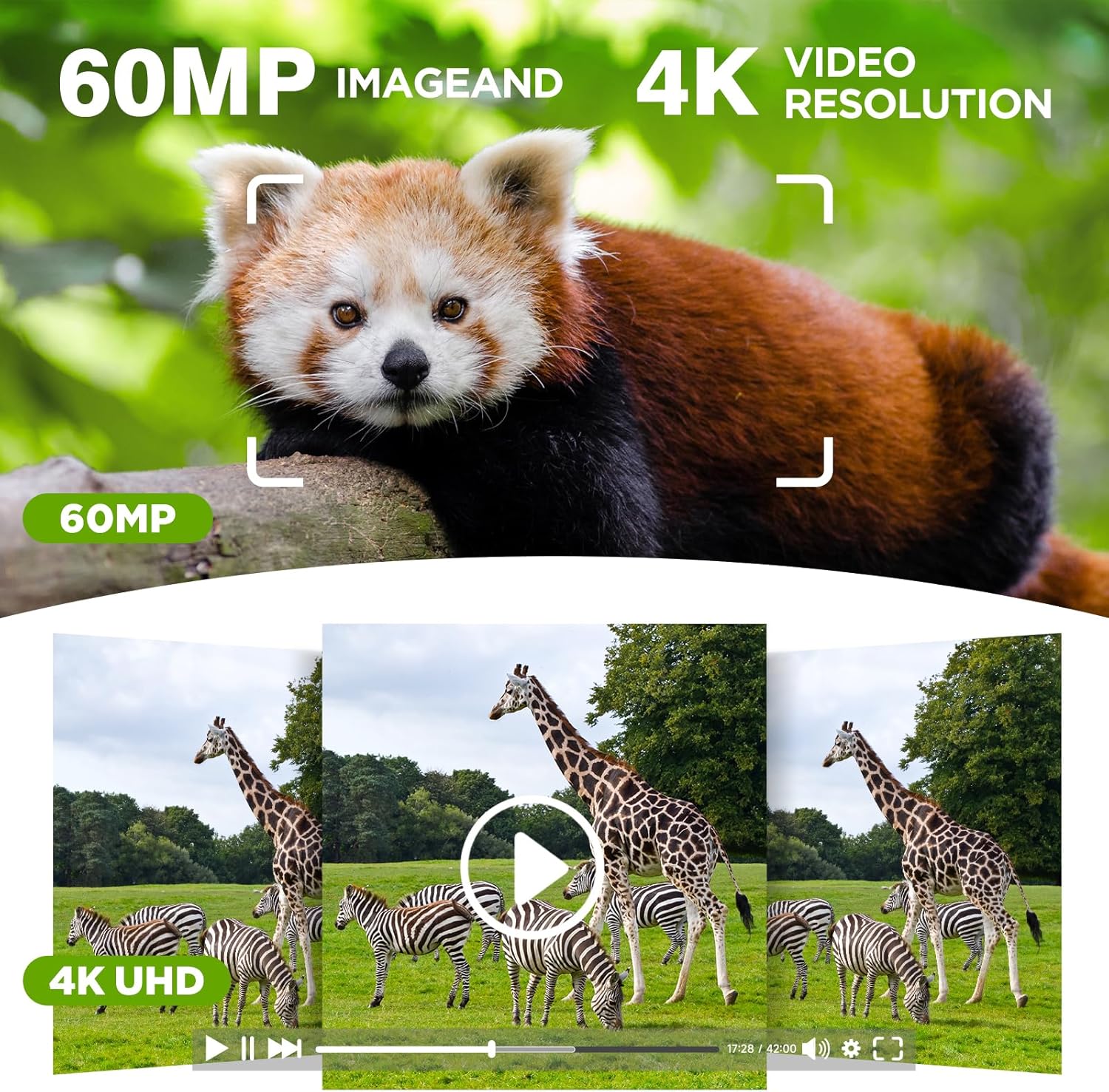
Figure 5: High-resolution image and video capture.
5.3. H.265 Video Recording and Loop Recording
Advanced H.265 video recording offers clearer, smoother footage while saving up to 80% of memory card storage space compared to older formats. The loop recording function ensures you never miss a moment by overwriting the oldest files once the SD card is full.

Figure 6: Loop recording for continuous capture.
5.4. Solar Powered and Dual Powered
The TC07 is equipped with an 1800mAh solar bank, providing continuous power with just one hour of sufficient sunlight per day. For extended operation or in low-light conditions, the camera also supports 8 AA dry batteries, offering versatile and environmentally friendly power solutions.
6. Maintenance
- Cleaning: Regularly wipe the camera lens and solar panel with a soft, dry cloth to ensure clear images and efficient charging.
- Battery Care: Replace AA batteries when low. If using only solar power, ensure the panel receives adequate sunlight.
- SD Card: Format the SD card periodically to maintain optimal performance and prevent data corruption.
- Storage: When not in use for extended periods, remove all batteries and store the camera in a cool, dry place.
7. Troubleshooting
| Problem | Possible Cause | Solution |
|---|---|---|
| Camera not powering on | Low or dead batteries; Solar panel not charged; Incorrect battery insertion. | Replace AA batteries; Charge solar panel; Ensure correct battery polarity. |
| Poor image/video quality (daytime) | Dirty lens; Incorrect resolution settings; Poor lighting conditions. | Clean the lens; Adjust image/video resolution in settings; Ensure adequate lighting. |
| Poor image/video quality (nighttime) | IR LEDs obstructed; Incorrect night vision settings. | Clear any obstructions from IR LEDs; Verify night vision settings (Starlight/Infrared). |
| App connection issues | Bluetooth/WiFi not enabled; Camera too far from phone; Incorrect WiFi password. | Ensure Bluetooth and WiFi are on; Keep phone within 30ft of camera; Re-enter WiFi password. |
| SD card error | SD card full; Incompatible SD card; Corrupted card. | Format SD card; Use U3 speed, max 128GB card; Try a different SD card. |
| Clock/Date resetting | Insufficient power; Internal battery issue. | Ensure consistent power supply (solar or fresh AA batteries); Contact support if issue persists. |
8. Specifications
- Model Name: TC07
- Image Sensor: Sony IMX458
- Image Resolution: Up to 60MP
- Video Resolution: 4K 30fps, 2K 60fps, 1080P
- Video Encoding: H.265
- Lens: Dual-Lens System (Day/Night)
- Night Vision: Starlight Night Vision
- Trigger Speed: 0.1s
- Detection Angle: 120° Wide-Angle
- Connectivity: WiFi, Bluetooth (App Control)
- Power Source: 1800mAh Solar Bank, 8x AA LR6 Alkaline Batteries
- Storage: Micro SD Card (U3 speed, up to 128GB)
- Waterproof Rating: IP66
- Dimensions: 5 x 3 x 4 inches
9. Warranty and Support
VOOPEAK is committed to providing high-quality products and professional service. For any inquiries or support needs, please refer to the following:
- Response Time: We aim to respond to all inquiries within 24 hours.
- Returns & Exchanges: Enjoy hassle-free returns and exchanges within 30 days of purchase.
- Lifetime Support: VOOPEAK provides continuous support for its trail cameras throughout their lifetime.

Figure 7: VOOPEAK Customer Support Commitment.