
1. Introduction
Thank you for choosing the Canyon Simple PC Headset HSC-1. This lightweight and comfortable headset is designed for versatile use, allowing you to listen to music, play games, and communicate for extended periods. Featuring a combined 3.5mm plug and an inline volume control wheel, it offers broad compatibility with modern computers, smartphones, and tablets, including popular devices like iPhone, iPad, and iPod.
This manual provides essential information on setting up, operating, maintaining, and troubleshooting your new headset to ensure optimal performance and longevity.
2. Safety Information
- Hearing Protection: Avoid prolonged listening at high volume levels to prevent hearing damage.
- Cleaning: Use a soft, dry cloth for cleaning. Do not use liquid cleaners or aerosols.
- Water Exposure: Keep the headset away from water and moisture.
- Temperature: Do not expose the headset to extreme temperatures.
- Disassembly: Do not attempt to disassemble or modify the headset. This will void the warranty.
- Cable Care: Avoid bending or twisting the cable excessively to prevent internal damage.
3. Package Contents
Please check the box for the following items:
- Canyon Simple PC Headset HSC-1
- User Manual

Image: The retail packaging for the Canyon HSC-1 headset, showing the headset and its features.
4. Setup
- Connect the Headset:
Locate the 3.5mm combined audio jack on your Canyon HSC-1 headset. Insert this jack into the corresponding 3.5mm audio port on your computer, smartphone, or tablet. This port is typically marked with a headphone icon or a headset icon.

Image: Close-up of the 3.5mm audio jack and the inline volume control unit on the headset cable.
- Adjust the Headset:
Place the headset over your head so that the earcups comfortably cover your ears. Adjust the headband by sliding the earcups up or down until they fit snugly and comfortably. The earcups are labeled 'L' for left and 'R' for right.

Image: Front view of the Canyon HSC-1 headset, showing both earcups and the headband.
- Position the Microphone:
The headset features an adjustable microphone. Gently pivot the microphone boom arm downwards and position it near your mouth for clear voice capture. When not in use, the microphone can be pivoted upwards and out of the way.

Image: Close-up of the right earcup and the adjustable microphone boom arm of the Canyon HSC-1 headset.
5. Operating Instructions
- Audio Playback: Once connected, audio from your device will automatically route through the headset. Adjust the volume using the inline volume control wheel on the cable or through your device's system volume settings.
- Microphone Usage: For voice communication (e.g., video calls, gaming chat), ensure the microphone is positioned correctly. Most devices will automatically detect the headset's microphone. You may need to select the headset as the default input device in your computer's sound settings or communication application.
- Inline Volume Control: The small wheel located on the headset cable allows you to quickly adjust the audio output volume. Roll the wheel up to increase volume and down to decrease it.
- Compatibility: The 3.5mm combined plug ensures compatibility with a wide range of devices, including desktop PCs, laptops, smartphones, and tablets that feature a single 3.5mm audio jack for both audio output and microphone input.
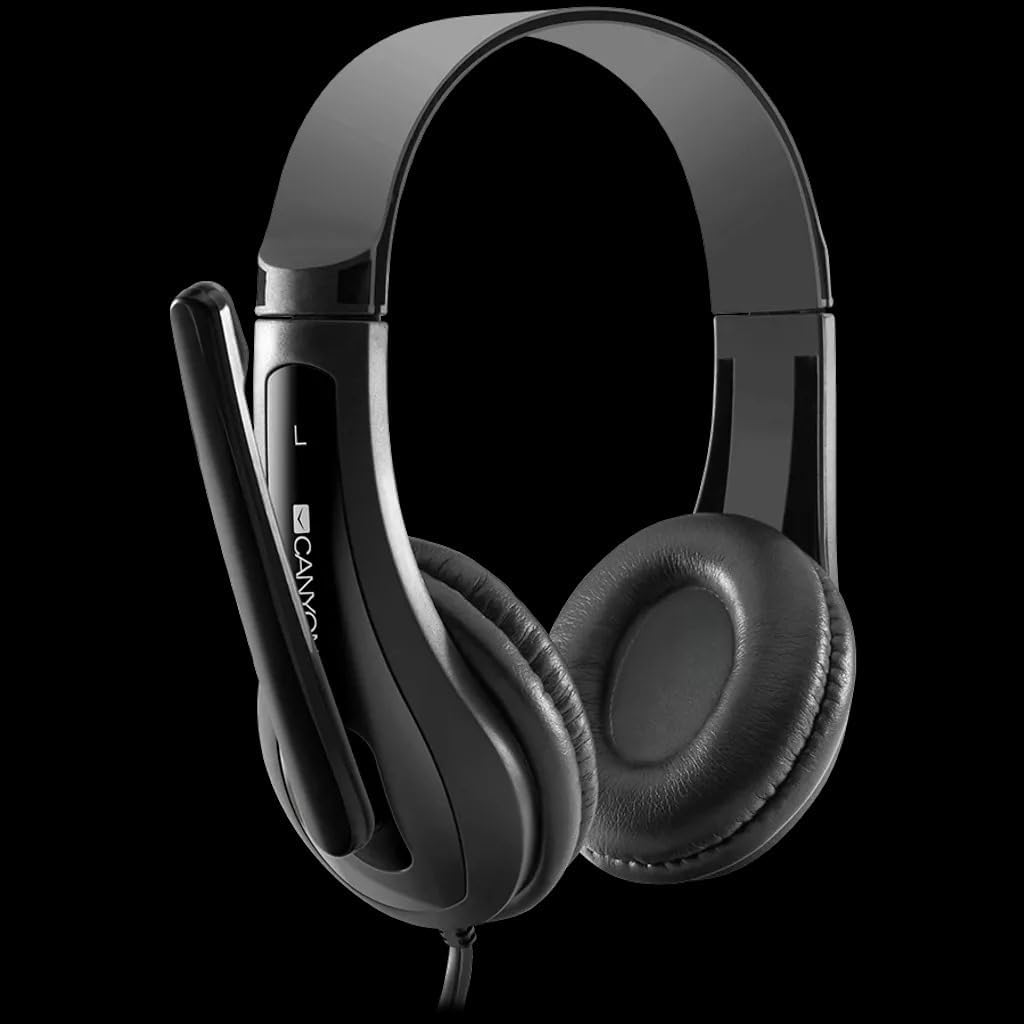
Image: Side view of the Canyon HSC-1 headset, highlighting the adjustable headband and microphone.
6. Maintenance and Care
- Cleaning: Wipe the headset surfaces with a soft, dry, lint-free cloth. Do not use abrasive cleaners, alcohol, or solvents.
- Storage: When not in use, store the headset in a clean, dry place, away from direct sunlight and extreme temperatures. Avoid tangling the cable.
- Cable Protection: Do not pull on the cable to disconnect the headset. Always grasp the plug firmly.
7. Troubleshooting
| Problem | Possible Cause | Solution |
|---|---|---|
| No sound from headset. |
|
|
| Microphone not working. |
|
|
| Sound quality is poor or distorted. |
|
|
8. Specifications
| Feature | Detail |
|---|---|
| Model Number | Canyon HSC-1 (CNS-CHSC1B) |
| Connectivity Technology | Wired |
| Headphones Form Factor | On Ear |
| Headphones Jack | 3.5 mm Combined Jack |
| Impedance | 32 Ohm |
| Material | Plastic |
| Colour | Black |
| Compatible Devices | All devices with a 3.5mm combined audio jack (PC, Mac, Laptop, Smartphone, Tablet) |
| Package Dimensions | 16 x 16 x 6 cm |
| Weight | 0.13 g |
| Country of Origin | China |
9. Warranty Information
This Canyon Simple PC Headset HSC-1 comes with a standard manufacturer's warranty. For detailed information regarding warranty terms, conditions, and duration, please refer to the warranty card included with your product or visit the official Canyon website. Please retain your proof of purchase for warranty claims.
Note: Extended warranty options may be available from your retailer. These are separate from the manufacturer's standard warranty.
10. Customer Support
If you encounter any issues not covered in the troubleshooting section or require further assistance, please contact Canyon customer support. You can typically find contact details (phone number, email, or support portal) on the official Canyon website or on the product packaging.
For the most up-to-date support information, please visit: Canyon Official Support Website