
Introduction
Thank you for choosing the Realspace 17 inch D Vertical 2-Drawer File Cabinet. This manual provides important information regarding the assembly, operation, maintenance, and troubleshooting of your new file cabinet. Please read this manual thoroughly before assembly and use to ensure safe and efficient operation.
This file cabinet is designed to help organize and secure your important documents. It features durable engineered wood construction, two full-extension drawers with ball bearings, and a locking top drawer for sensitive items. The drawers are equipped with hang rails to accommodate both letter- and legal-size files.
Safety Information
- Always follow assembly instructions carefully.
- Do not overload drawers. Each drawer has a maximum weight capacity of 20 lb.
- Ensure the cabinet is placed on a level surface to prevent tipping.
- Keep children away from the cabinet during assembly and ensure drawers are closed when not in use to prevent accidents.
- Do not stand or sit on the cabinet.
- Use caution when opening multiple drawers to maintain stability.
Setup and Assembly
This file cabinet requires assembly. Please ensure all parts are present before beginning. Refer to the separate assembly instructions provided with your product for detailed step-by-step guidance.
Tools Required: Typically, a Phillips head screwdriver and a hammer are needed.
Assembly Tips:
- Assemble on a soft, clean surface to prevent scratching.
- Do not overtighten screws.
- Ensure all cam locks and dowels are securely fastened.
- It is recommended to have two people for assembly.
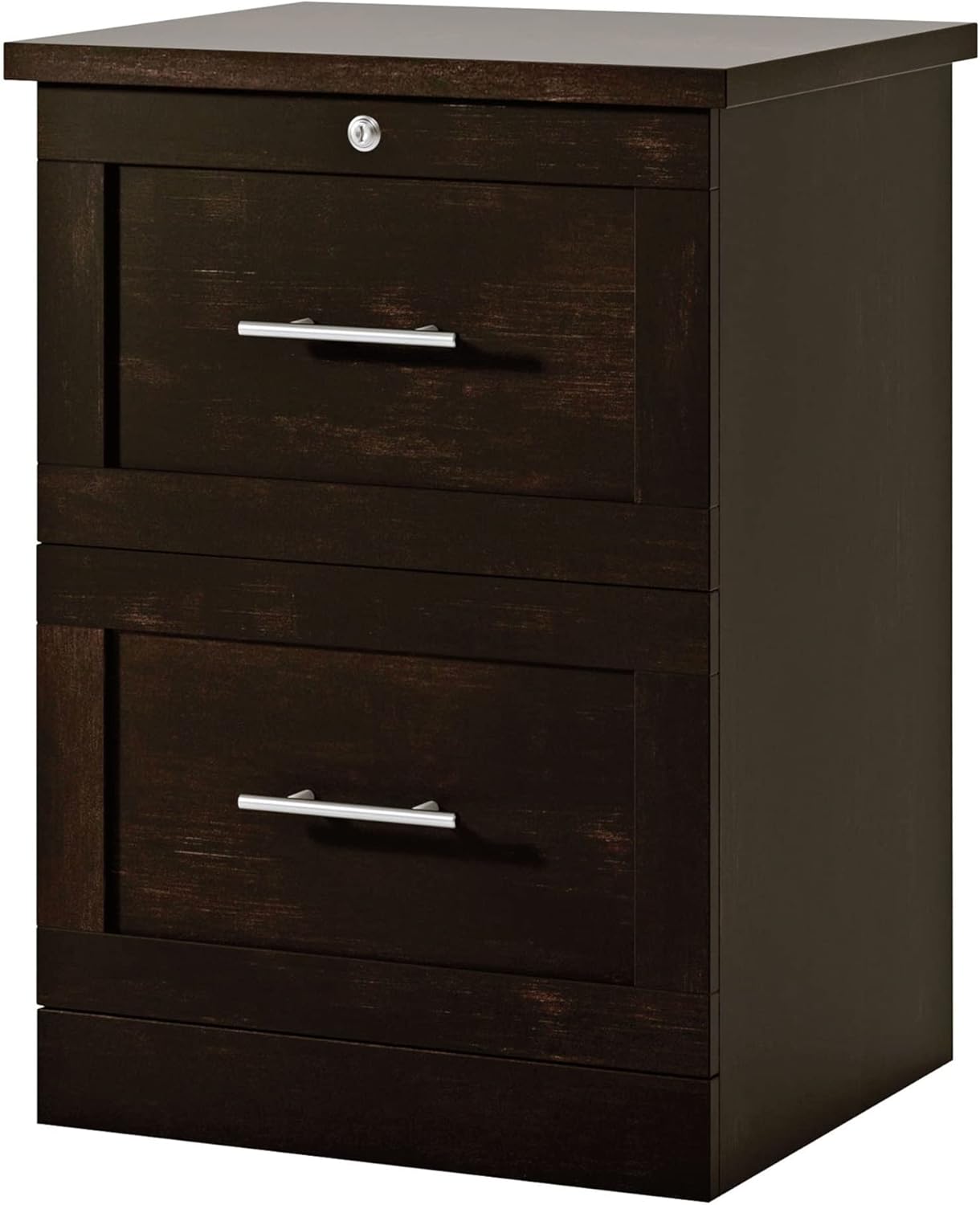
Image: Front view of the assembled Realspace 2-Drawer Vertical File Cabinet. This image shows the overall structure and design of the cabinet, including the two drawers and the lock on the top drawer.
Operating Instructions
Using the Drawers
The file cabinet features two drawers with full-extension ball bearing slides, allowing for smooth opening and closing and easy access to files at the back of the drawer.
- To open a drawer, gently pull the handle.
- To close a drawer, push it firmly until it is fully seated.
- Avoid slamming drawers to prolong the life of the slides.
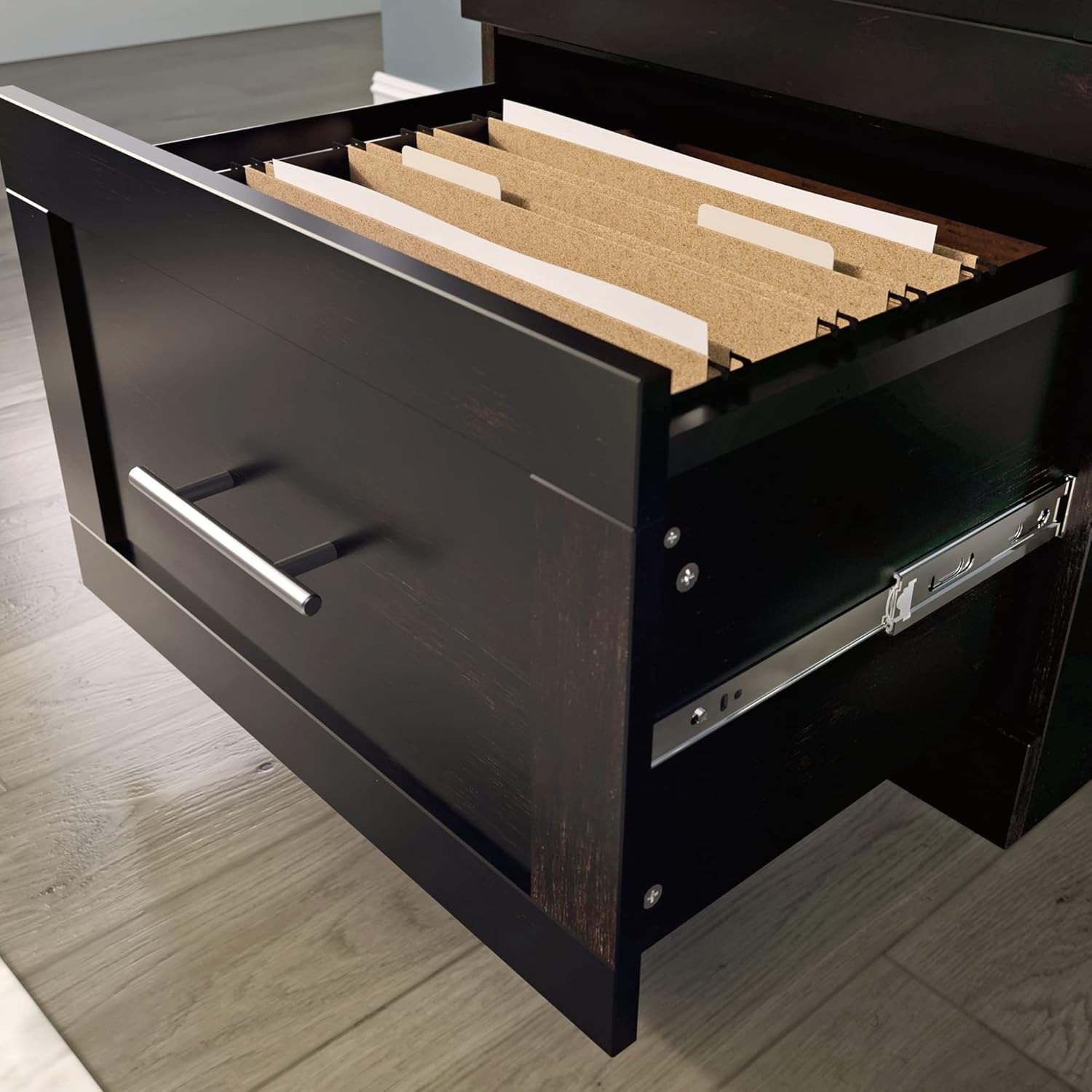
Image: A close-up view of an open drawer from the Realspace file cabinet, revealing hanging files and the full-extension ball bearing slides. This demonstrates the drawer's capacity and smooth operation.
Locking Mechanism
The top drawer is equipped with a key lock for securing sensitive documents.
- To lock the top drawer, ensure it is fully closed. Insert the key into the lock and turn it clockwise until it stops. Remove the key.
- To unlock the top drawer, insert the key and turn it counter-clockwise until it stops. Remove the key and pull the drawer open.
Important: Keep spare keys in a secure location separate from the cabinet.
File Organization
The drawers include hang rails designed to accommodate both letter-size and legal-size hanging files. Adjust the rails as needed for your file type.
Maintenance and Care
- Cleaning: Wipe the cabinet surfaces with a damp cloth. Avoid harsh chemicals or abrasive cleaners, which can damage the finish.
- Drawer Slides: Periodically check the drawer slides for smooth operation. If they become stiff, a small amount of silicone lubricant can be applied to the ball bearings.
- Hardware: Occasionally check all screws and fasteners to ensure they are tight. Retighten if necessary.
- Weight Distribution: Distribute the weight evenly within the drawers to prevent strain on the cabinet structure.
Troubleshooting
| Problem | Possible Cause | Solution |
|---|---|---|
| Drawer sticks or does not open/close smoothly. |
|
|
| Cabinet wobbles. |
|
|
| Top drawer lock not engaging. |
|
|
Specifications
| Model Name | 17 inch D Vertical 2-Drawer File Cabinet |
| Brand | Realspace |
| Material | Engineered Wood |
| Dimensions (Approximate) | 32.68 inches (Height) x 20.08 inches (Width) x 17 inches (Depth) |
| Item Weight | 50.6 pounds |
| Drawer Capacity | 20 lb per drawer |
| File Compatibility | Letter-size and Legal-size hanging files |
| Locking Mechanism | Key lock on top drawer |
| Assembly Required | Yes |
| Certifications | Meets ANSI/BIFMA Performance Standards |
Warranty Information
Specific warranty details are typically provided with your purchase documentation or on the manufacturer's website. Please refer to the warranty card included in your product packaging for the most accurate and up-to-date information regarding coverage, terms, and conditions.
Generally, Realspace products are covered by a limited warranty against defects in materials and workmanship. Keep your proof of purchase for warranty claims.
Customer Support
If you have any questions, require assistance with assembly, or need to report missing/damaged parts, please contact Realspace customer support.
Manufacturer: OFFICE DEPOT
For support, please visit the Realspace Store on Amazon or refer to the contact information provided in your product packaging.