
Introduction
This manual provides detailed instructions for the installation and use of your Aroepurt PU Leather Wallet Case CPT36, designed specifically for the Energizer U506S phone. It also includes guidance for the accompanying tempered glass screen protector. Please read these instructions carefully to ensure proper installation and optimal protection for your device.
What's in the Box
- 1x Aroepurt PU Leather Wallet Phone Case (CPT36)
- 1x Tempered Glass Screen Protector
Setup and Installation
1. Installing the Tempered Glass Screen Protector
- Clean the Screen: Use an alcohol wipe (not included) to thoroughly clean your phone's screen. Ensure all dust, smudges, and fingerprints are removed.
- Dry the Screen: Use a microfiber cloth (not included) to dry the screen completely. Ensure no lint or dust particles remain.
- Align the Protector: Carefully peel off the protective film from the adhesive side of the tempered glass. Align the screen protector with your phone's screen, ensuring the cutouts for the speaker and camera match perfectly.
- Apply the Protector: Once aligned, gently lower the protector onto the screen. It will adhere automatically. If bubbles appear, gently push them towards the edges using a soft cloth or your finger.

Image: Features of the tempered glass screen protector, highlighting 9H High Hardness, Perfect Adhesion, Shatterproof, Case Friendly, 99.9% Super Transparency, and Anti-fingerprint properties.

Image: Demonstration of the tempered glass screen protector's scratch-proof capability, showing resistance to impact.
2. Installing the Phone Case
- Insert Phone: Gently place your Energizer U506S phone into the soft silicone inner shell of the wallet case. Ensure all buttons and ports align correctly with the case's openings.
- Secure Fit: Press firmly around the edges of the phone to ensure it is securely seated within the case.

Image: A general view of the Aroepurt PU Leather Wallet Case, showcasing its design and fit for the Energizer U506S.
Operating Instructions
1. Using the Kickstand Feature
The wallet case features a built-in kickstand. To use it, simply fold the back cover of the case to create a triangular stand. This allows you to prop your phone horizontally for hands-free viewing of videos or reading e-books at adjustable angles.
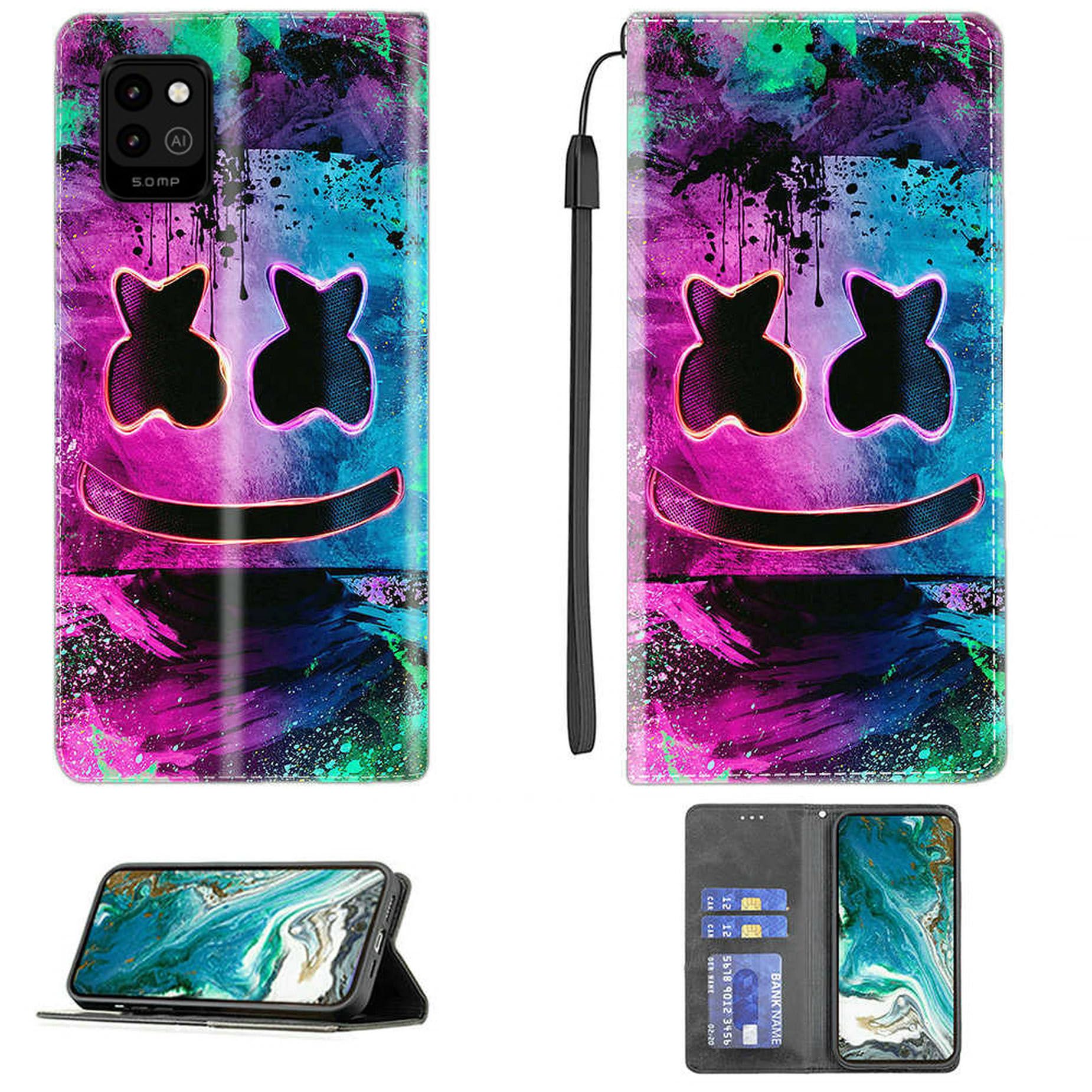
Image: The phone case in kickstand mode, illustrating how the cover folds to support the phone for viewing. Also shows the magnetic closure mechanism.
2. Utilizing Card Storage
The wallet case includes dedicated slots for cards. You can store up to two standard-sized cards, such as ID cards or credit cards, in the designated pockets on the inside flap of the case. This combines your phone and essential cards into one convenient unit.

Image: The interior of the wallet case showing the card storage slots, designed to hold multiple cards alongside the phone.
3. Magnetic Closure
The case features a magnetic closure to keep the front flap securely shut. This helps protect your phone screen and keeps your stored cards and money safely inside the wallet case when not in use.
Maintenance
Cleaning the PU Leather Case
- Wipe the exterior of the case with a soft, damp cloth.
- For stubborn stains, use a mild soap solution and then wipe clean with a damp cloth, followed by a dry cloth.
- Avoid using harsh chemicals or abrasive cleaners, as these can damage the PU leather.
Caring for the Tempered Glass Screen Protector
- Clean the screen protector regularly with a microfiber cloth to remove fingerprints and smudges.
- For deeper cleaning, use a screen cleaner spray designed for electronics.
- Avoid sharp objects that could scratch the protector, despite its hardness.
Troubleshooting
Screen Protector Bubbles
- Small Bubbles: Most small bubbles will disappear naturally within 24-48 hours.
- Large Bubbles/Dust: If large bubbles persist or are caused by dust, gently lift the nearest corner of the screen protector and use a dust absorber sticker (not included) to remove the dust particle. Reapply the protector carefully.
Case Not Fitting Properly
- Ensure your phone model is indeed the Energizer U506S. This case is specifically designed for this model.
- Remove and re-insert the phone, ensuring it snaps into all corners of the silicone holder.
Specifications
- Product Dimensions: 0.39 x 0.39 x 0.39 inches
- Item Weight: 2.46 ounces
- Material: Polyurethane (PU Leather)
- Compatible Phone Models: Energizer U506S
- Special Features: Card insertion, Kickstand, Magnetic Closure, Stylish design
- Form Factor: Basic Case / Wallet Case
- Color/Model: CPT36
Warranty and Support
For any questions, concerns, or support regarding your Aroepurt phone case and screen protector, please contact the seller or manufacturer directly through your purchase platform. Please refer to your purchase details for specific warranty information, if applicable.