
Introduction
The Zuru Robo Alive Dino Escape S1 is an interactive robotic dinosaur toy designed for engaging play. This manual provides essential information for setting up, operating, and maintaining your Dino Escape S1 to ensure optimal performance and enjoyment. The set includes a dinosaur figure, a cage, a helicopter, and various traps and weapons for an immersive play experience.
What's in the Box
Carefully unpack all components and ensure the following items are present:
- Robo Alive Dino Escape S1 Dinosaur Figure
- Dinosaur Cage
- Helicopter Accessory
- Traps and Weapons (various pieces)
- Slime (1 oz / 28g)
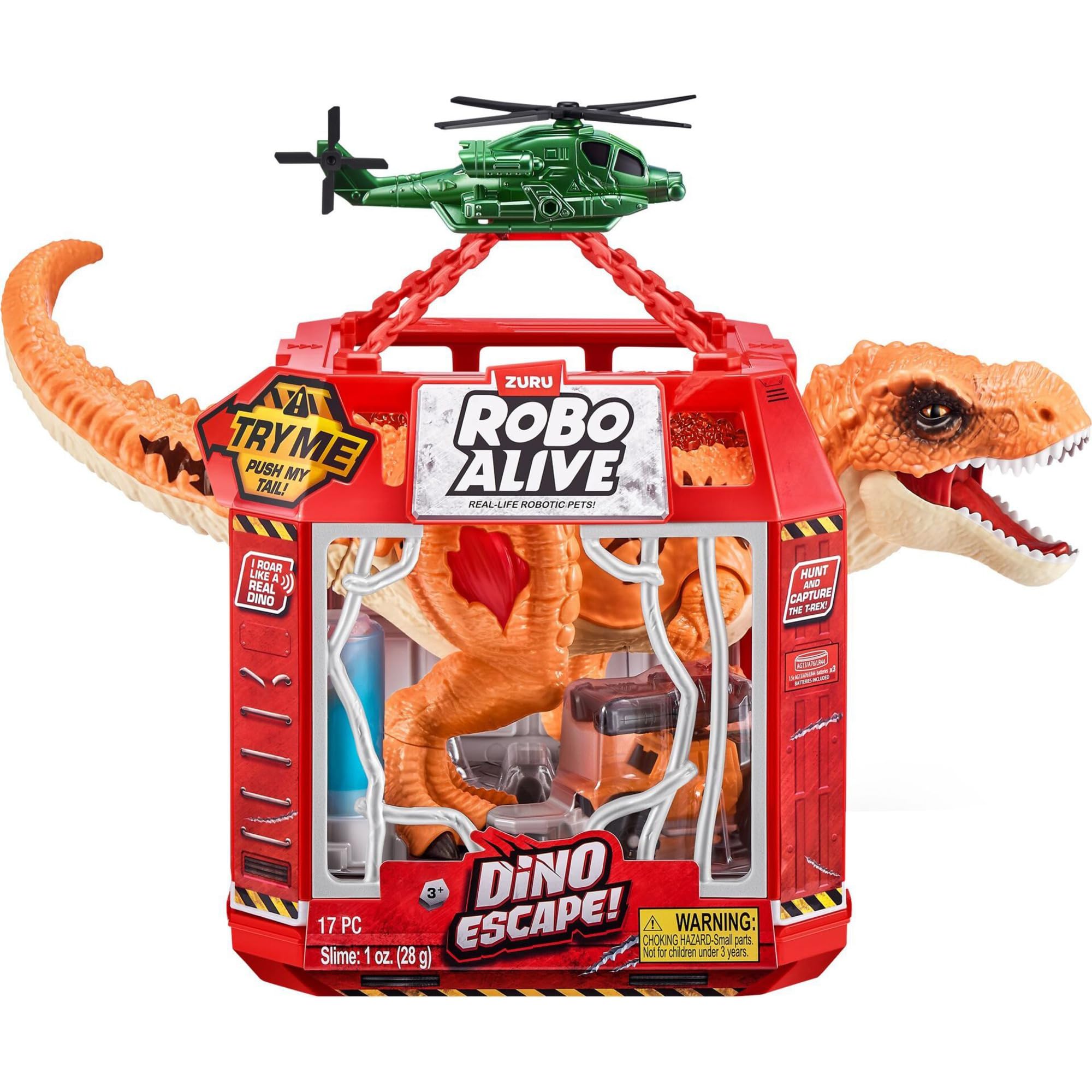
Figure 1: The Robo Alive Dino Escape S1 set, including the dinosaur, cage, and helicopter.
Setup
- Battery Installation: The Robo Alive Dino Escape S1 requires batteries (not included). Locate the battery compartment on the dinosaur figure, typically on its underside. Use a small screwdriver to open the compartment, insert the required batteries (refer to packaging for battery type and quantity), and securely close the compartment.
- Assemble the Cage: Follow the instructions provided on the packaging to assemble the dinosaur cage. Ensure all parts are securely connected.
- Attach Helicopter: Secure the helicopter accessory to the top of the cage as indicated in the product illustrations.
- Prepare Traps and Weapons: Familiarize yourself with the various traps and weapons included. These are designed to be strategically placed around the play area to interact with the dinosaur.
- Slime Preparation: The included slime can be used to enhance the play experience. Place it in designated areas within the play environment as desired.

Figure 2: Rear view of the product packaging, illustrating key features and assembly steps.
Operating Instructions
- Activate Dinosaur: Locate the ON/OFF switch on the dinosaur figure (usually on its underside). Switch it to the 'ON' position.
- Movement and Sounds: The dinosaur is designed to move and make sounds. To activate its primary functions, gently move its tail. This action triggers the robotic movements, lights, and prehistoric sounds.
- Interactive Play: Position the dinosaur within the assembled cage or a designated play area. Use the traps and weapons to simulate capturing the dinosaur. Experiment with different placements and scenarios for varied play.
Maintenance
- Cleaning: Wipe the dinosaur and accessories with a soft, damp cloth. Do not submerge the electronic components in water.
- Battery Replacement: When the dinosaur's movements become sluggish or sounds fade, it is time to replace the batteries. Follow the battery installation steps in the Setup section.
- Storage: Store the toy and its accessories in a cool, dry place away from direct sunlight when not in use.
Troubleshooting
- Dinosaur not moving/no sound: Check if the batteries are correctly installed and not depleted. Ensure the ON/OFF switch is in the 'ON' position.
- Parts not fitting: Refer to the product packaging illustrations for correct assembly. Do not force parts together.
Specifications
| Feature | Detail |
|---|---|
| Product Dimensions | 14.65 x 7.17 x 11.1 inches |
| Item Weight | 1.72 pounds |
| ASIN | B0D2RQMNJ7 |
| Item Model Number | 71127 |
| Manufacturer Recommended Age | 3 years and up |
| Release Date | March 20, 2024 |
| Manufacturer | Zuru Germany GmbH |
Official Product Videos
There are no official seller-created videos available for this product at this time.
Warranty and Support
For warranty information or customer support, please refer to the contact details provided on the product packaging or visit the official Zuru website. Keep your purchase receipt as proof of purchase.


